1. Entwodiksyon
The Bose QuietComfort Wireless Noise Cancelling Earbuds deliver a high-quality audio experience with advanced noise cancellation capabilities. This manual provides essential information for the proper setup, operation, and maintenance of your earbuds to ensure optimal performance and longevity.
Key features include active noise cancellation, customizable tap controls, IPX4 water resistance, up to 8.5 hours of battery life per charge, and advanced Bluetooth 5.3 connectivity. The Bose QCE app allows for personalized sound adjustments and device management.
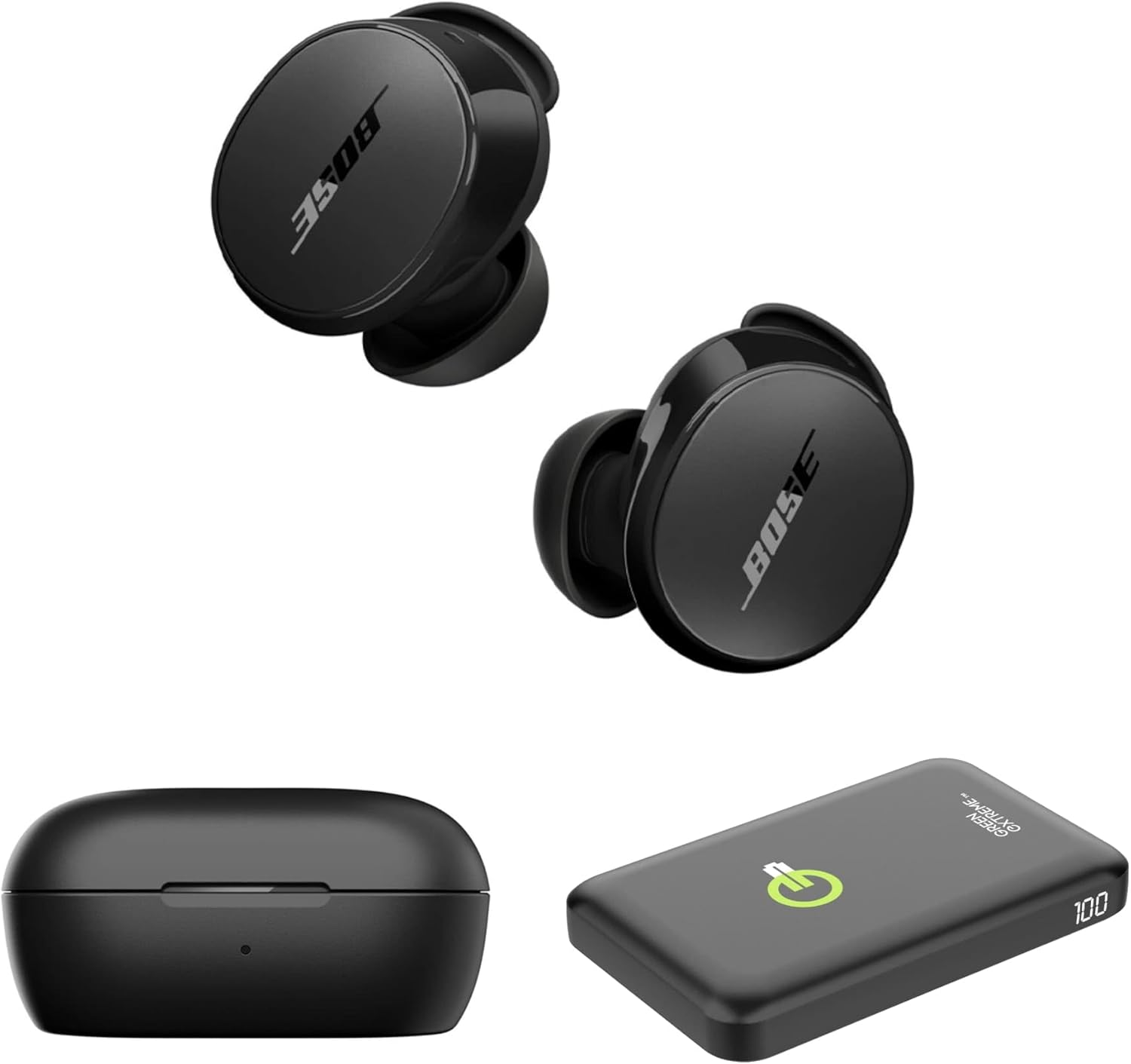
Image 1.1: Bose QuietComfort Earbuds, charging case, and Green Extreme portable charger.
2. Enstalasyon
2.1 Debalè ak Konpozan
Verifye ke tout konpozan yo prezan nan anbalaj la:
- Bose QuietComfort Earbuds (Black)
- Ka chaje
- USB-A pou USB-C kab
- Small, Medium, and Large Eartips & Stability Bands
- Green Extreme 10000mAh Qi Power Bank

Image 2.1: Bose QuietComfort Earbuds in open charging case with included eartips and stability bands.
2.2 Chaje ekoutè yo ak bwat la
- Mete ekoutè yo nan bwat chaje a. Asire w yo byen chita.
- Connect the USB-A to USB-C cable to the charging case and a power source.
- The charging case can also be charged wirelessly.
- A 20-minute charge provides approximately 2 hours of playback. Full charge provides up to 8.5 hours of playback. The case holds an additional 2.5 charges.

Image 2.2: Hand holding the Bose QuietComfort Earbuds charging case.
2.3 Selecting the Correct Fit
The earbuds come with three sizes of eartips and stability bands (S, M, L) to ensure a comfortable and secure fit. Experiment with different sizes to find the best seal for optimal sound quality and noise cancellation.
- Gently pull the eartip and stability band off the earbud.
- Select a new size and align it with the earbud.
- Peze byen fèm jiskaske li fè yon klik nan plas li.

Image 2.3: Close-up of Bose QuietComfort Earbuds, highlighting the design and fit components.
2.4 Bluetooth Pairing
The earbuds utilize Bluetooth 5.3 for stable and efficient wireless connectivity.
- Louvri bwat chaje a. Ekoutè yo ap antre nan mòd koneksyon.
- Sou aparèy ou an (telefòn entelijan, tablèt, òdinatè), aktive Bluetooth epi chèche aparèy ki disponib yo.
- Select "Bose QuietComfort Earbuds" from the list.
- The earbuds support multipoint connection, allowing seamless switching between multiple paired devices.
3. Operasyon Enstriksyon
3.1 Customizable Tap Controls
The earbuds feature customizable tap controls for managing audio playback and calls. These controls can be configured via the Bose QCE app.
- Jwe/Poz: Tape yon sèl sou chak ekoutè.
- Sote Track: Tape de fwa sou ekoutè dwat la.
- Kontwòl Volim: Swipe up or down on the earbud surface (customizable).
- Reponn/Fen Apèl: Tape yon sèl sou chak ekoutè.
3.2 Anilasyon aktif bri (ANC)
The earbuds feature active noise cancellation to reduce ambient sound. ANC settings can be adjusted through the Bose QCE app.
- Mòd trankil: Maximizes noise cancellation for immersive listening.
- Mòd Konsyan: Allows some ambient sound to pass through, enhancing situational awareness.
- Off: Dezaktive anilasyon bri.
3.3 Bose QCE App Integration
The Bose QCE app provides comprehensive control and customization options for your earbuds:
- Adjustable EQ: Fine-tune bass, mid-range, and treble levels.
- ANC Settings: Switch between Quiet, Aware, and Off modes.
- Lavi batri: Monitor the current battery level of each earbud and the charging case.
- Rakoursi pèsonalize: Personalize tap control functions.
- Jesyon aparèy: View and manage connected Bluetooth devices.
Videyo 3.1: Yon overview of the Bose QuietComfort Wireless Noise Cancelling Earbuds, demonstrating key features and design.
4. Antretyen
4.1 Netwayaj
Netwayaj regilye ede kenbe pèfòmans ak ijyèn ekoutè ou yo.
- Use a soft, dry cloth to wipe the earbuds and charging case.
- For eartips, remove them from the earbuds and clean with a mild soap solution, then rinse and dry thoroughly before reattaching.
- Evite itilize materyèl abrazif oswa pwodwi chimik piman bouk.
4.2 Rezistans dlo
The earbuds have an IPX4 rating, meaning they are resistant to splashes, drips, and sweat. This rating does not indicate resistance to submersion in water. Avoid exposing the earbuds to excessive moisture or liquids.
NAN. Depanaj
If you encounter issues with your Bose QuietComfort Earbuds, refer to the following common solutions:
- Pa gen son/Move kalite son: Ensure earbuds are properly seated in your ears with a good seal. Check the volume levels on both your device and the earbuds. Verify EQ settings in the Bose QCE app.
- Pwoblèm Koneksyon: Ensure Bluetooth is enabled on your device and the earbuds are in pairing mode. Try unpairing and re-pairing the earbuds. Ensure your device is within the 30-foot Bluetooth range.
- Ekoutè pa chaje: Ensure the earbuds are correctly placed in the charging case. Check that the charging case itself is charged or connected to a power source. Clean charging contacts if necessary.
- Anile bri pa travay: Verify ANC settings in the Bose QCE app. Ensure a proper fit of the eartips and stability bands to create an effective seal.
Pou plis asistans, konsilte sipò Bose a. websit oswa kontakte sèvis kliyan.
6. Espesifikasyon
| Karakteristik | Spesifikasyon |
|---|---|
| Mak | Bose |
| Nimewo Modèl | 888507-Tous |
| UPC | 192223262270 |
| Bluetooth vèsyon | 5.3 |
| Gamme Bluetooth | 30 pye |
| Dire batri (ekoutè) | Jiska 8.5 èdtan |
| Charging Case Charges | 2.5 additional charges |
| Chaje rapid | 20 minit pou 2 èdtan lekti |
| Karakteristik Kontwòl Bri | Anile aktif bri |
| Nivo rezistans dlo | IPX4 (rezistan dlo) |
| Metòd kontwòl | Manyen |
| Kalite chofè odyo | Chofè dinamik |
| Fòm ekoutè | Awondi pwent |
| Materyèl | Plastic or Aluminum (Case) |
7. Garanti ak sipò
Your Bose QuietComfort Wireless Noise Cancelling Earbuds are covered by a manufacturer's warranty. Please refer to the warranty card included in your product packaging for specific terms and conditions.
For product support, frequently asked questions, and additional resources, visit the official Bose support websit oswa kontakte depatman sèvis kliyan yo.


