1. Entwodiksyon
Thank you for choosing the KSIX Venture Smartwatch. This device is designed to enhance your daily life by providing health monitoring, fitness tracking, and smart communication features directly from your wrist. Please read this manual carefully to ensure proper use and optimal performance of your smartwatch.

Image 1.1: KSIX Venture Smartwatch main display showing various metrics.
2. Pwodwi souview
2.1 Kontni pake a
- KSIX Venture Smartwatch
- Chaje kab
- Gade Mare
- Manyèl Itilizatè (dokiman sa a)
2.2 Karakteristik kle
- 1.85'' TFT Display with 360x360 resolution
- Health Monitoring: Heart Rate, Blood Oxygen, Blood Pressure, Sleep, Stress, Menstrual Cycle
- Multiple Sports Modes for various activities
- Bluetooth Calling and App Notifications
- Flach entegre
- Up to 10 days of battery life (700 mAh battery)
- IP68 Water Resistance (up to 1.5 meters for 30 minutes)
- Compatible with iOS and Android smartphones

Image 2.1: Visual summary of the smartwatch's main functionalities.
3. Enstalasyon
3.1 Chaje mont entelijan an
Before first use, fully charge your smartwatch. Connect the charging cable to the charging port on the back of the watch and to a USB power adapter (not included). The screen will indicate charging status. A full charge takes approximately 4 hours.
3.2 Power On/Off
- Pouvwa sou: Peze epi kenbe bouton pouvwa a (anjeneral bouton anlè adwat la) jiskaske ekran an limen.
- Pouvwa Off: Press and hold the power button, then select "Power Off" on the screen.
3.3 Konekte ak telefòn entelijan ou
- Telechaje la Da Fit aplikasyon an nan magazen aplikasyon telefòn entelijan ou an (iOS oswa Android).
- Asire w ke Bluetooth aktive sou smartphone ou.
- Louvri aplikasyon Da Fit la epi swiv enstriksyon ki sou ekran an pou kreye yon kont oubyen konekte.
- In the app, navigate to "Device" or "Add Device" and select your KSIX Venture Smartwatch from the list of available devices.
- Confirm the pairing request on both your smartwatch and smartphone.
- Once paired, the smartwatch will synchronize data with the app.
4. Operasyon Enstriksyon
4.1 Navigasyon debaz
- Ekran manyen: Glise agoch/adwat, monte/anba pou navige nan meni ak fonksyon yo. Tape pou chwazi.
- Bouton bò: Use the physical buttons on the side for quick access to functions or to return to the home screen.
4.2 Pèsonalize Kadran Mont yo
You can change the watch face directly on the smartwatch by long-pressing the home screen or through the Da Fit app for more options.
5. Siveyans Sante
The KSIX Venture Smartwatch offers continuous health monitoring features. For accurate readings, ensure the watch is worn snugly on your wrist.
- Batman kè: Monitors your heart rate throughout the day.
- Oksijèn nan san (SpO2): Measures the oxygen saturation level in your blood.
- Tansyon: Provides an estimate of your blood pressure.
- Suivi dòmi: Analize modèl dòmi ou, ki gen ladan dòmi pwofon, dòmi lejè, ak lè ou reveye.
- Siveyans estrès: Tracks your stress levels.
- Suivi Sik Menstruèl: Helps women track their menstrual cycles.
Nòt: The health data provided by this device is for reference only and should not be used for medical diagnosis or treatment. Consult a medical professional for any health concerns.

Image 5.1: Health and activity tracking interface.
6. Mòd Espò
The smartwatch includes multiple sports modes to track your workouts.
- Navigate to the "Sports" menu on your smartwatch.
- Select your desired activity (e.g., Running, Cycling, Walking, etc.).
- Press the start button to begin tracking. The watch will record duration, calories burned, heart rate, and other relevant metrics.
- Press the stop button to end the workout. Data will be synchronized with the Da Fit app.

Image 6.1: Sports mode selection and weather integration.
7. Calls and Notifications
Stay connected by managing calls and notifications directly from your wrist.
7.1 Rele Bluetooth
- Fè apèl: Access your contacts or dial a number directly from the smartwatch.
- Resevwa apèl: Answer, reject, or mute incoming calls without taking out your phone.
7.2 Notifikasyon aplikasyon yo
Receive alerts from your favorite social media and messaging apps. Ensure notification permissions are enabled in the Da Fit app and your phone settings.
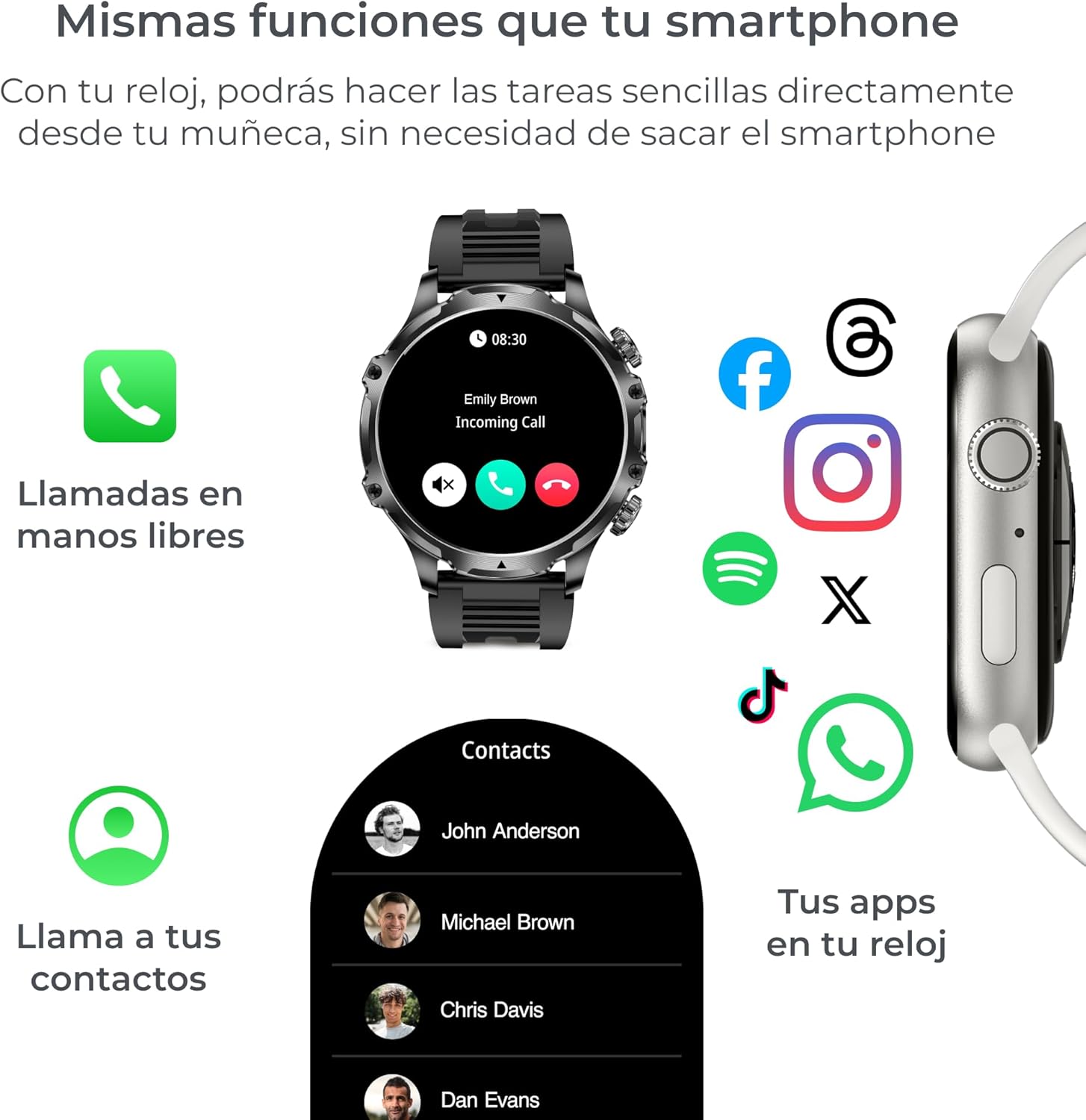
Image 7.1: Call management and app notifications on the smartwatch.
8. Lòt Karakteristik
8.1 Integrated Flashlight
Activate the built-in flashlight feature for illumination in low-light conditions.

Image 8.1: Smartwatch flashlight in use.
8.2 Kontwòl Mizik
Control music playback on your smartphone directly from your smartwatch. Play, pause, skip tracks, and adjust volume.
8.3 Jwenn Telefòn
If your phone is misplaced, use the "Find Phone" feature on your smartwatch to make your phone ring (if within Bluetooth range).
8.4 Alarms and Reminders
Set alarms and reminders through the Da Fit app to help manage your schedule.
8.5 jwèt
Access simple games directly on your smartwatch for entertainment.
8.6 Pwedi Meteyo
View real-time weather information and forecasts on your smartwatch, synchronized with your phone's location.

Image 8.2: Additional features like alarms, find phone, and games.
9. Antretyen
9.1 Rezistans dlo (IP68)
The KSIX Venture Smartwatch is IP68 water-resistant, meaning it can withstand immersion in water up to 1.5 meters deep for a maximum of 30 minutes. It is suitable for daily use and light water activities like hand washing or rain exposure. Avoid hot water, steam, or prolonged immersion in water. Do not press buttons underwater.
9.2 Netwayaj
Clean your smartwatch regularly with a soft, dry cloth. If necessary, use a slightly damp twal epi seche byen. Evite itilize pwodui chimik ki agresif oswa materyèl abrazif.
9.3 Depo
When not in use for extended periods, store the smartwatch in a cool, dry place.
NAN. Depanaj
10.1 Smartwatch Not Turning On
- Ensure the battery is charged. Connect the smartwatch to its charger for at least 30 minutes.
- Try pressing and holding the power button for 10-15 seconds.
10.2 Unable to Pair with Smartphone
- Asire w ke Bluetooth aktive sou smartphone ou.
- Asire w ke mont entelijan an nan zòn Bluetooth telefòn ou an.
- Restart both your smartphone and smartwatch.
- Efase kach Bluetooth la sou telefòn ou (si sa aplikab) epi eseye konekte ankò.
- Ensure the Da Fit app has necessary permissions.
10.3 Done sou Sante ki Pa Egzak
- Ensure the smartwatch is worn snugly on your wrist, not too loose or too tight.
- Evite twòp mouvman pandan mezi yo.
- Netwaye detèktè yo ki sou dèyè mont lan.
10.4 Notifikasyon ki pa parèt
- Check if the smartwatch is properly connected to the Da Fit app.
- Verify that notification permissions are enabled for the Da Fit app in your phone's settings.
- Ensure notifications are enabled for specific apps within the Da Fit app.
11. Espesifikasyon
| Karakteristik | Detay |
|---|---|
| Mak | KSIX smart your tech |
| Non modèl | BXSW27N |
| Nimewo Modèl Pwodwi | 8427542136141 |
| Gwosè ekran | 1.85 pous |
| Kalite ekran | TFT |
| Rezolisyon ekran | 360 x 360 |
| Sistèm operasyon | Da Fit |
| Koneksyon Teknoloji | Bluetooth |
| Wireless Kominikasyon Creole | 802.11n |
| Kapasite batri | 700 mAh |
| Mwayèn lavi batri | Jiska 10 jou |
| Tan pou chaje | 4 èdtan |
| Evalyasyon rezistans dlo | IP68 |
| Aparèy konpatib | Smartphone (iOS and Android) |
| Materyèl | Zenk alyaj |
| Pwa | 200 g |
| Kapasite memwa | 128 GB (Digital Storage) |
| RAM Installed | 256 GB |
12. Garanti ak sipò
For warranty information and customer support, please refer to the documentation included with your purchase or visit the official KSIX websit la. Kenbe prèv acha ou pou reklamasyon garanti.
Manifakti: KSIX smart your tech
Websit: Visit KSIX Store on Amazon


