Entwodiksyon
Thank you for choosing the Akicon Bathroom Exhaust Fan with Humidity Switch and 3CCT LED Light. This manual provides essential information for the safe installation, operation, and maintenance of your new exhaust fan. Please read these instructions thoroughly before installation and retain them for future reference.

Image: The Akicon Bathroom Exhaust Fan with its integrated LED light and the accompanying humidity sensor switch.
Enfòmasyon sou Sekirite
AVÈTISMAN: Pou diminye risk pou dife, chòk elektrik, oswa blesi sou moun, obsève bagay sa yo:
- Always disconnect power at the service panel before wiring or servicing this unit. Ensure the main power supply is turned off.
- Installation and electrical wiring must be done by qualified person(s) in accordance with all applicable codes and standards, including fire-rated construction codes.
- A neutral wire is required for the humidity switch to function correctly.
- Aparèy sa a fèt pou itilizasyon vantilasyon jeneral sèlman. Pa sèvi avè l pou retire materyèl ak vapè danjere oswa eksplozif.
- Duct work must be installed to the outside.
- Pa janm mete yon switch kote yo ka jwenn li nan yon basen oswa yon douch.
Karakteristik pwodwi
- Airflow reglabl: Selectable airflow settings of 50, 80, or 100 Cubic Feet per Minute (CFM) to suit various bathroom sizes and ventilation needs.
- Operasyon trankil: Operates at a low sound level, below 1.2 sones, ensuring a quiet bathroom environment.
- Motè DC ki efikas an enèji: Equipped with a DC motor for powerful performance and reduced energy consumption. Features a soft start and stop mechanism for motor protection.
- Integrated 3CCT LED Light: Features a 15W main LED light with three color temperature options (2700K Warm White, 4000K Natural White, 5500K Day White).
- Fonksyon limyè lannwit: Includes a 7W 2700K night light for soft illumination.
- Humidity Sensor Switch: Automatically detects room humidity levels and activates the fan when humidity exceeds a preset threshold, turning off once levels normalize.
- Adjustable Humidity and Timer Settings: The humidity sensor and timer offer 5 levels each (Humidity: 90%, 80%, 70%, 60%, 50%; Timer: 5, 15, 30, 45, 60 minutes) for customized ventilation control.
- Manyèl Override: Allows for manual operation of the fan and light, bypassing the humidity sensor if desired.
Karakteristik vizyèl yo finiview

Image: Illustration showing the three selectable color temperatures for the LED light: 2700K Warm White, 4000K Natural White, and 5500K Day White.

Image: Diagrams illustrating recommended room sizes (Small, Medium, Large) for 50, 80, and 100 CFM airflow settings, with a detail of the CFM selection switch.
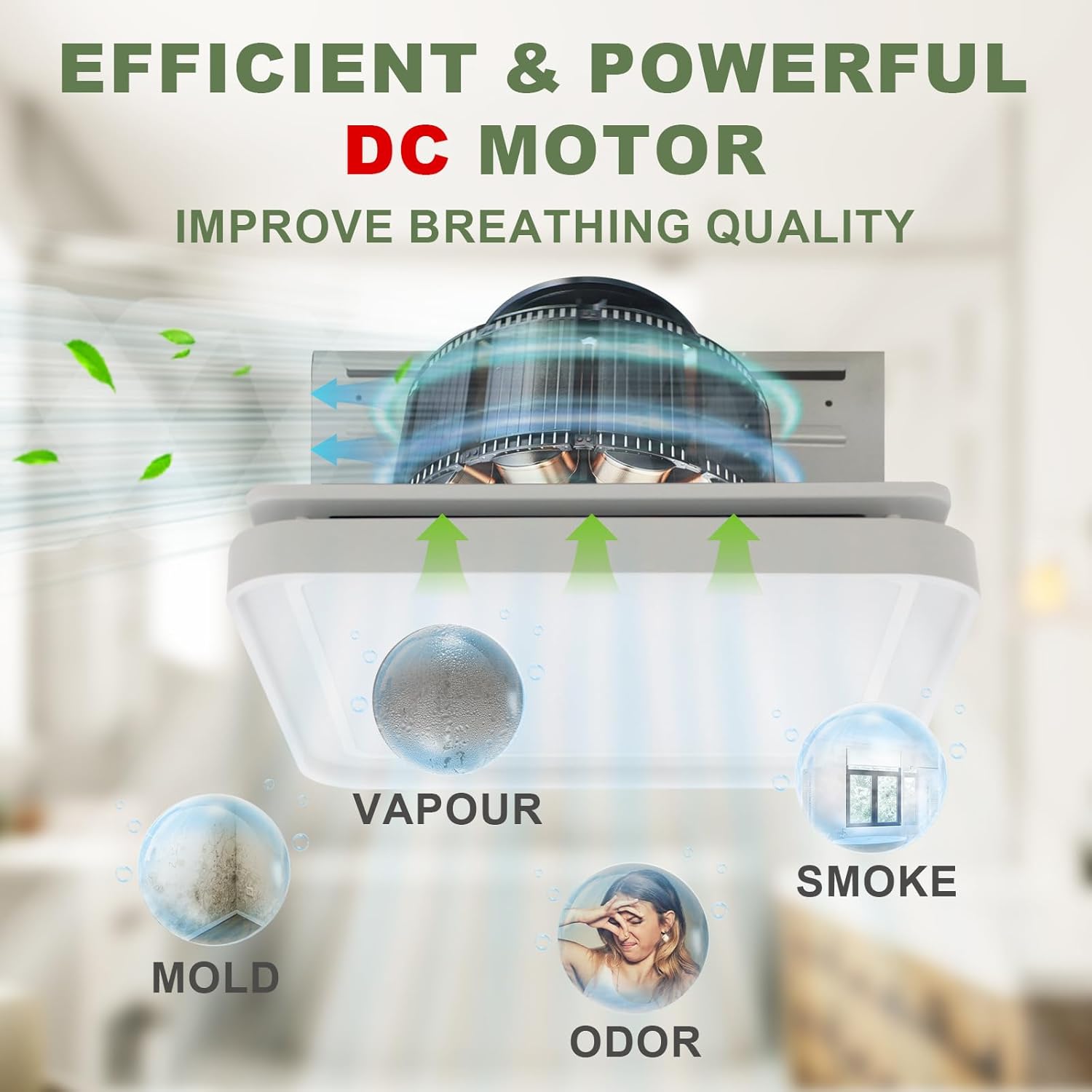
Image: Graphic depicting the exhaust fan's DC motor effectively removing vapor, mold, odor, and smoke from the bathroom environment.

Imaj: Detaye view of the humidity switch, highlighting its LED indicator, humidity sensor, fan switch, LED light switch, and night light switch.
Enstalasyon
Installation should be performed by a qualified electrician in compliance with all local and national electrical codes. Ensure power is disconnected at the circuit breaker before beginning installation.
Dyagram fil elektrik

Image: A detailed wiring diagram showing connections for the humidity switch to the junction box, including lines for night lamp, lighting LED, fan, and neutral wire. Grounding instructions for plastic and metal junction boxes are also provided.
- Dekoneksyon pouvwa: Always cut off power at the main circuit breaker before attempting any wiring.
- Fil net: A neutral wire is essential for the proper operation of the humidity switch.
- Atè: Ensure proper grounding. If the junction box is plastic, follow the dashed green line for grounding. If metal, follow the solid green line.
- Kanal: Connect the fan's exhaust port to appropriate ductwork leading to the outside.
- Montaj: The fan is designed for flush mount installation. Secure the fan housing firmly to the ceiling joists or suitable support structure.
Humidity Switch Dimensions

Image: Technical drawing displaying the dimensions of the humidity switch, including its height (4-1/8"), width (3-1/4"), and depth (1-3/4" and 1/3"-1/10").
Enstriksyon Operasyon
The Akicon exhaust fan and light are controlled by the included humidity sensor switch. This switch offers both automatic and manual modes for optimal control.
Humidity Switch Functions
- Chanjman fanatik: Press the fan button to manually turn the fan ON or OFF.
- Dirije limyè switch: Press the light bulb button to cycle through the 3 CCT options (2700K, 4000K, 5500K) within 2 seconds.
- Chanjman Limyè Lannwit: Press the crescent moon button to turn the night light ON or OFF.
- Imidite Capteur: The switch automatically detects humidity. When humidity exceeds the set level, the fan will activate.
- Revèy: The fan can be set to run for a specific duration (5, 15, 30, 45, 60 minutes) after manual activation or humidity-triggered operation.
Auto Mode vs. Manual Mode

Image: Diagram explaining the Auto Mode and Manual Mode operations of the humidity sensor switch, including how the fan responds to humidity levels and manual button presses.
- Mòd oto: When the switch is in auto mode, the fan will operate when the humidity level exceeds the set value. It will stop approximately 5 minutes after the humidity drops below the set value.
- Mòd manyèl: Pressing the fan button switches the fan to manual operation. If the fan is turned ON manually, it will switch to auto mode after running for a specified timer duration. If turned OFF manually, it will switch to auto mode after 10 minutes.
- Nòt: If the timer is set to OFF, the fan will not switch to auto mode after manual light operation. If the humidity condition is set to OFF, the device will not enter auto mode.
Antretyen
Antretyen regilye asire pèfòmans optimal ak lonjevite vantilatè aspirasyon ou an. Toujou dekonekte kouran an anvan ou fè nenpòt antretyen.
- Netwaye griyaj la: Periodically remove the grille and wash it with mild soap and water. Rinse thoroughly and dry before reattaching.
- Netwayaj lam vantilatè yo: With power disconnected, gently wipe the fan blades with a damp cloth to remove dust and debris. Avoid bending the blades.
- Enspeksyon Tuyaux: Annually inspect the ductwork for any obstructions or damage. Ensure proper airflow.
- Kouvèti Limyè: Clean the light cover with a soft, damp twal. Pa sèvi ak pwodui netwayaj abrazif.
Depanaj
If you experience issues with your Akicon exhaust fan, refer to the following common problems and solutions:
| Pwoblèm | Kòz posib | Solisyon |
|---|---|---|
| Fanatik pa limen | Pa gen ekipman pou pouvwa Fil elektrik ki lach Humidity sensor not triggered | Tcheke brekè Verify wiring connections (ensure power is off) Manually activate fan or adjust humidity threshold |
| Fanatik fè bwi | Montaj ki lach Lam fanatik sal Obstruction in ductwork | Ensure fan housing is securely mounted Clean fan blades (power off) Check and clear ductwork |
| Limyè pa travay | Pa gen ekipman pou pouvwa Fil elektrik ki lach Dirije echèk limyè | Tcheke brekè Verify wiring connections (power off) Kontakte sipò kliyan pou ranplasman |
| Humidity sensor not working | Sensor enfim Anviwònman ki pa kòrèk Kapab fonksyone byen | Ensure humidity condition is not set to OFF Adjust humidity threshold settings Kontakte sipò kliyan |
If the problem persists after attempting these solutions, please contact Akicon customer support.
Espesifikasyon
| Karakteristik | Detay |
|---|---|
| Mak | Akicon |
| Modèl Style | Akicon Bathroom Exhaust Fan with Humidity Switch |
| Airflow (CFM) | 50-80-100 (Selectable) |
| Sones | Anba 1.2 |
| Kalite motè | DC motè |
| Main LED Light Power | 15W |
| LED Color Temperature (CCT) | 2700K / 4000K / 5500K (Selectable) |
| Pouvwa Limyè Lannwit | 7W |
| Tanperati Koulè Limyè Lannwit | 2700K |
| Metòd kontwòl | Touch (via Humidity Switch) |
| Kalite enstalasyon | Flush Mount |
| Kalite chanm | Twalèt |
Garanti ak sipò
Akicon products are manufactured to high-quality standards and are backed by a limited warranty. For specific warranty details, please refer to the warranty card included with your product or visit the official Akicon websit.
For technical assistance, troubleshooting, or to inquire about replacement parts, please contact Akicon customer support:
- Websit: Akicon Official Store
- Imèl: Gade anbalaj pwodwi a oubyen websit pou enfòmasyon kontak.
- Telefòn: Gade anbalaj pwodwi a oubyen websit pou enfòmasyon kontak.


