1. Entwodiksyon
Thank you for choosing the Holyton Drone Strobe Light. This anti-collision lamp is designed to enhance the visibility of your drone during night flights and in various other scenarios. It features multiple colors and modes, ensuring compliance with aviation regulations and improving safety. Please read this manual thoroughly before use to ensure proper operation and maintenance.
2. Enfòmasyon sou Sekirite
- Always ensure the strobe light is securely attached to your drone or other object before operation.
- Adhere to all local aviation authority regulations regarding drone lighting, especially for night flying. This light meets FAA requirements for anti-collision lighting.
- Pa ekspoze aparèy la nan tanperati ekstrèm, limyè solèy dirèk pou yon peryòd pwolonje, oswa imidite.
- Kenbe soti nan atenn timoun yo.
- Do not attempt to disassemble or modify the light, as this will void the warranty and may cause damage.
3. Pake kontni
- Holyton Drone Strobe Light (1 unit)
- USB Chaje Kab
- Mounting Accessories (e.g., adhesive pads, rubber bands)
- Manyèl itilizatè
4. Pwodwi Features
- Segondè Vizibilite: 120 lumens brightness with 360° coverage.
- Multiple Colors & Modes: 7 switchable colors and 7 adjustable flashing modes.
- Batri rechargeable: Provides extended use time after a quick charge.
- Lejè ak kontra enfòmèl ant: Weighs only 6.5g, ideal for various drones and other applications.
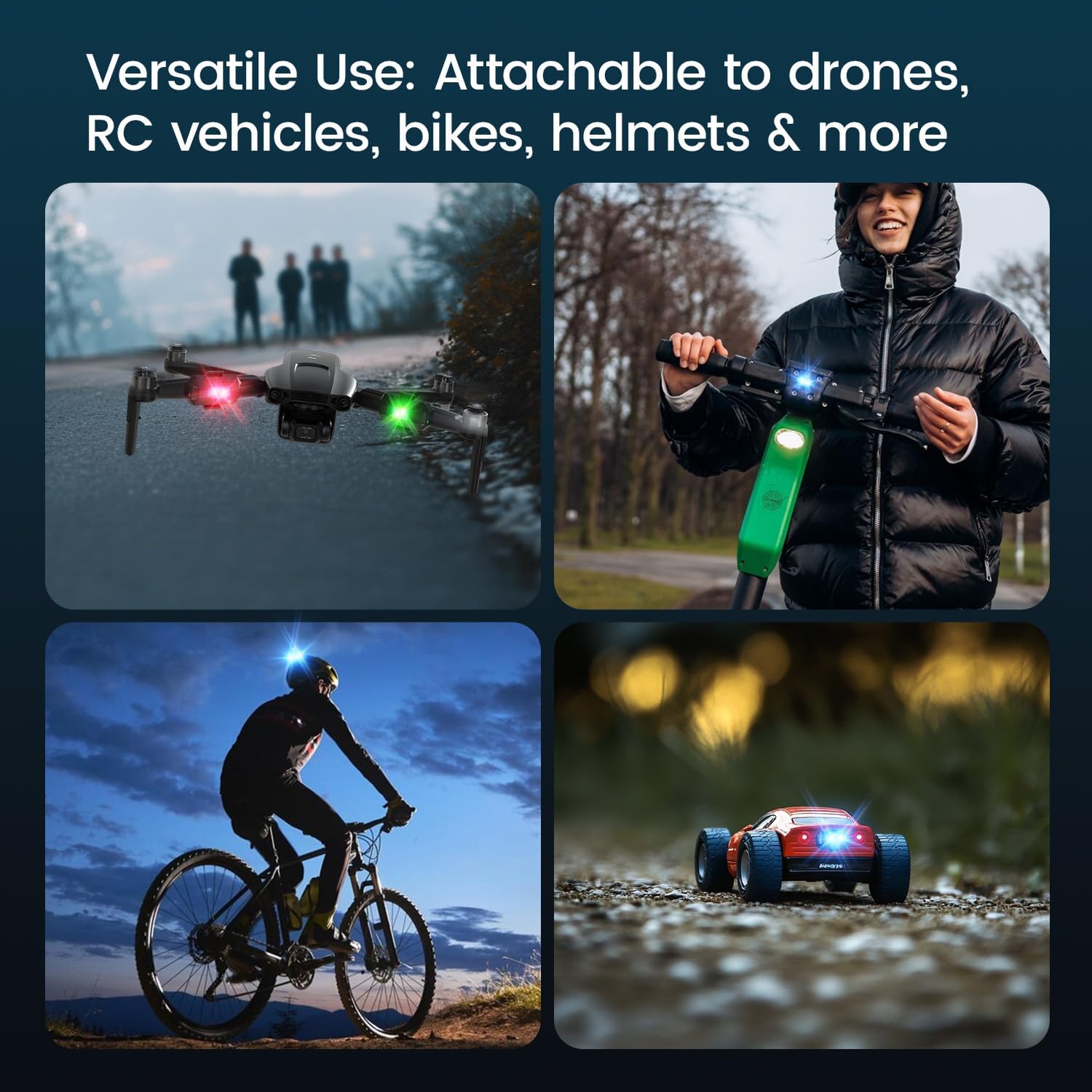
- Aplikasyon versatile: Suitable for drones, RC vehicles, bicycles, motorcycles, helmets, and more.
- FAA Compliant: Meets requirements for anti-collision lighting during night flights.
5. Enstalasyon ak Enstalasyon
5.1 Premye chaj
Before first use, fully charge the strobe light. Refer to Section 6 for charging instructions.
5.2 Mounting the Strobe Light
The Holyton Drone Strobe Light can be attached to various objects using the provided mounting accessories. For drones, ensure the light does not interfere with propellers, sensors, or flight stability.
- Netwaye Sifas: Ensure the mounting surface on your drone or object is clean and dry.
- Aplike adezif: Peel the backing from an adhesive pad and firmly press it onto the designated area on the strobe light.
- Attach to Drone: Peel the remaining backing from the adhesive pad and attach the strobe light to your drone. Apply firm pressure for a few seconds to ensure a secure bond. Alternatively, use rubber bands or other suitable fasteners for temporary attachment.

6. Operasyon Enstriksyon
6.1 Power On/Off
- Pouvwa sou: Press and hold the power button for approximately 2 seconds until the light illuminates.
- Pouvwa Off: Press and hold the power button for approximately 2 seconds until the light turns off.
6.2 Chanje Koulè ak Mòd
The strobe light offers 7 different colors and 7 distinct flashing modes.
- Chanje koulè: While the light is on, short press the power button to cycle through the available colors (e.g., white, red, green, blue, yellow, pink, ice blue).
- Chanje mòd: Double-press the power button quickly to cycle through the different flashing modes (e.g., constant, slow flash, fast flash, alternating colors).

7. Chaje
The Holyton Drone Strobe Light is equipped with a rechargeable Lithium Ion battery.
- Pò chaje: Mikwo USB
- Tan pou chaje: Apeprè 12 minit pou yon chaj konplè.
- Sèvi ak tan: Up to 5 hours on a full charge, depending on the selected mode and color.
To charge, connect the provided USB charging cable to the Micro USB port on the strobe light and plug the other end into a standard USB power source (e.g., computer, wall adapter).

8. Antretyen
- Netwayaj: Sèvi ak yon twal mou epi sèk pou netwaye limyè a. Pa sèvi ak pwodui chimik ki agresif oswa materyèl abrazif.
- Depo: Store the strobe light in a cool, dry place away from direct sunlight when not in use.
- Swen batri: For optimal battery life, avoid fully discharging the battery frequently. Charge the device regularly, even if not in use, to maintain battery health.
NAN. Depanaj
| Pwoblèm | Kòz posib | Solisyon |
|---|---|---|
| Limyè pa limen. | Batri ap vide. | Charge the strobe light fully. |
| Limyè pa chaje. | Charging cable or power source is faulty. | Try a different USB cable or power adapter. Ensure the Micro USB connector is inserted correctly. |
| Limyè a pa klere ase. | Low battery or incorrect mode. | Charge the device. Ensure a bright mode is selected (e.g., constant white light). |
| Light falls off during use. | Improper mounting or worn adhesive. | Ensure the mounting surface is clean and dry. Use new adhesive pads or more secure fastening methods. |
10. Espesifikasyon
| Karakteristik | Detay |
|---|---|
| Nimewo Modèl | US03A76731000HT70402 |
| Mak | Holyton |
| Koulè | Nwa |
| Fòm | Rektangilè |
| Fini Kalite | Pentire |
| Kalite sous limyè | Dyòd emisyon limyè (LED) |
| Materyèl lonbraj | Plastik |
| Pwa atik | 0.352 ons (apeprè 10 gram) |
| Kantite pil | 1 Lityòm Ion (enkli) |
| Style | Kontra enfòmèl ant |
| Klète | 120 Lumens (Maximum Light Output) |
| Kalite aliye | Drone Mount (Adhesive/Strap) |
| Karakteristik anpoul | Strobe, Flashing, Anti-Collision, Search and Rescue |
| Dimansyon pwodwi | 1"L x 1"W x 1"H (apeprè) |

11. Garanti ak sipò
Holyton products are designed for reliability and performance. This product comes with a standard manufacturer's warranty against defects in materials and workmanship. Please refer to the product packaging or our official websit la pou wè tèm ak kondisyon garanti espesifik yo.
Pou sipò teknik, asistans pou depanaj, oswa reklamasyon garanti, tanpri kontakte ekip sèvis kliyan nou an:
- Imèl: holyton@foxmail.com
- Telefòn: +1 (866) 514-8669
Our support team is available to assist you within 24 hours.


