1. Pwodwi souview
The Fookoo HD 1080P 7-inch Wireless Backup Camera System (Model DW7CT) is designed to enhance driving safety by providing a clear, wide-angle view of your vehicle's rear surroundings. This system features a 7-inch IPS monitor and a robust IP69 waterproof license plate camera, transmitting high-definition 1080P color images wirelessly. It is suitable for various vehicles including cars, pickups, vans, SUVs, and campers, offering stable signal transmission and customizable parking guidelines.

Figure 1.1: Fookoo DW7CT Wireless Backup Camera System components.
2. Ki sa ki nan bwat la
Lè w ap ouvri pake a, tanpri verifye si tout konpozan sa yo ladan l:
- 7-pous ki monitè kè bebe
- Licence Plate Camera
- Machin Charger
- Kòd pouvwa
- Manyèl Enstriksyon
- Suction Cup Mount
- Antèn (pou monitè ak kamera)
- U ki gen fòm Support
- Parasol
- Installation Kit (various screws and connectors)

Figure 2.1: All components included in the Fookoo DW7CT package.
3. Enstalasyon ak Enstalasyon
The Fookoo Wireless Backup Camera System is designed for simple, DIY installation, typically completable within 30 minutes. Follow these steps for proper setup:
3.1. Enstalasyon Kamera
- Mount the License Plate Camera: The camera is integrated into a long license plate bracket. Securely mount this bracket behind your vehicle's license plate using the provided screws. This design ensures no drilling is required and does not obscure your license plate number.
- Connect Camera Power: Connect the camera's power cable to your vehicle's 12V power supply.
- For continuous monitoring (drive monitoring), connect the wires to the license plate lights or taillights.
- For reverse-only activation, connect the wires to the reverse lights.
- Attach Camera Antenna: Screw the antenna securely onto the camera unit.

Figure 3.1: Simple two-step installation process for the license plate camera.
3.2. Siveye Enstalasyon
- Chwazi Kote Montaj: The 7-inch monitor can be mounted on your dashboard using the U-shaped bracket or on the windshield using the suction cup mount. Select a location that provides optimal viewsan anpeche w kondwi view.
- Attach Monitor Antenna: Screw the antenna securely onto the monitor unit.
- Connect Monitor Power: Ou ka alimante monitè a nan de fason:
- Chargeur machin: Branche chajè machin nan nan priz alimyè sigarèt machin ou an.
- Kòd pouvwa: Connect the power cord directly to your vehicle's 12V power source (e.g., fuse box, ACC power).

Figure 3.2: Monitor mounting and power connection options.
Once both the camera and monitor are powered on, the system will automatically establish a wireless connection. The 2.4GHZ digital signal transmission ensures a stable and real-time 1080P HD image.
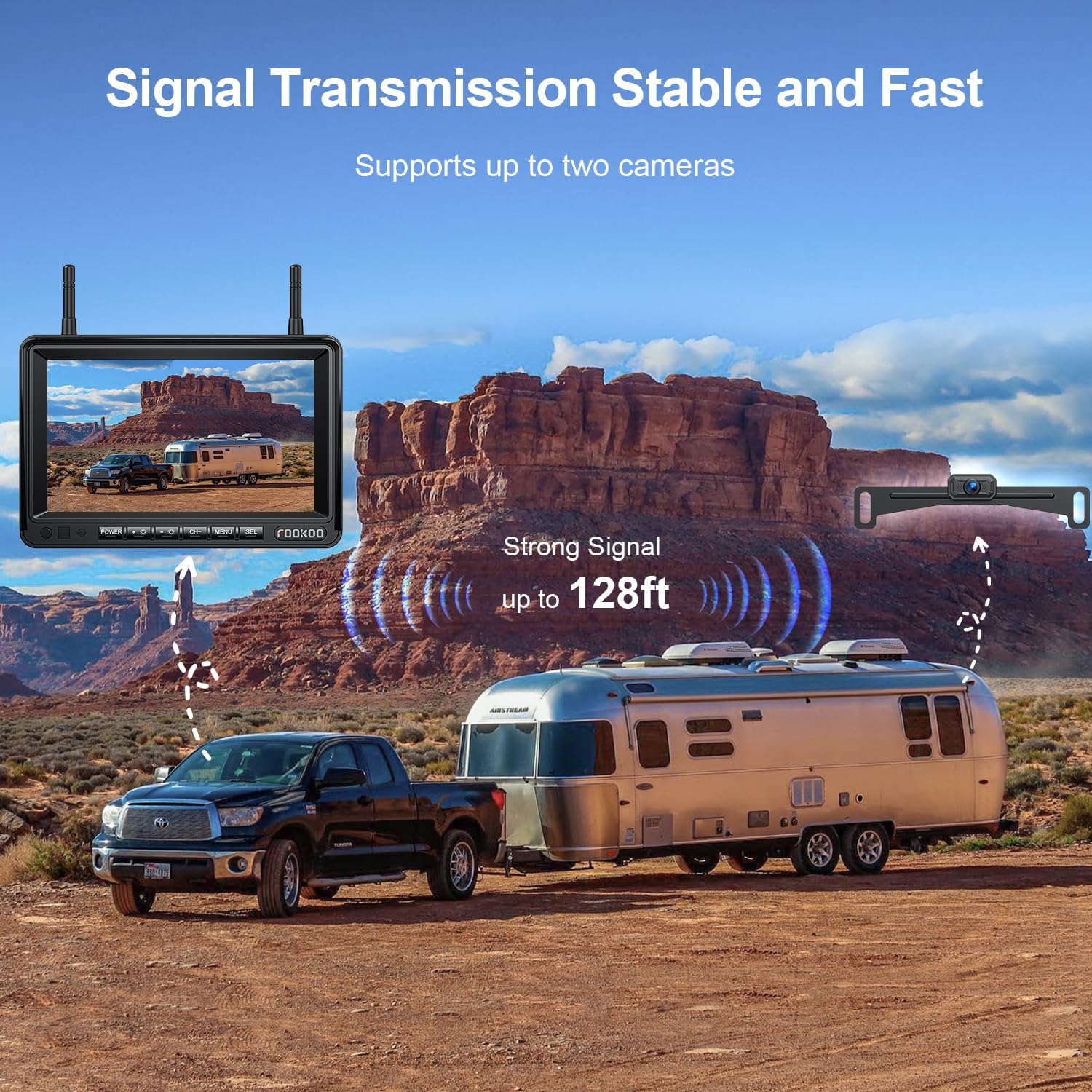
Figure 3.3: Stable wireless signal transmission up to 128 feet.
4. Operasyon Enstriksyon
The 7-inch IPS monitor offers a range of functions to optimize your viewing experience and enhance safety.
4.1. Fonksyon Siveyans
The monitor features intuitive controls for various settings:
- Ajisteman klète: Adjust the screen brightness to suit ambient light conditions for optimal visibility.
- Fonksyon Ranvèse Imaj: Flip the image horizontally or vertically to correct orientation based on camera mounting.
- Dual Split Screen: The monitor supports a dual-split screen mode, allowing you to view feeds from two cameras simultaneously. This system can be expanded by adding a second camera (sold separately).
- Mòd ekran konplè: View the feed from a single camera in full screen.
- Mòd glas: The image can be mirrored, which is typical for rear view aplikasyon yo.
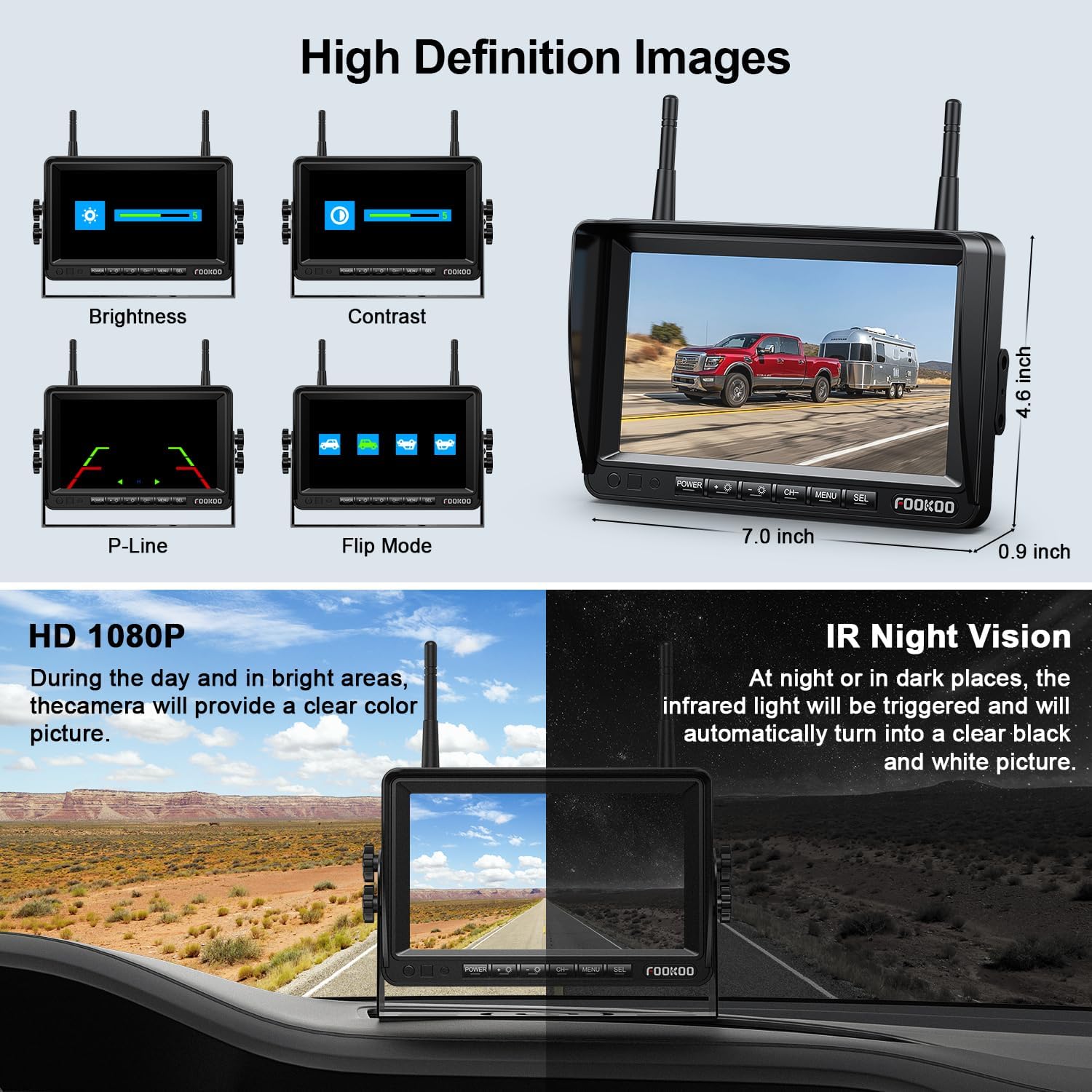
Figure 4.1: Monitor display options including brightness, contrast, and image adjustments.

Figure 4.2: Various display modes available on the 7-inch monitor.
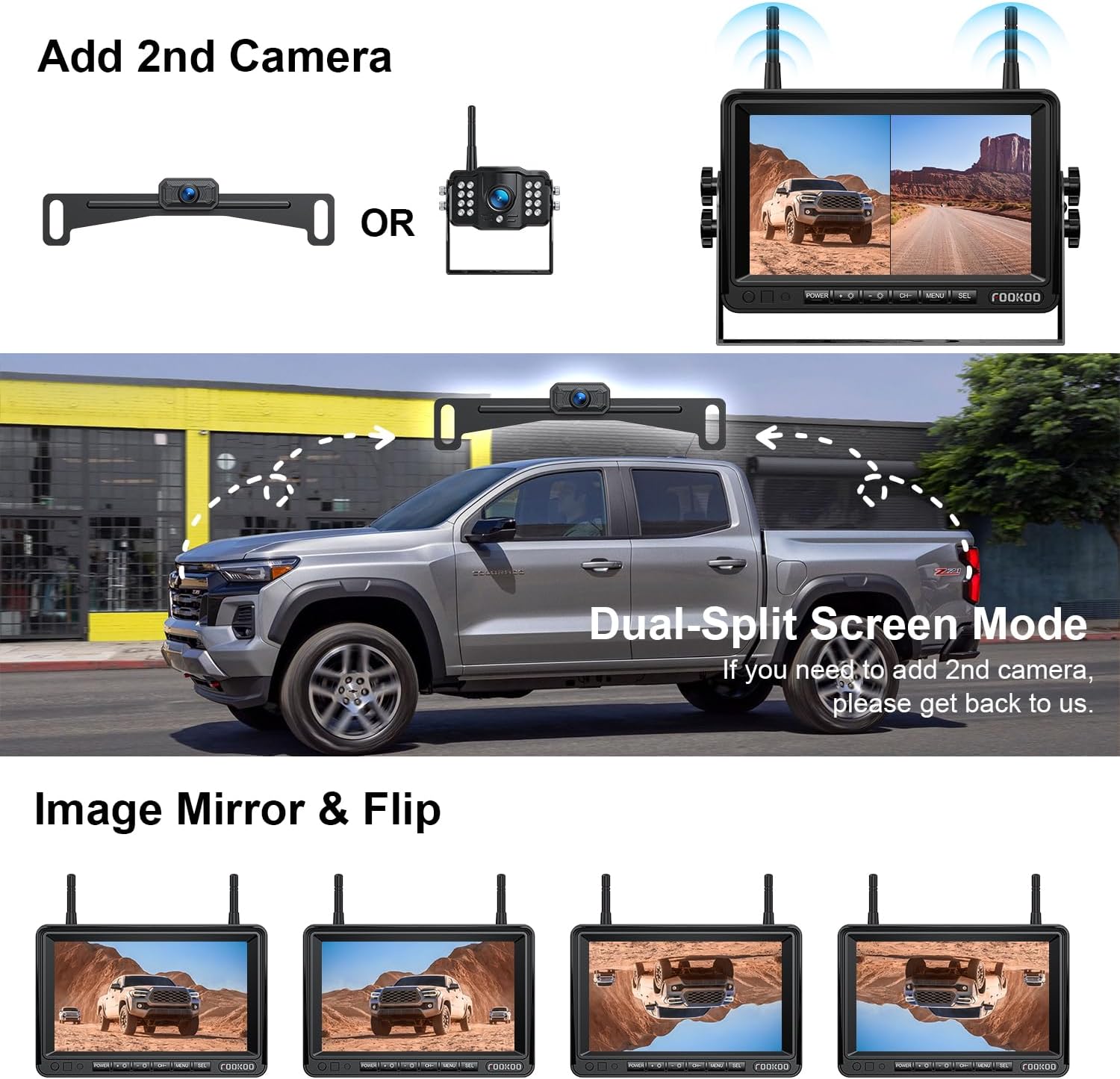
Figure 4.3: Dual-split screen mode for multi-camera setups.

Figure 4.4: The system supports adding a second camera for expanded view.
4.2. DIY Parking Grid Lines
The system allows for customization of parking grid lines to assist with precise parking. You can adjust the width, height, and position of these lines to match your vehicle and parking habits. The grid lines can also be turned off if not desired.

Figure 4.5: Customizable parking grid lines for enhanced parking assistance.
4.3. Image Quality and Night Vision
The system utilizes a CCD image sensor and embedded processing chip to deliver stable, high-definition 1080P color images. In low-light or dark conditions, the infrared (IR) night vision feature automatically activates, providing clear black and white images.
Figure 4.6: Comparison of daytime HD 1080P and night vision image quality.

Figure 4.7: Superior night vision capability of the camera.
5. Antretyen
To ensure the longevity and optimal performance of your Fookoo Wireless Backup Camera System, follow these maintenance guidelines:
- Netwayaj Kamera: Netwaye lantiy kamera a regilyèman avèk yon twal mou,amp twal pou retire pousyè tè, pousyè tè, oswa tach dlo ki ka bouche viewEvite pwodui netwayaj abrazif.
- Netwayaj Monitè: Use a soft, dry, anti-static cloth to clean the monitor screen. Do not spray liquid directly onto the screen.
- Enspeksyon kab: Periodically check all power cables and connections for any signs of wear, fraying, or loose connections. Ensure they are securely fastened.
- Evalyasyon ki enpèmeyab: The license plate camera has an IP69 waterproof rating, meaning it is highly resistant to water and dust. However, avoid directing high-pressure water jets directly at the camera for extended periods during car washes.

Figure 5.1: The IP69 waterproof camera is designed for durability in various weather conditions.

Figure 5.2: The camera's robust waterproof design ensures long-term performance.
NAN. Depanaj
If you encounter any issues with your Fookoo Wireless Backup Camera System, please refer to the following common troubleshooting steps:
6.1. No Image on Monitor / Black Screen
- Tcheke Koneksyon Pouvwa: Ensure both the monitor and camera are receiving power. Verify that the car charger is firmly plugged into the cigarette lighter socket or that the power cord is correctly wired to the 12V source.
- Verify Camera Power: If the camera is wired to reverse lights, ensure the vehicle is in reverse gear.
- Tcheke Antèn yo: Ensure both the monitor and camera antennas are securely attached.
- Entèferans siyal: While designed for stable transmission, extreme electromagnetic interference can affect the signal. Try repositioning the monitor slightly if possible.
6.2. Image Flickering or Unstable
- Pwovizyon pou pouvwa: Ensure a stable 12V power supply to both units. Fluctuating voltage can cause instability.
- Fòs siyal: While the system has a strong signal, ensure there are no major metallic obstructions directly between the camera and monitor.
- Oryantasyon antèn: Slightly adjust the angle of the antennas on both the monitor and camera to optimize signal reception.
6.3. Parking Lines Incorrectly Aligned
- Ajiste Anviwònman: Access the monitor's menu to adjust the width, height, and position of the DIY parking grid lines as described in Section 4.2.
6.4. Poor Night Vision
- Netwaye Lantiy: Ensure the camera lens is clean and free from dirt or smudges that might obscure the infrared sensors.
- Limyè anbyen: While the system has superior night vision, extremely dark environments with no ambient light might still present challenges.
Si etap sa yo pa rezoud pwoblèm nan, tanpri kontakte sèvis kliyan Fookoo pou plis asistans.
7. Espesifikasyon
| Karakteristik | Detay |
|---|---|
| Dimansyon pwodwi | 8.9 x 6.5 x 5.1 pous |
| Pwa atik | 2.4 liv |
| Teknoloji ekspozisyon | LCD |
| Gwosè ekran | 7 pous |
| Rezolisyon Capture Videyo | 1080p |
| Transmisyon san fil | 2.4GHZ Digital Signal |
| Voltage | 12 Volts |
| Teknoloji detèktè optik | CCD |
| Kalite lantiy | Gran Ang |
| Kamera Waterproof Rating | IP69 |
| Tanperati Fonksyònman | -22 ° F a 176 ° F (-30 ° C a 80 ° C) |
| Aparèy konpatib | Fookoo Wireless Backup Camera System |
| Koulè | Gwo twou san fon nwa |
| Manifakti | Fookoo |
8. Garanti ak sipò
Fookoo provides comprehensive support for your product:
- Garanti: Pwodwi sa a vini ak yon 24 mwa garanti ranplasman.
- Lifetime After-Sales Service: Fookoo offers lifetime after-sales service for this product.
- Kontakte sipò: If you encounter any defects, require assistance with installation, operation, or troubleshooting, please contact Fookoo customer service. They are available 24 hours to provide support.

Figure 8.1: Warranty information and package contents overview.
