Entwodiksyon
Mèsi pou acha aasing the AFEXOA ZH083K Digital Sunrise Alarm Clock. This device is designed to enhance your waking and sleeping experience with its natural sunrise simulation, customizable alarm sounds, multi-color night light, and sleep aid features. Please read this manual carefully to ensure proper use and optimal performance of your new alarm clock.
Kontni pake
- AFEXOA ZH083K Digital Sunrise Alarm Clock
- USB pouvwa kab
- Manyèl itilizatè
Pwodwi souview
Familiarize yourself with the components and controls of your AFEXOA ZH083K alarm clock.

Imaj 1: Devan view of the AFEXOA ZH083K Digital Sunrise Alarm Clock, showing the digital time display and control buttons on the top panel. The light dome is visible above the fabric-covered speaker base.
Bouton kontwòl:
- DIMMER: Adjusts the brightness of the clock display.
- TAN: Used for setting the current time.
- ALAM: Used for setting and activating the alarm.
- ALARM ON / OFF: Aktive fonksyon alam lan.
- TIMER DÒM: Activates and adjusts the sleep timer function.
- +/-: Adjusts values (time, brightness, volume) up or down.
- Ikòn anpoul: Controls the night light/mood light.
- Bouton Snooze: Located on the bottom, activated by pressing down the clock.
Enstalasyon
1. Koneksyon pouvwa
Connect the provided USB power cable to the alarm clock and plug it into a suitable USB power adapter (not included) or a USB port. The clock display will illuminate.
2. Mete Lè Aktyèl la
- Peze epi kenbe la TAN button until the hour display starts flashing.
- Sèvi ak la +/- bouton pou ajiste lè a.
- Peze a TAN Peze bouton an ankò pou konfime lè a epi ale nan ajisteman minit la.
- Sèvi ak la +/- bouton pou ajiste minit yo.
- Peze a TAN button once more to save the time setting.
Enstriksyon Operasyon
1. Setting the Alarm and Sunrise Simulation
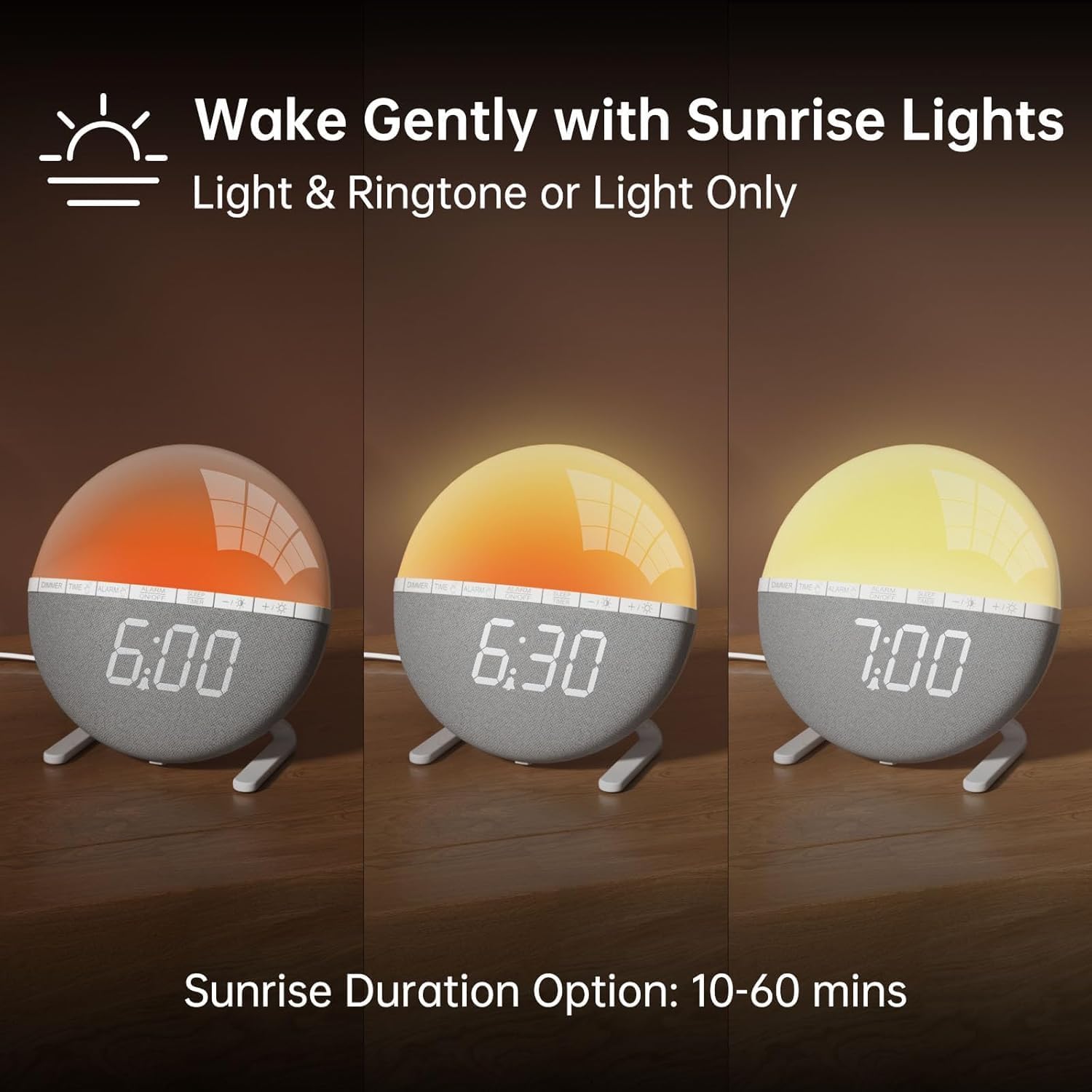
Imaj 2: Illustration of the sunrise simulation feature, showing the light gradually changing from dim red to bright yellow over a period, with time indications of 6:00, 6:30, and 7:00.
- Peze epi kenbe la ALAM button until the alarm time display starts flashing.
- Sèvi ak la +/- bouton yo pou mete lè alam ou vle a.
- Peze a ALAM button to confirm the hour and move to minute adjustment.
- Sèvi ak la +/- bouton yo pou mete minit alam ou vle yo.
- Peze a ALAM button to confirm the minutes and proceed to sunrise duration setting.
- Sèvi ak la +/- buttons to select the sunrise simulation duration (10-60 minutes). This is the period before your set alarm time when the light will gradually brighten.
- Peze a ALAM button to confirm the duration and proceed to alarm sound selection.
- Sèvi ak la +/- buttons to cycle through the 7 available alarm sounds or select "OFF" for light-only alarm.
- Peze a ALAM button to confirm the sound and proceed to volume adjustment.
- Sèvi ak la +/- buttons to set the alarm volume (10 levels).
- Peze a ALAM button once more to save all alarm settings.
Pou aktive oswa dezaktive alam lan, peze bouton an ALARM ON / OFF button. An alarm icon will appear on the display when activated.

Imaj 3: A visual representation of the seven built-in wake-up ringtones, including icons for Beep, Bell, Birds, and four types of Soft Music. It also shows a 10-level volume adjustment bar.
2. Fonksyon repetisyon
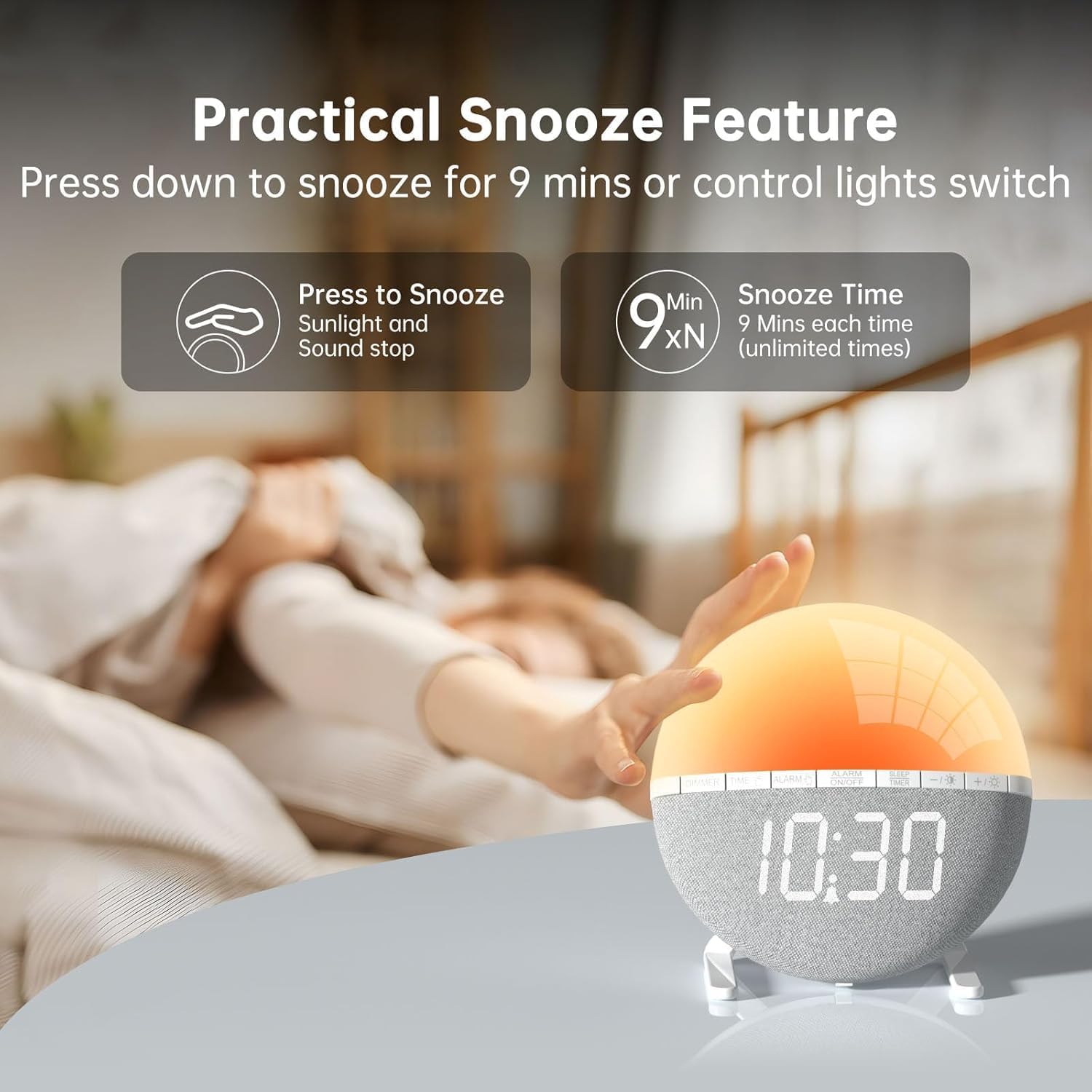
Imaj 4: A hand pressing down on the top of the alarm clock to activate the snooze function. Text indicates that pressing down snoozes for 9 minutes and can also control the light switch.
When the alarm sounds, gently press down on the top of the alarm clock to activate the snooze function. The alarm will pause for 9 minutes and then sound again. This can be repeated an unlimited number of times.
3. Night Light / Mood Light

Imaj 5: A display of the various solid color and RGB mood light options available on the alarm clock, shown as a spectrum of colors from light blue to purple, with the clock displaying each color.
- Peze a Ikòn anpoul bouton pou limen limyè lannwit lan.
- Peze a Ikòn anpoul button repeatedly to cycle through the 7 solid colors and 2 mixed RGB mood light options.
- Sèvi ak la +/- buttons to adjust the brightness of the selected light (10 levels).
- Peze epi kenbe la Ikòn anpoul bouton pou etenn limyè lannwit lan.
4. Revèy dòmi

Imaj 6: An image illustrating the sleep aid function with an auto-off timer, showing options for 15m, 30m, 60m, 90m, and 120m. The alarm clock is shown emitting a soft, warm light.
The sleep timer allows the light to gradually dim and turn off after a set period, aiding in sleep.
- Peze a TIMER DÒM bouton.
- Sèvi ak la +/- buttons to select the desired sleep timer duration (15, 30, 60, 90, or 120 minutes). The light will gradually dim and turn off after the selected time.
- Pou anile revèy la dòmi, peze la TIMER DÒM button repeatedly until the timer is off, or press and hold the button.
5. Ekspozisyon Ajisteman Klate

Imaj 7: Four images of the alarm clock demonstrating different display brightness levels, from off to full brightness, highlighting the dimmable and eye-caring features.
Peze a DIMMER button to cycle through the 4 display brightness levels: 0% (off), 5%, 50%, and 100%. This allows you to adjust the display visibility according to your preference, especially at night.
Antretyen
- Netwaye aparèy la avèk yon twal mou epi sèk. Pa sèvi ak pwodui netwayaj abrazif oswa solvan.
- Kenbe aparèy la lwen dlo ak imidite ki wo.
- Evite jete aparèy la oswa soumèt li a gwo enpak.
- Pa eseye demonte oswa repare aparèy la tèt ou. Kontakte sèvis kliyan si gen pwoblèm.
Depanaj
| Pwoblèm | Kòz posib | Solisyon |
|---|---|---|
| Afich revèy la etenn oswa li pa fonksyone. | No power connection or power adapter issue. Display brightness set to 0%. | Ensure the USB cable is securely connected and the power adapter is working. Press the DIMMER button to increase display brightness. |
| Alam lan pa sonnen. | Alarm not activated. Alarm volume set to 0 or sound option set to "OFF". | Peze ALARM ON / OFF to activate. Check alarm settings to ensure a sound is selected and volume is not 0. |
| Sunrise simulation does not work. | Sunrise duration not set or set to 0. | Verify the sunrise duration is set to a value between 10-60 minutes in the alarm settings. |
| Night light is not turning on. | Fonksyon limyè a pa aktive. | Peze a Ikòn anpoul bouton pou limen limyè a. |
Espesifikasyon
- Modèl: ZH083K
- Mak: AFEXOA
- Dimansyon: 9.5 x 3.81 x 9.5 cm
- Pwa: 400 g
- Materyèl: Plastik
- Kalite ekspozisyon: Digital
- Sous pouvwa: Electric Cable (USB)
- Karakteristik espesyal: Sunrise Simulation, Mood Light, Color-Changing Night Light, Loud Alarm, Snooze, Sleep Timer, Dimmable Display
Garanti ak sipò
The AFEXOA ZH083K Digital Sunrise Alarm Clock comes with a standard manufacturer's warranty. For detailed warranty information, please refer to the product packaging or contact your retailer. If you encounter any issues or have questions regarding your product, please contact AFEXOA customer support through the retailer's platform or the official brand websit pou asistans.
Tanpri konsève resi acha ou a kòm prèv acha pou reklamasyon garanti.


