1. Pwodwi souview
The Itel Buds Ace 2 are True Wireless Stereo (TWS) earbuds designed to deliver a premium audio experience with advanced features for daily use. These earbuds offer extended battery life, clear call quality, and a durable, comfortable design.

Image: Itel Buds Ace 2 TWS Earbuds in their open white charging case.
2. Ki sa ki nan bwat la
Tanpri verifye sa ki nan pake a pou asire w tout atik yo la:
- Itel Buds Ace 2 TWS Earbuds (Left and Right)
- Ka chaje
- USB Kalite-C Chaje Kab
- Konsèy siplemantè pou zòrèy (divès gwosè)
- Manyèl Itilizatè (dokiman sa a)
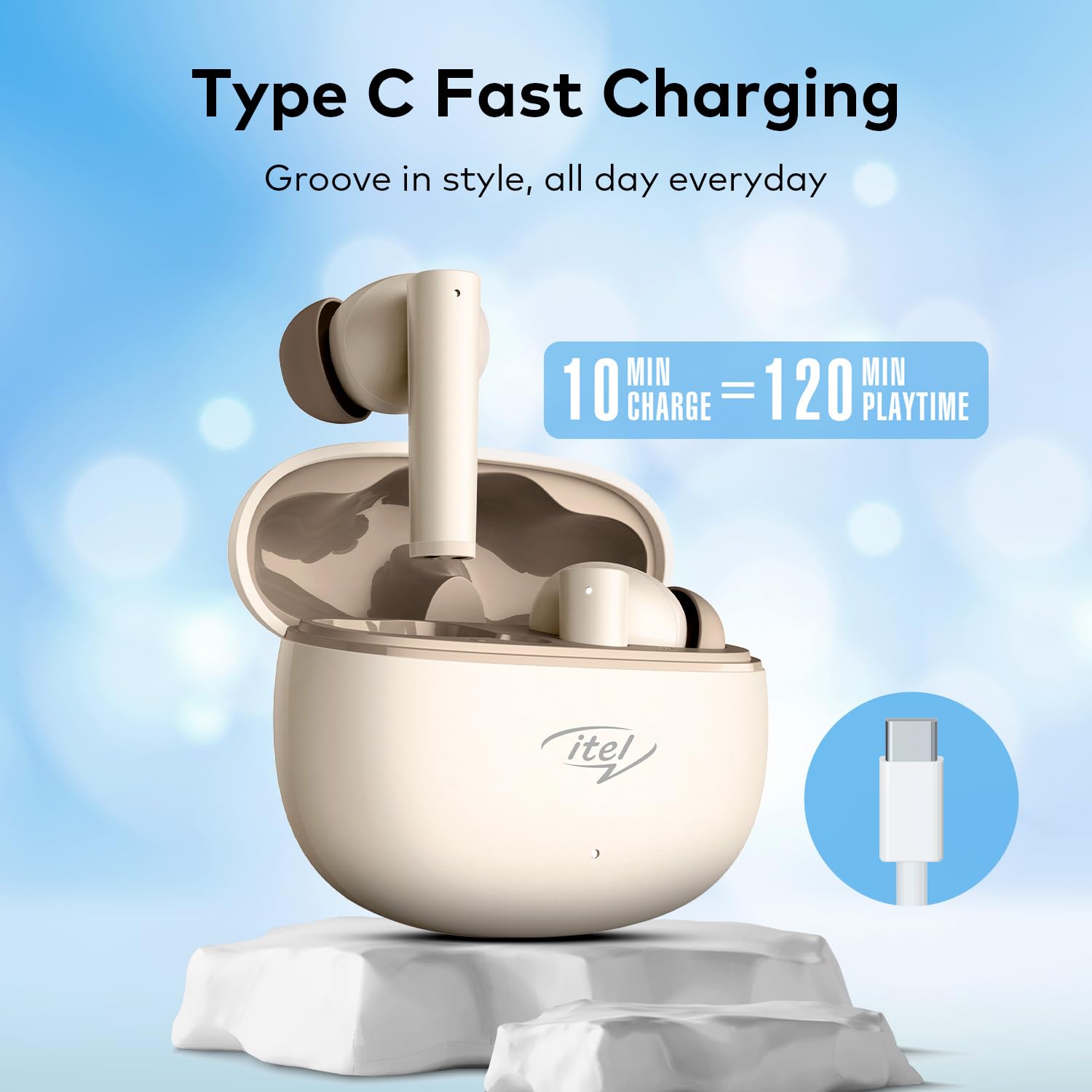
Image: The Itel Buds Ace 2 earbuds, charging case, and USB Type-C cable laid out.
3. Pwodwi Features
- 13mm Bass Boost Drivers: Experience rich and powerful audio with enhanced bass for an immersive listening experience.
- 360° Deep Bass with DSP: Digital Signal Processing (DSP) technology optimizes sound for a comprehensive deep bass effect.
- Quad Mic ENC: Environmental Noise Cancellation (ENC) with four microphones ensures crystal-clear call quality by reducing background noise.
- 50 èdtan jwe: Enjoy extended listening sessions with up to 50 hours of total playtime (including charges from the case).
- Chaje rapid: A quick 10-minute charge provides up to 120 minutes of playback.
- Kalite-C chaje: Convenient and universal Type-C port for charging the case.
- IPX5 rezistans dlo: Fèt pou reziste kont dlo ak swe, sa ki fè yo apwopriye pou antrennman ak aktivite deyò.
- Koneksyon Bluetooth 5.3: Provides a stable, reliable, and efficient wireless connection with compatible devices.
- Kontwòl manyen: Intuitive touch sensors on the earbuds allow for easy management of music playback, calls, and voice assistant activation.
- Konsepsyon ergonomique: Secure and comfortable fit for prolonged wear during various activities.

Imaj: Yon gwo plan view of an earbud, emphasizing the 13mm Bass Boost Drivers for premium audio.

Image: The Itel Buds Ace 2 charging case with a Type-C cable, illustrating the fast charging capability: 10 minutes charge for 120 minutes playtime.

Image: The Itel Buds Ace 2 charging case being splashed with water, indicating its IPX5 water resistance.
4. Enstalasyon ak Koneksyon
4.1 Premye chaj
- Louvri bwat chaje a epi mete tou de ekoutè yo anndan.
- Konekte kab USB Kalite-C ki vini ak aparèy la nan pò chaje ki sou bwat la ak nan yon sous kouran.
- The indicator light on the case will show charging status. Ensure the earbuds and case are fully charged before first use.
4.2 Power On/Off
- Pouvwa sou: Louvri bwat chaje a, epi ekoutè yo ap limen otomatikman. Sinon, peze zòn tactile a sou tou de ekoutè yo pandan 3 segonn.
- Pouvwa Off: Place the earbuds back into the charging case and close the lid. They will automatically power off and begin charging. Alternatively, long-press the touch area on both earbuds for 5 seconds.
4.3 Bluetooth Pairing
- Asire w ke ekoutè yo chaje epi yo limen.
- Open the charging case. The earbuds will enter pairing mode, indicated by a flashing LED light on one of the earbuds.
- Sou aparèy ou an (telefòn entelijan, tablèt, elatriye), aktive Bluetooth.
- Chèche pou available Bluetooth devices and select "Itel Buds Ace 2" from the list.
- Once connected, the LED indicator on the earbuds will stop flashing, and your device will confirm the connection.
- If pairing fails, turn off the earbuds, disable Bluetooth on your device, and repeat the steps.
Videyo: Yon ti pwodwi souview demonstrating unboxing, pairing, and key features of the Itel Buds Ace 2.
5. Operasyon Enstriksyon
5.1 Mete ekoutè yo
Gently insert the earbuds into your ears and rotate them slightly to find a comfortable and secure fit. Ensure the ear tips create a good seal for optimal sound quality and bass response.
5.2 Kontwòl manyen
The Itel Buds Ace 2 feature intuitive touch controls on each earbud. The specific functions may vary slightly, but common controls include:
- Jwe/Poz: Tape yon sèl sou chak ekoutè.
- Pwochen Track: Tape de fwa sou ekoutè dwat la.
- Track Previous: Tape de fwa sou ekoutè gòch la.
- Reponn/Fen Apèl: Tape yon sèl fwa sou nenpòt ekoutè pandan yon apèl k ap antre.
- Rejte apèl: Peze lontan sou nenpòt ekoutè pandan yon apèl k ap antre.
- Aktive Asistan Vwa: Tape twa fwa sou nenpòt ekoutè.
6. Antretyen ak Swen
To ensure the longevity and optimal performance of your Itel Buds Ace 2 earbuds, follow these maintenance guidelines:
- Netwayaj: Netwaye ekoutè yo ak bwat chaje a regilyèman avèk yon twal mou, sèk, ki pa gen pousyè. Pa sèvi ak pwodui chimik ki agresif oswa materyèl abrazif.
- Konsèy zòrèy: Retire bout zòrèy yo epi netwaye yo avèk savon dou ak dlo. Asire w ke yo byen sèk anvan ou mete yo ankò.
- Pò chaje: Kenbe pò chaje Kalite-C a pwòp de pousyè ak debri.
- Depo: Lè w pa ap itilize ekoutè yo, sere yo nan bwat chaje yo pou pwoteje yo kont domaj epi pou yo kenbe yo chaje.
- Rezistans dlo: While IPX5 rated, avoid submerging the earbuds in water or exposing them to heavy rain. Dry them thoroughly if they get wet.
- Tanperati: Evite ekspoze ekoutè yo nan tanperati ekstrèm (cho oswa frèt) oswa nan limyè solèy dirèk pou peryòd pwolonje.
NAN. Depanaj
If you encounter any issues with your Itel Buds Ace 2, try the following solutions:
| Pwoblèm | Solisyon |
|---|---|
| Ekoutè pa asosye ak aparèy |
|
| Pa gen son ki soti nan youn oubyen toulede ekoutè yo |
|
| Pwoblèm chaje |
|
| Ekoutè kontinye dekonekte |
|
7.1 Reyajiste ekoutè yo
If you experience persistent issues, a factory reset may resolve them:
- Mete tou de ekouteur nan ka chaje a.
- Kenbe kouvèti a louvri.
- Press and hold the reset button (usually a small button inside the case or a touch area on the earbuds) for approximately 10-15 seconds until the indicator lights flash, indicating a successful reset.
- Remove the earbuds and try pairing them again with your device.
8. Espesifikasyon
| Karakteristik | Detay |
|---|---|
| Non modèl | Buds Ace 2 |
| Koneksyon Teknoloji | Bluetooth |
| Bluetooth vèsyon | 5.3 |
| Gwosè Chofè Audio | 13mm |
| Dire Batri (Total) | Jiska 50 èdtan |
| Chaje vit | 10 minit chaj = 120 minit tan lekti |
| Port chaje | USB Kalite-C |
| Rezistans dlo | IPX5 |
| Mikwofòn | Quad Mic with ENC |
| Kalite kontwòl | Kontwòl manyen |
| Materyèl | Plastik |
| Pwa atik | 22 g |
9. Garanti ak sipò
For warranty information, technical support, or service inquiries, please refer to the warranty card included in your product packaging or visit the official Itel websit la. Kenbe prèv acha ou pou reklamasyon garanti.