1. Entwodiksyon
Thank you for choosing the PRIXTON Multisport DV800 Action Camera. This manual provides essential information for setting up, operating, and maintaining your device. Please read it thoroughly before use to ensure optimal performance and longevity of your camera.
2. Pake kontni
Verifye ke tout atik ki nan lis anba a yo enkli nan pakè ou a:
- PRIXTON Multisport DV800 Action Camera
- Ka ki enpèmeyab
- Batri rechargeable
- USB kab
- Bisiklèt mòn
- Clip
- Montaj adaptè
- Three Helmet Mounts
- Strap/Bandage
- 3M Adhésifs
- Manyèl itilizatè

Image: The PRIXTON DV800 Action Camera and its various accessories, including mounts, cables, and the waterproof case.
3. Pwodwi souview
The PRIXTON DV800 features a compact design with dual screens for versatile shooting and monitoring. It is designed for capturing high-quality video and photos in various environments.
Karakteristik kle:
- Ekran doub: Front screen for selfies and a rear screen for camera control.
- Rezolisyon Videyo 5K: Up to 5K at 30 frames per second (FPS).
- 24 MP Photo Resolution: High-quality still images.
- 6-AXIS EIS Optical Stabilizer: For smooth and stable footage.
- Enpèmeyab: Up to 30 meters with the included waterproof case.
- Koneksyon: Built-in Wi-Fi for mobile app control and content transfer.
- Depo: Supports MicroSD cards up to 128 GB.

Image: The PRIXTON DV800 Action Camera, showcasing its dual-screen capability and the waterproof housing, alongside several mounting accessories.
4. Enstalasyon
4.1. Enstalasyon batri
- Jwenn lòj batri a sou kamera a.
- Louvri kouvèti lòj la.
- Mete pil rechargeable la nan plas li, asire w ke polarite a kòrèk.
- Fèmen kouvèti lòj batri a byen.
4.2. Mete Kat MicroSD
A MicroSD card (up to 128 GB, not included) is required to store recordings and photos.
- Jwenn fant kat MicroSD a sou bò kamera a.
- Gently insert the MicroSD card with the contacts facing the correct direction until it clicks into place.
- To remove, press the card inward until it springs out.
4.3. Mete bwat ki enpèmeyab la an plas
For underwater use or protection against impacts, place the camera inside the waterproof case.
- Louvri latch ki sou bwat ki enpèmeyab la.
- Mete kamera a ak anpil atansyon andedan bwat la, epi asire w li byen anfòm.
- Close the latch firmly to seal the case. Ensure no debris is caught in the seal.
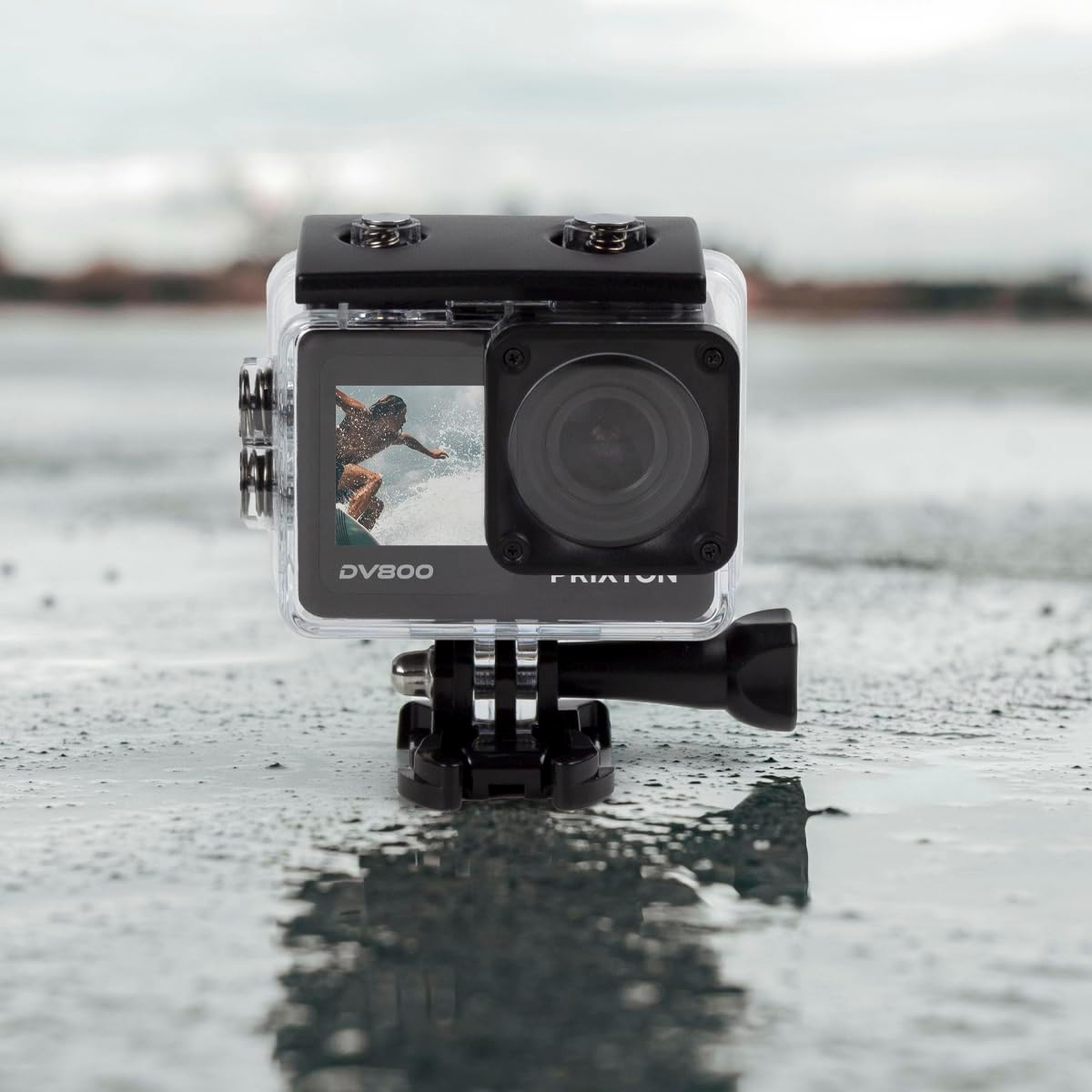
Image: The PRIXTON DV800 Action Camera securely housed within its waterproof casing, ready for use in aquatic environments.
5. Operasyon Enstriksyon
5.1. Power On/Off
- Pou limen: Peze epi kenbe bouton Pouvwa/Mòd la pandan kèk segond jiskaske ekran an limen.
- Pou etenn: Peze epi kenbe bouton Pouvwa/Mòd la ankò jiskaske ekran an etenn.
5.2. Seleksyon mòd
Press the Power/Mode button repeatedly to cycle through different modes: Video, Photo, Playback, and Settings.
5.3. Anrejistreman Videyo
- Switch to Video Mode.
- Press the Shutter/OK button to start recording. A red indicator light will flash.
- Press the Shutter/OK button again to stop recording. The indicator light will stop flashing.
5.4. Pran foto
- Chanje nan Mòd Foto.
- Ankadre foto ou a lè l sèvi avèk ekran an.
- Peze bouton Deklanchè/OK a pou pran yon foto.
5.5. Wi-Fi Connectivity and Mobile App
The camera can connect to your mobile device via Wi-Fi using the "XDV PRO" application.
- Download and install the "XDV PRO" app on your smartphone or tablet.
- On the camera, navigate to the settings menu and enable Wi-Fi.
- On your mobile device, connect to the camera's Wi-Fi network (SSID and password will be displayed on the camera screen).
- Open the "XDV PRO" app to control the camera, view viv footage, ak transfè files.

Image: A close-up of the PRIXTON DV800 Action Camera's rear screen, showing its 5K Ultra HD capability and Wi-Fi connectivity.
5.6. Using as a Webkam
Konekte kamera a ak yon òdinatè atravè USB pou itilize li kòm yon webCam.
- Konekte kamera a nan òdinatè w lan lè l sèvi avèk kab USB yo bay la.
- Select the 'PC Camera' or 'Webcam' option on the camera's screen if prompted.
- Your computer should recognize the camera as a webcam, which can then be selected in video conferencing applications.
6. Antretyen
6.1. Netwayaj
- Use a soft, lint-free cloth to clean the camera lens and screens.
- For the waterproof case, rinse with fresh water after saltwater use and allow it to air dry.
- Evite itilize pwodwi chimik piman bouk oswa materyèl abrazif.
6.2. Swen batri
- Chaje batri a konplètman anvan premye itilize.
- Pa ekspoze batri a nan tanperati ekstrèm.
- Si w ap sere kamera a pou yon peryòd tan pwolonje, retire batri a.
6.3. Depo
Store the camera in a cool, dry place away from direct sunlight and dust when not in use.
NAN. Depanaj
- Kamera pa limen: Asire w ke batri a chaje epi li byen mete l.
- Pwoblèm anrejistreman: Check if the MicroSD card is inserted correctly and has sufficient free space. Format the card if necessary (this will erase all data).
- Pwoblèm koneksyon Wi-Fi: Ensure Wi-Fi is enabled on the camera and your mobile device. Restart both devices if issues persist.
- Move kalite imaj/videyo: Clean the lens. Ensure adequate lighting. Check resolution settings.
8. Espesifikasyon
| Non modèl | DV800 |
| Mak | PRIXTON |
| Rezolisyon Capture Videyo | 5K |
| Teknoloji Capteur Foto | Lòt |
| Kalite memwa flash | MicroSD (jiska 128GB) |
| Fòma Capture Videyo | MOV |
| Sipòte fòma odyo | MP4 |
| Koneksyon Teknoloji | Wi-Fi |
| Koulè | Nwa |
| Kalite Camcorder | Kamera Aksyon |
| Lavi batri | Apeprè 90 minit |
9. Garanti ak sipò
The PRIXTON Multisport DV800 Action Camera comes with a standard manufacturer's warranty. For detailed warranty information, technical support, or service inquiries, please refer to the warranty card included in your package or visit the official PRIXTON websit la. Kenbe resi acha ou kòm prèv acha pou reklamasyon garanti.