1. Entwodiksyon
Thank you for choosing the Anker Soundcore Boom 2 Plus Outdoor Speaker. This manual provides essential information for setting up, operating, and maintaining your device. Please read it carefully before use and retain it for future reference.

Image 1.1: Anker Soundcore Boom 2 Plus (right) and Soundcore Mini (left) speakers.
2. Enfòmasyon sou Sekirite
- Pa ekspoze oratè a nan tanperati ekstrèm oswa nan limyè solèy dirèk pou peryòd pwolonje.
- Evite jete oswa soumèt oratè a nan gwo enpak.
- Kenbe oratè a lwen aparèy medikal yo, paske li gen leman.
- Use only certified chargers and cables for charging.
- Ensure all port covers are securely closed when near water to maintain water resistance.
3. Pake kontni
Verifye ke tout atik yo prezan nan pakè ou a:
- Soundcore Boom 2 Plus Outdoor Speaker
- USB-C USB-C chaje kab
- braslè zepòl
- Gid Quick Start (manyèl sa a)
4. Pwodwi souview
The Soundcore Boom 2 Plus features a robust design with integrated controls and ports for versatile use.
4.1. Konpozan ak Kontwòl

Image 4.1: Internal speaker components including dual 50W woofers, dual 20W tweeters, and passive radiators with light show.
- Manch pou pote: Pou portabilite fasil.
- Oratè Grille: Protects the main drivers.
- Passive Radiators with Light Show: Located on both ends, providing enhanced bass and customizable RGB lighting.
- Control Buttons (Top Panel): Power, Bluetooth, Volume Up/Down, Play/Pause, BassUp, Light Mode, PartyCast.
- Rubberized Port Cover (Rear): Protects charging and auxiliary ports.

Image 4.2: Rear ports including USB-C for charging, USB-A for power bank function, and AUX input.
- USB-C chaje pò: Pou chaje oratè a.
- USB-A Sòti Port: Functions as a power bank to charge other devices.
- Antre AUX: Pou koneksyon odyo ak fil.
5. Enstalasyon
5.1. Chaje Oratè a
Before first use, fully charge your Soundcore Boom 2 Plus. Connect the provided USB-C cable to the speaker's USB-C port and a compatible 30W charger (not included). A full charge takes approximately 3 hours.
5.2. Pè Bluetooth
- Power on the speaker by pressing the Power button. The Bluetooth indicator will flash blue.
- On your mobile device, enable Bluetooth and search for 'Soundcore Boom 2 Plus'.
- Select the speaker to pair. Once connected, the Bluetooth indicator will turn solid blue.
5.3. PartyCast (Connecting Multiple Speakers)
To connect multiple Soundcore PartyCast-compatible speakers for synchronized audio:
- Connect one Soundcore Boom 2 Plus speaker to your device via Bluetooth (this will be the primary speaker).
- Power on the secondary Soundcore PartyCast-compatible speakers.
- On the primary speaker, press the PartyCast button. The PartyCast indicator will flash white.
- On the secondary speakers, press the PartyCast button. They will automatically connect to the primary speaker.
5.4. Soundcore App
Download the Soundcore app from your device's app store to unlock additional features and customization options, including:
- Equalizer settings for personalized audio.
- Customizing light effects and brightness.
- Checking battery status.
- Mizajou mikrolojisyèl.
6. Opere
6.1. Power On/Off
- Peze a Bouton pouvwa yon fwa pou limen oratè a.
- Peze epi kenbe la Bouton pouvwa pou 2 segonn pou fèmen oratè a.
6.2. Kontwòl Volim
- Peze a Bouton pou monte volim (+) pou ogmante volim.
- Peze a Bouton Diminye Volim (-) diminye volim.
6.3. Kontwòl lèktur
- Peze a Bouton jwe/poz yon fwa pou jwe oswa pran yon poz mizik.
- Doub peze la Bouton jwe/poz pou ale nan pwochen track la.
- Triple-peze la Bouton jwe/poz pou ale nan tras anvan an.
6.4. BassUp 2.0 Feature
Activate BassUp 2.0 for enhanced bass performance. This feature boosts output from 100W to 140W max.
- Peze a BassUp button once to toggle BassUp 2.0 on or off.

Image 6.1: Experience powerful bass with BassUp 2.0 technology.

Image 6.2: Engineered for robust bass and powerful sound.
6.5. Limyè mòd
The Soundcore Boom 2 Plus features beat-synced colorful light shows on its passive radiators.
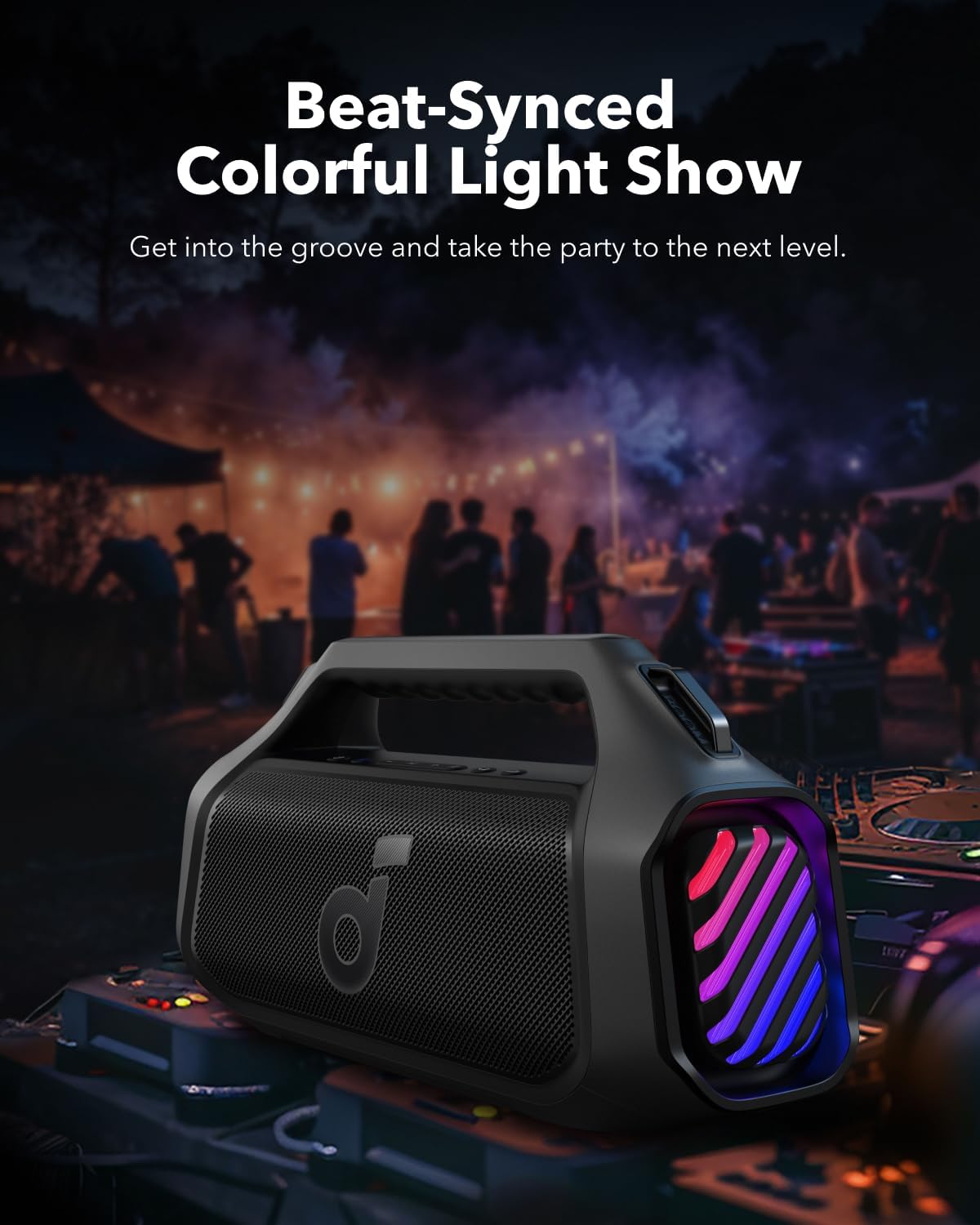
Image 6.3: Beat-synced colorful light show enhances the listening experience.
- Peze a Limyè bouton once to cycle through different light modes.
- Doub peze la Limyè bouton pou etenn limyè yo.
6.6. Fonksyon Bank Pouvwa
The speaker can charge other devices via its built-in power bank function.
- Connect your device to the speaker's USB-A output port using a compatible cable.
- The speaker will provide a 10W charge to your device.
6.7. Rezistans dlo
The Soundcore Boom 2 Plus is designed with IPX7 water resistance, making it suitable for outdoor use and protection against submersion in water up to 1 meter for 30 minutes. Ensure the rubberized port cover is securely closed before exposure to water.
7. Antretyen
7.1. Netwayaj
- Siye oratè a ak yon mou, damp twal.
- Do not use any corrosive cleaners or chemicals.
- Ensure the speaker is completely dry before charging or using ports.
7.2. Depo
- Sere oratè a nan yon kote ki fre epi sèk, lwen tanperati ekstrèm.
- If storing for an extended period, charge the battery every 3 months to prolong its lifespan.
NAN. Depanaj
- Pa gen pouvwa: Asire w ke oratè a chaje. Konekte l nan yon sous kouran epi eseye ankò.
- Pa ka konekte Bluetooth la: Make sure the speaker is in pairing mode (Bluetooth indicator flashing blue). Check your device's Bluetooth settings and try reconnecting. If issues persist, try forgetting the device on your phone and re-pairing.
- Kalite son pòv: Ensure the speaker is within Bluetooth range (up to 10 meters/33 feet). Check for obstructions between the speaker and your device. Adjust the equalizer settings in the Soundcore app.
- Limyè pa travay: Check the light mode settings via the Light button or the Soundcore app. Ensure the battery level is sufficient.
- PartyCast Not Connecting: Ensure all speakers are Soundcore PartyCast-compatible. Follow the PartyCast pairing instructions carefully.
9. Espesifikasyon
| Karakteristik | Spesifikasyon |
|---|---|
| Non modèl | Boom 2 Plus |
| Kalite Oratè | Deyò |
| Oratè maksimòm pwodiksyon pouvwa | 140 Watts |
| Konfigirasyon chanèl son antoure | 2.2 |
| Teknoloji kominikasyon san fil | Bluetooth |
| Sous pouvwa | Batri Powered |
| Batri Playtime | Up to 20 Hours (Varies with volume and content) |
| Tan pou chaje | 3 Hours (with 30W charger) |
| Power Bank Sòti | 10W |
| Evalyasyon ki enpèmeyab | IPX7 |
| Metòd kontwòl | Manyen |
| Materyèl | Metal, Plastik |
10. Garanti ak sipò
Anker provides a limited warranty for this product. For detailed warranty information, please refer to the warranty card included in your package or visit the official Anker websit.
10.1. Sipò pou Kliyan
If you encounter any issues or have questions regarding your Soundcore Boom 2 Plus, please contact Anker customer support through:
- The Soundcore App
- The official Anker website support section
- Email or phone support (details available on the Anker websit)


