1. Entwodiksyon
Welcome to the Fastrack Magnus FX3 Smart Watch user manual. This guide provides essential information for setting up, operating, and maintaining your new smartwatch. Please read this manual thoroughly to ensure proper use and to fully utilize all available features.

Imaj: Devan view of the Fastrack Magnus FX3 Smart Watch, showcasing its display and metal strap.
2. Ki sa ki nan bwat la
Verifye ke tout atik yo prezan nan anbalaj pwodwi ou a:
- Fastrack Magnus FX3 Smart Watch
- Mayetik kab chaje
- Gid Quick Start
- Kat Garanti
3. Enstalasyon
3.1 Premye chaj
Before first use, fully charge your smartwatch. Connect the magnetic charging cable to the charging points on the back of the watch and to a USB power source. A full charge takes approximately 2 hours.
3.2 Konekte ak telefòn entelijan ou
- Download the 'Fastrack Smart World' app from your smartphone's app store (available for Android and iOS).
- Asire w ke Bluetooth aktive sou smartphone ou.
- Open the Fastrack Smart World app and follow the on-screen instructions to create an account or log in.
- Select 'Add Device' and choose your Fastrack Magnus FX3 from the list of nearby devices.
- Konfime demann koneksyon an sou mont ou ak sou telefòn entelijan ou.
4. Operasyon Enstriksyon
4.1 Ekspozisyon ak Navigasyon
The Fastrack Magnus FX3 features a 1.46-inch TFT display with a 360x360 pixel resolution. Navigate the interface using touch gestures and the functional crown.
- Glise moute: Access quick settings.
- Glise desann: View notifikasyon.
- Glise agoch/dwat: Scroll through widgets and main menu options.
- Functional Crown: Rotate to scroll through menus or press to return to the home screen.

Image: Close-up of the Fastrack Magnus FX3 Smart Watch highlighting its premium metal construction and functional crown.
4.2 Bluetooth Calling (SingleSync BT Calling)
The SingleSync BT Calling feature allows you to make and receive calls directly from your watch when connected to your smartphone.
- Ensure your watch is paired and connected to your smartphone via Bluetooth.
- Access the phone function on your watch.
- You can dial numbers, access recent calls, or select contacts (synced from your phone).

Image: The Fastrack Magnus FX3 Smart Watch screen showing an incoming call, demonstrating its seamless connectivity for Bluetooth calling.
4.3 Siveyans Sante
The Fastrack Magnus FX3 provides comprehensive health tracking features:
- Siveyans batman kè: Suivi batman kè kontinyèl 24 sou 24, 7 jou sou 7.
- Siveyans SpO2: Mezire nivo oksijèn nan san ou.
- Siveyans estrès: Swiv nivo estrès ou pandan tout jounen an.
- Suivi dòmi: Analyze your sleep patterns, including Deep, Light, and REM sleep.
- Alèt Idratasyon: Set reminders to drink water.
Access these features through the watch's menu or the Fastrack Smart World app for detailed insights.

Image: The Fastrack Magnus FX3 Smart Watch displaying detailed sleep monitoring data, including deep and light sleep durations.
4.4 Espò mòd
The watch supports over 60 sports modes to track various physical activities. Select your desired sport from the watch menu to begin tracking metrics such as steps, distance, calories burned, and heart rate during your workout.
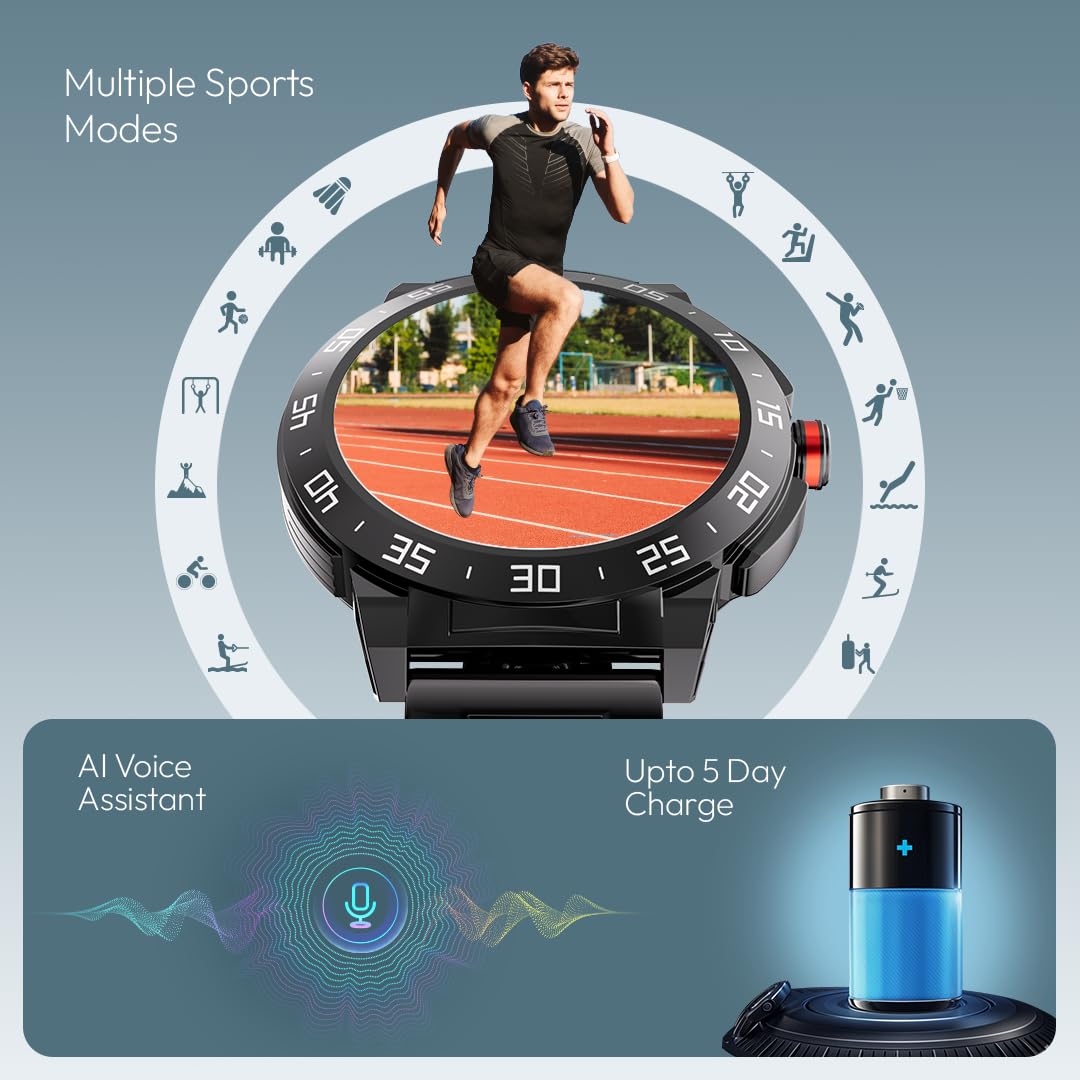
Image: The Fastrack Magnus FX3 Smart Watch interface displaying various sports mode icons, indicating its multi-sport tracking capabilities.
4.5 Notifikasyon Entelijan
Receive notifications for calls, messages, and app alerts directly on your watch. Customize which app notifications you receive through the Fastrack Smart World app.

Image: The Fastrack Magnus FX3 Smart Watch displaying icons for various smart notifications, including calls, messages, and social media alerts.
4.6 Lòt Karakteristik
- Asistan vwa AI: Sèvi ak kòmandman vokal pou plizyè fonksyon.
- Kontwòl Mizik: Kontwole lèktur mizik sou smartphone ou.
- Kontwòl kamera: Deklanche kamera telefòn entelijan ou a adistans.
- 100+ Watchfaces: Personalize your watch with a wide selection of watchfaces.
- In-Built Game: Enjoy a simple game directly on your watch.
5. Chaje ak Batri
The Fastrack Magnus FX3 is equipped with a 460mAh battery, providing up to 5 days of typical use and 3 days with Bluetooth calling enabled. Use the provided magnetic charging cable to charge the device. Charging time is approximately 2 hours.
Video: Official Fastrack Magnus FX3 Smart Watch preview, demonstrating its design and various features in action, including battery life and charging.
6. Swen ak Antretyen
- Rezistans dlo: The watch has an IP68 rating, making it resistant to dust and water. It can withstand immersion in water up to 1.5 meters for 30 minutes. Avoid hot water, steam, or prolonged submersion.
- Netwayaj: Siye mont lan ak braslè a regilyèman avèk yon twal mou epi sèk. Pou pousyè tè ki difisil pou retire, sèvi ak yon twal yon ti kras mouye.amp twal ak savon dou, apresa rense epi seche byen.
- Depo: Sere mont lan nan yon kote ki fre epi sèk, lwen limyè solèy dirèk ak tanperati ekstrèm.
- Evite pwodwi chimik yo: Do not expose the watch to harsh chemicals, solvents, or detergents, as these can damage the finish and seals.
NAN. Depanaj
| Pwoblèm | Solisyon posib |
|---|---|
| Gade pa limen | Asire w ke mont lan chaje nèt. Peze epi kenbe bouton pouvwa a pandan plizyè segonn. |
| Pa kapab asosye ak telefòn | Check if Bluetooth is enabled on your phone. Restart both the watch and phone. Ensure the Fastrack Smart World app is updated. |
| Done sante ki pa egzak | Asire w ke mont lan byen sere sou ponyèt ou, ni twò sere ni twò lach. Netwaye detèktè ki dèyè mont lan. |
| Notifikasyon pa resevwa | Check app notification settings on your phone and within the Fastrack Smart World app. Ensure the watch is connected via Bluetooth. |
8. Espesifikasyon
| Karakteristik | Detay |
|---|---|
| Non modèl | Magnus FX3 |
| Nimewo Modèl | 38143KM02 |
| Gwosè ekspozisyon | 1.46 pous |
| Kalite ekspozisyon | TFT LCD |
| Rezolisyon | 360 x 360 piksèl |
| Kapasite batri | 460 mAh Lityòm Polymère |
| Dire Batri (Mwayèn) | Up to 5 Days (3 Days with BT Calling) |
| Tan pou chaje | Apeprè. 2-3 èdtan |
| Rezistans dlo | IP68 |
| Koneksyon | Bluetooth |
| Materyèl | Metal Alloy Case |
| Pwa atik | 46 g |
| Aparèy konpatib | Telefòn entelijan (Android, iOS) |
9. Garanti ak sipò
Your Fastrack Magnus FX3 Smart Watch comes with a manufacturer's warranty. Please refer to the included Warranty Card for details on coverage and terms. For technical support, service, or warranty claims, please contact Fastrack customer care:
- Nimewo Swen Kliyan: 1800-266-0123
- Imèl: customercare@titan.co.in
Keep your purchase receipt and warranty card for future reference.