1. Entwodiksyon
Welcome to the user manual for your Thomson RT850BT Bluetooth Speaker, FM Radio, and Alarm Clock. This guide provides detailed instructions on how to set up, operate, and maintain your device. Please read this manual thoroughly before use to ensure proper functionality and to maximize your experience with the RT850BT.
2. Enfòmasyon sou Sekirite
Pou asire yon operasyon an sekirite epi pou anpeche domaj, tanpri obsève prekosyon sekirite sa yo:
- Pa ekspoze aparèy la anba lapli, imidite, oswa tanperati ekstrèm.
- Evite mete aparèy la toupre sous chalè oswa anba limyè solèy dirèk.
- Asire bon vantilasyon; pa bouche okenn ouvèti vantilasyon.
- Itilize sèlman adaptè pouvwa yo bay la.
- Pa eseye demonte oswa modifye aparèy la. Konfye tout antretyen bay pèsonèl kalifye.
- Kenbe inite a lwen gwo chan mayetik.
3. Pake kontni
Verifye ke tout atik yo prezan nan pakè a:
- Thomson RT850BT Unit
- Adaptè pouvwa
- Manyèl itilizatè

Image: Thomson RT850BT packaging, illustrating the product and its key features.
4. Pwodwi souview
4.1 Panèl devan
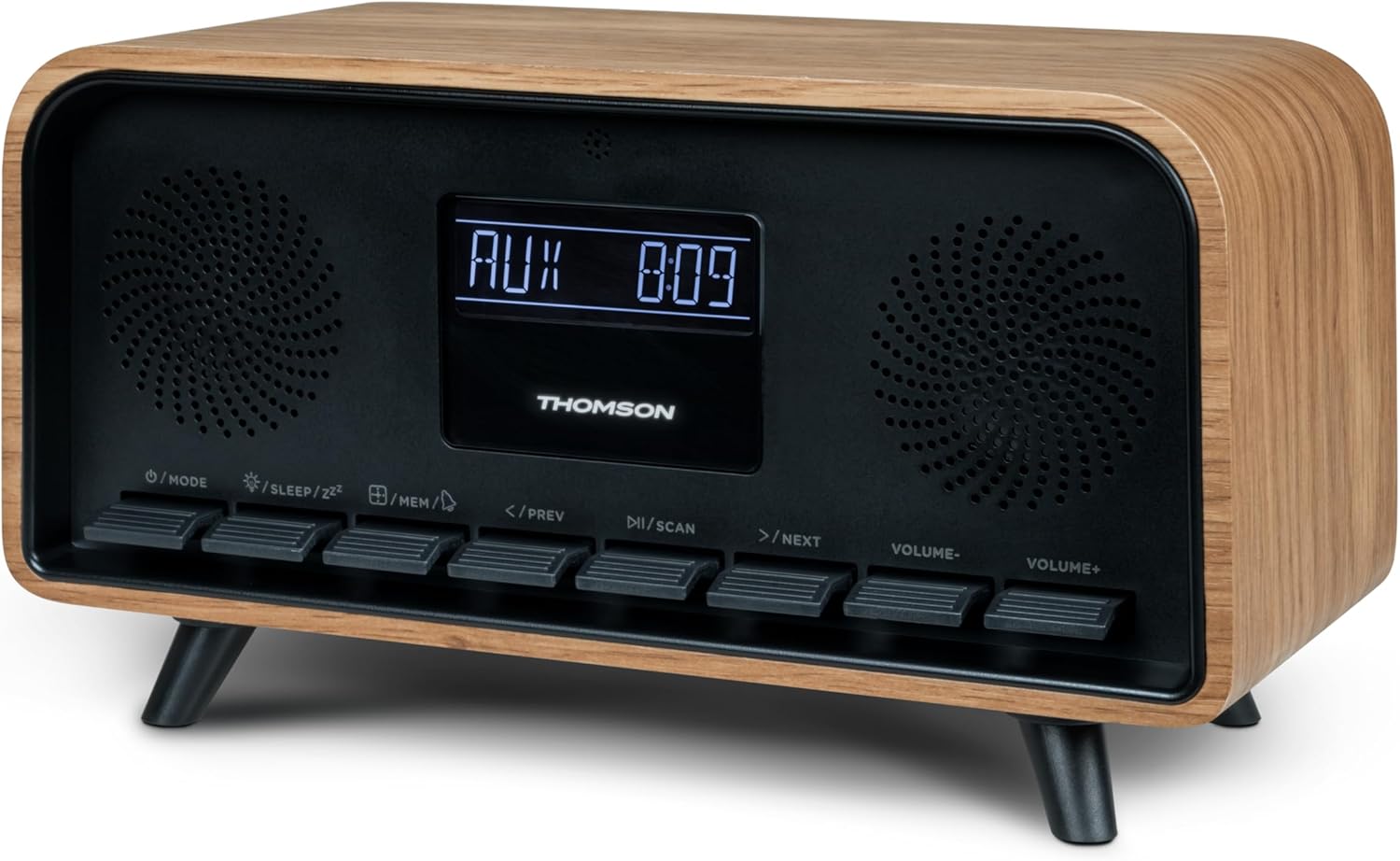
Imaj: Devan view of the Thomson RT850BT unit, showing the LCD display, speakers, and control buttons.
- Ekspozisyon LCD: Shows time, mode, and other information.
- /MODE Button: Power On/Off, switch between modes (Bluetooth, FM, AUX).
- /SLEEP/ZZ bouton: Set sleep timer, activate snooze.
- /MEM Button: Set alarm, save/recall radio stations.
- </PREV Button: Previous track (Bluetooth), tune down (FM).
- /SCAN Button: Play/Pause (Bluetooth), auto scan (FM).
- >/NEXT Button: Next track (Bluetooth), tune up (FM).
- VOLUME- Button: Diminye volim.
- VOLUME+ Button: Ogmante volim.
4.2 Panèl dèyè

Imaj: Dèyè view of the Thomson RT850BT, highlighting the power supply, Line In (AUX-IN), and USB-C charge output ports.
- Power Supply (DC IN 5V): Konekte adaptè kouran ki founi an.
- Line In (AUX-IN): Antre odyo 3.5mm pou aparèy ekstèn.
- Charge Output (USB-C): USB Type-C port for charging external devices.
5. Enstalasyon
5.1 Koneksyon pouvwa
- Connect the power adapter to the DC IN 5V port on the rear of the RT850BT.
- Ploge adaptè pouvwa a nan yon priz miray estanda.
- Aparèy la ap limen otomatikman oubyen li pral antre nan mòd sibstiti.
5.2 Premye Limen ak Ajisteman Revèy
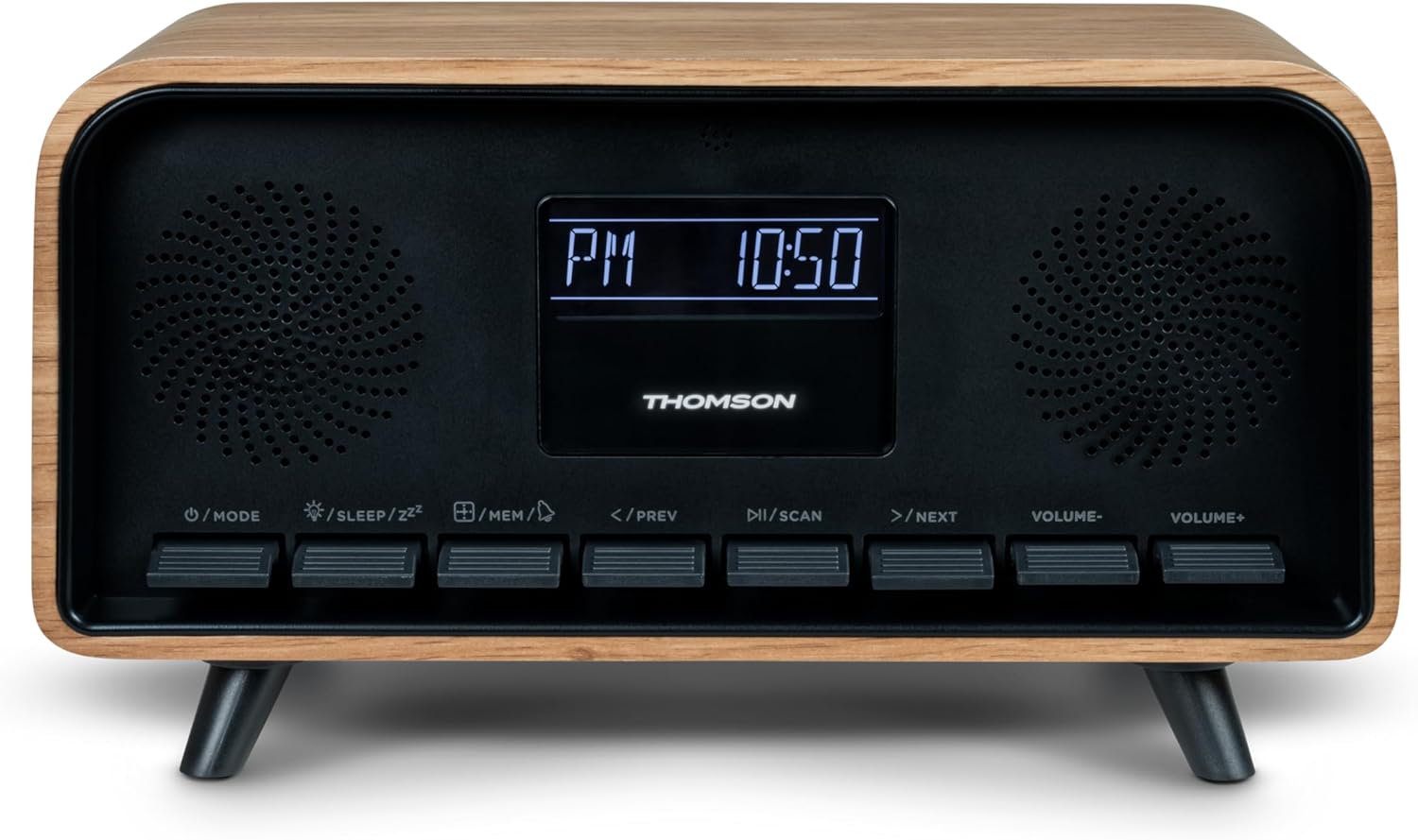
Image: Close-up of the RT850BT's LCD display showing the time, 10:50 PM, and the 'PM' indicator.
- If the unit is in standby, press the / MODE bouton pou limen li.
- Pou mete revèy la, peze epi kenbe la /MEM bouton an jiskaske ekspozisyon tan an ap flache.
- Sèvi ak la </PREV epi >/NEXT bouton yo pou ajiste lè a. Peze /MEM pou konfime.
- Sèvi ak la </PREV epi >/NEXT bouton yo pou ajiste minit la. Peze /MEM pou konfime.
- Se revèy la kounye a mete.
6. Operasyon Enstriksyon
6.1 Bluetooth mòd

Image: Close-up of the RT850BT's LCD display indicating 'bt' for Bluetooth mode, along with the current time.
- Peze a / MODE button repeatedly until 'bt' appears on the display. The unit is now in Bluetooth pairing mode.
- Sou aparèy mobil ou, aktive Bluetooth epi chèche aparèy ki disponib.
- Select 'RT850BT' from the list to pair. A confirmation tone will sound upon successful connection.
- You can now play audio from your device through the RT850BT.
- Sèvi ak la /ESKANYE button to Play/Pause, and </PREV / >/NEXT bouton pou sote tras.
- Ajiste volim lè l sèvi avèk la VOLIM- epi VOLIM+ bouton.
6.2 FM Radio Mode
- Peze a / MODE button repeatedly until the FM frequency appears on the display.
- Oto Scan: Peze epi kenbe la /ESKANYE button to automatically scan and save available FM stations (up to 50 stations).
- Manyèl akor: Yon ti tan peze </PREV or >/NEXT to fine-tune the frequency. Press and hold to scan for the next available station.
- Recall Saved Stations: Yon ti tan peze la /MEM bouton pou chanje estasyon ki anrejistre yo.
6.3 Fonksyon revèy alam
The RT850BT supports setting multiple alarms.
- Nan mòd sibstiti, peze epi kenbe la /MEM button until 'AL1' or 'AL2' flashes.
- Sèvi ak </PREV epi >/NEXT to set the alarm hour, then press /MEM pou konfime.
- Repete pandan plizyè minit.
- Chwazi sous alam lan (Buzzer oswa Radyo FM) lè l sèvi avèk </PREV epi >/NEXT, Lè sa a, peze /MEM.
- To activate/deactivate an alarm, briefly press the /MEM button in standby mode to cycle through alarm settings (AL1 ON/OFF, AL2 ON/OFF).
- Lè alam la sonnen, peze /SLEEP/ZZ for snooze (alarm will sound again after 9 minutes) or press / MODE pou etenn alam la pou jounen an.
6.4 Mòd AUX-IN
- Connect an external audio device (e.g., MP3 player, smartphone) to the 'Line In' (AUX-IN) port on the rear panel using a 3.5mm audio cable (not included).
- Peze a / MODE peze bouton an plizyè fwa jiskaske 'AUX' parèt sou ekran an.
- Audio from the connected device will now play through the RT850BT. Control playback from your external device.
6.5 Dimmer Function
The display brightness can be adjusted to three intensity levels.
- In any mode, briefly press the /SLEEP/ZZ button to cycle through the brightness levels.
6.6 Fonksyon dòmi
Set a timer for the unit to automatically turn off.
- While the unit is on, press the /SLEEP/ZZ button repeatedly to select the desired sleep timer duration (e.g., 15, 30, 60, 90 minutes, OFF).
- The unit will automatically power off after the selected time.
6.7 USB-C chaje pò
The USB-C port on the rear panel is for charging external devices.
- Connect your compatible device's USB-C charging cable to the 'Charge output' port.
- Ensure the RT850BT is powered on or in standby mode for charging functionality.
7. Antretyen
To maintain the performance and appearance of your RT850BT:
- Netwayaj: Use a soft, dry cloth to clean the exterior. Do not use abrasive cleaners, waxes, or solvents.
- Depo: Si w ap sere aparèy la pou yon bon bout tan, dekonekte l nan priz kouran an epi sere l nan yon kote ki fre epi sèk.
- Vantilasyon: Ensure the ventilation grilles are free from dust and obstructions.
NAN. Depanaj
If you encounter issues with your RT850BT, refer to the following table for common problems and solutions:
| Pwoblèm | Kòz posib | Solisyon |
|---|---|---|
| Pa gen pouvwa | Adaptè kouran an pa konekte oswa priz la gen pwoblèm. | Asire w adaptè kouran an byen konekte epi priz la ap fonksyone. |
| Pa gen son | Volume too low, incorrect mode, or device not paired (Bluetooth). | Increase volume. Check if the correct mode (BT, FM, AUX) is selected. Re-pair Bluetooth device. |
| Aparèy Bluetooth echwe | Device too far, Bluetooth not enabled on source, or RT850BT not in pairing mode. | Ensure devices are within range. Enable Bluetooth on your device. Set RT850BT to 'bt' mode. |
| Pòv resepsyon FM | Siyal fèb. | Adjust the unit's position to improve reception. |
| Alam pa sonnen | Alam lan pa aktive oswa li pa byen configuré. | Verify alarm settings and ensure it is set to ON. |
9. Espesifikasyon
- Modèl: RT850BT
- Bluetooth vèsyon: 5.3
- Sentonizè radyo: FM (87.5-108 MHz)
- Station Memory: Estasyon 50 FM
- Antre odyo: AUX-IN (3.5mm)
- Ekspozisyon: LCD with 3-intensity dimmer
- Sorti pouvwa: 30W Total Music Power
- Pò chaje: USB-C (for external devices)
- Sous pouvwa: Elektrik ak fil (DC 5V)
- Pwa: 600 gram
10. Garanti ak sipò
For warranty information and technical support, please refer to the documentation provided at the time of purchase or contact your local Thomson customer service. Keep your proof of purchase for warranty claims.


