Entwodiksyon
Thank you for choosing the Sentry HPXBTA105 True Wireless Earbuds. These earbuds are designed to provide a superior audio experience with active noise canceling technology, comfortable wear, and intuitive touch controls. This manual will guide you through the setup, operation, and maintenance of your new earbuds to ensure optimal performance and longevity.
Enfòmasyon sou Sekirite
Please read all safety warnings and instructions carefully before using this product to prevent injury or damage. Keep this manual for future reference.
- Pa ekspoze ekoutè yo oswa bwat chaje a nan tanperati, imidite, oswa likid ekstrèm.
- Evite lage l, frape l, oswa demonte aparèy la.
- Sèvi sèlman ak kab chaje ki vini ak li a oswa yon kab ekivalan sètifye.
- Prolonged exposure to loud volumes may cause hearing damage. Adjust volume to a safe level.
- Pa sèvi ak ekoutè yo nan sitiyasyon kote li ka danjere si ou pa ka tande son anbyen yo (pa egzanp, lè w ap kondui, lè w ap monte bisiklèt, lè w ap mache nan trafik).
- Kenbe lwen timoun ak bèt kay.
Ki sa ki nan bwat la
Verifye ke tout atik yo prezan nan anbalaj la:
- Ekoutè san fil Sentry HPXBTA105 (gòch ak dwat)
- Ka chaje
- USB Chaje Kab
- Manyèl Itilizatè (dokiman sa a)

Figure 1: Product packaging showing the Sentry HPXBTA105 True Wireless Earbuds and charging case.
Pwodwi souview
Familiarize yourself with the components of your Sentry HPXBTA105 True Wireless Earbuds.

Figure 2: The Sentry HPXBTA105 True Wireless Earbuds shown outside and inside their open charging case.
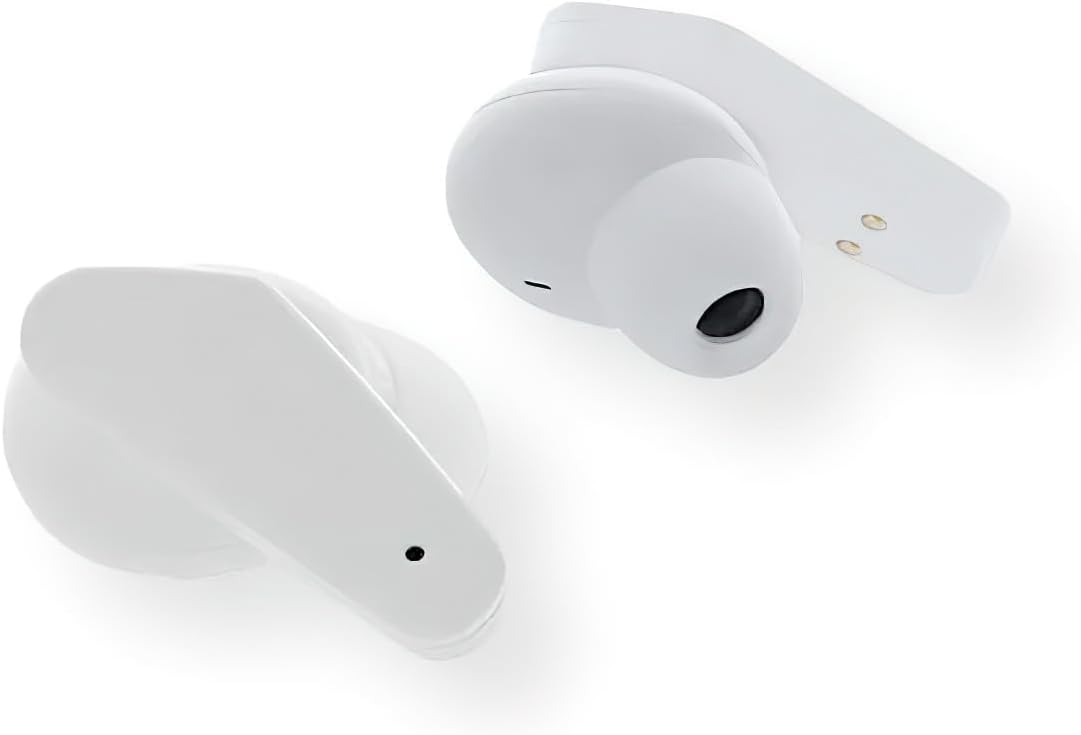
Figi 3: Yon gwo plan view of the Sentry HPXBTA105 True Wireless Earbuds, highlighting their design and in-line microphone.
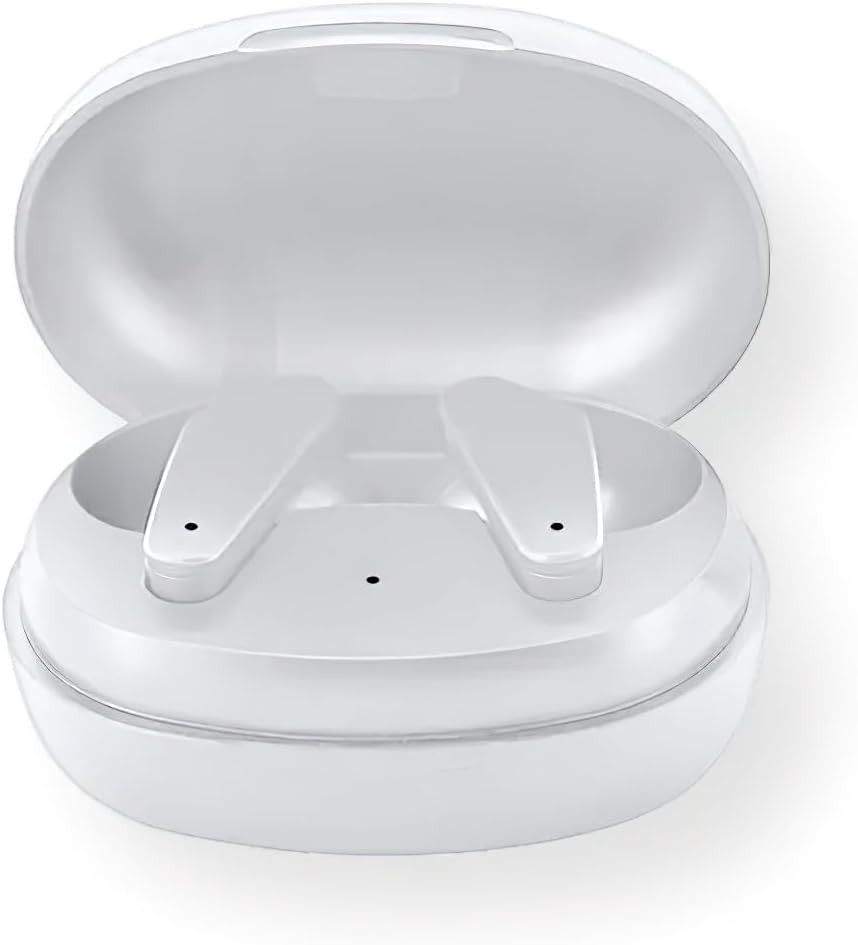
Figure 4: The Sentry HPXBTA105 charging case with both earbuds securely placed inside.
The earbuds feature a sleek white design with touch control buttons for easy operation. They are equipped with an in-line microphone for clear call handling and extra soft noise reduction earpads for comfort and effective noise cancellation.
Enstalasyon
1. Chaje ekoutè yo ak bwat la
Anvan premye itilizasyon an, chaje ekoutè yo ak bwat chaje a nèt.
- Place the earbuds into the charging case, ensuring they are properly seated.
- Konekte kab chaje USB a nan pò chaje ki sou bwat la epi lòt bout la nan yon sous kouran USB (pa egzanp, òdinatè, adaptè miray).
- The indicator lights on the case and/or earbuds will show charging status. Refer to the specific light patterns in the quick start guide for details.
- Yon fwa konplètman chaje, dekonekte kab la chaje.
2. Pè Bluetooth
Pair your earbuds with your device (smartphone, tablet, laptop) for wireless audio.
- Asire w ke ekoutè yo chaje epi mete yo nan bwat chaje a.
- Louvri kouvèti bwat chaje a. Ekoutè yo ap antre otomatikman nan mòd koneksyon (limyè endikatè yo ap flache).
- Sou aparèy ou an, ale nan paramèt Bluetooth yo epi aktive Bluetooth la.
- Chèche pou available devices. Select "HPXBTA105" from the list.
- Yon fwa konekte, ekoutè yo ap endike ke koneksyon an reyisi (pa egzanp, yon enstriksyon vokal oswa yon limyè fiks).
- Ekoutè yo ap konekte otomatikman ak dènye aparèy ki te konekte a lè yo retire yo nan bwat la, si Bluetooth aktive sou aparèy la.
Enstriksyon Operasyon
Kontwòl manyen
Ekoutè Sentry HPXBTA105 yo gen kontwòl taktil entwisyon sou chak ekoutè. Fonksyon espesifik yo ka varye yon ti kras, men kontwòl komen yo enkli:
- Jwe/Poz: Tape yon sèl sou chak ekoutè.
- Pwochen Track: Tape de fwa sou ekoutè dwat la.
- Track Previous: Tape de fwa sou ekoutè gòch la.
- Volim moute: Tape twa fwa sou ekoutè dwat la.
- Volim desann: Tape twa fwa sou ekoutè gòch la.
- Reponn/Fen Apèl: Yon sèl ti tape sou nenpòt ekoutè pandan yon apèl k ap antre oswa yon apèl aktif.
- Rejte apèl: Peze epi kenbe sou nenpòt ekoutè pandan yon apèl k ap antre.
- Aktive Asistan Vwa: Press and hold for 2 seconds on either earbud (e.g., Siri, Google Assistant).
- Chanje mòd ANC/Transparans: Long press (e.g., 3 seconds) on either earbud. Refer to the quick start guide for exact gesture.
Anile aktif bri (ANC)
The earbuds are equipped with Active Noise Canceling technology to reduce ambient noise. This feature is ideal for travel or noisy environments.
- To activate ANC, use the designated touch control gesture (as described above).
- You may hear a slight change in audio quality when ANC is engaged, which is normal.
- To deactivate ANC or switch to Transparency Mode (if available), repeat the touch control gesture.
Video 1: Official product video demonstrating key features and design of the Sentry HPXBTA105 True Wireless Earbuds, including active noise canceling.
Antretyen
Proper care will extend the life of your earbuds.
- Netwayaj: Siye ekoutè yo ak bwat chaje a dousman avèk yon twal mou, sèk, ki pa gen pousyè. Pa sèvi ak pwodui chimik ki agresif oswa materyèl abrazif.
- Depo: Lè w pa ap itilize ekoutè yo, mete yo nan bwat chajman yo pou pwoteje yo epi kenbe yo chaje. Sere yo nan yon kote ki fre epi sèk.
- Evite dlo: The earbuds are not waterproof. Avoid exposure to water, sweat, or rain.
Depanaj
Si ou rankontre pwoblèm ak ekoutè ou yo, eseye solisyon sa yo:
| Pwoblèm | Solisyon posib |
|---|---|
| Ekoutè pa asosye |
|
| Pa gen son nan yon sèl ekoutè |
|
| Ka chaje pa chaje |
|
| Active Noise Canceling not working |
|
Espesifikasyon
| Karakteristik | Detay |
|---|---|
| Non modèl | HPXBTA105 |
| Koneksyon Teknoloji | San fil (Bluetooth) |
| Kondwi Inite | 10mm |
| Gamme frekans | 20Hz - 20KHz |
| Sansiblite | 103dB +/- 3dB |
| Enpedans | 32 Ohms |
| Kontwòl bri | Anile aktif bri |
| Mikwofòn | Nan-liy mikwofòn |
| Kalite kontwòl | Manyen bouton kontwòl |
| Koulè | Blan |
| Pwa atik | 6.4 ons |
| Dimansyon pake | 8 x 5.75 x 2.5 pous |
Garanti ak sipò
Sentry products are designed and manufactured to the highest quality standards. For information regarding warranty coverage, technical support, or service, please refer to the warranty card included with your product or visit the official Sentry websit la. Kenbe prèv acha ou pou reklamasyon garanti.
For further assistance, you may also refer to the product detail page on Amazon.com: https://www.amazon.com/dp/B0D5DP1G3M


