1. Entwodiksyon
This manual provides essential information for the safe and efficient operation of your Haier H65M95EUX 65-inch QD Mini LED 4K UHD Smart TV. Please read this manual thoroughly before using the product and retain it for future reference.
The Haier H65M95EUX is a 65-inch Smart TV featuring QD Mini LED technology for superior brightness and vibrant colors, 4K UHD resolution, and a 144 Hz refresh rate. It integrates Google TV for smart functionalities, Harman Kardon speakers for enhanced audio, and supports Dolby Atmos and Dolby Vision for an immersive vieweksperyans nan.
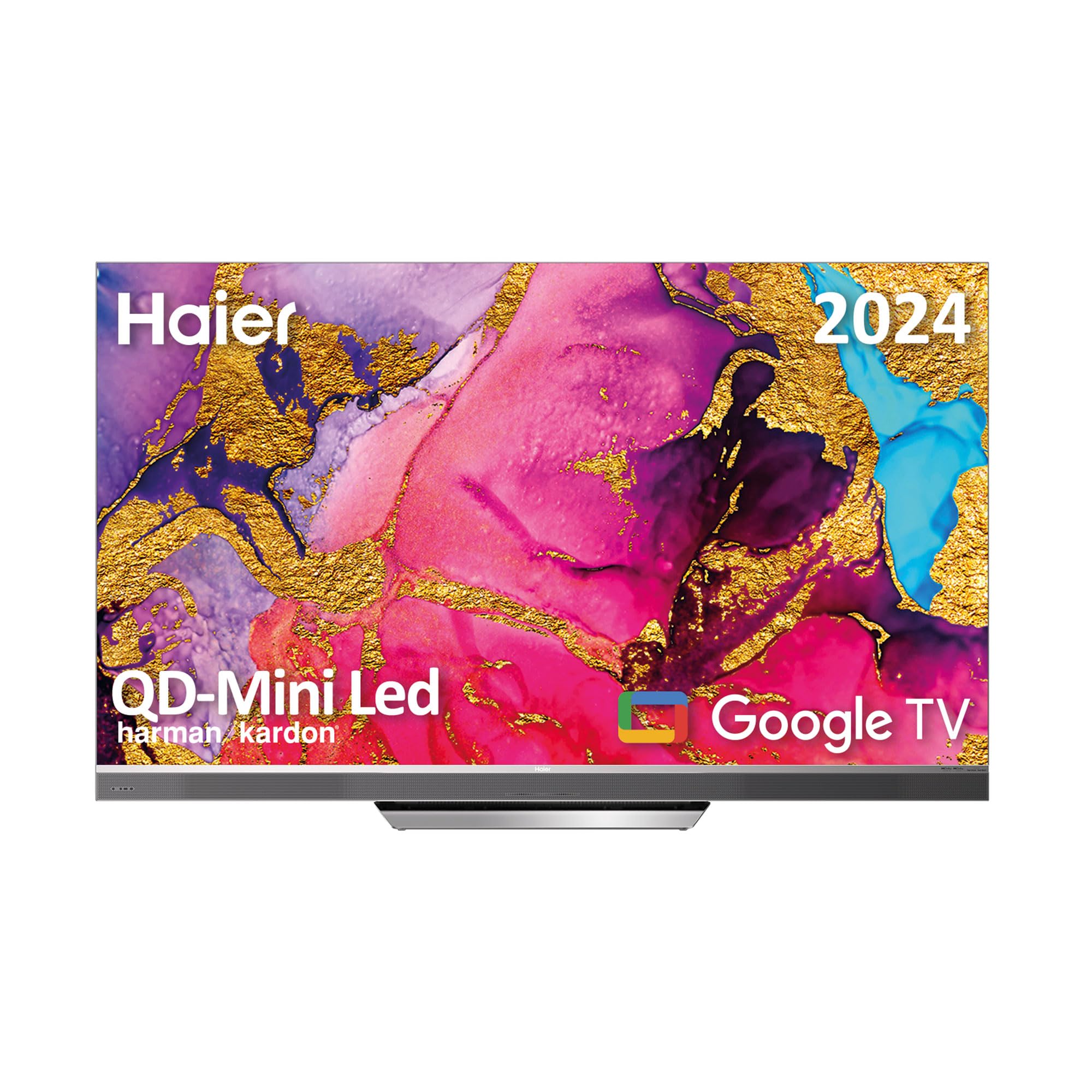
Image 1.1: Haier H65M95EUX 65-inch QD Mini LED 4K UHD Smart TV.
2. Enfòmasyon sou Sekirite
Toujou swiv prekosyon sekirite debaz yo lè w ap itilize televizyon sa a pou diminye risk dife, chòk elektrik, ak blesi.
- Sous pouvwa: Konekte televizyon an sèlman ak yon sous kouran AC jan sa endike sou etikèt la.
- Vantilasyon: Asire bon vantilasyon. Pa bloke ouvèti vantilasyon yo.
- Dlo ak imidite: Pa ekspoze televizyon an anba lapli oswa imidite. Pa mete objè ki plen likid sou televizyon an.
- Netwayaj: Debranche televizyon an nan priz miray la anvan ou netwaye li. Sèvi ak yon twal mou epi sèk. Pa sèvi ak pwodui netwayaj likid oswa pwodui netwayaj an ayewosòl.
- Plasman: Mete televizyon an sou yon sifas ki estab e plat. Evite mete l anba limyè solèy dirèk oswa toupre sous chalè.
- Sèvis: Pa eseye fè sèvis pwodui sa a tèt ou. Refere tout sèvis yo bay pèsonèl sèvis kalifye.
- Timoun: Supervise children to ensure they do not play with the television.
3. Pake kontni
Verify that all items are present in the packaging before proceeding with the setup.
- Haier H65M95EUX 65-inch QD Mini LED 4K UHD Smart TV
- Smart Kontwòl Remote
- Pouvwa kab
- TV Stand (Base)
- Manyèl Itilizatè (dokiman sa a)
- Vis pou asanble kanpe
4. Enstalasyon
4.1. Asanblaj Sipò a
Place the TV screen face down on a soft, clean surface to prevent damage. Align the stand with the mounting holes on the bottom of the TV. Secure the stand using the provided screws. Ensure the stand is firmly attached before placing the TV upright.
4.2. Montaj sou miray (Si ou vle)
If you choose to wall mount your TV, refer to the instructions provided with your wall mount kit. Ensure the wall mount is compatible with VESA standards for a 65-inch TV and can support the weight of the television.
4.3. Konekte Aparèy
Your Haier H65M95EUX TV offers various connectivity options.
- HDMI: Connect external devices such as Blu-ray players, gaming consoles, or set-top boxes to the HDMI 2.1 ports (x4).
- USB: Connect USB storage devices for media playback or software updates to the USB ports (x2).
- Ethernet: Pou yon koneksyon entènèt filaire ki estab, konekte yon kab Ethernet nan pò LAN an.
- Wi-Fi: For wireless internet, connect to your home network via the Wi-Fi settings in the TV menu.
- Bluetooth: Konekte aparèy ki gen Bluetooth tankou kas ekoutè oswa ba son.
4.4. Koneksyon pouvwa
Konekte kab kouran an nan antre kouran televizyon an epi branche li nan yon priz miray.
5. Itilizasyon televizyon an
5.1. Enstalasyon Inisyal ak Google TV
Upon first power-on, the TV will guide you through the initial setup process. This includes language selection, network connection, and Google account sign-in. Google TV organizes your favorite content from various streaming services into one personalized interface.
- Google Play Store: Access over 10,000 applications, including popular streaming services like Disney+, YouTube, and Netflix.
- Chromecast entegre: Cast content directly from your mobile device to the TV using compatible applications.
- Google Asistan: Use the integrated microphone on the Smart Remote Control to interact with the TV, search for content, and control smart home devices.
5.2. Kontwòl remote entelijan
The Smart Remote Control allows for intuitive navigation and voice commands. Refer to the remote's diagram (if provided separately) for button functions.
5.3. Audio and Video Settings
Your TV features advanced audio and video technologies for an enhanced vieweksperyans nan.
- QD Mini LED & 4K UHD: Enjoy sharp images with vibrant colors and brightness up to 2,000 nits.
- Pousantaj rafrechisman 144 Hz: Provides ultra-smooth motion, ideal for fast-paced content and gaming.
- Oratè Harman Kardon: Integrated 60W front speakers deliver clear and powerful sound.
- Dolby Atmos & Dolby Audio: Experience immersive, three-dimensional surround sound.
- Dolby Vision & HDR 10: Enhanced contrast and color accuracy for compatible content.
- DBX TV: Audio calibration technology for optimized sound performance.
6. Antretyen
6.1. Netwaye ekran an
Siye ekran an dousman avèk yon twal mou ki pa gen pousyè. Pou mak ki difisil pou retire, siye l yon ti kras.ampRense twal la avèk dlo oubyen yon pwodui netwayaj ekran espesyalize (asire w ke li an sekirite pou ekran televizyon) epi siye dousman. Pa mete presyon.
6.2. Netwaye Kabinè a
Siye kabinè televizyon an ak yon twal mou epi sèk. Evite itilize pwodui netwayaj abrazif oswa solvan.
6.3. Mizajou lojisyèl
Your Google TV may receive automatic software updates. Ensure your TV is connected to the internet to receive these updates, which can improve performance and add new features. You can also manually check for updates in the TV settings.
NAN. Depanaj
Anvan ou kontakte sèvis kliyan, eseye solisyon sa yo pou pwoblèm komen yo.
| Pwoblèm | Kòz posib | Solisyon |
|---|---|---|
| Pa gen pouvwa | Power cable disconnected; Power outlet not working | Check power cable connection; Try a different outlet; Press power button on TV or remote. |
| Pa gen imaj, men gen son | Sous opinyon ki pa kòrèk; Pwoblèm ekleraj dèyè | Press the "Input" button on the remote to select the correct source; Contact support if backlight is suspected. |
| Pa gen son, men imaj la la | Volume muted or too low; External audio device issue | Unmute or increase volume; Check connections to external audio devices; Select correct audio output in settings. |
| Remote kontwòl pa travay | Pil yo fin itilize; Gen yon obstak ant telekòmand lan ak televizyon an | Replace batteries; Remove any obstructions; Re-pair remote if it's a Bluetooth remote. |
| Pa ka konekte ak Wi-Fi | Modpas ki pa kòrèk; Pwoblèm routeur; Televizyon an twò lwen routeur la | Verifye modpas Wi-Fi a; Rekòmanse routeur la; Pi pre routeur la oubyen itilize Ethernet. |
8. Espesifikasyon
Detailed technical specifications for the Haier H65M95EUX Smart TV.
- Nimewo Modèl: 36200086
- Gwosè ekran: 65 pous
- Teknoloji ekspozisyon: QD Mini LED, 4K UHD
- Rezolisyon: 3840 x 2160 (4K UHD)
- Pousantaj rafrechisman: 144 Hz
- Klate: Jiska 2,000 nits
- Sistèm operasyon: Google TV
- Odyo: Harman Kardon 60W Front Speakers, Dolby Atmos, Dolby Audio, DBX TV
- Videyo: Dolby Vision, HDR 10
- Koneksyon:
- HDMI 2.1 x 4
- USB x 2
- Wi-Fi
- Bluetooth 5.1
- Ethernet (LAN)
- Karakteristik espesyal: Google Assistant (via Smart Remote), Chromecast Built-in, Frameless Design
- Dimansyon pwodwi (san sipò): 144.8 cm (W) x 87.4 cm (H) x 7.7 cm (D)
- Dimansyon pwodwi (ak sipò): 144.8 cm (W) x 91.2 cm (H) x 25.8 cm (D)
- Koulè: Ajan

Image 8.1: Haier H65M95EUX TV dimensions with and without stand.
9. Garanti ak sipò
Pou enfòmasyon sou garanti a, tanpri gade kat garanti ki vini ak pwodwi w la oswa vizite sit ofisyèl Haier la. websit.
If you encounter issues that cannot be resolved using the troubleshooting guide, please contact Haier customer support. Have your model number (H65M95EUX) and serial number ready when contacting support.
- Manifakti: Haier
- Modèl: H65M95EUX
- ASIN: B0D53W4KDL
- Sipò sou entènèt: Visit Haier Official Websit


