1. Enfòmasyon enpòtan sou sekirite
Please read all safety instructions carefully before using the VETEK NPX108 camcorder. Keep this manual for future reference.
- Pa ekspoze kamera a ak dlo oswa imidite.
- Evite tanperati ekstrèm.
- Pa eseye demonte oswa repare kamera a tèt ou.
- Sèvi ak sèlman akseswa ak adaptè kouran ki apwouve yo.
- Kenbe soti nan atenn timoun yo.
2. Pake kontni
Verifye ke tout atik yo prezan nan pakè ou a:
- VETEK NPX108 4K Camcorder
- Pòtatif estabilize
- Lens Hood
- Mikwofòn
- Ranpli limyè
- Kat SD 64GB
- Kontwòl Remote
- DV-108 Battery (4500mAh)
- USB kab
- Charger
- Bag Kamera
- Manyèl itilizatè

Image: The VETEK NPX108 camcorder with all included accessories, such as the handheld stabilizer, microphone, fill light, SD card, battery, cables, and carrying bag.

Image: A visual representation of the camcorder and its accessories, including microphone, remote control, LED lights, lens hood, battery, bag, 64GB SD card, data line, charger, and user manual.
3. Pwodwi souview
3.1. Konpozan ak Kontwòl

Image: A multi-angle diagram of the camcorder highlighting key components such as Handle Charging Port, Battery, Video Button, Photo Button, Confirmation Button/Control Wheel, DISP Button, USB Interface/Camera Charging Port, MIC Interface, HDMI Interface, Lens, Power Button, Menu Button, Mode Button, Playback Button, SD Card Slot, Speaker, Handle Hot Shoe, Handle Video/Photo Button, Handle Digital Zoom, Camera Zoom, and Camera Hot Shoe.
The VETEK NPX108 camcorder features a 4.0-inch 270-degree rotating touchscreen for flexible viewing and control. It supports 4K Ultra HD 60FPS video resolution and 64MP image resolution, with 18X digital zoom.

Image: The VETEK NPX108 camcorder showcasing its 4K UHD capabilities, 64MP resolution, 270-degree rotating screen, and 3.0-inch HD touch screen.
4. Enstalasyon
4.1. Enstalasyon ak Chaje Batri
The camcorder uses a 4500mAh Lithium Polymer battery. Ensure the battery is fully charged before first use.
- Louvri kouvèti lòj batri a.
- Insert the battery according to the polarity indicators.
- Fèmen kouvèti lòj batri a byen.
- Connect the USB cable to the camera's charging port and the charger, then plug into a power outlet. The camera supports recording while charging.

Image: The camcorder displaying a 93% battery charge on its screen, emphasizing its 4500mAh battery for longer shooting times.
4.2. Enstalasyon Kat SD
The camcorder comes with a 64GB SD card. Insert it correctly to store your recordings.
- Jwenn plas kat SD la sou kamera a.
- Mete kat SD a ak kontak metal yo nan bon direksyon an jiskaske li fè yon klik pou l antre nan plas li.
- To remove, gently press the card until it ejects.
4.3. Mete Pwodwi pou Telefòn yo
Attach the included accessories for enhanced functionality.
- Handheld Stabilizer: Attach the stabilizer to the bottom of the camera for improved stability, especially for low-angle shots. It includes zoom and shooting buttons for convenience.
- Mikwofòn: Connect the external microphone to the MIC interface for clearer audio recording, reducing background noise.
- Ranpli limyè: Mount the fill light onto the camera's hot shoe for additional illumination in low-light conditions. Adjust brightness and color temperature as needed.
- Lens Hood: Attach the lens hood to protect the lens from damage and improve image contrast by reducing glare.
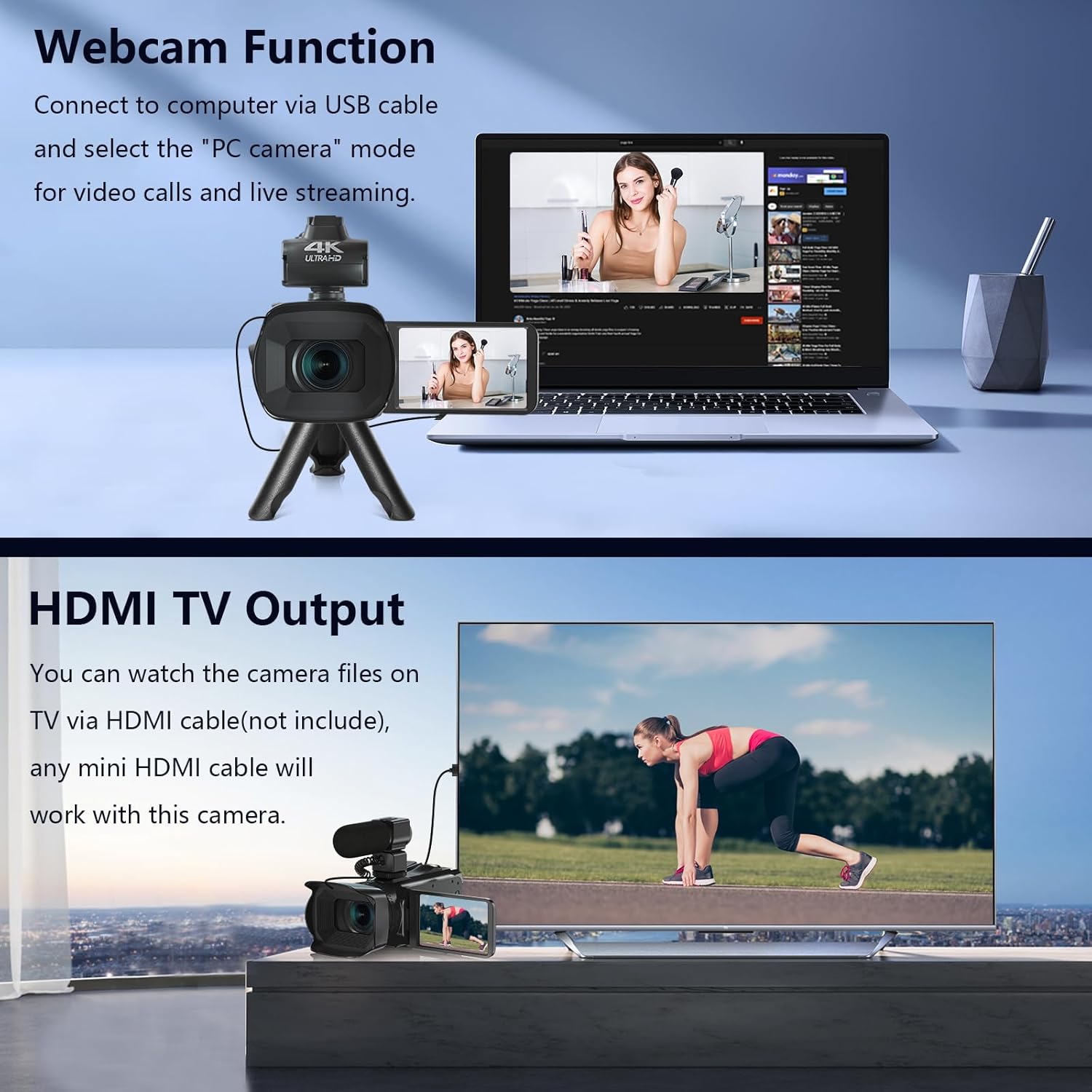
Image: The fill light accessory demonstrating its adjustable brightness (100%, 50%, 10%) and color temperature (3300K-5600K) settings, with examples of white light, white glow, and warm light.
5. Itilizasyon Kamera a
5.1. Power On/Off
Open the LCD screen to power on the camera. Close it to power off.
5.2. Anrejistreman Debaz (Videyo/Foto)
Use the dedicated Video and Photo buttons to switch between modes and start/stop recording or capture images.
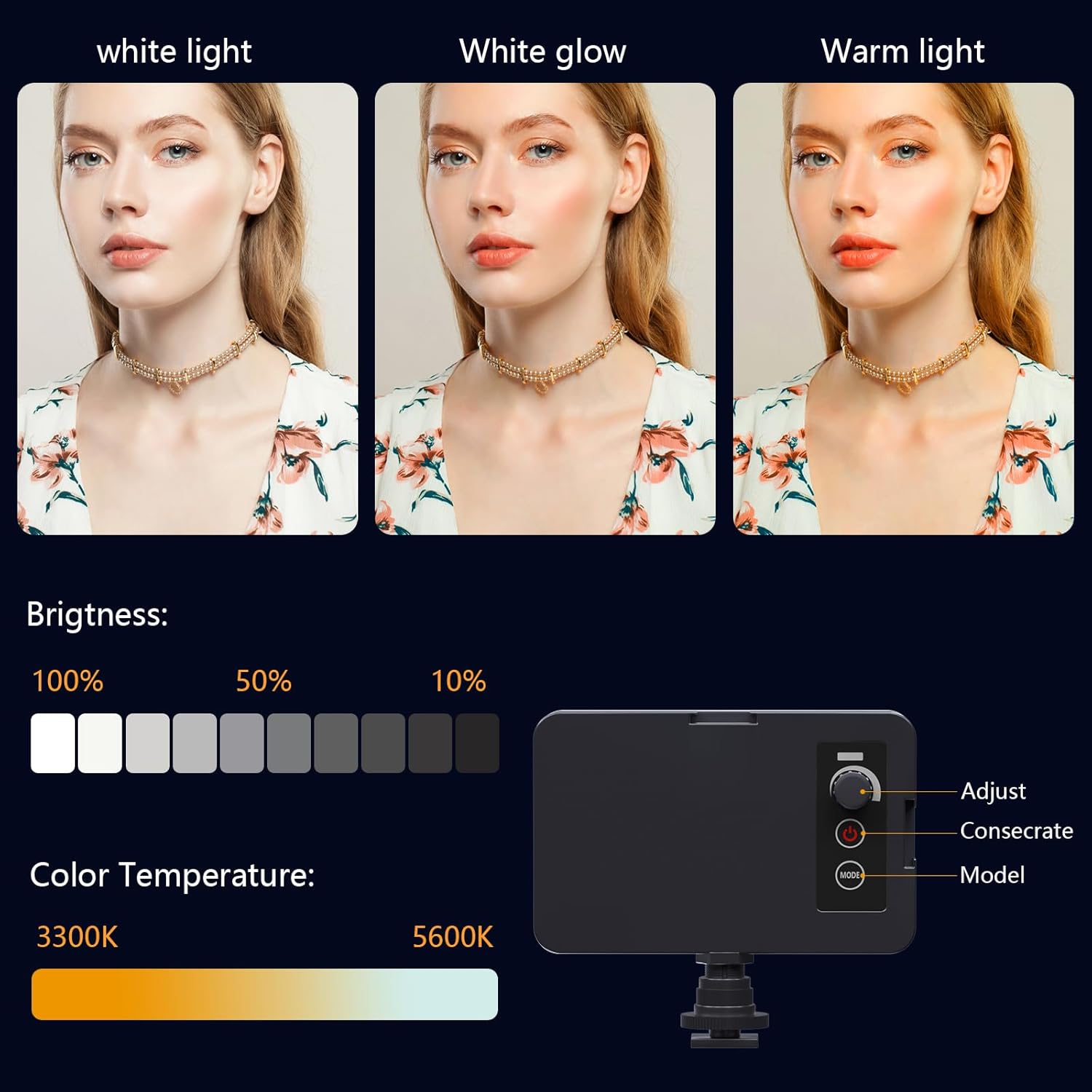
Image: The camcorder recording a 4K 60FPS video, with smaller inset images showing the effect of 18X, 16X, and 12X digital zoom on a subject.
5.3. Fonksyon Zoom
Use the zoom controls on the camera body or handheld stabilizer to adjust the 18X digital zoom.
5.4. Manyen ekran operasyon
Navigate menus and settings directly on the 4.0-inch touchscreen. The screen can rotate 270 degrees for versatile shooting angles.
5.5. Anviwònman meni
Press the Menu button to access various settings such as resolution, white balance, exposure, and metering mode. Use the control wheel or touchscreen to make selections.
5.6. Wi-Fi Connection and App Usage
Connect your smartphone to the camcorder via Wi-Fi to control it remotely and transfer files.
- Turn on Wi-Fi on the camcorder via the menu. The screen will display the Wi-Fi ID (e.g., 4K_WIFI) and password (e.g., 12345678), along with a QR code.
- Download the "IDC CAM" app by scanning the QR code or searching on your app store.
- On your smartphone, go to Wi-Fi settings and connect to the camcorder's Wi-Fi network using the provided password.
- Open the "IDC CAM" app. You can now view a live feed, control recording, and capture photos remotely.

Image: The camcorder's screen showing Wi-Fi ID, password, and a QR code for downloading the companion app, with smartphones connected via Wi-Fi in the background.
For a visual guide on Wi-Fi connection and app usage, watch this video:
Video: This video demonstrates how to connect the NPX108 digital video camera to Wi-Fi and use the companion app for remote control and file jesyon.
5.7. WebCam Fonksyon
Kamera videyo a ka itilize kòm yon webcam for video calls and live streaming.
- Connect the camcorder to your computer using the USB cable.
- On the camera's screen, select "PC CAM" mode.
- Your computer should now recognize the camcorder as a webCam.
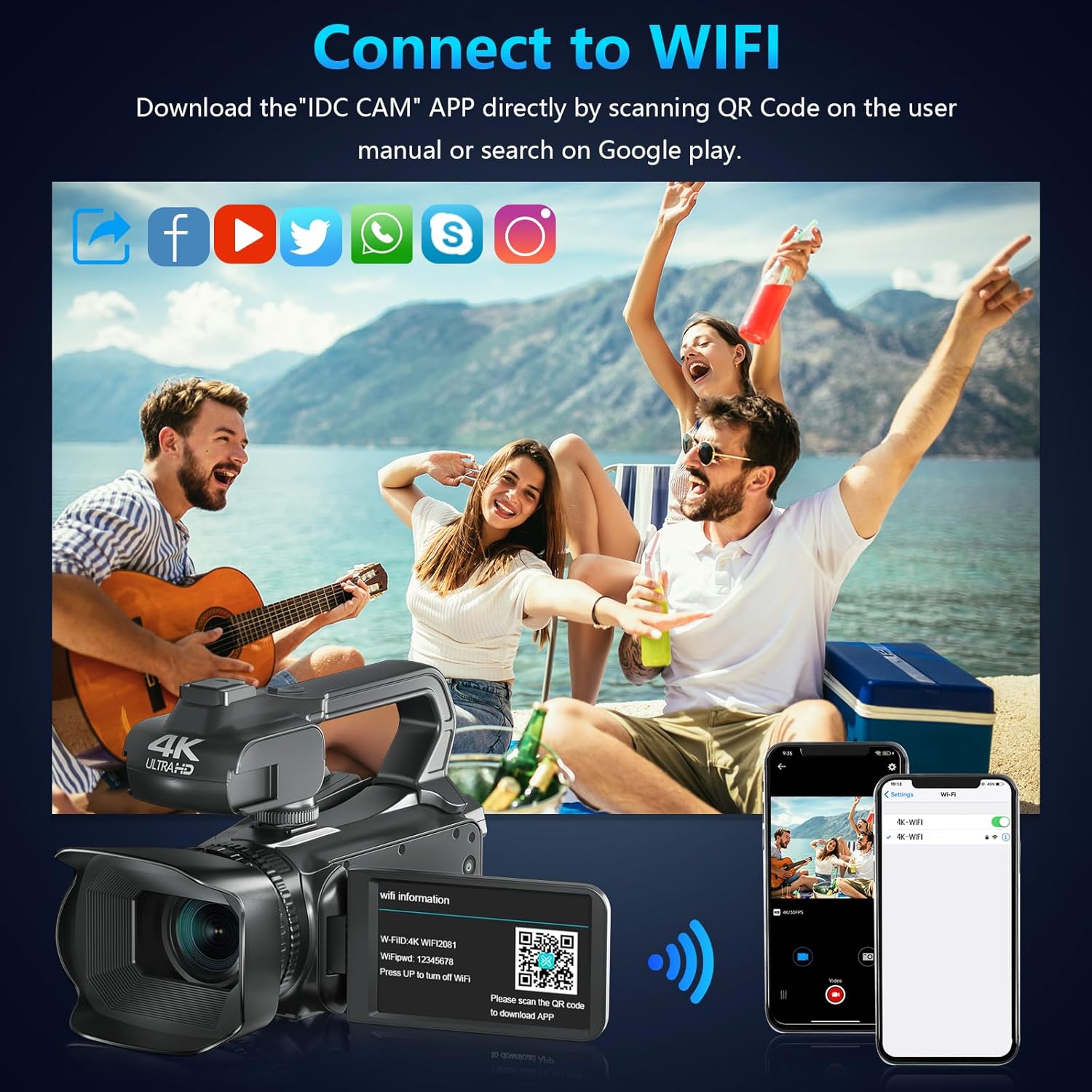
Image: The camcorder functioning as a webcam connected to a laptop, and also connected to a TV via HDMI for output.
5.8. HDMI TV Output
View your recorded videos and photos directly on a TV or monitor.
- Connect the camcorder to your TV using a mini HDMI cable (not included).
- Chwazi opinyon HDMI ki apwopriye a sou televizyon ou.
- The camera's display will now be mirrored on your TV.

Image: The camcorder connected to a laptop for live streaming (webcam mode) and to a TV via an HDMI cable for real-time viewing nan kontni.
5.9. Karakteristik espesyal
- Anrejistreman pandan y ap chaje: Continue recording even when the battery is low by connecting the charger.
- Ralanti: Capture dynamic scenes in slow motion.
- Time-Lapse: Record events over an extended period and condense them into a short video.
- Oto-revèy: Set a delay before capturing a photo or starting a video.
- Anti-souke: Estabilizasyon imaj dijital ede diminye flou ki soti nan mouvman kamera a.
- Vizyon lannwit: Capture clear footage nan kondisyon ki ba-limyè.

Image: A collage demonstrating various camcorder features: recording while charging, pause function, continuous shooting, and anti-shake stabilization.

Image: A sequence of three images illustrating the time-lapse recording feature, capturing the progression of a sunset over water.
6. Antretyen
6.1. Netwayaj
- Sèvi ak yon twal mou epi sèk pou netwaye kò kamera a.
- For the lens, use a lens cleaning cloth and specialized lens cleaning solution. Avoid touching the lens directly with your fingers.
- Clean the touchscreen with a microfiber cloth.
6.2. Depo
- When not in use, store the camera in its protective bag in a cool, dry place.
- Retire batri a si kamera a pa pral itilize pou yon peryòd pwolonje.
NAN. Depanaj
| Pwoblèm | Kòz posib | Solisyon |
|---|---|---|
| Kamera a pa limen | Batri a mouri oswa li pa byen mete. | Chaje batri a oubyen mete l tounen byen. |
| Pa ka anrejistre videyo/pran foto | SD card is full, not inserted, or corrupted. | Insert a new SD card, ensure it's properly inserted, or format the card (this will erase all data). |
| Poor video/image quality | Lens is dirty, insufficient lighting, or incorrect settings. | Clean the lens, use the fill light, or adjust exposure/white balance settings. |
| Pwoblèm koneksyon Wi-Fi | Incorrect password, app not installed, or distance too far. | Verify password, install "IDC CAM" app, ensure close proximity to camera. |
8. Espesifikasyon
- Mak: VETEK
- Nimewo Modèl: NPX108
- Rezolisyon Capture Videyo: 4K (60FPS)
- Rezolisyon imaj: 64MP
- Zoom dijital: 18X
- Gwosè ekran: 4.0 Inches (270-degree rotating touchscreen)
- Koneksyon: Wi-Fi, USB, HDMI
- Karakteristik espesyal: Auto Focus, Recording While Charging, Slow Motion, Time-Lapse, Webcam Function, Self-Timer, HD Output, External MIC Support, Handheld Stabilizer Support, Night Vision, Anti-Shake, Face Detection
- Batri: 4500mAh Lityòm Polymè (enkli)
- Depo: Kat SD (64GB enkli)
- Pwa atik: 3.56 liv
- Dimansyon pwodwi: 6.7 x 3.8 x 3.9 pous
9. Garanti ak sipò
VETEK products are designed for quality and reliability. For any issues or inquiries, please refer to the following:
- Règleman retounen: All products are eligible for a free return within 30 days of purchase.
- Sèvis Kliyan: VETEK offers 24-hour customer service. Please contact us for assistance.
- Plan Pwoteksyon: Extended protection plans are available for purchase (e.g., 2-Year Protection Plan, 3-Year Protection Plan, Complete Protect).

Image: The VETEK brand logo, representing quality and customer commitment.


