1. Entwodiksyon
Thank you for choosing the Yansoo Dual Dash Cam X88-2. This manual provides essential information for setting up, operating, and maintaining your dash camera. Please read it thoroughly before use to ensure optimal performance and safety.
Ki sa ki nan bwat la:
- Manyèl itilizatè
- Dash Cam with 64 GB Card (pre-inserted)
- Zouti enstalasyon
- Machin Charger
- Pou aspirasyon
Nòt enpòtan anvan ou itilize:
- The included mini USB cable is for transferring video to your computer only. It cannot be used as a power cord. Always use the provided car charger to power the dash cam.
- The dash cam has a built-in battery for emergency recording. For 24-hour parking monitoring, continuous power is required, typically via a separately purchased Hardwire Kit (e.g., Yansoo Hardwire Kit: B0BNH1WJS7).
- Always format the 64GB memory card in the camera menu before its first use and periodically thereafter to ensure stable recording.
- Before permanent installation, power up the dash cam using the car charger to test its functionality, including the display of both front and interior cameras.
2. Pwodwi souview
The Yansoo X88-2 is a compact yet powerful dual dash camera designed to provide comprehensive coverage of your driving environment. It features both front and interior cameras, ensuring detailed recording for various situations.
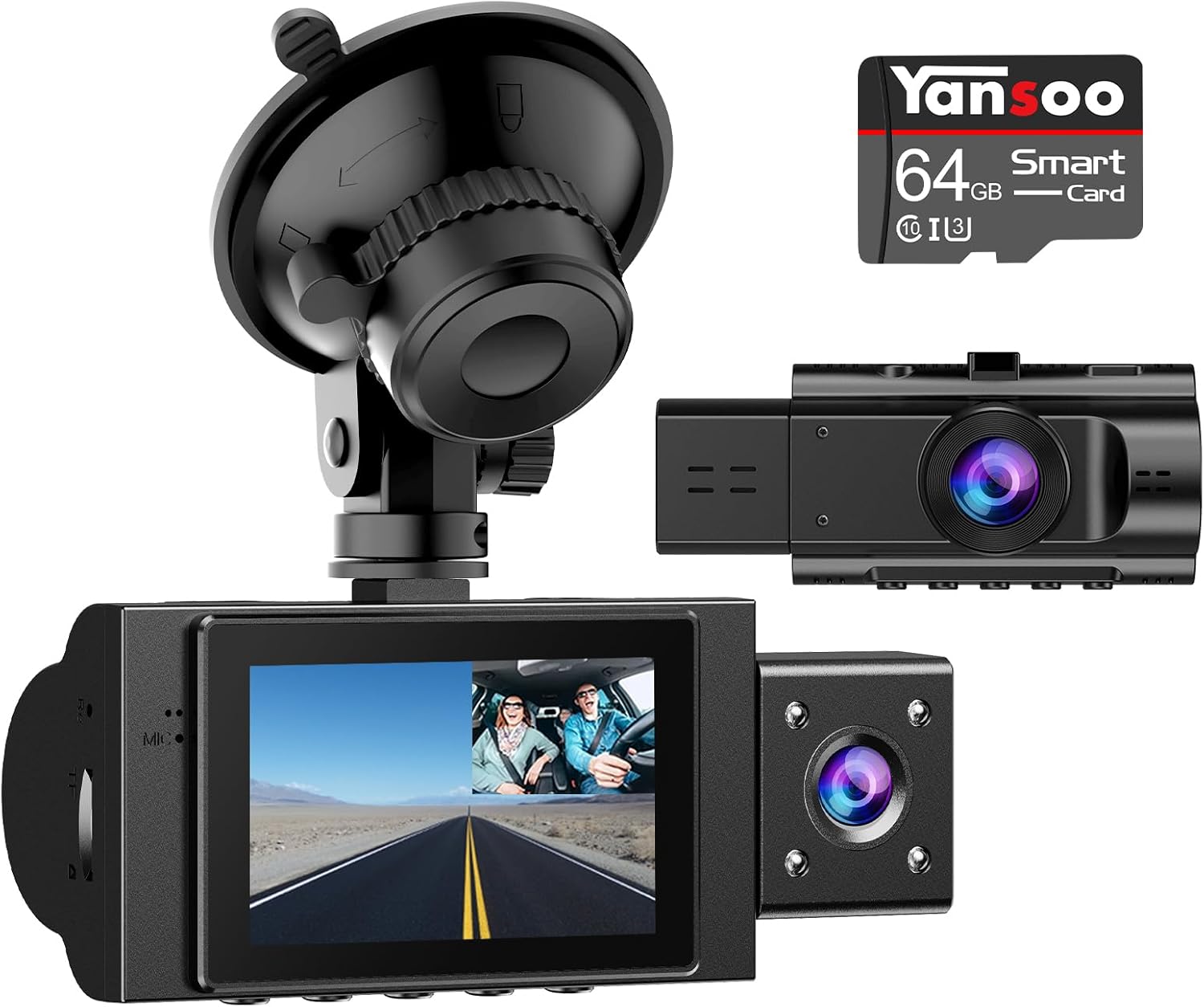
Figure 2.1: Yansoo Dual Dash Cam X88-2 with included accessories.
Karakteristik kle:
- Dual 1080P Recording: Records both front and interior views in Full HD 1920x1080 resolution at 30 frames per second.
- Lantiy Gran Ang: Features a 170° wide-angle front lens and a 140° wide-angle interior lens to capture a broad field of view san tach avèg.
- Super Infrared Night Vision & WDR: Equipped with 4 infrared LED fill lights, F1.8 aperture, and WDR (Wide Dynamic Range) technology for optimal performance in low-light conditions, ensuring clear recordings day and night.
- 24-Hour Parking Monitor & Motion Detection: Protects your vehicle even when parked. The dash cam enters standby mode and automatically records 31-second videos upon detecting shocks.
- Emergency Lock Video (G-Sensor): Built-in G-sensor automatically detects sudden shakes or collisions and locks the current video footage to prevent it from being overwritten, serving as crucial evidence.
- Anrejistreman bouk: Continuously records by automatically overwriting the oldest unlocked video filelè kat memwa a plen, pou asire anrejistreman san enteripsyon.
- Enstalasyon ak Itilizasyon Fasil: Simple and secure windshield mounting with the included suction cup. Powers on and records automatically when connected to the car's cigarette lighter interface.
3. Enstalasyon ak Enstalasyon
3.1 Mete kat memwa a
The dash cam comes with a 64GB card pre-inserted. If you need to remove or re-insert it:
- Locate the memory card slot on the side of the dash cam.
- Gently push the card until it clicks into place. To remove, push again until it pops out.

Figure 3.1: Memory card insertion steps.
3.2 Enstale Kamera Dash la
- Netwaye zòn sou vit machin ou an kote ou gen entansyon monte kamera tablodbò a.
- Kole sipò ventouz la sou kamera tablodbò a.
- Peze ventouz la byen fèm kont vit machin nan epi vire levye a pou fikse li.
- Ajiste ang kamera a pou asire yon imaj klè view wout ki pi devan an ak enteryè machin nan.
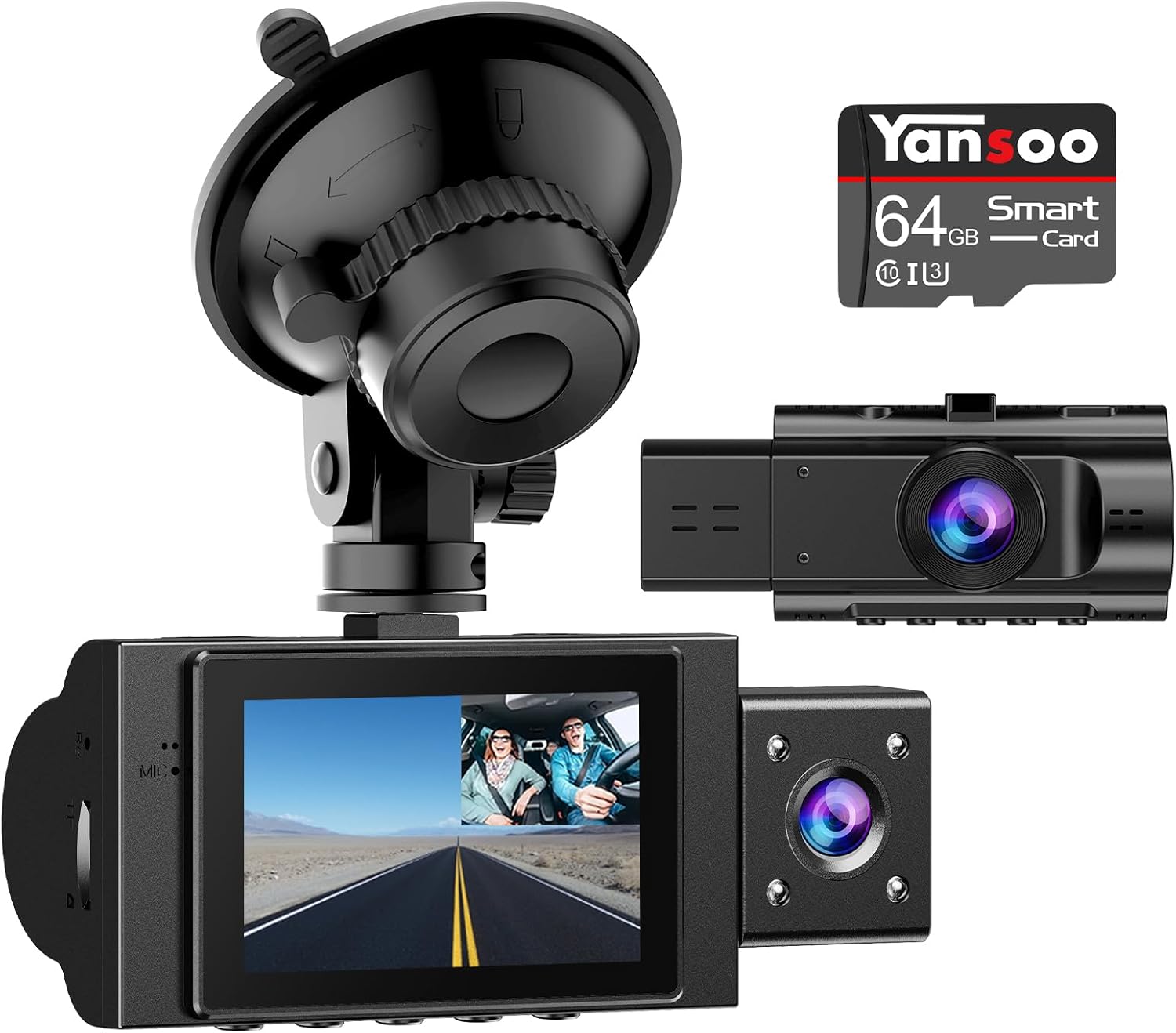
Figure 3.2: Dash cam installed on the windshield.
3.3 Koneksyon pouvwa
Connect the provided car charger to the dash cam's Type-C port and plug the other end into your car's cigarette lighter socket. The dash cam will automatically power on and begin recording when your car starts.

Figure 3.3: Recommended power cable routing.
4. Operasyon Enstriksyon
4.1 Operasyon debaz
- Limen/Etenyen: The dash cam powers on automatically with the car ignition. To manually turn it off, press and hold the power button.
- Kòmanse/Sispann anrejistreman: Recording typically starts automatically upon power-on. Press the 'OK' button to manually stop or start recording.
- Navigasyon nan meni: Use the 'M' button to enter the menu. Use the up/down arrow buttons to navigate and 'OK' to select.
4.2 Mòd ak Karakteristik Anrejistreman
- Dual Recording (Front & Interior): The dash cam simultaneously records both views. The 2.0" LCD display supports real-time image and replay, allowing you to see both feeds clearly.

Figure 4.1: Multiple display modes for front and interior views.
- Vizyon lannwit enfrawouj: The interior camera utilizes 4 infrared LED lights for clear recording in low-light or nighttime conditions.

Figure 4.2: Infrared night vision capability for the interior camera.
- G-Capteur (Bloke Ijans): When the G-sensor detects a sudden impact or collision, it automatically locks the current video file to a protected folder, preventing it from being overwritten during loop recording. This ensures critical event footage konsève.
- Anrejistreman bouk: The dash cam records continuously in short segments (e.g., 1, 3, or 5 minutes). When the memory card is full, the oldest unlocked fileYo efase otomatikman pou fè espas pou nouvo anrejistreman.

Figure 4.3: G-Sensor and Loop Recording functionality.
- Parking Monitor & Motion Detection: With this function enabled, the dash cam will automatically turn on and record a 31-second video if it detects a shock while the car is parked and the camera is powered off. For continuous 24-hour parking monitoring, a hardwire kit is recommended.
4.3 Viewing Recorded Footage
Ou kapab view recorded videos directly on the dash cam's screen or by connecting the dash cam to a computer using the mini USB cable. Alternatively, you can remove the SD card and insert it into a card reader connected to your computer.

Figure 4.4: Connecting the dash cam to a computer.
4.4 Demonstrasyon Videyo
Video 4.1: Demonstration of the Yansoo X88 Dash Cam's FHD recording capabilities, showcasing both front and interior views during daytime driving. This video highlights the clarity and wide-angle coverage of the cameras.
Video 4.2: A demonstration of the Yansoo X88 Dash Cam's day and night recording quality. This video illustrates the effectiveness of the night vision feature in low-light conditions, providing clear footage for both front and interior cameras.
5. Antretyen
- Fòma kat memwa a: It is recommended to format the memory card every 2-4 weeks to prevent file corruption and ensure optimal recording performance. This can be done through the camera's menu settings.
- Netwaye lantiy yo: Regularly clean the front and interior camera lenses with a soft, dry cloth to ensure clear video quality. Avoid using abrasive materials or chemical cleaners.
- Tanperati operasyon: The dash cam is designed to operate within a specific temperature range. Avoid exposing it to extreme temperatures (e.g., direct sunlight in a parked car for extended periods) to prevent damage.
NAN. Depanaj
If you encounter issues with your Yansoo Dual Dash Cam X88-2, please refer to the following common problems and solutions:
| Pwoblèm | Kòz posib / Solisyon |
|---|---|
| Kamera tablodbò a pa limen. | Ensure the car charger is properly connected to both the dash cam and the car's cigarette lighter. Check if the car's cigarette lighter socket is receiving power. |
| Anrejistreman an sispann sanzatann. | The memory card may be full or corrupted. Format the card in the camera's menu. Ensure you are using a high-speed (Class 10 or higher) memory card. |
| Video footage flou oswa pa klè. | Clean the camera lenses. Ensure the protective film has been removed from the lenses. Check if the windshield area where the camera is mounted is clean. |
| Date and time settings are not saved. | The internal battery may be low. Keep the dash cam connected to power for a period to allow the internal battery to charge. Re-enter the date and time settings. |
| Parking monitor is not working. | Ensure the parking monitor feature is enabled in the settings. For continuous 24-hour monitoring, a hardwire kit is required as the built-in battery is for emergency recording only. |
7. Espesifikasyon
| Karakteristik | Detay |
|---|---|
| Dimansyon pwodwi | 4.13 x 1.57 x 1.77 pous |
| Pwa atik | 10.8 ons |
| Nimewo Modèl | X88-2 |
| Batri | 1 pil ityòm polymère obligatwa (enkli) |
| Koneksyon Teknoloji | Kalite-C |
| Rezolisyon Capture Videyo | Front and inside both 1080P |
| Kalite aliye | Vit devan mòn |
| Koulè | Black Car Dash Cam |
8. Garanti ak sipò
Yansoo is committed to providing high-quality products and excellent customer service. Your Yansoo Dual Dash Cam X88-2 is covered by a one-year warranty from the date of purchase.
For any questions, technical support, or warranty claims, please contact our professional after-sales team. We offer 7*24 hours live customer service to assist you with any inquiries.
Please refer to your purchase platform or the Yansoo official website for specific contact details and the full warranty policy.

Figure 8.1: Yansoo customer support.


