Entwodiksyon
Thank you for choosing the WOLFANG WT03 Solar Wildlife Camera. This advanced trail camera is designed for wildlife monitoring, outdoor security, and nature observation, offering high-resolution imaging, robust features, and sustainable power solutions. Please read this manual carefully before operating the camera to ensure optimal performance and longevity.
Kontni pake

Image: The WOLFANG WT03 Solar Wildlife Camera, user manual, mounting strap, USB cable, and mounting hardware.
Ensure all items are present and in good condition. If any items are missing or damaged, please contact WOLFANG customer support.
- WOLFANG WT03 Wildlife Camera
- Mounting senti
- USB kab
- Materyèl pou monte (vis, lank miray)
- Manyèl itilizatè
- 32GB Micro SD Card (pre-installed)
Pwodwi souview

Imaj: Devan view of the WOLFANG WT03 camera, highlighting the integrated solar panel, main lens, and motion sensor.
The WOLFANG WT03 features an integrated solar panel for continuous power, a high-resolution camera for capturing 4K video and 46MP images, and advanced night vision capabilities. Its robust IP66 waterproof design ensures reliable operation in various outdoor conditions.
Karakteristik kle:
- 4K@30FPS Video & 46MP Image Resolution: Kaptire manje klè ak detayetage ak foto.
- Integrated Solar Panel & 4400mAh Battery: Provides sustainable power and extended battery life.
- WiFi & Bluetooth Connectivity: Allows for easy app control, live viewing, epi file transfer to your smartphone (within 33 feet).
- 0.1s Trigger Speed: Ensures rapid capture of motion-activated events.
- 120° Night Vision: Equipped with 850nm low-luminescence LEDs for clear nighttime images up to 65 feet.
- Evalyasyon ki enpèmeyab IP66: Designed to withstand harsh weather conditions.
- Anrejistreman bouk: Automatically overwrites older files lè kat SD la plen.
Enstalasyon
1. Enstalasyon batri
The camera has a built-in 4400mAh lithium battery. For extended operation, especially in low temperatures, it is recommended to install 4 AA batteries (not included) as backup power.
- Open the camera's side latch and swing open the housing.
- Jwenn lòj batri a.
- Mete 4 pil AA, asire polarite kòrèk (+/-).
- Close the battery compartment and secure the housing latch.
Nòt: The built-in lithium battery is the priority power source. AA batteries serve as backup. Ensure the built-in battery is charged via the solar panel or USB-C before first use.
2. Enstalasyon Kat SD
A 32GB Micro SD card is pre-installed. The camera supports Micro SD cards up to 128GB.
- With the camera powered off, open the housing.
- Jwenn emplacement kat Micro SD.
- Mete kat Micro SD a ak kontak lò yo anba jiskaske li fè yon klik pou l antre nan plas li.
- Pou retire kat la, pouse l anndan jiskaske li fè yon klik, epi lage l.
Enpòtan: Format the SD card in the camera's settings menu before first use to ensure compatibility and optimal performance.
3. Monte Kamera a
The camera can be mounted using the included strap or mounting hardware.

Image: The WOLFANG WT03 camera mounted on a tree, illustrating its integrated solar panel technology for power supply.
- Fikse braslè: Thread the provided strap through the slots on the back of the camera and secure it around a tree or pole.
- Montaj vis: Use the included mounting bracket and screws to attach the camera to a wall or flat surface.
Konsèy plasman:
- Mount the camera at a height of 3-6 feet (1-2 meters) for optimal detection.
- Asire w ke panèl solè a ekspoze a limyè solèy la dirèk pou efikasite chaj maksimòm.
- Avoid placing the camera directly facing the sun or strong light sources to prevent overexposure.
- Clear any obstacles (branches, tall grass) that might trigger false detections or obstruct the view.
Operasyon
1. Powering On / Off
- To power on, slide the mode switch from OFF to SETUP or ON.
- To power off, slide the mode switch to OFF.
2. Basic Settings (SETUP Mode)
In SETUP mode, you can access the camera's menu and adjust various parameters using the control buttons.
- Mòd: Select Photo, Video, or Photo+Video.
- Rezolisyon foto: Choose from various MP settings (e.g., 46MP, 30MP, 20MP).
- Rezolisyon videyo: Select 4K, 2.7K, 1080P, etc. (4K 30fps recommended).
- Entèval PIR: Fikse reta ant deteksyon yo.
- Vitès deklanche: Fixed at 0.1s for fast capture.
- Time Lapse: Set intervals for continuous recording without motion detection.
- Fòma SD Kat: Erase all data on the SD card.
- Dat ak Lè: Mete dat ak lè aktyèl la.
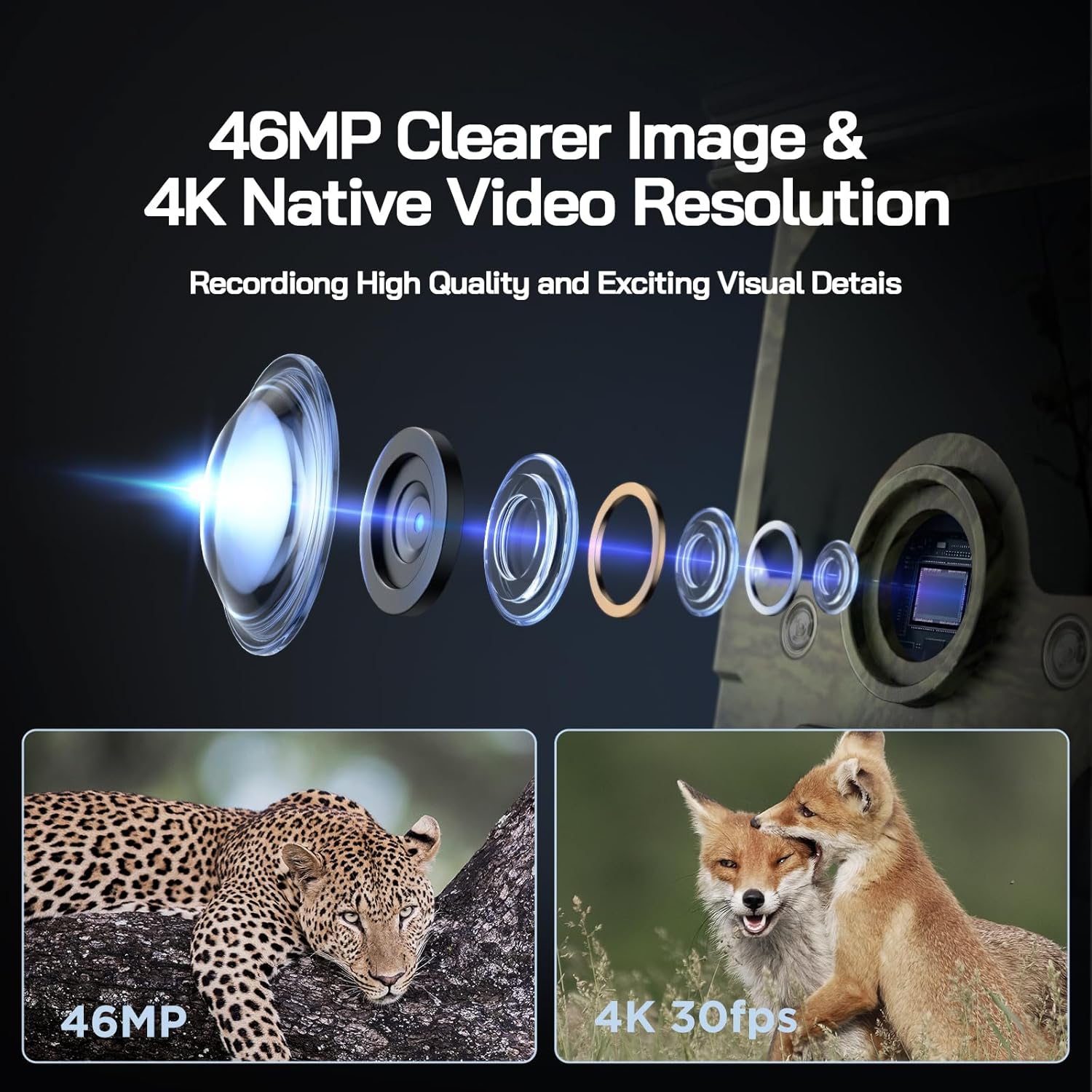
Image: Visual representation of the camera's 46MP image and 4K 30fps video resolution capabilities.

Image: A squirrel captured mid-air, illustrating the camera's ultra-fast 0.1s trigger speed.

Image: A side-by-side comparison demonstrating the superior night vision quality of the WOLFANG camera using 850nm IR lamps.
3. WiFi & App Connection
The WOLFANG WT03 can be controlled and monitored via a smartphone app. The WiFi connection range is limited to 33 feet (10 meters).

Image: A smartphone showing the camera's app interface with a live view of deer, demonstrating WiFi connection and app control.
- Download the "WOLFANG Wildlife" app from your smartphone's app store or scan the QR code provided in the camera's interface (usually in SETUP mode). A relevant link for the app is isit la.
- Turn the camera's mode switch to SETUP.
- Open the WOLFANG Wildlife app on your phone.
- Follow the in-app instructions to connect to the camera's WiFi network. You may need to enable Bluetooth on your phone first to discover the camera.
- Yon fwa konekte, ou kapab view viv footage, adjust settings, and download files dirèkteman nan telefòn ou.
Depanaj Koneksyon: If connection issues occur, try plugging in the charging cable to the camera and setting the app to manual connection. Reconnecting might require re-plugging the charging cable.
4. Viewing/Downloading Files
- Via App: Connect to the camera via WiFi using the app. Navigate to the album/gallery section to view and download photos/videos.
- Via USB kab: Connect the camera to a computer using the provided USB cable. The camera will appear as a removable disk, allowing you to access files.
- Directly on Camera: In SETUP mode, use the navigation buttons to browse captured photos and videos on the camera's screen.
- Lektè kat SD: Remove the Micro SD card from the camera and insert it into a compatible card reader connected to a computer.

Image: A visual explanation of the loop recording function, showing how the camera overwrites the oldest footage when the SD card reaches full capacity.
Antretyen
- Netwayaj: Use a soft, dry cloth to clean the camera lens and solar panel. Avoid abrasive cleaners.
- Swen batri: For optimal battery life, ensure the solar panel is regularly exposed to sunlight. If storing the camera for extended periods, fully charge the built-in battery and remove any AA batteries.
- Depo: Sere kamera a nan yon kote ki fre, sèk lè li pa itilize.
- Mizajou mikrolojisyèl: Check the official WOLFANG webVizite sit la detanzantan pou wè si gen nenpòt mizajou firmwèr ki disponib pou amelyore pèfòmans epi ajoute fonksyonalite.

Image: The WOLFANG WT03 camera shown in rainy conditions, emphasizing its IP66 super waterproof rating and protective eave design.
Depanaj
| Pwoblèm | Solisyon posib |
|---|---|
| Kamera a pa limen. |
|
| Move kalite imaj/videyo. |
|
| Pwoblèm koneksyon WiFi. |
|
| Camera not detecting motion. |
|
| Erè kat SD. |
|
Espesifikasyon
| Karakteristik | Detay |
|---|---|
| Non modèl | WT03 |
| Rezolisyon Capture Videyo | 4K (30fps) |
| Rezolisyon toujou efikas | 46 MP |
| Sous pouvwa | Solar Powered (Built-in 4400mAh battery), 4x AA batteries (backup, not included) |
| Koneksyon Teknoloji | WiFi, Bluetooth |
| Nivo rezistans dlo | IP66 ki enpèmeyab |
| Deklanche vitès | 0.1 segonn |
| Vizyon lannwit Range | Jiska 65 pye (20 mèt) |
| PIR Ang Deteksyon | 120° |
| Kapasite Depo | Supports Micro SD card up to 128GB (32GB included) |
| Dimansyon (L x W x H) | 14.3 x 10.7 x 9.5 cm |
| Pwa | 730 gram |
Garanti ak sipò
WOLFANG provides a 2-ane sèvis garanti for the WT03 Solar Wildlife Camera. Additionally, a 1-month free return & exchange policy is available.
For any support needs, questions, or accessory package upgrades, please contact WOLFANG customer service directly.
Imèl: sipò.vc@wolfang.co
WOLFANG is committed to providing high-quality imaging products and prompt customer support.


