
Entwodiksyon
The Timex T232B alarm clock radio is designed to provide a customizable sleep experience with a variety of features. This bedside clock includes dual independent alarms, FM radio with presets, a large display with adjustable dimmer, and a USB charging port. A battery backup system ensures time and alarm settings are maintained during power interruptions.

Imaj: Devan view of the Timex T232B Alarm Clock, displaying the time 10:09 in red digital numbers. The clock is black with a sleek, curved design.
Karakteristik kle
- Doub Alam: Set two independent alarms with options to wake to FM radio or buzzer.
- Radyo FM: Digital tuning with auto/manual scanning and 10 station presets.
- Gwo ekspozisyon: 1.2-inch clock display with adjustable Hi/Lo/OFF dimmer.
- USB chaje Port: Convenient USB-A port for charging smartphones and other devices.
- Revèy dòmi: Program the radio to play for 10-90 minutes before automatically turning off.
- Volim reglabl: Built-in volume switch for both radio and alarm buzzer.
- Batri Backup: Requires 2 AAA batteries (not included) to maintain time and alarm settings during power outages.
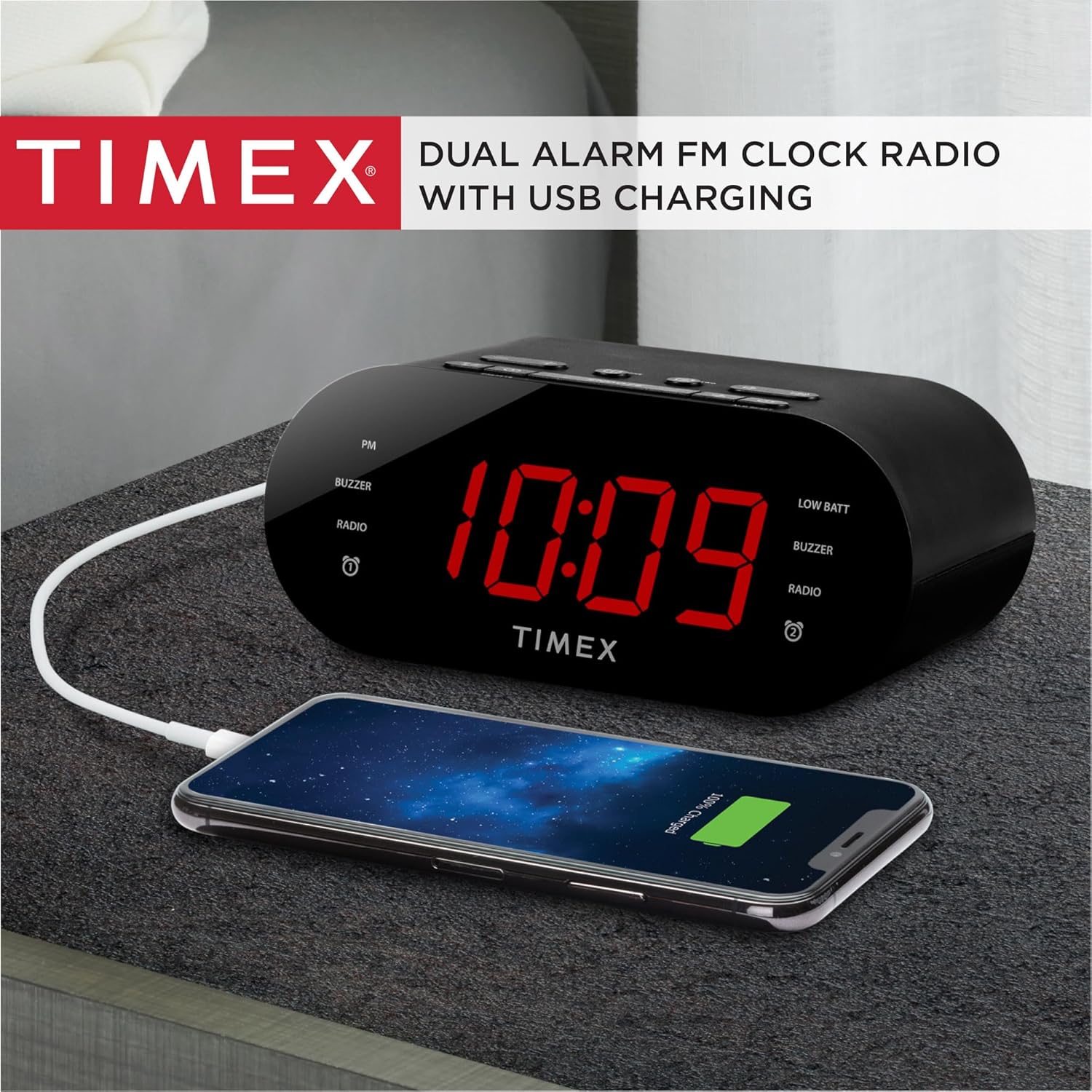
Image: The Timex T232B Alarm Clock shown next to a smartphone connected via a USB cable, illustrating the USB charging feature.
Enstalasyon
Koneksyon pouvwa
Connect the supplied AC wall adapter to the DC jack located on the back of the unit. Plug the adapter into a standard working wall outlet. The clock display will illuminate.
Enstalasyon sovgad batri
For battery backup, install 2 AAA batteries (not included) into the battery compartment located on the bottom of the unit. Ensure the polarity (+/-) matches the diagram inside the compartment. These batteries will preserve your time and alarm settings in case of a temporary power interruption, but they do not power the main functions of the clock.

Imaj: A view of the Timex T232B Alarm Clock from the top and back, highlighting the USB charging port and the overall compact design.
Enstriksyon Operasyon
Mete tan an
- Peze epi kenbe la TAN SET button (located on the top panel) until the time display flashes.
- Peze a LÈ bouton pou ajiste lè a. Obsève endikatè PM a pou w ka byen ajiste lè AM/PM nan.
- Peze a MIN bouton pou ajiste minit yo.
- Peze TAN SET ankò pou konfime epi sòti nan mòd reglaj tan an.
Setting the Alarms (Alarm 1 & Alarm 2)
The unit features two independent alarms. The process is similar for both.
- Peze epi kenbe la ALAM YON or ALAM DE button until the alarm time display flashes.
- Peze a LÈ bouton pou ajiste lè alam la.
- Peze a MIN bouton pou ajiste minit alam lan.
- Peze bouton ki koresponn lan ALAM YON or ALAM DE button again to select the alarm source (Buzzer or FM Radio). The corresponding indicator will light up.
- Peze bouton ki koresponn lan ALAM YON or ALAM DE Peze bouton an yon lòt fwa ankò pou konfime epi sòti nan mòd konfigirasyon alam lan.
Fonksyon Snooze
Lè alam lan sonnen, peze gwo bouton an SNOOZE bouton an pou fèmen alam lan tanporèman pou apeprè 9 minit. Alam lan ap sonnen ankò apre peryòd repetisyon an.
Turning Off/Resetting Alarm
Pou etenn alam la pou jounen an, peze bouton an ALM RESET button. The alarm will be reset for the same time the following day.

Image: A hand pressing the "ALM RESET" button on the top of the Timex T232B Alarm Clock, demonstrating how to turn off the alarm.
Operasyon radyo FM
- Peze a MÒD peze bouton an plizyè fwa jiskaske "FM" parèt sou ekran an.
- Peze a +/- buttons to manually tune to a desired FM station.
- Pou chèche pwochen estasyon ki disponib la otomatikman, peze epi kenbe bouton an +/- bouton.
- To set a preset station:
- Branche sou estasyon ou vle a.
- Peze epi kenbe la PREREGLAJ bouton an jiskaske nimewo prereglaj la ap flache.
- Sèvi ak la +/- bouton yo pou chwazi nimewo prereglaj ou vle a (1-10).
- Peze PREREGLAJ ankò pou sove estasyon an.
- Pou raple yon estasyon predefini, peze yon ti kras bouton an PREREGLAJ Peze bouton an plizyè fwa pou chanje estasyon ki anrejistre yo.

Imaj: Anwo-anba view of the Timex T232B Alarm Clock, clearly showing all control buttons for time, alarm, snooze, volume, and radio presets. The power adapter is also shown.
Revèy dòmi
While listening to the FM radio, press the DOMÒM button repeatedly to cycle through sleep timer durations (10, 20, 30, 40, 50, 60, 70, 80, 90 minutes). The radio will automatically turn off after the selected time.
Montre gradateur
Peze a DIMMER button to adjust the brightness of the clock display between High, Low, and Off settings.
USB chaje
Connect your smartphone or other USB-powered device to the USB-A charging port on the back of the unit using a compatible USB cable. This port is for charging only and does not support data transfer or audio playback.
Antretyen
Netwayaj
Siye aparèy la avèk yon twal mou epi sèk. Pa sèvi ak pwodui netwayaj likid oswa materyèl abrazif.
Ranplasman batri
If the "BATT. LOW" indicator appears or if the clock loses time during a power interruption, replace the 2 AAA backup batteries. Ensure proper polarity when installing new batteries.
Depanaj
| Pwoblèm | Kòz posib / Solisyon |
|---|---|
| Ekran revèy la vid oswa li pa fonksyone. | Ensure the AC power adapter is securely plugged into both the unit and a working wall outlet. The unit requires AC power for primary operation. |
| Pa ka mete lè a oswa alam lan. | Ensure you are pressing and holding the correct "TIME SET" or "ALARM" button until the display flashes before attempting to adjust. Refer to "Operating Instructions" for detailed steps. |
| Radio presets are lost after unplugging. | The backup batteries (2 AAA, not included) are for maintaining time and alarm settings only, not radio presets. Radio presets are stored in volatile memory and will be lost if the unit is unplugged from AC power without backup batteries installed. |
| USB charging is not working or slow. | Ensure the USB cable is properly connected to both the clock and your device. Verify your device is compatible with standard USB-A charging. This port is for charging only. |
| Alarm is too soft or too loud. | Adjust the built-in volume switch (located on the top panel) to your desired level. The buzzer alarm starts softly and gradually gets louder. |
Espesifikasyon
| Karakteristik | Detay |
|---|---|
| Mak | Timex |
| Nimewo Modèl | T232B |
| Koulè | Nwa |
| Kalite ekspozisyon | Digital |
| Dimansyon pwodwi | 6.3" lajè x 2.72" wotè |
| Sous pouvwa | AC-DC wall adapter with barrel jack |
| Karakteristik espesyal | Battery backup for time and alarms (2 AA batteries not included), Charging Port |
| Kalite chanm | Chanm |
| Materyèl | Plastik |
| Èske pil yo enkli | No (for backup) |
| Kalite aliye | Tabletop |
| Revèy | Wi |
| Manifakti | SDI teknoloji |
| Pwa atik | 12 ons |
Garanti ak sipò
This Timex T232B Alarm Clock comes with a Limited Warranty. For detailed warranty information and support, please refer to the documentation included with your product or visit the official Timex brand store.
You can explore more Timex alarm clocks and products by visiting the Magazen mak Timex.


