1. Entwodiksyon
This manual provides detailed instructions for the safe and efficient operation of your TIDRADIO TD-H3 Ham Radio. Please read this manual thoroughly before using the device to ensure proper functionality and to prevent damage.
2. Pwodwi souview
2.1 Kontni pake a
The TIDRADIO TD-H3 package includes the following components:
- TIDRADIO TD-H3 Ham Radio Unit
- Type-C Battery (2500mAh)
- 6.1-inch Ham Antenna
- 15.12-inch 771 AM Antenna
- Earpiece with Microphone
- USB Charger with Cable
- Retounen Clip
- Manyèl Itilizatè (dokiman sa a)
- Lanyard
- Desktop Charger
2.2 Karakteristik kle
- 8-Band Frequency Support (FM/AM, Aviation Band Receiving)
- Type-C and Bluetooth Wireless Programming
- Repeater Kapab
- Frequency Copy Function
- Dual PTT (Push-To-Talk) Buttons
- Enhanced Flashlight
- DTMF Lock
- 1.44-inch LCD Color Screen
- 199 Channel Banks
- Dual Watch Functionality
- Squelch reglabl

Figi 1: Retounen view of the TD-H3 radio, displaying model and FCC details.
3. Enstalasyon
3.1 Enstalasyon ak Chaje Batri
The TD-H3 radio uses a 2500mAh Type-C battery. Ensure the battery is fully charged before first use.
- Align the battery with the compartment on the back of the radio.
- Glise batri a nan plas li jiskaske li klike byen.
- To charge, connect the USB-C cable to the battery's Type-C port or place the radio in the desktop charger.
- Chaje pran apeprè 3 èdtan anjeneral.
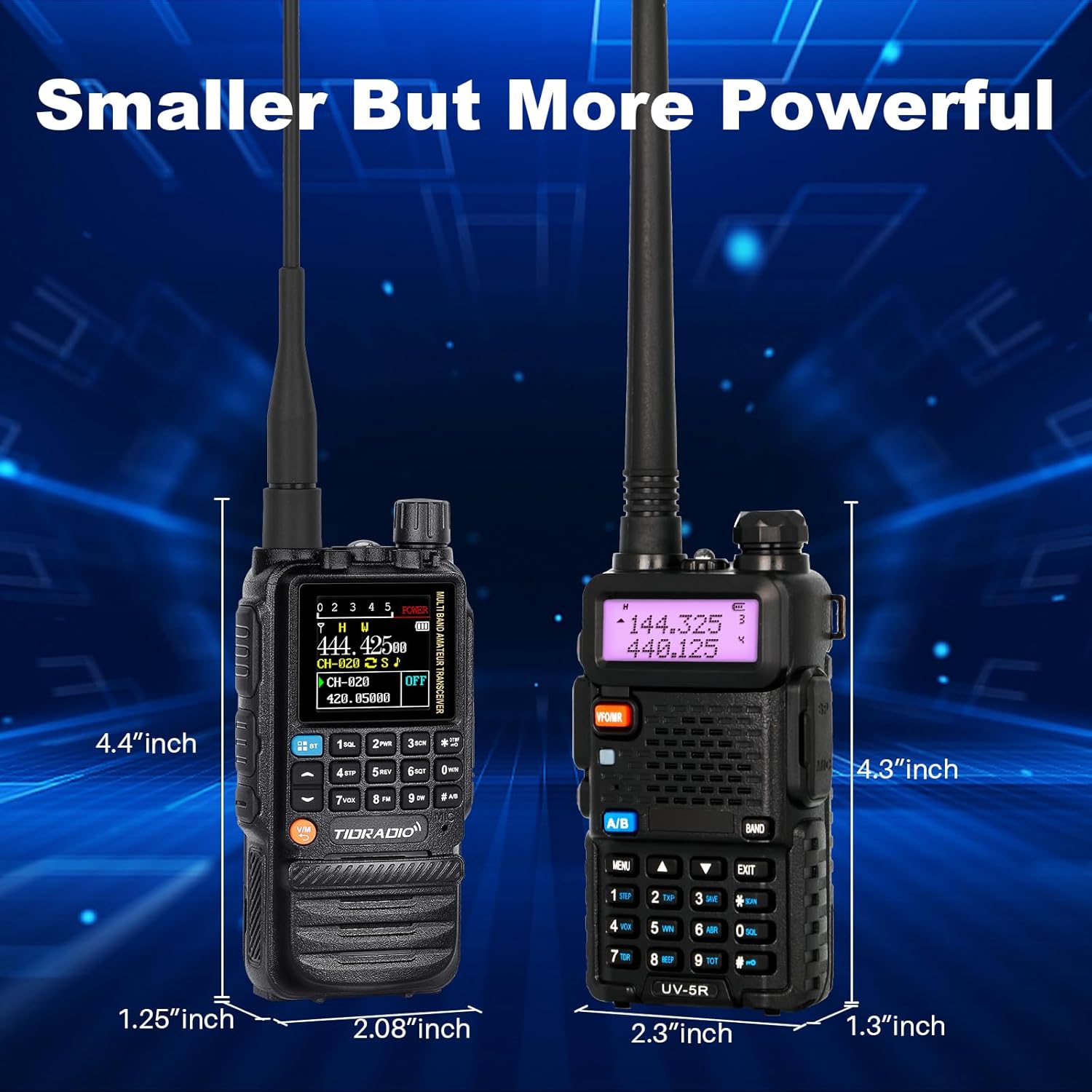
Figure 2: Charging options for the TD-H3 radio, including desktop and USB-C direct charging.
3.2 Antèn Atachman
Select the appropriate antenna for your desired frequency band and screw it clockwise onto the antenna connector at the top of the radio until it is finger-tight.
- Use the 6.1-inch Ham Antenna for general amateur radio use.
- Use the 15.12-inch 771 AM Antenna for enhanced air band reception.
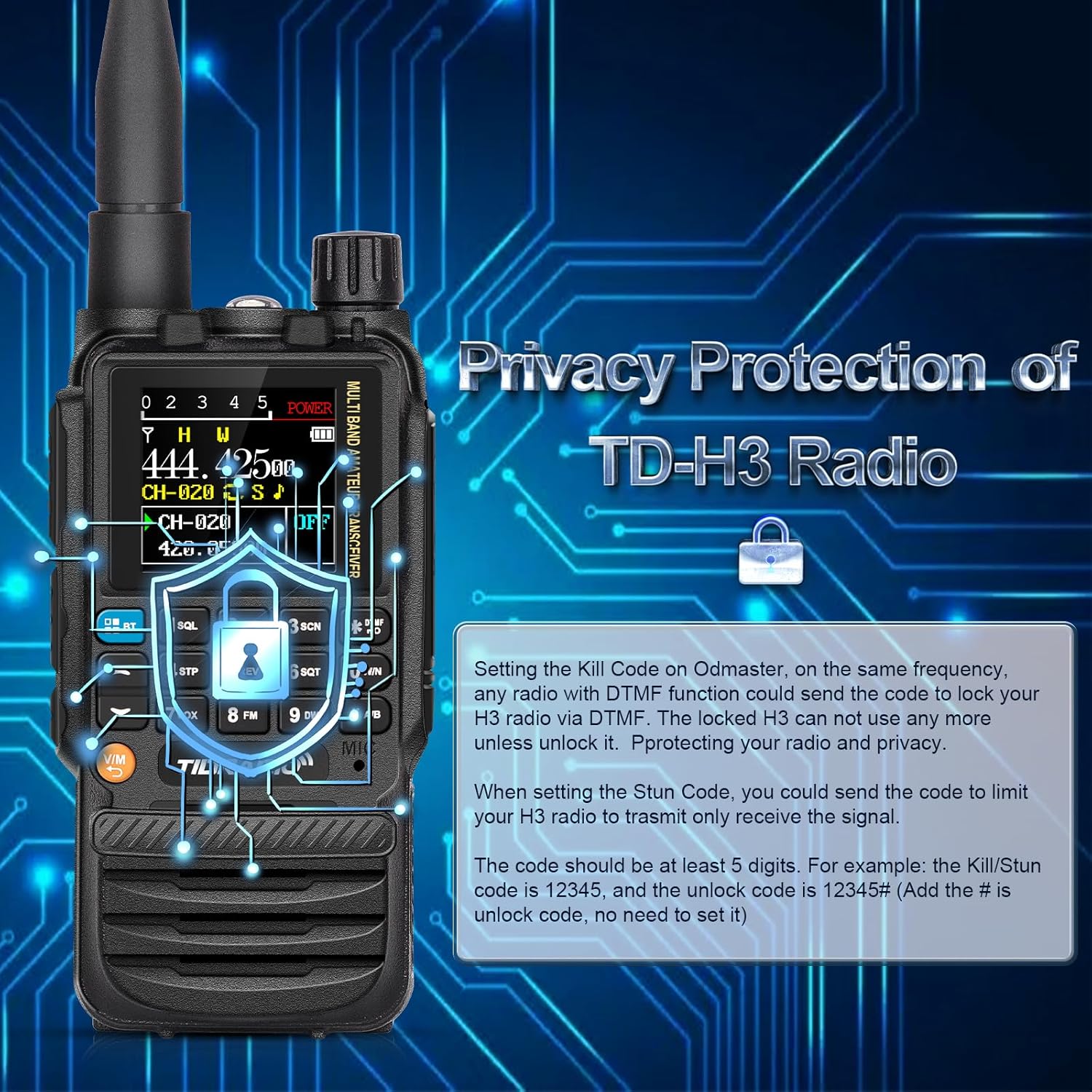
Figure 3: The flexible air band antenna, designed for improved reception.
4. Operasyon debaz
4.1 Power On/Off
Pou limen radyo a, vire bouton volim nan nan sans zegwi mont lan. Pou etenn li, vire l nan sans kontrè zegwi mont lan jiskaske li fè yon klik.
4.2 Ajisteman Volim
Adjust the volume by rotating the volume knob located at the top of the radio.
4.3 Seleksyon chanèl
The TD-H3 supports 199 channel banks. Use the up/down arrow keys or the numeric keypad to select channels. The 1.44-inch color screen displays channel information clearly.

Figure 4: The 1.44-inch color screen provides clear display of radio status.
4.4 Dual Watch / Dual Display
The radio can monitor two different frequencies or channels simultaneously. The screen will display both, allowing you to switch between them for transmission.
4.5 Dual PTT
The TD-H3 features two Push-To-Talk (PTT) buttons, labeled A and B, allowing for quick transmission on either of the two monitored frequencies/channels.

Figure 5: The Dual PTT buttons (A and B) for convenient operation.
4.6 Flach
The radio includes an enhanced flashlight function. Refer to the on-screen menu or specific button for activation.

Figure 6: The enhanced flashlight feature of the TD-H3.
5. Karakteristik avanse
5.1 Metòd Pwogramasyon
The TD-H3 offers multiple programming options:
- Type-C Port Programming: Use the side Type-C port with CHIRP or CPS Programming Software.
- Bluetooth Wireless Programming: Program the radio wirelessly via the Odmaster APP on your smartphone or a PC website (PC requires Bluetooth enabled).
- Kenwood Port Programming: Compatible with CHIRP and CPS Programming Software via the Kenwood port.

Figure 7: Various programming methods available for the TD-H3.

Figure 8: Programming the radio using the Odmaster APP.
5.2 One-Key Frequency Match (Frequency Copy)
This feature allows you to quickly identify and save a transmitting frequency from another radio.
- Hold down the '1' key on the radio.
- The radio will identify the frequency when another radio transmits.
- You can then save this frequency directly to a new channel. (Refer to Menu 47 for On/Off settings).

Figure 9: One-Key Frequency Match in action.
5.3 Wireless Radio Replication
The TD-H3 supports wireless replication, allowing you to copy channel data from one radio to another wirelessly.

Figure 10: Wireless Radio Replication between two TD-H3 units.
5.4 DTMF Lock (Privacy Protection)
The DTMF Lock feature provides privacy protection by allowing you to remotely lock or stun a radio using DTMF codes.
- Kill Code: Setting a Kill Code on the Odmaster app allows another radio with DTMF functionality to send a code to lock your TD-H3, rendering it unusable until unlocked.
- Stun Code: Setting a Stun Code limits your TD-H3 radio to only receive signals.
- Codes should be at least 5 digits. For example, a Kill/Stun code could be 12345, and the unlock code would be 12345#.

Figure 11: DTMF Lock feature for privacy protection.
5.5 Multi-Band Transmitting & Receiving
The TD-H3 supports a wide range of frequencies:
- AM: 108-136MHz (Receive) - Aviation Band
- FM: 50-76MHz (Receive), 76-108MHz (Receive)
- VHF: 136-174MHz (Transmit/Receive), 174-350MHz (Receive), 350-400MHz (Receive)
- UHF: 400-470MHz (Transmit/Receive), 470-600MHz (Receive)
6. Antretyen
6.1 Swen Batri
Pou maksimize dire lavi ak pèfòmans batri a:
- Chaje batri a konplètman anvan premye itilizasyon.
- Evite twòp chaj oswa vide batri a nèt.
- Sere radyo a ak pil la nan yon kote ki fre epi sèk lè w pa ap itilize yo.
- The 2500mAh battery provides approximately 12 hours of working time and 48 hours of standby time.

Figure 12: Battery capacity and usage times for the TD-H3.
6.2 Netwayaj
Siye radyo a ak yon mou, damp twal. Pa sèvi ak pwodwi chimik piman bouk oswa solvang.
NAN. Depanaj
If you encounter issues with your TD-H3 radio, please refer to the following common solutions:
- Pa gen pouvwa: Ensure the battery is properly installed and fully charged. Check the power/volume knob.
- Pa ka transmèt/resevwa: Verify the antenna is securely attached. Check frequency settings and ensure you are within range of another radio or repeater. Confirm your license status for transmission.
- Pwoblèm pwogramasyon: Ensure the correct programming software (CHIRP/CPS) or app (Odmaster) is used. Check cable connections for wired programming or Bluetooth connection for wireless programming.
- Kalite odyo pòv: Adjust the squelch level. Check the earpiece/microphone connection if used.
For persistent issues, contact TIDRADIO customer support.
8. Espesifikasyon
| Karakteristik | Spesifikasyon |
|---|---|
| Nimewo Modèl | TD-H3 |
| Mak | TIDRADIO |
| Kantite Chanèl | 199 |
| Gamme frekans | AM: 108-136MHz (Rx) FM: 50-76MHz (Rx), 76-108MHz (Rx) VHF: 136-174MHz (Tx/Rx), 174-350MHz (Rx), 350-400MHz (Rx) UHF: 400-470MHz (Tx/Rx), 470-600MHz (Rx) |
| Pale Range Maksimòm | 5 Kilomèt |
| Batri | 2500mAh Type-C (included) |
| Pwa atik | 1.1 liv |
| Nivo rezistans dlo | Dlo rezistan |
| Karakteristik espesyal | Rechargeable |
| Aparèy konpatib | Smartphone (for app programming) |
9. Garanti ak sipò
TIDRADIO offers lifetime aftersales support for the TD-H3 Ham Radio. For warranty claims, technical assistance, or any inquiries, please contact TIDRADIO customer service through their official channels or the retailer where the product was purchased.

Figure 13: TIDRADIO provides lifetime aftersales support.


