1. Entwodiksyon
The AUTOOL SVB302 Two-Way Articulating Borescope is a professional inspection camera designed for detailed visual inspection in hard-to-reach areas. It features a highly flexible probe with a two-way articulating lens, adjustable LED lighting, and compatibility with both Android and iOS devices for real-time viewing and recording. This manual provides essential information for the safe and effective use of your borescope.

The AUTOOL SVB302 borescope is widely used for auto inspection, mechanical maintenance, construction industry, power facilities, chemical pipelines, and security monitoring.
2. Karakteristik kle
- Two-Way Articulating Lens: The camera probe offers 210° two-way articulation, allowing for comprehensive inspection of complex internal structures.
- Imaj segondè-definisyon: Captures clear images and videos with 1280*720 resolution and a 70° angle of view.
- Ekleraj LED reglabl: Equipped with 6 super bright LEDs with 3 adjustable brightness levels to ensure clear visibility in dark environments.
- Sond ki enpèmeyab IP67: The 1-meter flexible metal cable and camera are IP67 rated, making them suitable for use in wet or submerged conditions.
- Lajè konpatibilite: Supports both Android and iOS systems, connecting via USB 2.0 to your smartphone for real-time display.
- Pwoteksyon Tanperati: Features smart protection that cuts video signals in extreme heat to prevent damage to the device.
- Long lavi batri: Integrated 2000mAh rechargeable Lithium-ion battery provides 2-3 hours of continuous operating time.
- Sipò pou plizyè lang: User interface supports English, French, German, Italian, Spanish, Chinese, and Japanese.

Detaye view of the 210° articulating camera, showing its 0.25-inch diameter, 1.18-3.94 inch depth of field, 70° angle of view, and 1.38-inch bending radius.

Illustration of the 6 high-intensity illumination lights and their three adjustable brightness levels (Level 1, Level 2, Level 3).
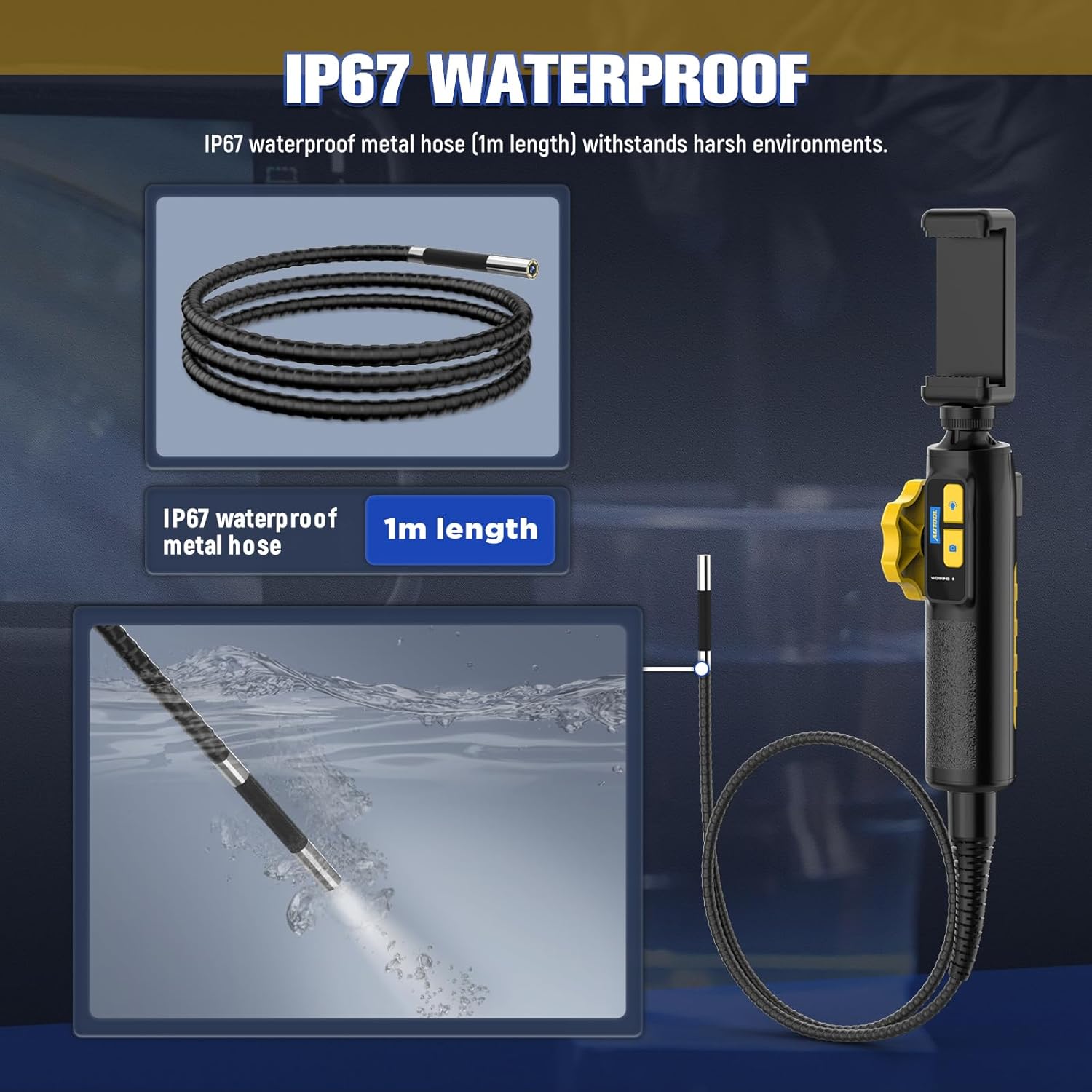
The IP67 waterproof metal hose (1m length) is designed to withstand harsh environments, as demonstrated by its submersion capability.

The borescope features a high-temperature alert system that protects the device by cutting video signals. It is powered by a 2000mAh rechargeable battery.

The device supports multilingual settings, including English, French, German, Italian, Spanish, Chinese, and Japanese.
3. Ki sa ki nan bwat la
Lè w ap ouvri pake a, tanpri verifye si tout konpozan sa yo prezan:
- AUTOOL SVB302 Borescope Unit (Handle with integrated camera cable)
- Ka Pwoteksyon Pote
- USB Chaje Kab
- Manyèl Itilizatè (dokiman sa a)

The AUTOOL SVB302 borescope, its protective carrying case, and included cables.
4. Gid Enstalasyon
- Telechaje App a: Scan the QR code on the device or search for "JCAM Pro" or "JCAM" in your device's app store (iOS App Store for Apple, Google Play Store for Android) and install the application.
- Enstale telefòn ou: Securely place your smartphone into the adjustable phone holder on the borescope handle. The holder is designed to fit screens from 3.5 to 6.3 inches (5.5-10.5 cm / 2.1-4.1 inches).
- Konekte nan telefòn: Connect the borescope to your smartphone using the appropriate USB cable (Lightning for iOS, USB-C for Android).
- Pouvwa sou: Long press the power button on the borescope handle to turn on the device.
- Louvri aplikasyon an: Launch the JCAM app on your smartphone. The live video feed from the borescope camera should appear automatically.

Instructions for downloading the JCAM app from the respective app stores for iOS and Android devices.

The phone holder's adjustable range, accommodating phones from 5.5cm (2.1 inches) to 10.5cm (4.1 inches).
Official product video demonstrating the setup process, including app download, phone installation, connection, power-on, and initial use of the borescope's articulating lens and features.
5. Operasyon Enstriksyon
5.1 Articulating the Camera
Use the rotation wheel on the handle to control the two-way articulation of the camera lens. This allows you to navigate bends and view the narrowed interior in all directions without needing to reposition the entire probe.
5.2 Ajisteman Limyè LED yo
Press the light control button on the handle to cycle through the three brightness levels of the LED lights. Select the appropriate brightness for optimal visibility in different inspection areas.
5.3 Pran Foto ak Videyo
Press the photo/video button on the handle to capture still images or start/stop video recording directly through the app. Captured media will be saved to your connected smartphone.
5.4 Viewmedya kaptire
Access the gallery or playback section within the JCAM app to review your captured photos and videos.
6. Antretyen
- Netwayaj: After each use, especially in dirty or wet environments, gently wipe the camera probe and cable with a soft, damp cloth. For stubborn dirt, a mild, non-abrasive cleaner can be used. Ensure the probe is dry before storage.
- Depo: Store the borescope and its accessories in the provided protective carrying case in a cool, dry place, away from direct sunlight and extreme temperatures.
- Swen batri: Pou pwolonje lavi batri a, chaje aparèy la regilyèman, menm si ou pa itilize l souvan. Evite dechaje batri a nèt pandan yon bon bout tan.
- Pwoteksyon Tanperati: The device is equipped with a high-temperature alert system. If the operating temperature exceeds 80°C (176°F), the video signal may be cut to prevent damage. Allow the device to cool down before resuming operation.
NAN. Depanaj
- Pa gen imaj sou ekran an:
- Ensure the borescope is properly connected to your smartphone.
- Verify the borescope is powered on (long press the power button).
- Check if the JCAM app is open and has necessary permissions.
- Try restarting both the borescope and the app. - Kalite imaj pòv:
- Adjust the LED brightness using the light control button.
- Clean the camera lens if it appears smudged or dirty.
- Ensure the camera is within the optimal depth of field (1.18-3.94 inches). - Aparèy surchof:
- If the high-temperature alert activates, immediately cease operation and allow the device to cool down in a well-ventilated area. Do not use until it has returned to a safe operating temperature. - Batri pa chaje:
- Ensure the USB charging cable is securely connected to both the borescope and a power source.
- Try a different USB port or power adapter.
8. Spécifications pwodwi
| Karakteristik | Spesifikasyon |
|---|---|
| Nimewo Modèl | SVB302 |
| Dyamèt Kamera | 0.25 pous (6.45mm) |
| Rezolisyon | 1280*720 (720p HD) |
| Pwofondè jaden | 1.18 - 3.94 inches (30-100mm) |
| Ang nan View | 70° |
| Ang atikilasyon | Max. 210° (Two-way) |
| Reyon koube | 1.38 pous (35mm) |
| Longè kab | 1 mèt |
| Nivo ki enpèmeyab | IP67 |
| Sous limyè | 6 Highlight LEDs (3-stage adjustable brightness) |
| Kapasite batri | 2000mAh Lityòm Polymère |
| Tan operasyon | 2-3 èdtan |
| Entèfas USB | USB 2.0 |
| Anviwònman fonksyònman | -10 ° C a 80 ° C |
| Imidite | 15-90% |
| Pwoteksyon tanperati ki wo | Intelligent protection, automatic shutdown |
9. Garanti ak sipò
9.1 Enfòmasyon sou Garanti
The AUTOOL SVB302 Borescope comes with a 3-ane garanti apati dat acha a, ki kouvri domaj fabrikasyon ak fonksyònman ki pa kòrèk nan itilizasyon nòmal. Tanpri konsève prèv acha ou pou reklamasyon garanti.
9.2 Sipò pou Kliyan
For technical assistance, troubleshooting, or warranty inquiries, please contact AUTOOL customer support through their official websit la oswa enfòmasyon kontak ki vini ak anbalaj pwodwi ou a. Ou kapab vizite tou AUTOOL Store on Amazon pou plis enfòmasyon.


