Entwodiksyon
This manual provides comprehensive instructions for the assembly, operation, and maintenance of your VASAGLE Bar Table with Power Outlets. Please read this manual thoroughly before assembly and use to ensure safe and efficient operation.
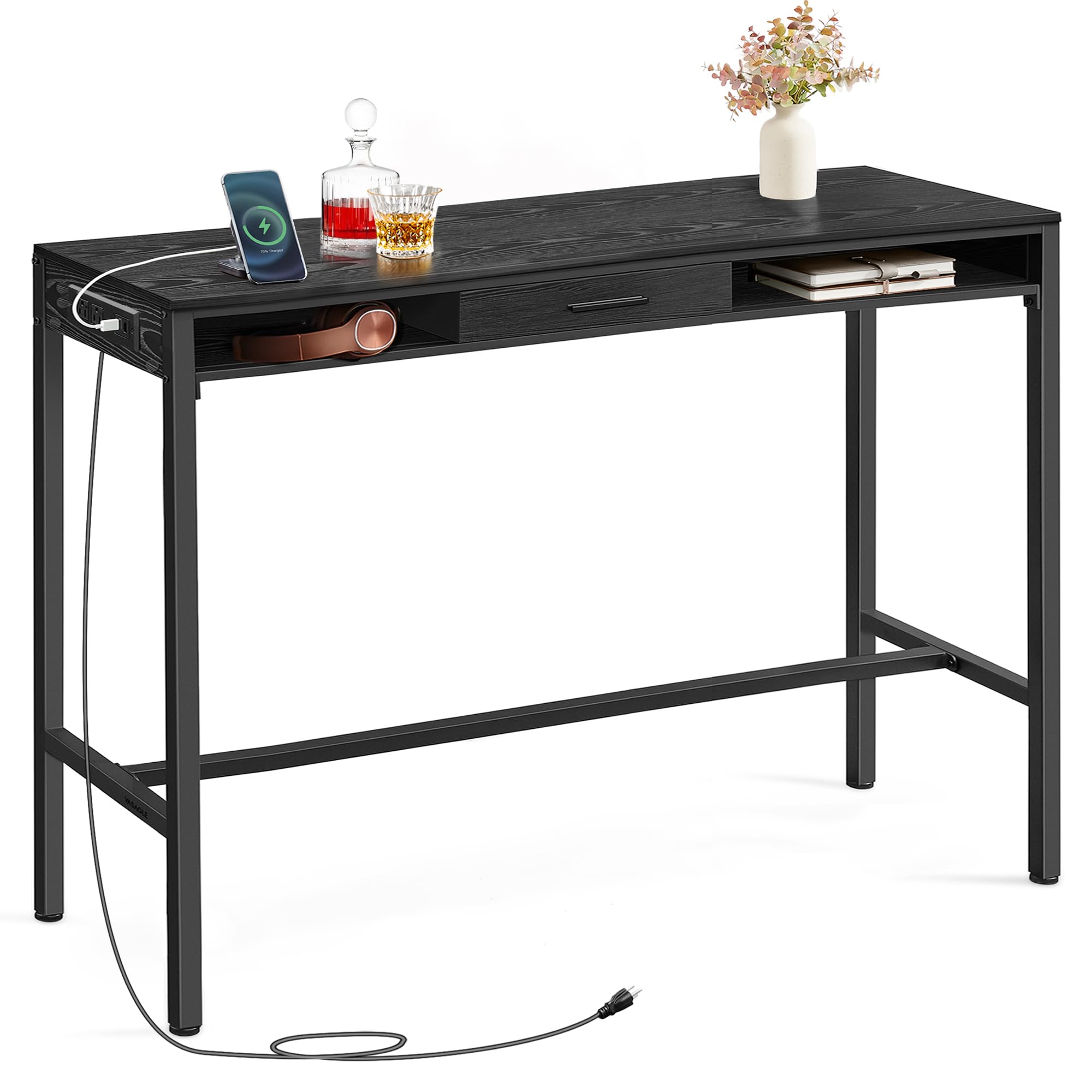
Image: VASAGLE Bar Table with Power Outlets in Ebony Black, showcasing konsepsyon ak fonksyonalite li yo.
Enfòmasyon sou Sekirite
AVÈTISMAN: Si ou pa swiv enstriksyon sekirite sa yo, ou ka blese oswa domaje pwodwi a.
- Toujou rasanble dapre enstriksyon yo bay la.
- Do not exceed the maximum weight limit of 220 lb (100 kg) to ensure stability and prevent accidents.
- Asire w tout vis ak eleman fikse yo byen sere anvan w itilize yo. Tcheke yo detanzantan epi sere yo ankò jan sa nesesè.
- Kenbe ti pati yo lwen timoun yo pandan asanble a.
- Place the table on a level surface to prevent tipping.
- Do not place hot items directly on the surface without protection.
- Avoid exposing the table to excessive moisture or direct sunlight for prolonged periods.
Kontni pake
Before beginning assembly, please verify that all parts listed below are present and undamaged.
- 1 x Bar Table (Part A)
- 1 x Top Panel (Part B)
- 1 x Side Panel with Power Strip Cutout (Part C)
- 1 x Side Panel (Part D)
- 1 x Back Panel (Part E)
- 2 x Long Side Rails (Part F)
- 1 x Horizontal Support Bar (Part G)
- 2 x Short Side Rails (Part H)
- 2 x Leg Frames (Part I)
- 2 x Hooks (Part J)
- 1 x Non-woven Fabric Drawer (Part K)
- 1 x Drawer Bottom Panel (Part L)
- 1 x Power Strip (Part M)
- 4 x Screws (Type 1)
- 8 x Screws (Type 2)
- 10 x Screws (Type 3)
- 26 x Screws (Type 4)
- 10 x Screws (Type 5)
- 2 x Screws (Type 6)
- 16 x Wooden Dowels (Type 7)
- 8 x Cam Lock Bolts (Type 8)
- 8 x Cam Locks (Type 9)
- 4 x Adjustable Feet (Type 10)
- 1 x Allen Key (Type 11)
- 1 x Screwdriver (Type 12)
- 23 x Stickers (Type 13)
- 1 x Enstriksyon Manyèl

Imaj: Plis paseview of the bar table with key dimensions and components labeled, including the movable drawer and power strip.
Enstalasyon ak Asanble
Follow these steps carefully to assemble your bar table. An assembly video is also provided for visual guidance.
Gid Videyo Asanblaj
Video: Detailed assembly guide for the VASAGLE Bar Table with Power Outlet. This video demonstrates each step of the assembly process.
Etap-pa-etap Enstriksyon Asanble
- Assemble the Frame Base: Attach the adjustable feet (10) to the bottom of the two leg frames (I). Connect the horizontal support bar (G) between the two leg frames (I) using screws (4). Loosely tighten the screws at this stage pou pèmèt ajisteman.
- Tache panèl anwo a: Place the top panel (B) onto the assembled leg frames (I). Secure it using screws (4) and wooden dowels (7). Ensure the holes for the power strip are correctly oriented on one side. Loosely tighten these screws.
- Enstale Panno Lateral yo: Insert wooden dowels (7) into side panels (C and D). Attach side panels (C and D) to the top panel (B) and the leg frames (I) using screws (5). Make sure panel C, which has the cutout for the power strip, is facing outwards. Loosely tighten these screws.
- Enstale panèl dèyè a: Attach the back panel (E) to the top panel (B) and the side panels (C and D) using wooden dowels (7) and screws (1).
- Assemble Bottom Shelf: Attach the bottom shelf (A) to the leg frames (I) using screws (3) and cam lock fasteners (8, 9).
- Enstale priz kouran an: Secure the power strip (M) into the designated cutout on panel C using screws (6).
- Sere final la: Once all components are in place, adjust the table to ensure it is level and stable. Fully tighten all previously loosely tightened screws using the provided Allen key (11) and screwdriver (12).
- Aplike avek stickers son: Cover visible screw holes with the provided stickers (13) for a clean finish.
- Assemble and Insert Drawer: Assemble the non-woven fabric drawer (K) and insert the bottom panel (L). Place the assembled drawer into the designated compartment.
- Tache Kwòk: Secure the two hooks (J) to the side of the table as desired.
Karakteristik ak Enstriksyon Operasyon
Priz kouran entegre
The bar table includes a built-in charging station with 2 AC outlets (125V/12A) and 2 USB ports (5V/2A). The 6.6 ft long power cord allows for flexible placement. Simply plug the table's power cord into a wall outlet to activate the charging station. Use the AC outlets for larger electronics and the USB ports for charging mobile devices.

Image: Detail of the power strip with two AC outlets and two USB ports, ready for device charging.
Movable Storage Drawer
The table features a non-woven fabric drawer (11.7" x 14.2" x 3") that can be moved within the large open compartment or removed entirely. This provides versatile storage for small items, office supplies, or personal belongings. To move the drawer, simply lift it out and place it in your desired position within the open space.

Image: The movable drawer shown in different positions within the table's storage compartment, highlighting its flexibility.
Practical Side Hooks
Two side hooks are included, offering a convenient place to hang items such as charging cables, headphones, or small bags. These hooks help keep your essentials organized and within easy reach.
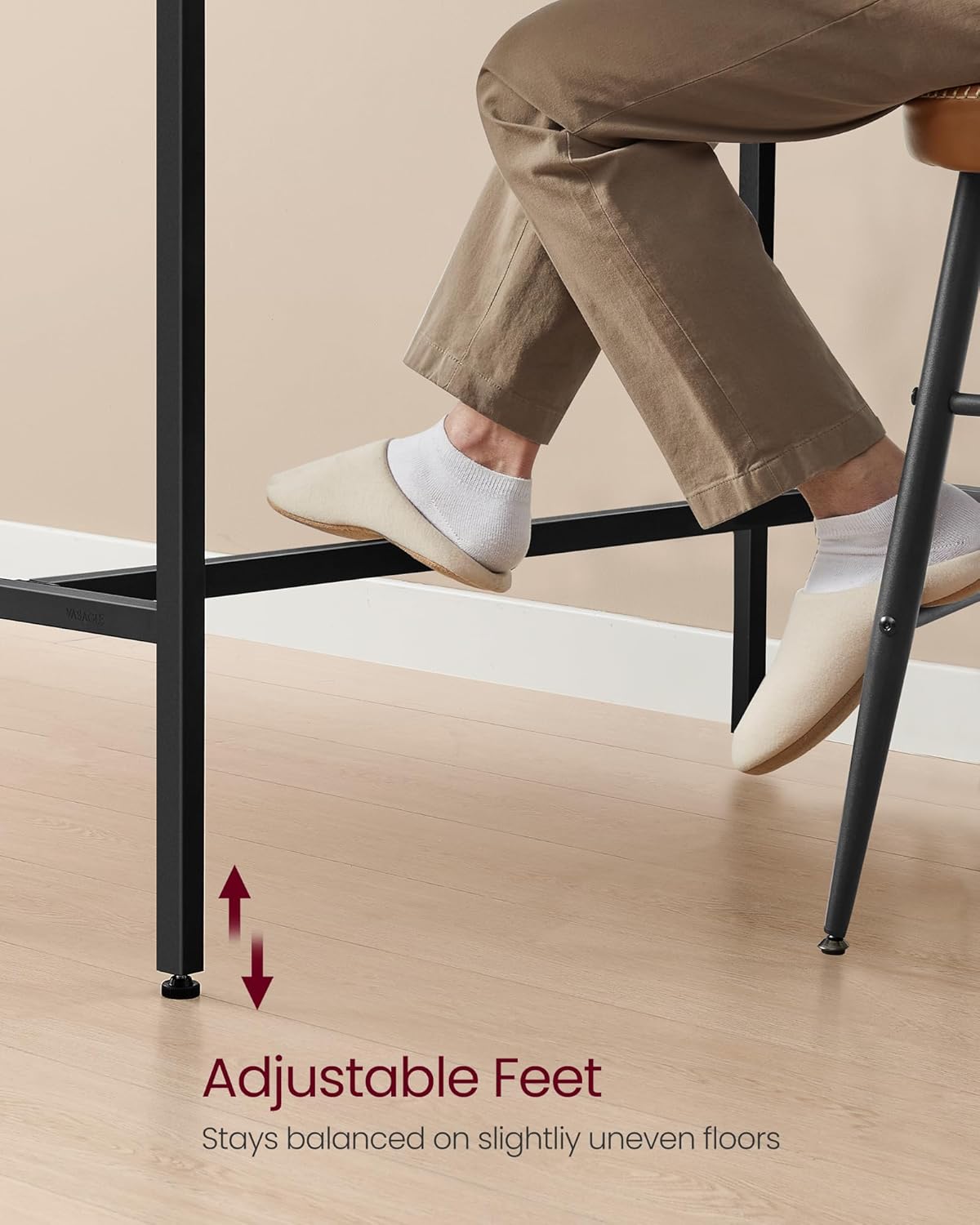
Image: Headphones and a small bag hanging on the side hooks, demonstrating their practical use.
Adjustable and Protective Feet
The table is equipped with adjustable feet. These allow you to stabilize the high top table on slightly uneven surfaces, ensuring it remains steady. Additionally, they help prevent scratches on your floor. To adjust, simply twist the feet clockwise or counter-clockwise until the table is level.

Imaj: Yon gwo plan view of the adjustable feet, illustrating their function for stability on uneven floors.
Antretyen
- Netwayaj: Siye sifas tab la ak yon twal mou,amp twal. Evite pwodui chimik ki agresif oswa pwodui netwayaj abrazif ki ka domaje fini an.
- Devèsman: Clean up spills immediately to prevent staining, especially on the engineered wood surface.
- Tcheke estabilite: Tcheke tout vis ak koneksyon yo detanzantan pou asire yo rete sere. Sere yo ankò si sa nesesè pou kenbe estabilite.
- Power Strip Care: Ensure the power strip is kept dry. Do not overload the outlets.
Depanaj
| Pwoblèm | Kòz posib | Solisyon |
|---|---|---|
| Tab la ap tranble/enstab. | Vis yo pa lach; planche a pa inegal. | Tighten all assembly screws. Adjust the leveling feet until the table is stable. |
| Priz kouran/pò USB yo pa fonksyone. | Power cord not plugged in; circuit breaker tripped; device malfunction. | Ensure the table's power cord is securely plugged into a working wall outlet. Check your home's circuit breaker. Test with a different device. |
| Tiwa pa glise san pwoblèm. | Obstruction in the compartment; drawer not assembled correctly. | Remove any obstructions. Re-check drawer assembly. |
Espesifikasyon
| Karakteristik | Detay |
|---|---|
| Mak | VASAGLE |
| Non modèl | Bar Table with Power Outlets |
| Nimewo Modèl | ULBT029B01 |
| Dimansyon pwodwi | 15.7"D x 47.2"W x 41.2"H |
| Pwa atik | 46.5 liv |
| Rekòmandasyon pwa maksimòm | 220 liv |
| Materyèl ankadreman | Metal (Asye alyaj) |
| Kalite Materyèl Top | Enjenieri bwa |
| Koulè | Nwa Ebèn |
| Kantite tiwa | 1 (Movable) |
| Plòg pouvwa | 2 kouran altènatif (125V/12A), 2 pò USB (5V/2A) |
| Longè kòd pouvwa | 6.6 pye |
| Asanble obligatwa | Yes (Tools included) |
| Itilizasyon Andedan kay la / Deyò | Andedan kay la |
Garanti ak sipò
Your VASAGLE Bar Table is covered by a return policy. For specific warranty details, please refer to the documentation included with your purchase or contact the seller directly.
- Règleman retounen: Retounen fasil nan 30 jou.
- Manifakti: VASAGLE
- Vandè: SONGMICS HOME US
- Pou sipò kliyan, tanpri vizite SONGMICS HOME US seller page on Amazon.


