Entwodiksyon
The Perixx PERIMICE-513 is a wired ergonomic vertical mouse designed to provide a comfortable and efficient computing experience. Its unique vertical design promotes a natural handshake position, which can help reduce forearm strain and the risk of repetitive strain injuries (RSI) during extended use. This manual provides essential information for setting up, operating, maintaining, and troubleshooting your PERIMICE-513 mouse.
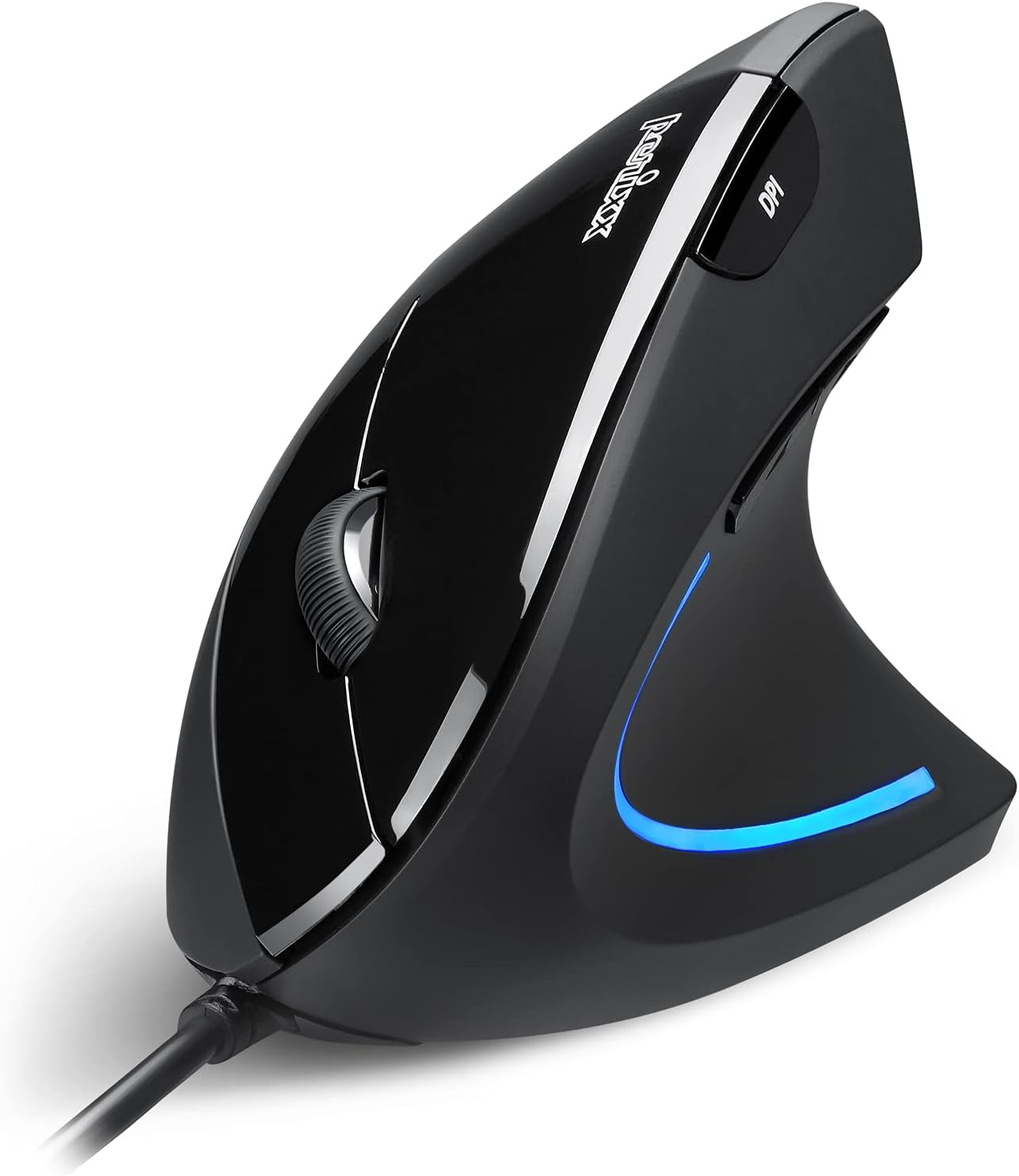
Image: The Perixx PERIMICE-513 Wired Ergonomic Vertical Mouse, showcasing its black finish and ergonomic design.
Pwodwi souview
The PERIMICE-513 features six buttons and an adjustable DPI sensor for precise control. Familiarize yourself with the components:

Image: A diagram illustrating the six buttons of the Perixx PERIMICE-513 mouse, including Left Click, Right Click, Scroll Wheel, DPI Switch, Page Back, and Page Forward buttons.
- Bouton Klike Goch: Fonksyon klike prensipal estanda.
- Bouton Klike Dwat: Fonksyon klike segondè estanda.
- wou woulo liv: For vertical scrolling and middle-click functionality.
- Bouton chanjman DPI: Ajiste sansiblite kurseur a (DPI).
- Bouton Retounen Paj: Navige tounen anndan web navigatè oswa file eksploratè.
- Bouton Paj Avanse: Navige pi devan nan web navigatè oswa file eksploratè.
Enstalasyon
The Perixx PERIMICE-513 is designed for simple plug-and-play setup.
- Konekte kab USB a: Ploge konektè USB sourit la nan yon pò USB ki disponib sou òdinatè w lan.
- Enstalasyon chofè: The mouse is plug-and-play and typically does not require additional drivers for basic functionality on compatible operating systems. Your computer should automatically detect and install the necessary drivers.
- Pozisyon: Place the mouse on a flat, clean surface. The ergonomic design encourages a natural handshake grip.

Image: A hand connecting the USB cable of the Perixx PERIMICE-513 mouse to a computer, illustrating the plug-and-play setup.
Konpatibilite: The PERIMICE-513 is fully compatible with Windows 7, 8, 10, 11, and later versions.
Enstriksyon Operasyon
This section details the functions of your Perixx PERIMICE-513 mouse.
DPI Ajisteman
The DPI (Dots Per Inch) switch button, located on the top of the mouse, allows you to adjust the cursor sensitivity. Press this button to cycle through the available DPI settings: 1000, 1600, 3200, and 6400 DPI. Choose a setting that best suits your task and preference for cursor speed and precision.

Image: A hand demonstrating the natural, comfortable grip on the Perixx PERIMICE-513 vertical mouse, highlighting its ergonomic design.
Itilizasyon ergonomik
The vertical design of the PERIMICE-513 encourages a neutral wrist and forearm posture, similar to a handshake. This natural position helps to alleviate pressure on the wrist and reduce muscle tension, contributing to long-term comfort and preventing strain.

Image: A visual comparison showing a twisted wrist position with a traditional mouse versus a natural, untwisted wrist position achieved with an ergonomic vertical mouse.
Fonksyon bouton
- Klike agoch/adwat: Perform standard selection and context menu actions.
- wou woulo liv: Scroll documents and web pages vertically. Press down for middle-click functionality.
- DPI switch: Cycle through 1000, 1600, 3200, and 6400 DPI settings.
- Page Back/Forward: Conveniently navigate web paj oswa dosye.
Antretyen
Proper care ensures the longevity and optimal performance of your mouse.
- Netwayaj: Sèvi ak yon mou, yon ti kras damp cloth to clean the surface of the mouse. Avoid using harsh chemicals, abrasive cleaners, or solvents, as these can damage the rubber coating and internal components.
- Optical sensor: Kenbe detèktè optik ki anba sourit la pwòp epi san pousyè oswa debri pou asire swivi egzat.
- Swen kab: Evite pliye byen file oswa rale kab USB a twòp pou anpeche li domaje.
Depanaj
If you encounter issues with your Perixx PERIMICE-513 mouse, refer to the following solutions:
- Sourit la pa reponn:
- Asire w kab USB a byen branche nan yon pò USB ki fonksyone sou òdinatè w la.
- Eseye branche sourit la nan yon lòt pò USB.
- Rekòmanse òdinatè w lan.
- Mouvman Kurseur Iregilye:
- Netwaye detèktè optik ki anba sourit la avèk yon twal mou epi sèk.
- Asire w ke w ap itilize sourit la sou yon sifas ki apwopriye. Evite sifas ki reflete anpil limyè oswa transparan.
- DPI Setting Not Changing:
- Press the DPI switch button firmly. The change in DPI may be subtle depending on your current setting and screen resolution.
Espesifikasyon
Detailed technical specifications for the Perixx PERIMICE-513 mouse:
| Karakteristik | Spesifikasyon |
|---|---|
| Dimansyon pwodwi | 4.92 x 2.44 x 0.1 pous |
| Pwa atik | 5.6 ons |
| Nimewo Modèl | 12364 |
| Koneksyon Teknoloji | USB |
| Teknoloji deteksyon mouvman | Optik |
| Anviwònman DPI | 1000 / 1600 / 3200 / 6400 |
| Longè kab | 5.9 pye (1.8 m) |
| Konpatibilite | Windows 7, 8, 10, 11, and later |
| Karakteristik espesyal | Ergonomik konsepsyon |
Pwodwi souview Videyo
Gade pwodui ofisyèl sa a ankòview video for a visual guide to the Perixx PERIMICE-513 mouse.
Videyo: Yon pwodwi ofisyèl finiview of the Perixx PERIMICE-513 Ergonomic Vertical Mouse, demonstrating its features and ergonomic benefits.
Garanti ak sipò
Perixx products are manufactured to high-quality standards. For specific warranty details, please refer to the warranty card included with your product or visit the official Perixx website. For further assistance or support, you may visit the Magazen Perixx sou Amazon.


