Entwodiksyon
Thank you for choosing the Yard Force MB400 Robotic Lawnmower. This manual provides essential information for the safe and efficient operation, installation, and maintenance of your new robotic lawnmower. Please read this manual thoroughly before using the product and keep it for future reference. The MB400 is designed to provide effortless lawn care for gardens up to 400m², featuring app control and a durable design.

Image: The Yard Force MB400 Robotic Lawnmower, showcasing its sleek black and orange design with the Yard Force logo visible.
Enfòmasyon sou Sekirite
Always prioritize safety when operating and maintaining the robotic lawnmower. Failure to follow safety instructions can result in serious injury or damage to the product.
- Li tout enstriksyon ak anpil atansyon anvan ou itilize.
- Kenbe men ak pye lwen lam koupe yo.
- Pa sèvi ak tondeuz la nan kondisyon mouye oswa pandan lapli.
- Asire w ke fil limit la byen enstale pou anpeche tondeuz la kite zòn ki deziyen an.
- Etenn machin pou koupe gazon an epi retire kle sekirite a anvan ou fè nenpòt antretyen oswa netwayaj.
- Kenbe timoun ak bèt kay lwen zòn kote machin pou koupe gazon an ap travay la.
- Se sèlman sèvi ak pyès rezèv orijinal ak Pwodwi pou Telefòn.
- Pa leve oswa pote tondeuz la pandan l ap fonksyone.
Kontni pake
Verifye ke tout atik yo prezan nan pake a anvan ou kòmanse enstalasyon an.
- Yard Force MB400 Robotic Lawnmower
- Chaje estasyon
- Kouvèti Estasyon Chaje
- Adaptè pouvwa
- Fil fwontyè
- Pegs for Boundary Wire
- Lam rezèv
- Manyèl Itilizatè (dokiman sa a)
- Kle sekirite
Enstalasyon
1. Charging Station Installation
Select a flat, level area near an outdoor power outlet for the charging station. Ensure there is enough clear space around the station for the mower to dock easily.
- Place the charging station on a firm, level surface.
- Connect the power adapter to the charging station and plug it into a suitable outdoor power outlet.
- Ensure the power cable is routed safely to avoid tripping hazards or damage.
- Install the provided charging station cover to protect it from weather elements.
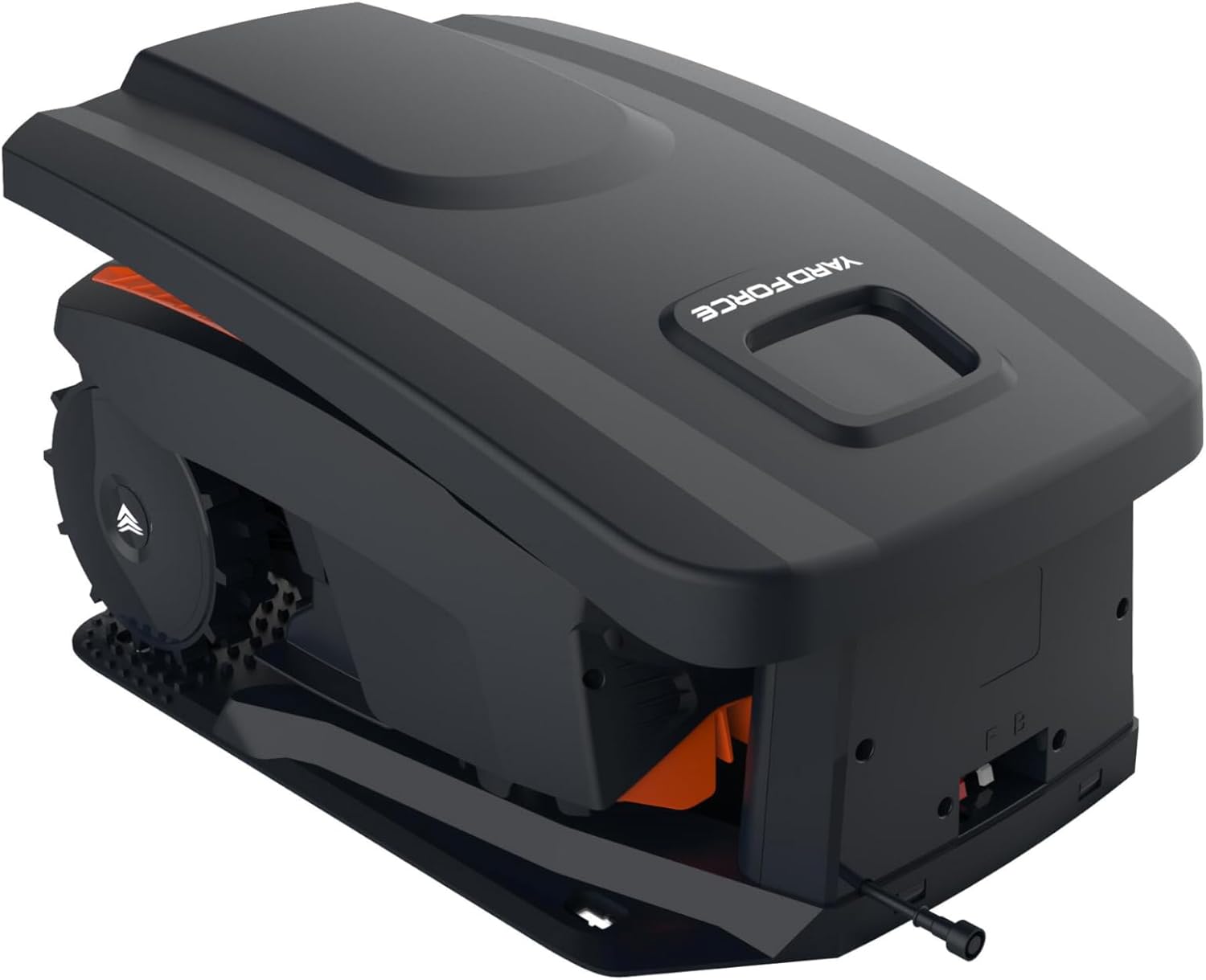
Image: The Yard Force MB400 Robotic Lawnmower positioned within its charging station, demonstrating how it docks for power.
2. Enstalasyon Fil Pèspektiv
The boundary wire defines the mowing area. It must be installed correctly for the mower to operate within the desired boundaries.
- Lay the boundary wire around the perimeter of your lawn, ensuring it is taut and free of kinks.
- Use the provided pegs to secure the wire to the ground every 80-100 cm.
- Maintain a minimum distance of 30 cm from obstacles such as walls, fences, and ponds.
- Connect both ends of the boundary wire to the designated terminals on the charging station.
- Ensure the indicator light on the charging station is green, indicating a successful wire connection.
3. Premye Chajman
Before first use, fully charge the robotic lawnmower.
- Place the mower manually into the charging station.
- Ensure the mower makes proper contact with the charging pins.
- The charging indicator on the mower will illuminate. Allow several hours for a full charge.
4. App Setup (Bluetooth)
The Yard Force MB400 can be controlled via a Bluetooth app for convenient scheduling and settings adjustments.
- Download the "Yard Force" app from your smartphone's app store.
- Pèmèt Bluetooth sou smartphone ou.
- Open the app and follow the on-screen instructions to pair with your MB400 robotic lawnmower.
- Once paired, you can set mowing schedules, adjust settings, and monitor the mower's status.
Opere
1. Kòmanse epi kanpe machin pou koupe gazon an
- Komanse: Insert the safety key, press the START button, and close the cover. The mower will begin its mowing cycle or return to the charging station if scheduled.
- Pou sispann: Press the large STOP button on top of the mower. The mower will immediately cease operation.

Imaj: Devan view of the Yard Force MB400 Robotic Lawnmower, showing the front bumper and cutting deck area.
2. Ajiste wotè koupe a
The cutting height can be adjusted to suit your lawn's needs, ranging from 20mm to 55mm.
- Locate the cutting height adjustment knob on the top of the mower.
- Rotate the knob clockwise to decrease the cutting height (shorter grass) or counter-clockwise to increase it (longer grass).
- Adjust the height gradually to avoid stressing the lawn.
3. Scheduling (via App)
Use the Yard Force app to set up a mowing schedule that fits your lifestyle.
- Open the Yard Force app on your paired smartphone.
- Ale nan seksyon "Pwogram" oswa "Minutè".
- Set desired mowing times and days. The mower will automatically start and return to the charging station as programmed.
4. Capteur lapli
The MB400 is equipped with a rain sensor that detects precipitation.
- If rain is detected, the mower will pause its operation and return to the charging station.
- Mowing will resume automatically after the rain stops and the sensor dries, or at the next scheduled time.
Antretyen
Regular maintenance ensures optimal performance and extends the lifespan of your robotic lawnmower. Always turn off the mower and remove the safety key before any maintenance.
1. Netwaye machin pou koupe gazon an
- Anba: Regularly clean grass clippings from the cutting deck and wheels using a brush or damp twal. Pa sèvi ak yon machin pou lave anba presyon.
- Kò: Siye eksteryè a ak yon mou, damp twal.
- Kontak chaje: Clean the charging contacts on both the mower and the charging station with a dry cloth to ensure good connection.

Imaj: Bò kote view of the Yard Force MB400 Robotic Lawnmower, highlighting its large wheels and compact design.
2. Ranplasman Lam
Blades should be replaced regularly (e.g., every 1-3 months, depending on usage) to maintain cutting efficiency.
- Turn off the mower and remove the safety key.
- Ak anpil atansyon vire mower a tèt anba.
- Using a screwdriver, remove the screws holding the old blades in place.
- Replace with new blades and screws, ensuring they are securely fastened.
- Always replace all blades at the same time for balanced cutting.
3. Swen batri
The MB400 is equipped with a 20V/2.0Ah lithium-ion battery.
- Always store the mower in a cool, dry place when not in use for extended periods.
- For winter storage, ensure the battery is fully charged before storing. Recharge every 3-4 months if stored for longer periods.
- Pa ekspoze batri a nan tanperati ekstrèm.
4. Depo pou sezon ivè
Prepare your mower for winter to protect it from cold temperatures and ensure longevity.
- Thoroughly clean the mower and charging station.
- Konplètman chaje batri a.
- Store the mower and charging station in a dry, frost-free environment.
- Disconnect the boundary wire from the charging station and store it if desired, or leave it buried/pegged.
Depanaj
This section addresses common issues you might encounter with your Yard Force MB400.
| Pwoblèm | Kòz posib | Solisyon |
|---|---|---|
| Mower pa kòmanse. | Safety key not inserted; Battery low; STOP button pressed. | Insert safety key; Charge battery; Release STOP button. |
| Mower stays in charging station. | No schedule set; Boundary wire issue; Rain sensor active. | Set schedule via app; Check boundary wire connection/integrity; Wait for rain sensor to dry. |
| Mower koupe inegalman. | Dull blades; Uneven terrain. | Replace blades; Ensure lawn is relatively level. |
| Tondez gazon an kole souvan. | Obstacles in mowing area; Steep slopes. | Clear obstacles; Adjust boundary wire to exclude problematic areas. |
| Pwoblèm koneksyon aplikasyon an. | Bluetooth off; Mower out of range; App not updated. | Ensure Bluetooth is on; Move closer to mower; Update app to latest version. |
Espesifikasyon
Technical details for the Yard Force MB400 Robotic Lawnmower.
- Modèl: MB400-UK
- Dimansyon pwodwi: 38.4P x 20.6L x 44H cm
- Pwa atik: 8.2 kg
- Sous pouvwa: Battery Powered (20V/2.0Ah Lithium-Ion)
- Koupe Lajè: 16 cm
- Koupe wotè: 20-55 mm (Adjustable)
- Gwosè gazon rekòmande: Jiska 400m²
- Materyèl: Plastik
- Mòd operasyon: Otomatik
- Koneksyon: Bluetooth App kontwòl
- Karakteristik: Rain Sensor, Charging Station Cover
Garanti ak sipò
Yard Force products are manufactured to high quality standards. For warranty information, technical support, or to purchase spare parts, please refer to the official Yard Force websit oswa kontakte sèvis kliyan yo.
Resous sou entènèt: Vizite la Yard Force Store on Amazon pou enfòmasyon sou pwodwi ak sipò.
Sèvis Kliyan: For direct assistance, please consult the contact details provided on the official Yard Force websit la oubyen nan materyèl anrejistreman pwodwi ou a.


