1. Entwodiksyon
This manual provides detailed instructions for the installation, operation, and maintenance of your Dioche Keyless Electronic Deadbolt Door Lock. Please read this manual thoroughly before installation and use to ensure proper function and safety. This electronic deadbolt offers enhanced security and convenient access control for various applications.
2. Pwodwi souview ak Konpozan
The Dioche Keyless Electronic Deadbolt Door Lock is a high-security access control system designed for residential and commercial use. It features multiple unlocking methods including card, key, and remote control.
2.1 Kontni pake a
Verifye ke tout konpozan ki nan lis anba a yo prezan nan pake ou a:
- 1 x Electric Control Lock Unit
- 1 x Lock Ear (Strike Plate)
- 1 x Lock Cylinder
- 3 x kle mekanik
- 10 x ID Keychains (RFID Tags)
- 1 x Lock Card (RFID Card)
- 1 x ID Card Reader
- 2 x kontwòl remote
- Various Screws and Mounting Hardware (2 x Screws, 1 x Square Plate, 1 x Round Plate, 8 x Screws)

Image: All components included in the Dioche Keyless Electronic Deadbolt Door Lock package.
2.2 Karakteristik pwodwi
- Metòd Aksè Plizyè: Unlock using RFID cards, mechanical keys, or remote controllers.
- Sekirite segondè: Robust deadbolt mechanism designed to resist tampering.
- Ranplasman batri fasil: Simple, tool-free battery access for continuous operation.
- Enstalasyon senp: Designed for straightforward setup without professional assistance.
- Konstriksyon dirab: Fèt ak asye pur pou lonjevite.

Imaj: Devan view of the electronic deadbolt lock unit.
3. Espesifikasyon
| Karakteristik | Spesifikasyon |
|---|---|
| Mak | Dioche |
| Nimewo Modèl | Diocheb1pn3yrti8 |
| Materyèl | Nerjaveèi asye |
| Déblotché Metòd | Card, Key, Remote Control |
| Fèmen Power Supply | 2 pil AA 1.5V (pa enkli) |
| Remote Control Power Supply | 1 x 27A 12V 30mAH Dry Battery (built-in per remote) |
| Metòd enstalasyon | Klike sou |
| Pwa atik | 1.39 kg |
| Dimansyon pasèl | 18 x 12 x 9 cm |
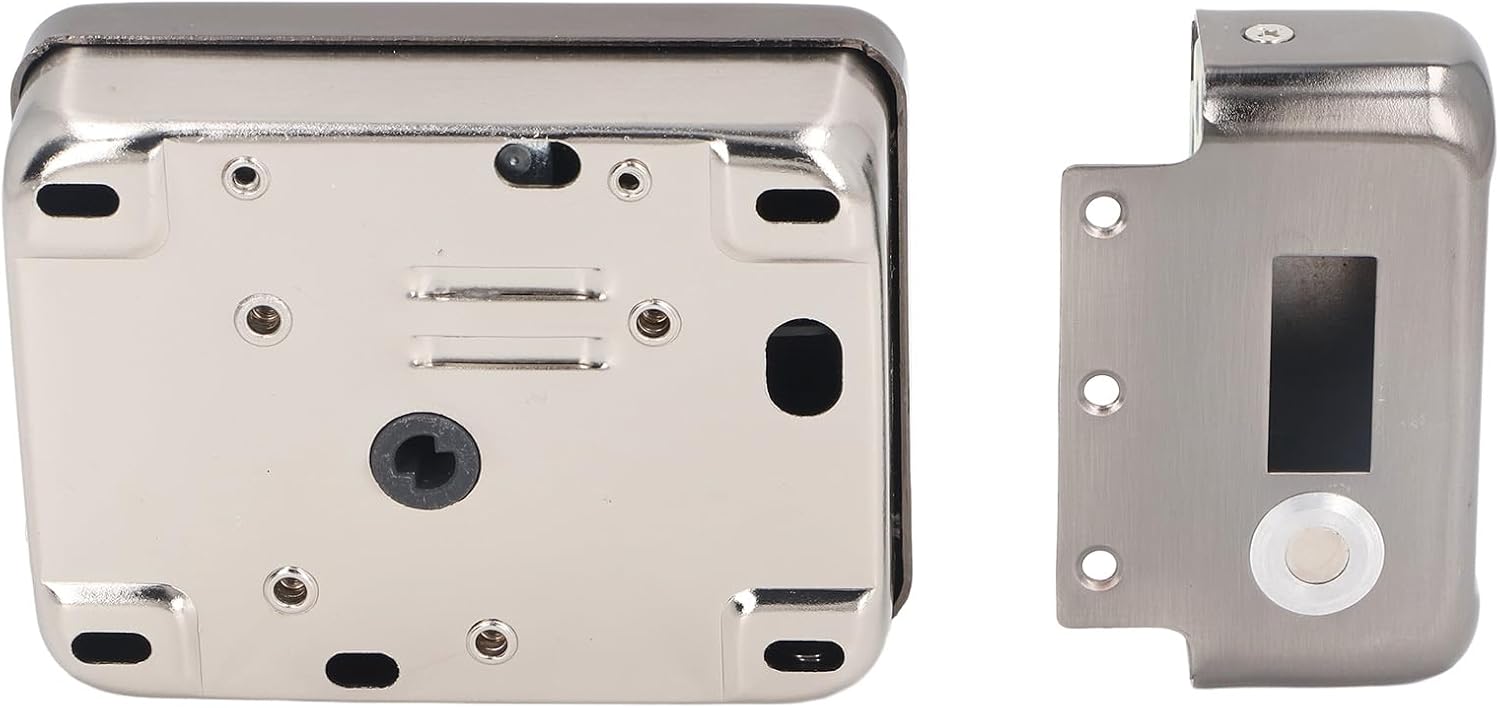
Image: Product dimensions of the electronic deadbolt lock.
4. Enstalasyon ak Enstalasyon
The Dioche Keyless Electronic Deadbolt Door Lock is designed for simple installation. Follow these steps carefully:
4.1 Prepare the Door
- Ensure your door is compatible with a standard deadbolt installation.
- Measure the backset (distance from the door edge to the center of the bore hole) and door thickness to ensure proper fit.
4.2 Install the Lock Cylinder
- Insert the lock cylinder into the door bore hole from the outside.
- Secure it in place according to the provided hardware.
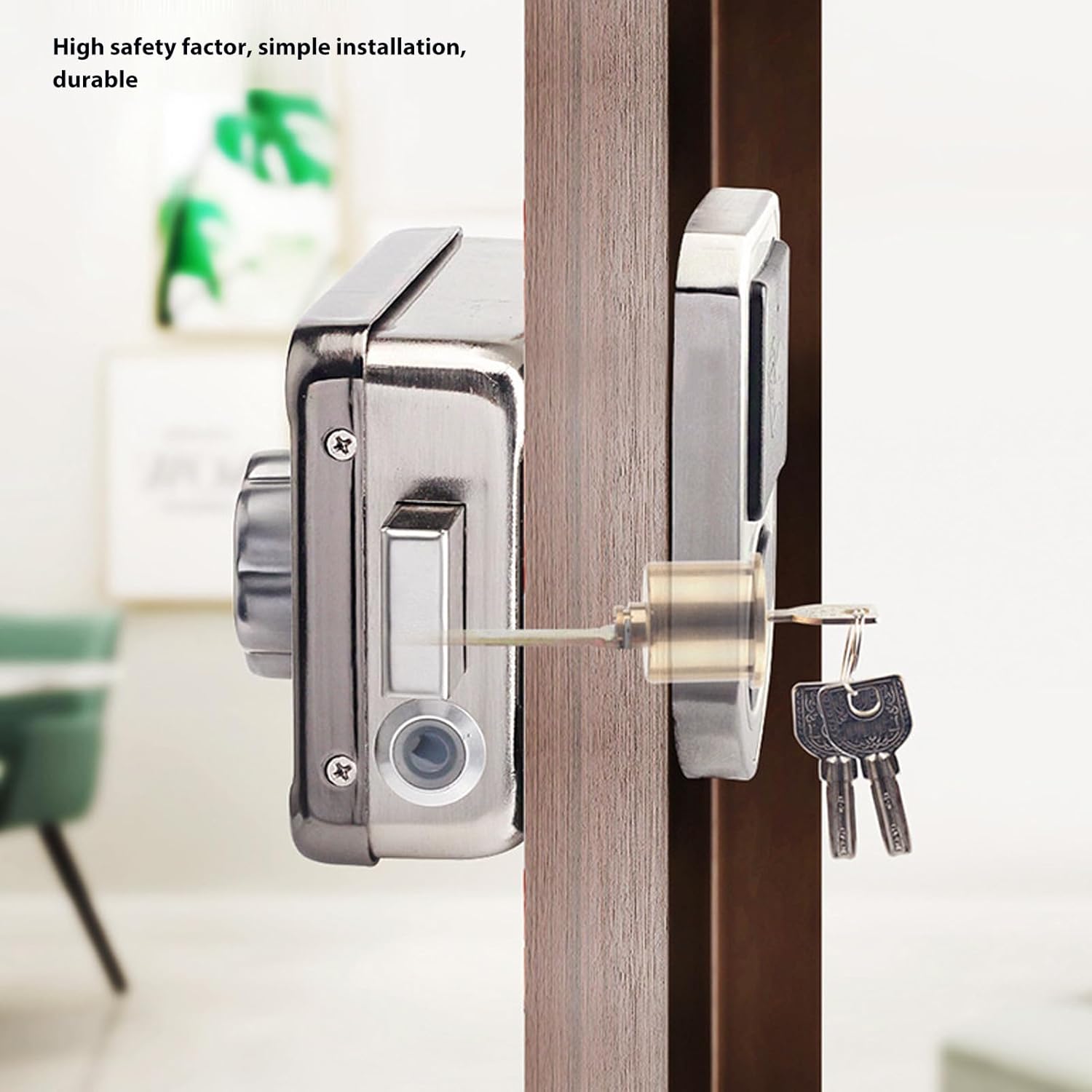
Image: Electronic deadbolt lock installed on a door, showing key access.
4.3 Mount the Main Lock Unit
- Align the main electric control lock unit with the lock cylinder and the door edge.
- Secure the unit to the door using the provided screws. Ensure the wiring (if any) is properly connected and tucked away.
- Install the lock ear (strike plate) on the door frame, aligning it with the deadbolt.

Image: Assembly diagram of the electronic deadbolt components.
4.4 Enstale Batri
- Open the battery compartment on the main lock unit.
- Mete 2 pil AA 1.5V, asire polarite kòrèk.
- Fèmen lòj batri a byen.
4.5 Fonksyonalite Tès
- Test the mechanical keys to ensure the deadbolt extends and retracts smoothly.
- Test the remote controls and RFID cards/keychains to ensure they unlock the door.
5. Operasyon Enstriksyon
Your Dioche Keyless Electronic Deadbolt Door Lock offers several convenient ways to secure and access your property.
5.1 Unlocking with RFID Card/Keychain
- Present an authorized RFID card or keychain to the 'swipe smart card' reader on the lock unit.
- The lock will emit a confirmation sound, and the deadbolt will retract, allowing the door to be opened.
5.2 Debloke ak kontwòl remote
- Press the unlock button on one of the remote controllers.
- The lock will retract the deadbolt, enabling door access.
5.3 Debloke ak kle mekanik
- Insert one of the provided mechanical keys into the external lock cylinder.
- Turn the key to retract the deadbolt and open the door.
5.4 Fèmen pòt la
- From the inside, turn the manual knob on the lock unit to extend the deadbolt.
- From the outside, the deadbolt will automatically extend after the door is closed, or can be manually extended using a key or remote if applicable to your specific setup.

Image: Manual turn knob for locking/unlocking from the inside.
6. Antretyen
Regular maintenance ensures the longevity and optimal performance of your electronic deadbolt.
6.1 Ranplasman batri
The lock unit is powered by 2 x 1.5V AA batteries. When the batteries are low, the lock may provide an audible or visual indicator. Replace batteries promptly to avoid interruption of service.
- Locate the battery compartment on the main lock unit.
- Open the compartment cover (usually a slide or snap-on cover).
- Retire ansyen pil AA yo.
- Insert two new 1.5V AA batteries, observing the correct polarity (+/-).
- Fèmen kouvèti lòj batri a byen.
Remote controls use 1 x 27A 12V 30mAH dry battery each. Refer to the remote control's specific instructions for battery replacement if needed.
6.2 Netwayaj
Siye deyò kadna a ak yon twal mou.amp twal. Evite itilize pwodui netwayaj abrazif oswa solvan, paske sa yo ka domaje fini an oswa konpozan elektwonik yo.
6.3 Lubrification
Periodically apply a small amount of graphite lubricant to the mechanical keyway and deadbolt mechanism to ensure smooth operation. Do not use oil-based lubricants.
NAN. Depanaj
If you encounter issues with your Dioche Keyless Electronic Deadbolt Door Lock, refer to the following common problems and solutions:
- Lock not responding to RFID card/keychain or remote control:
- Check if the batteries in the main lock unit are depleted. Replace them if necessary.
- Ensure the RFID card/keychain or remote control is properly registered with the lock. Refer to programming instructions (not covered in this general manual).
- Verifye ke pil kontwòl remote la pa fin itilize.
- Deadbolt does not extend or retract smoothly:
- Tcheke pou nenpòt obstak nan ankadreman pòt la oswa nan plak grèv la.
- Ensure the lock is properly aligned with the strike plate. Adjust if needed.
- Lubricate the deadbolt mechanism and keyway with graphite.
- Lock makes unusual noises:
- This could indicate a mechanical issue or low batteries. Check battery levels first.
- Si pwoblèm nan kontinye, kontakte sipò kliyan.
For issues not covered here, please contact Dioche customer support.
8. Garanti ak sipò
For warranty information and customer support, please refer to the documentation provided at the time of purchase or visit the official Dioche websit la. Kenbe resi acha ou kòm prèv acha pou reklamasyon garanti.