1. Entwodiksyon
Thank you for choosing the SBS MagSafe Compatible Wireless Power Bank. This compact and versatile 5000 mAh power bank is designed to provide convenient and efficient charging for a wide range of devices, including iPhones with MagSafe technology, Android smartphones, e-readers, smartwatches, and TWS earphones. Its dual charging capabilities (wireless and USB-C) ensure your devices stay powered on the go. This manual provides essential information on how to set up, operate, and maintain your power bank.

Image 1: The SBS MagSafe Compatible Wireless Power Bank magnetically attached to the back of an iPhone, illustrating its primary use.
2. Pwodwi souview
2.1 Karakteristik kle
- Kapasite 5000 mAh: Provides sufficient power to charge most smartphones up to two times.
- MagSafe konpatibilite: Magnetic attachment and wireless charging for compatible iPhones.
- Chaje san fil inivèsèl: Supports wireless charging for other Qi-enabled Android devices.
- USB-C 10W Output/Input: Fast and safe wired charging for various devices, and for recharging the power bank itself.
- Intelligent Charge (IC) Technology: Optimizes charging speed for connected devices.
- Endikatè Estati ki ap dirije: Four LEDs to precisely monitor the power bank's internal charge level.
- Konsepsyon kontra enfòmèl ant ak pòtab: Easy to carry for on-the-go charging.
- Konpayi avyon apwouve: Safe for transport in aircraft cabins.
- Karakteristik sekirite: Includes short-circuit protection and overload protection.
2.2 Kontni pake a
- SBS MagSafe Compatible Wireless Power Bank (Model: TEBB5000MAG1CK)
- USB-A pou USB-C chaje kab

Image 2: The power bank's interface, highlighting its compatibility with various electronic devices.

Imaj 3: Detaye view of the power bank's features, including wireless charging area and port labels.
3. Enstalasyon
3.1 Premye Chajman Bank Ekstèn lan
Before first use, it is recommended to fully charge your SBS Power Bank. This ensures optimal performance and battery longevity.
- Connect the included USB-A to USB-C charging cable to the USB-C port on the power bank.
- Plug the USB-A end of the cable into a compatible USB wall adapter (not included) or a computer's USB port.
- Endikatè LED yo sou bank pouvwa a ap limen pou montre pwogrè chaj la. Tout kat LED yo ap limen fiks lè li fin chaje nèt.
A full charge typically takes several hours depending on the power source.
4. Operasyon Enstriksyon
4.1 Tcheke Nivo Batri
Press the power button once to check the current battery level of the power bank. The four LED indicators will light up to show the remaining charge:
- 1 dirije: 0-25% chaj
- 2 LED: 25-50% chaj
- 3 LED: 50-75% chaj
- 4 LED: 75-100% chaj
4.2 Charging Devices Wirelessly (MagSafe & Qi Compatible)
The power bank supports both MagSafe magnetic wireless charging for compatible iPhones and standard Qi wireless charging for other devices.
- For MagSafe Compatible iPhones: Align the power bank with the back of your iPhone. The magnets will automatically snap it into place, and wireless charging will begin.
- For Other Qi-Enabled Devices (e.g., Android phones): Place your device centrally on the wireless charging surface of the power bank. Ensure proper alignment for charging to initiate.
The power bank's LEDs may indicate active wireless charging. Remove your device once fully charged or when you no longer need to charge.
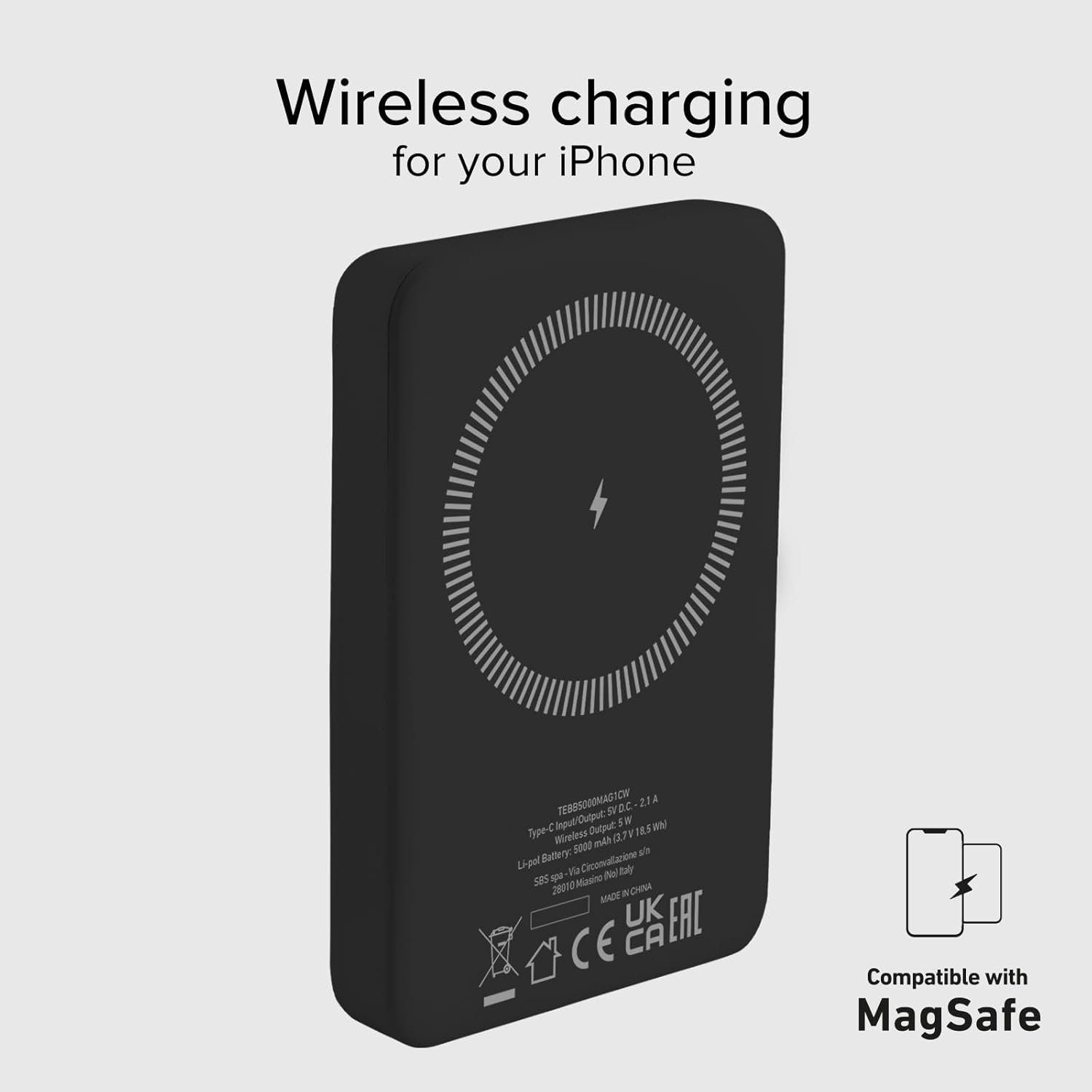
Image 4: The power bank's wireless charging surface, designed for MagSafe compatibility.

Image 5: Demonstrating the magnetic attachment of the power bank to a compatible iPhone.

Image 6: Wireless charging an Android device by placing it on the power bank.
4.3 Aparèy chaje atravè kab USB-C
The USB-C port on the power bank can be used to charge devices that support wired charging.
- Connect one end of a compatible USB-C cable (or the included USB-A to USB-C cable with an appropriate adapter for your device) to the USB-C port on the power bank.
- Konekte lòt bout kab la nan pò chaje aparèy ou an.
- Charging will begin automatically. The power bank's Intelligent Charge (IC) technology will optimize the charging speed for your device.
The 10W output ensures rapid charging for most compatible devices.

Image 7: Charging a smartphone using the USB-C cable.
4.4 Chaje similtane
The power bank can charge one device wirelessly and another via the USB-C port simultaneously, though total output may be shared.

Image 8: The power bank allows for device usage while charging.
5. Antretyen
Proper care and maintenance will extend the life of your power bank.
- Netwayaj: Sèvi ak yon twal mou epi sèk pou netwaye sifas power bank lan. Pa sèvi ak pwodui chimik ki agresif oswa materyèl abrazif.
- Depo: Sere bank pouvwa a nan yon kote ki fre epi sèk, lwen limyè solèy dirèk, tanperati ekstrèm ak imidite.
- Swen batri: To maintain battery health, fully charge and discharge the power bank at least once every three months if not in regular use.
- Evite gout: Pwoteje aparèy la kont chòk fizik ak tonbe.
- Ekspozisyon dlo: This power bank is not waterproof. Avoid exposure to water or other liquids.
NAN. Depanaj
Si ou rankontre pwoblèm ak bank pouvwa ou a, gade solisyon komen sa yo:
- Bank pouvwa pa chaje:
- Asire w ke kab chaje a byen konekte ak bank pouvwa a ak sous kouran an.
- Eseye yon lòt adaptè USB nan miray oswa yon lòt pò USB.
- Verifye si sous kouran an aktif.
- Aparèy la pa chaje san fil:
- Ensure your device is Qi-enabled or MagSafe compatible.
- Check that your device is correctly centered on the power bank's wireless charging surface.
- Retire tout kouvèti telefòn epè ki ta ka entèfere ak chaje san fil la.
- Aparèy la pa chaje atravè USB-C:
- Asire w kab USB-C a byen konekte ak bank pouvwa a ak aparèy ou an.
- Eseye yon diferan USB-C kab.
- Verify your device's charging port is clean and free of debris.
- Chaje dousman:
- Ensure you are using a compatible charging cable and adapter.
- Charging speed can be affected by the device's battery level (slower when nearly full).
- Evite sèvi ak aparèy ou an twòp pandan l ap chaje.
- LED yo pa limen:
- The power bank might be completely discharged. Connect it to a power source for a few minutes.
- Press the power button to activate the LED indicators.
If problems persist, please contact SBS customer support.
7. Espesifikasyon
| Atribi | Detay |
|---|---|
| Mak | SBS |
| Non modèl | Mag Power Bank Color |
| Nimewo Modèl | TEBB5000MAG1CK |
| Kapasite batri | 5000 Miliamper-hour (mAh) |
| Konpozisyon batri | Lityòm Polymère |
| Antre / Sòti Port | 1 x USB-C (10W) |
| Wireless Chaje Sòti | 5W (san fil) |
| Voltage | 5 Volts |
| Aparèy konpatib | Smartphones (iPhone, Android), E-readers, Speakers, Headphones, Smartwatches, MP3 Players, Cameras |
| Karakteristik espesyal | Lightweight, Short-circuit Protection, Overload Protection, Wireless Charging, LED Indicator Lights |
| Pwa | 187 g |
| Koulè | Nwa |
| Konpozan ki enkli | Chaje kab (USB-A pou USB-C) |
| Airline Transportable | Yes (Cabin Allowed) |

Image 9: The power bank is approved for air travel.
8. Garanti ak sipò
For warranty information and customer support, please refer to the documentation provided with your purchase or visit the official SBS website. You can also visit the SBS Brand Store on Amazon for more product information and support resources.
SBS Brand Store: https://www.amazon.it/stores/SBS/page/57FDEEEA-56BF-47BC-BBDB-9389D6E570BD


