1. Entwodiksyon
This manual provides detailed instructions for the installation, operation, and maintenance of your WEILAILIFE Wireless Security Camera System, Model WEILAI-NWX0086T. This system is designed to provide reliable surveillance for your home or business, offering features such as two-way audio, enhanced wireless signal, and high-resolution video recording. Please read this manual thoroughly before using the product to ensure proper setup and optimal performance.
2. Pake kontni
Tanpri verifye ke tout atik ki nan lis anba a yo enkli nan pakè ou a. Si gen nenpòt atik ki manke oswa ki domaje, tanpri kontakte sèvis kliyan.
- 8x 5MP Wireless PIR Wide-Angle Cameras
- 16x 3dB Camera Antennas
- 1x 10-Channel Network Video Recorder (NVR) with 6TB Hard Disk Drive
- 1x NVR Power Adapter (12V2A)
- 8x Wireless Camera Power Adapters (12V1A)
- 1x USB sourit
- 1x kontwòl Remote
- 1x 1-meter HDMI Cable
- 1x 1-meter LAN Cable
- 8x Camera Mounting Screw Packs
- 1x manyèl enstriksyon
- 1x Warning Label
- 1x 3-meter Camera Extension Antenna
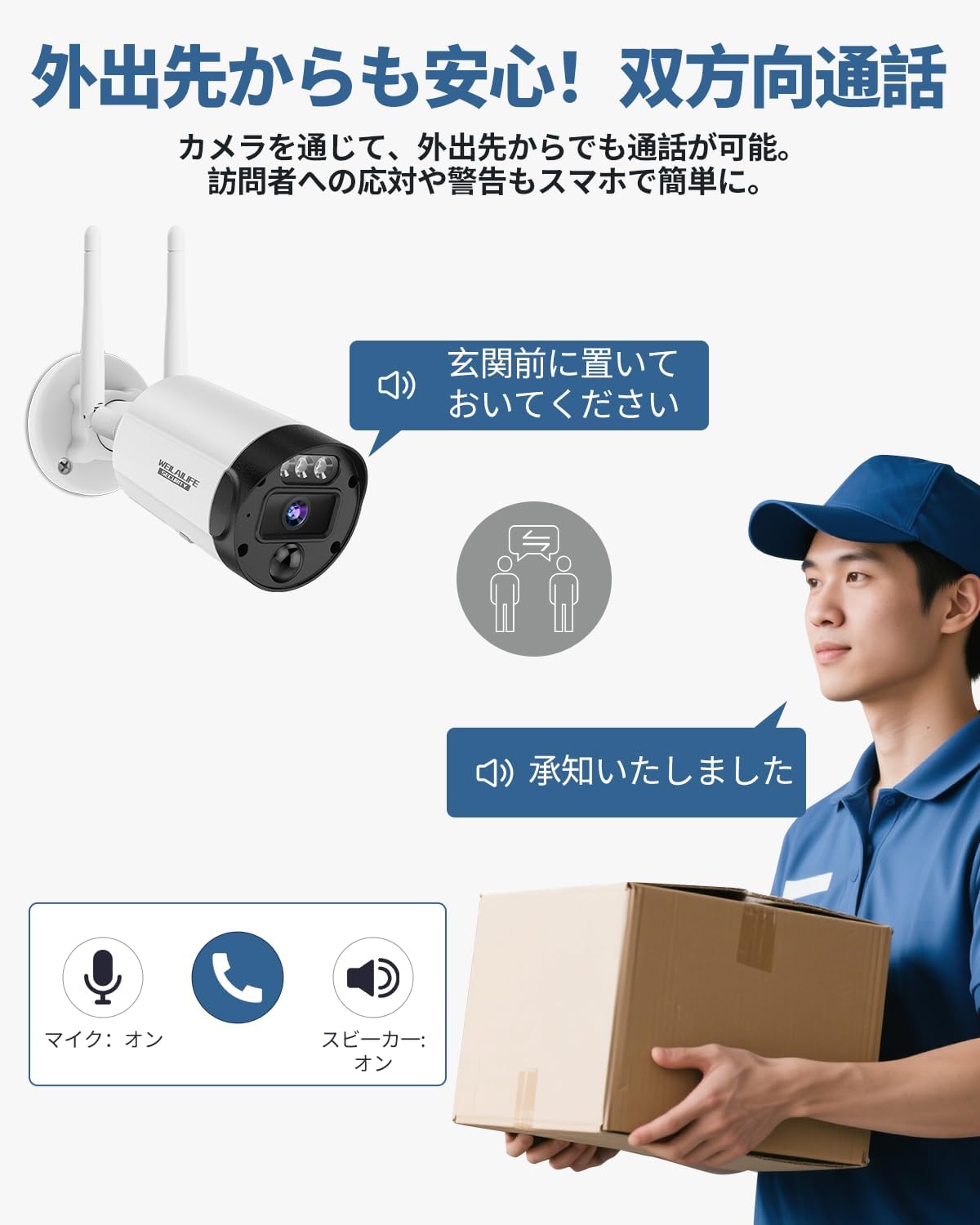
Image: All components included in the WEILAILIFE Wireless Security Camera System package.
Video: Unboxing the 5MP 8-camera wireless security camera set, showing all included accessories and components.
3. Pwodwi Features
- Pale nan de-fason: Communicate with visitors or deter intruders remotely via the dedicated app on your smartphone, tablet, or PC. The system supports up to 4 users viewing live video simultaneously.
- Enhanced WiFi with Dual Antennas: Each camera is equipped with dual antennas to strengthen the wireless signal, improving video stability and clarity. This design enhances wireless range by approximately 50%.
- 130° Ultra-Wide-Angle Lens: Capture a broad field of view with the 130° wide-angle lens, minimizing blind spots and providing comprehensive surveillance.
- PIR & AI Dual Detection: Utilizing advanced recognition algorithms and infrared detection, the system sends real-time notifications upon detecting abnormal activity. This dual detection system accurately identifies human movement, avoiding false alarms from leaves, clouds, animals, or insects.
- 3K 5MP Ultra High Definition: The 2592 x 1944 resolution security cameras ensure 24/7 protection for your property. Night vision capabilities allow clear viewing up to 24 meters, with an IR-LED system automatically activating infrared mode in dark conditions.
- Free App & No Monthly Fees: Download the free 'Honestview' or 'Eseecloud' app from your smartphone's app store (iOS/Android) to access and manage your system without any monthly fees.
- IP66 Konsepsyon ki enpèmeyab: The cameras feature an IP66 waterproof design, ensuring reliable operation in harsh outdoor environments, including rain, snow, and strong winds.

Image: Illustration of the two-way talk feature, allowing communication with individuals near the camera.

Image: Diagram showing the camera with dual antennas providing a strong wireless signal to the NVR.

Image: Visual representation of the 130° wide-angle lens covering a large area, such as a street with houses.

Image: Diagram illustrating PIR (Passive Infrared) and AI (Artificial Intelligence) dual detection zones for accurate human motion sensing.

Image: Comparison showing the clear visibility of the camera during the day and its effective night vision capabilities.

Image: The camera shown enduring different weather conditions like rain, snow, and wind, highlighting its IP66 waterproof rating.
4. Gid Enstalasyon
4.1 Koneksyon Inisyal yo
- Konekte NVR a: Attach the antennas to the NVR. Connect the NVR to a monitor using the HDMI cable. Connect the USB mouse to the NVR. Plug in the NVR power adapter.
- Konekte Kamera yo: Attach the antennas to each camera. Plug in the power adapter for each camera.
- Pouvwa sou: Turn on the NVR using the power switch. The system should automatically detect and display the camera feeds.
Video: A detailed explanation of the setup method for the security camera system, including connecting components.
4.2 Enstalasyon Kamera
Before mounting, test the camera's signal strength in the desired location. Ensure the mounting surface is stable and can support the camera's weight.
- Make twou perçage: Use the camera's mounting base as a template to mark the positions for drilling.
- Fè twou: Fè twou pilòt nan pozisyon ki make yo.
- Mete lank mi yo: Mete lank miray yo bay yo nan twou yo komanse fouye.
- Mount kamera: Secure the camera's mounting base to the wall using the provided screws. Adjust the camera angle as needed.
5. Operasyon Enstriksyon
5.1 Itilizasyon Aplikasyon Mobil lan
Download the 'Honestview' or 'Eseecloud' app from your smartphone's app store. Follow the in-app instructions to add your NVR system by scanning the QR code displayed on the NVR's network settings. Once connected, you can view live feeds, access two-way talk, and review anrejistre footage soti nan nenpòt kote.

Image: Various individuals using their smartphones to view and share camera feeds, demonstrating remote monitoring capabilities.
5.2 Kominikasyon odyo bidireksyonèl
Activate the two-way talk feature through the mobile app. This allows you to speak through the camera's speaker and hear audio from the camera's microphone, enabling real-time interaction.
5.3 Deteksyon Mouvman ak Alèt
The system uses PIR and AI technology for accurate motion detection. When motion is detected, the system will send real-time notifications to your linked mobile app. You can customize detection zones and sensitivity settings within the NVR's menu or the mobile app to reduce false alarms.
5.4 Vizyon lannwit
The cameras automatically switch to infrared night vision mode in low-light conditions, providing clear black-and-white video footage up to 24 meters. Ensure no obstructions block the camera's view for optimal night vision performance.
5.5 Anrejistreman ak Lekti Videyo
The NVR continuously records video footage to its internal 6TB hard drive. You can access recorded video through the NVR's interface or the mobile app. Use the playback function to review specific events or periods.

Image: Illustration showing video playback on both a monitor connected to the NVR and a mobile phone via the app.
6. Antretyen
- Netwayaj: Regularly clean the camera lenses with a soft, dry cloth to ensure clear image quality. Do not use harsh chemicals.
- Mizajou mikrolojisyèl: Tcheke manifakti a website or app for available firmware updates to ensure your system has the latest features and security patches.
- Jesyon kab: Asire w ke tout kab yo byen konekte epi pwoteje kont domaj anviwònman an.
- Sante Disk Di: Periodically check the NVR's hard drive status through the system settings to ensure it is functioning correctly and has sufficient storage space.
NAN. Depanaj
- Pa gen fil videyo:
- Tcheke tout koneksyon kouran pou NVR a ak kamera yo.
- Ensure the HDMI/VGA cable is securely connected to the monitor and NVR.
- Verify that cameras are paired with the NVR. If not, re-pair them according to the quick start guide.
- Weak WiFi Signal/Intermittent Video:
- Ensure cameras are within the NVR's wireless range.
- Minimize obstructions (thick walls, metal objects) between cameras and the NVR.
- Utilize the included 3-meter camera extension antenna for cameras in challenging locations.
- Adjust camera antenna orientation for better reception.
- Pwoblèm Koneksyon Aplikasyon:
- Asire w ke smartphone ou a gen yon koneksyon entènèt ki estab.
- Verify the NVR is connected to the internet via the LAN cable.
- Re-scan the NVR's QR code in the app to re-establish the connection.
- Try restarting both the NVR and your mobile device.
- Fo Alam Mouvman:
- Adjust the motion detection sensitivity settings in the NVR menu or mobile app.
- Defini zòn deteksyon espesifik pou eskli zòn ki gen mouvman souvan ki pa imen (pa egzanp, pyebwa k ap balanse).
8. Espesifikasyon
| Karakteristik | Spesifikasyon |
|---|---|
| Mak | WEILAILIFE |
| Nimewo Modèl | WEILAI-NWX0086T |
| Dimansyon pwodwi | 30 x 26 x 18 cm |
| Pwa atik | 4 kg |
| Koulè | Blan |
| Sous pouvwa | Fil elektrik |
| Voltage | 110 Vòlt (AC) |
| Wattage | 90 W |
| Koneksyon Teknoloji | Wired IEEE802.11a/n/f, Wireless Wi-Fi 2.4G/5.8G |
| Rezolisyon Capture Videyo | 1920p, 2.7K 1920P (5MP) |
| Karakteristik espesyal | 130° Ultra-Wide-Angle, PIR & Dual Detection, Dual Antenna for Enhanced WiFi, Two-Way Audio, Free APP & No Monthly Fees |
| Kantite Chanèl | 10 |
9. Garanti & Sipò
Your WEILAILIFE Wireless Security Camera System comes with a 24 mwa garanti bon jan kalite (as per feature bullets, also stated as one-year free warranty in specifications). We are committed to providing high-quality products and excellent customer service.
If you have any questions during setup or use, or encounter any issues, please do not hesitate to contact us. Our support team is available to assist you.
- Sipò Imèl: info-jp@weilailifetech.com (Japanese language support available, responses within 24 hours)
- Sèvis LINE: https://lin.ee/EqPKtnq


