1. Entwodiksyon
The WORKPRO Battery Hot Glue Gun is a versatile, cordless tool designed for various crafting, artistic, and repair tasks. Featuring a 3.6V 2500mAh lithium-ion battery, it offers portability and efficient operation. This manual provides essential information for safe and effective use, including setup, operation, maintenance, and troubleshooting.
2. Enstriksyon Sekirite
Toujou obsève prekosyon sekirite sa yo pou evite blesi oswa domaj nan pwodwi a:
- The glue gun nozzle and melted glue become very hot during operation. Avoid direct contact with skin to prevent burns.
- Pa sèvi ak zam lakòl la pandan l ap chaje.
- Ensure adequate ventilation when using the glue gun, as some glues may emit fumes.
- Keep the tool out of reach of children and pets.
- Do not attempt to disassemble or modify the glue gun. Refer all servicing to qualified personnel.
- The intelligent safety system automatically shuts off the power after 8 minutes of inactivity to protect users and conserve energy.
- Always place the glue gun on its stand or a heat-resistant surface when not in use.
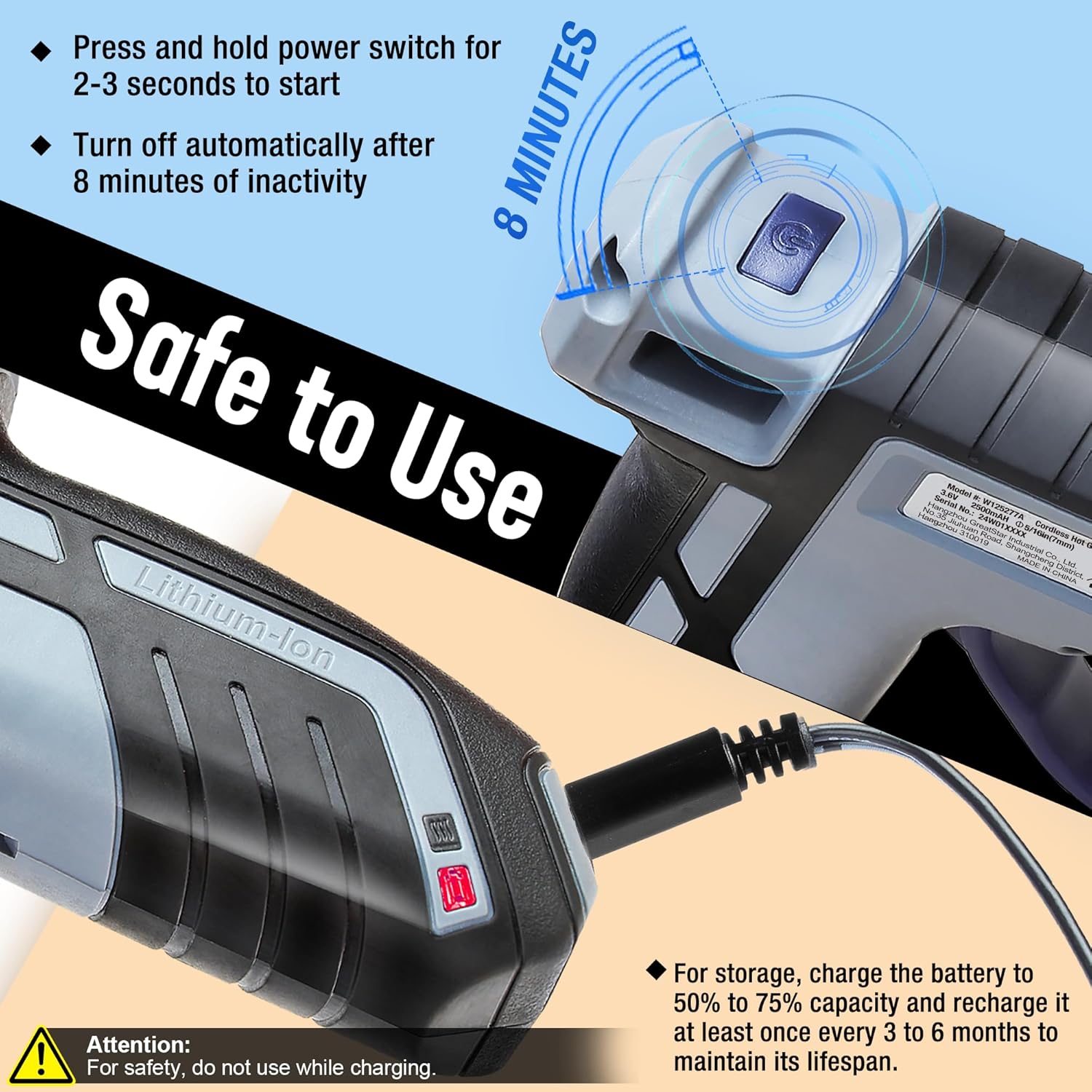
Image: Safety features and charging instructions for the WORKPRO Hot Glue Gun. It highlights the automatic shut-off after 8 minutes of inactivity and the warning not to use while charging. It also shows the recommended battery charge for storage.
3. Pake kontni
Verifye ke tout atik yo prezan nan pakè a:
- 1 x WORKPRO Battery Hot Glue Gun
- 20 x Glue Sticks (7 mm x 100 mm)
- 1 x USB Chaje Kab

Image: The WORKPRO Mini Cordless Glue Gun showing its dimensions (140mm length, 120mm height) and the included 20 pieces of 7mm x 100mm glue sticks, along with its weight of 196g.
4. Pwodwi souview
Familiarize yourself with the components of your WORKPRO Battery Hot Glue Gun:

Image: Diagram of the WORKPRO Hot Glue Gun with key parts labeled, including the ON/OFF Switch, Less Drip Nozzle, Type-C Charging port, Trigger, Energy Indicator, Working Status Indicator, and Bracket.
- ON / OFF switch: Limen epi etenn aparèy la.
- Less Drip Nozzle: Dispenses hot glue with reduced dripping.
- Kalite-C chaje pò: Pou konekte kab chaje USB a.
- Deklanche: Controls the flow of melted glue.
- Energy Indicator: Montre nivo chaj batri a.
- Endikatè sitiyasyon travay: Indicates heating status (red for heating, green for ready).
- Support: Provides a stable resting position for the glue gun.
5. Enstalasyon ak Chaje
5.1 Premye chaj
Before first use, fully charge the glue gun. Connect the provided USB Type-C charging cable to the glue gun's charging port and to a compatible USB power source (e.g., laptop, power bank, or USB charger). The Energy Indicator will show charging status. A full charge provides up to 100 minutes of intermittent working time or 30 minutes of continuous use.
Enpòtan: For optimal battery lifespan, charge the battery to 50% to 75% capacity for storage and recharge it at least once every 3 to 6 months.
5.2 Loading Glue Sticks
Insert a 7mm diameter glue stick into the opening at the back of the glue gun. Push it gently until it stops. Do not force the glue stick.
6. Operasyon Enstriksyon
6.1 Limen epi chofe
- Ensure a glue stick is loaded.
- Press and hold the ON/OFF switch for 2-3 seconds to turn on the glue gun. The Working Status Indicator will light up red, indicating that the gun is heating.
- Wait approximately 100 seconds for the glue gun to preheat. The MCH heating system ensures rapid and consistent temperature.
- When the Working Status Indicator changes from red to green, the glue gun is ready for use.
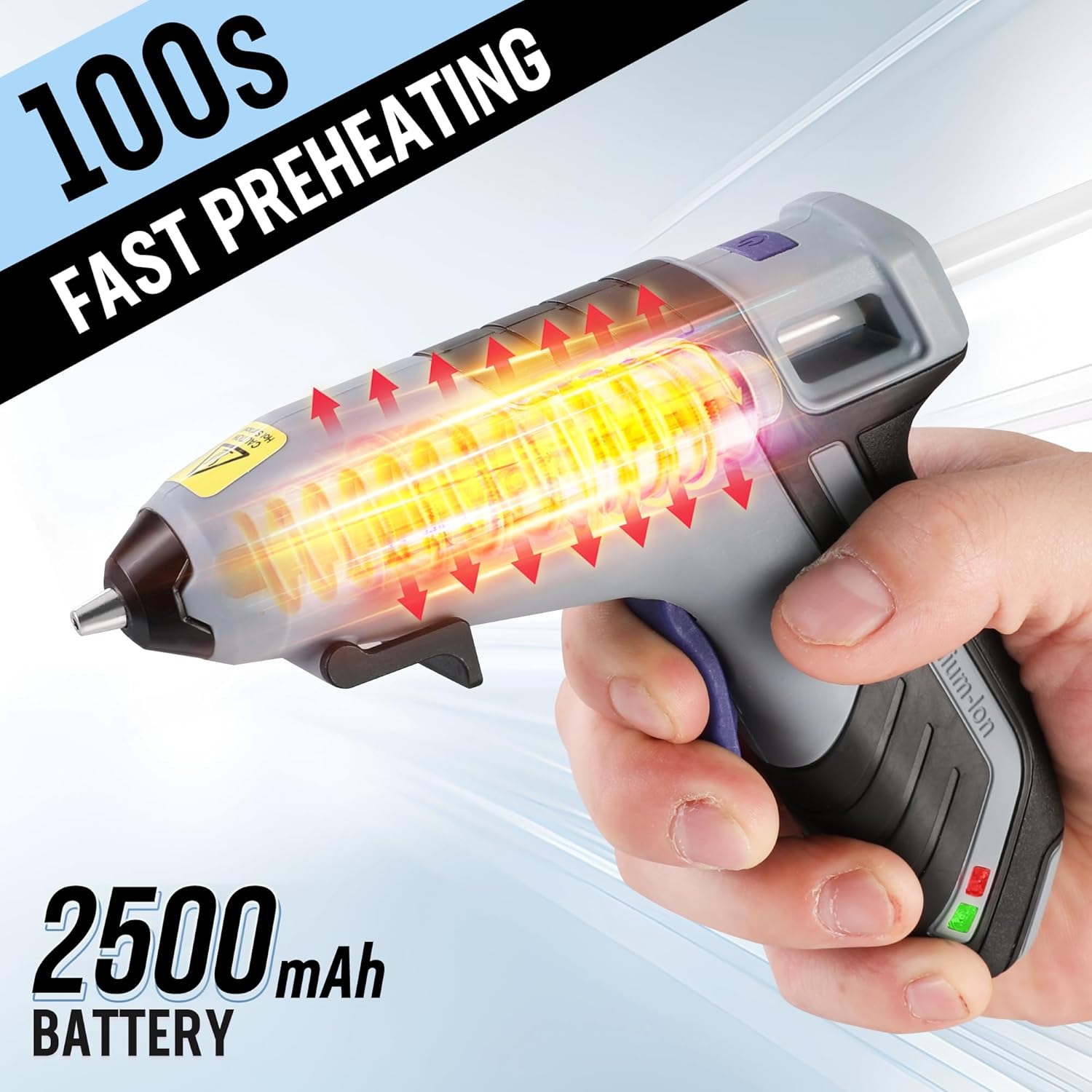
Image: The WORKPRO Hot Glue Gun illustrating its 100-second fast preheating capability and its 2500mAh battery capacity.
6.2 Aplike Lakòl
- Once the indicator is green, position the nozzle close to the surface where glue is needed.
- Gently press the trigger to dispense glue. The flexible trigger allows for controlled glue flow.
- Apply glue as needed. For continuous application, periodically push a new glue stick into the back of the gun to maintain flow.
- After applying glue, release the trigger. The less-drip nozzle design helps minimize excess glue.

Image: The WORKPRO Hot Glue Gun demonstrating its less-drip nozzle feature, emphasizing safety and efficiency during glue application.

Image: A person using the WORKPRO Hot Glue Gun to apply glue to a small decorative item, demonstrating its use in crafting.
6.3 Etenn
To turn off the glue gun, press and hold the ON/OFF switch for 2-3 seconds. The Working Status Indicator will turn off. The glue gun will also automatically shut off after 8 minutes of inactivity.
7. Antretyen
- Netwayaj: Ensure the glue gun is completely cool before cleaning. Gently wipe the exterior with a clean, damp twal. Pa sèvi ak pwodui netwayaj abrazif oswa solvang.
- Swen bouch: Do not attempt to clean the nozzle while it is hot. Any hardened glue around the nozzle can be carefully removed once the gun is cool.
- Depo: Store the glue gun in a dry, cool place, away from direct sunlight and out of reach of children. Ensure the battery is charged to 50-75% capacity for long-term storage.
NAN. Depanaj
| Pwoblèm | Kòz posib | Solisyon |
|---|---|---|
| Glue gun does not turn on. | Batri ap vide. | Charge the glue gun using the provided USB cable. |
| Glue gun heats up but no glue dispenses. | No glue stick loaded or glue stick is too short. | Insert a new glue stick and ensure it is fully inserted. |
| Glue flow is inconsistent or slow. | Insufficient preheating time; partially used glue stick. | Allow full preheating until the indicator is green. Ensure a fresh glue stick is fully inserted. |
| Glue gun automatically shuts off. | 8 minutes of inactivity detected. | This is a safety feature. Press and hold the ON/OFF switch for 2-3 seconds to restart. |
9. Espesifikasyon
| Mak | WORKPRO |
| Nimewo Modèl | W125277 |
| Voltage | 3.6 Volts |
| Sous pouvwa | Batri Powered |
| Kapasite batri | 2500mAh Lityòm-ion |
| Tan prechofaj | Apeprè. 100 segonn |
| Otomatik fèmen | Apre 8 minit inaktivite |
| Dyamèt baton lakòl | 7 mm |
| Pwa atik | 196 gram |
| Materyèl | Plastik |
| UPC | 820909604570 |
10. Garanti ak sipò
For warranty information or technical support, please refer to the documentation provided with your purchase or contact WORKPRO customer service directly. Keep your proof of purchase for any warranty claims.


