Entwodiksyon
This user manual provides detailed instructions for the safe and efficient operation of your Dolphin SP-1270RBT Dual 12-Inch Premium Party Bluetooth Speaker. Please read this manual thoroughly before using the product and retain it for future reference.
Enfòmasyon sou Sekirite
Pou asire yon operasyon an sekirite epi pou anpeche domaj, tanpri obsève prekosyon sa yo:
- Pa ekspoze oratè a nan dlo, imidite, oswa tanperati ekstrèm.
- Pa bloke ouvèti vantilasyon.
- Sèvi ak adaptè pouvwa a sèlman ak inite a.
- Pa eseye repare oswa modifye oratè a tèt ou. Konfye tout antretyen bay pèsonèl kalifye.
- Kenbe oratè a lwen sous chalè ak limyè solèy dirèk.
- Asire plasman ki estab pou anpeche baskil.
Kontni pake
Tanpri verifye ke tout atik yo prezan nan pakè a:
- Dolphin SP-1270RBT Speaker Unit
- Kontwòl Remote
- Mikwofòn san fil
- AC pouvwa kab
- External Battery Cable
- Manyèl Itilizatè (dokiman sa a)
Pwodwi souview

Figi 1: Devan view of the Dolphin SP-1270RBT speaker, showcasing the dual 12-inch woofers with vibrant LED ring lights.
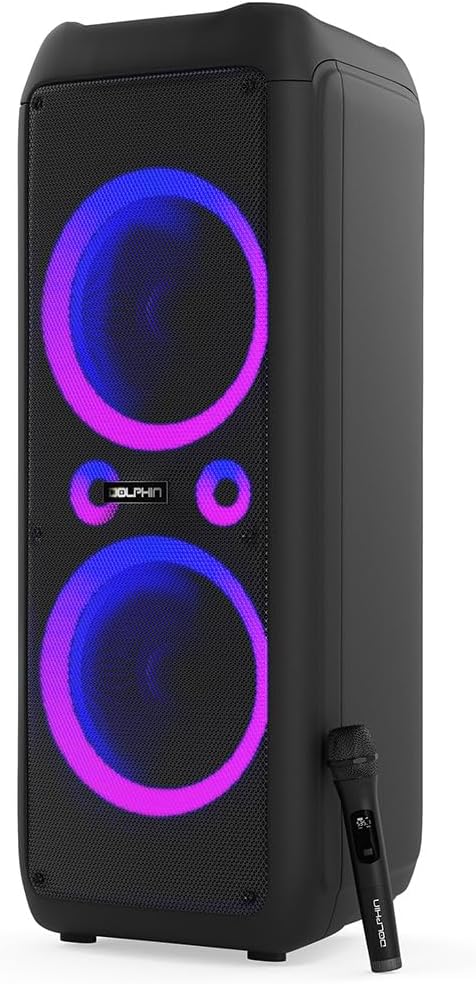
Figure 2: The Dolphin SP-1270RBT speaker shown with its included wireless microphone, highlighting its karaoke capabilities.
Kontwòl Panel

Figi 3: Detaye view of the speaker's top control panel, featuring various input options, volume controls, and the 5-band equalizer.
The control panel provides access to all speaker functions, including power, volume, input selection, equalizer settings, and microphone controls.
Opsyon Koneksyon

Figure 4: Visual representation of the speaker's multiple connectivity options, including Bluetooth 5.0, USB, SD/TF card, FM radio, and AUX input.
The SP-1270RBT offers versatile connectivity for various audio sources:
- Bluetooth 5.0: Pou koneksyon san fil ak smartphones, tablèt, ak lòt aparèy ki gen Bluetooth.
- Pò USB: Pou jwe odyo files soti nan kondui flash USB.
- Plas kat SD/TF: Pou jwe odyo files directly from SD or TF memory cards.
- Radyo FM: Built-in tuner for listening to FM broadcasts.
- Antre AUX (Jack 3.5mm): For wired connection to external audio devices.
- Microphone Input (1/4" Jack): For connecting the included wireless microphone or other wired microphones.
- Guitar Input (1/4" Jack): For connecting a guitar or other instruments.
Enstalasyon
1. Debalaj ak Plasman
Carefully remove the speaker from its packaging. Place the speaker on a stable, flat surface. Ensure there is adequate space around the unit for proper ventilation.
The speaker is equipped with wheels and a handle for easier transportation. When stationary, ensure the speaker is stable.
2. Limen / Off ak Chaje
The SP-1270RBT operates on a built-in rechargeable 12V battery. It can also be powered directly via the AC cable.
- Limen/Etenyen: Locate the Power button on the control panel. Press and hold to turn the speaker on or off.
- Chaje: Connect the supplied AC power cable to the speaker's AC input and then to a standard wall outlet. The charging indicator light will illuminate. The battery provides up to 7 hours of playback time on a full charge.
- Ekstèn batri: Use the external battery cable to connect to an external 12V battery for extended playback (external battery not included).
Enstriksyon Operasyon
1. Pè Bluetooth
- Turn on the SP-1270RBT speaker. The LED display will show "Bluetooth" or a similar indicator, and you may hear an audible prompt.
- Sou aparèy mobil ou a (telefòn entelijan, tablèt, elatriye), aktive Bluetooth epi chèche aparèy ki disponib yo.
- Select "Dolphin SP-1270RBT" from the list of devices. Once paired, the speaker will confirm the connection.
- Kounye a ou kapab jwe odyo ki soti nan aparèy ou an atravè oratè a. Distans efektif Bluetooth la se apeprè 10 mèt (33 pye).
2. Koneksyon Vrè Stereo San Fil (TWS)
The WaveSync technology allows you to pair two SP-1270RBT speakers for a true stereo sound experience.
- Ensure both SP-1270RBT speakers are powered on and not connected to any Bluetooth device.
- On one speaker (this will be the primary speaker), press and hold the TWS button (refer to the control panel for exact button). The speaker will enter TWS pairing mode.
- The second speaker will automatically detect and pair with the primary speaker. A confirmation sound will indicate successful TWS pairing.
- Now, connect your Bluetooth device to the primary speaker as described in the "Bluetooth Pairing" section. Audio will play in stereo through both speakers.
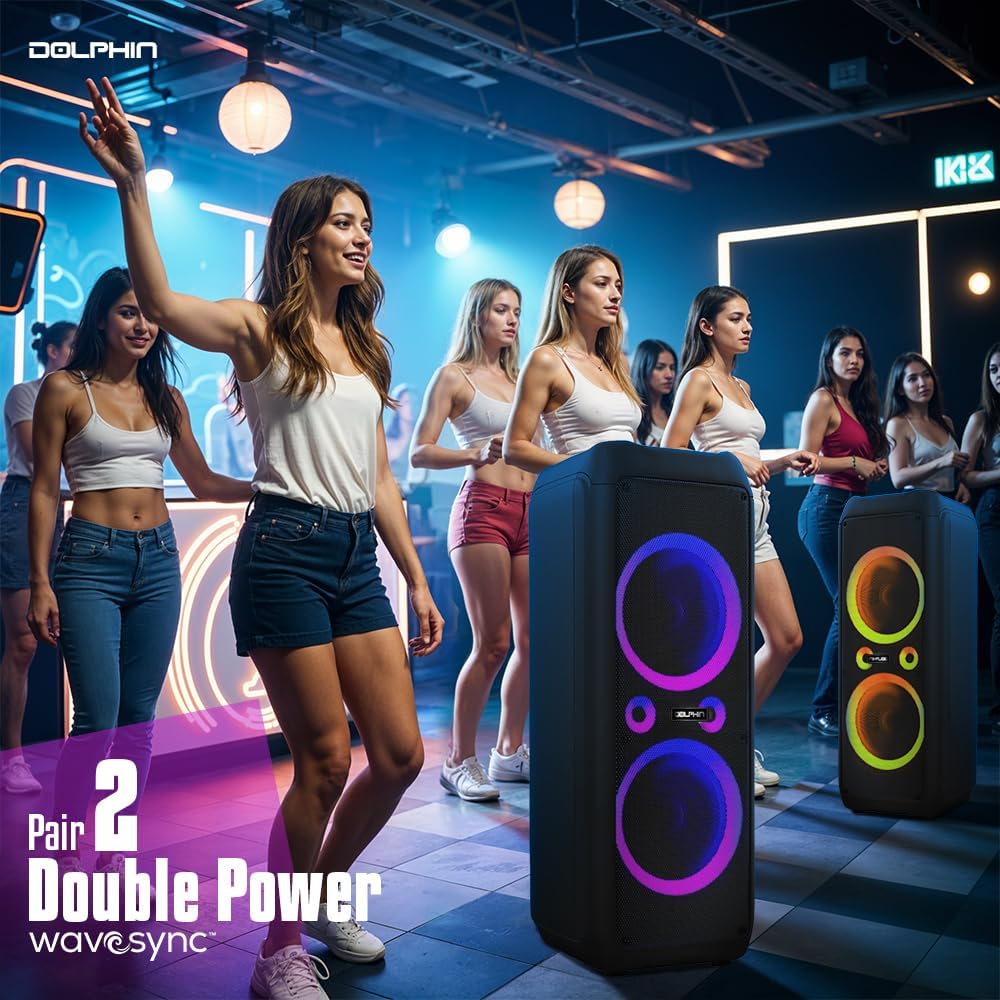
Figure 5: Two Dolphin SP-1270RBT speakers wirelessly connected via WaveSync technology for an enhanced stereo audio experience.
3. USB/SD/TF Card Playback
- Insert a USB flash drive or an SD/TF card (with audio files) into the corresponding slot on the control panel.
- The speaker will automatically switch to USB/SD/TF mode and begin playing the audio fileSi non, peze bouton "Mòd" la pou chwazi antre ki kòrèk la.
- Sèvi ak bouton Jwe/Pòz, Pwochen, ak Anvan pou kontwole lekti a.
4. Operasyon radyo FM
- Peze bouton "Mòd" la pou chanje nan mòd Radyo FM.
- Press the "Play/Pause" button to initiate an automatic scan for available radio stations. The speaker will save detected stations.
- Use the "Next" and "Previous" buttons to navigate through the saved stations.
5. AUX Antre
Connect an external audio device (e.g., MP3 player, laptop) to the speaker's 3.5mm AUX input jack using a 3.5mm audio cable (not included). Press the "Mode" button to select AUX input.
6. Microphone and Guitar Usage
- Mikwofòn san fil: The included wireless microphone is pre-paired. Simply turn it on and adjust the "MIC VOL" knob on the speaker's control panel to control its volume.
- Wired Microphone/Guitar: Connect a wired microphone or guitar to the respective 1/4" input jacks. Adjust their volume using the dedicated knobs on the control panel.
- Kontwòl eko: Use the "ECHO" knob to add an echo effect to the microphone input.
7. Audio Controls and LED Lighting
- Mèt Volim: Use the large "VOLUME" knob to adjust the overall speaker volume.
- X-Bass: Activate the X-Bass feature for enhanced deep bass response. This can be toggled via a switch or button on the control panel.
- 5-Band egalize: Use the sliders on the 5-band equalizer to fine-tune the audio frequencies (bass, mid-range, treble) to your preference.
- Dirije ekleraj: The speaker features sound-activated quad-style ring lights. Use the dedicated "LED" switch or button to turn the lights on/off or cycle through modes.
Antretyen
- Netwayaj: Wipe the speaker's exterior with a soft, dry cloth. Do not use abrasive cleaners or solvents.
- Depo: Lè w pa itilize oratè a pou yon bon bout tan, sere l nan yon kote ki fre epi sèk, lwen limyè solèy dirèk ak tanperati ekstrèm.
- Swen batri: To prolong battery life, fully charge the speaker before storing it for long periods. Recharge the battery every 3-6 months if not in regular use.
Depanaj
| Pwoblèm | Kòz posib | Solisyon |
|---|---|---|
| Pa gen pouvwa | Batri a fin itilize; Kab kouran an pa byen konekte. | Charge the speaker; Ensure AC cable is securely connected to both speaker and power outlet. |
| Pa gen son | Volume too low; Incorrect input mode selected; Device not paired (Bluetooth); Audio cable not connected (AUX). | Increase volume; Press "Mode" button to select correct input; Re-pair Bluetooth device; Check AUX cable connection. |
| Bluetooth koneksyon enstab | Device too far from speaker; Obstructions between devices; Interference. | Move device closer to speaker (within 10m); Remove obstructions; Avoid placing near other wireless devices. |
| Mikwofòn pa mache | Microphone not turned on; MIC VOL knob too low; Microphone battery low. | Ensure microphone is powered on; Increase MIC VOL; Replace microphone batteries (if applicable). |
| Limyè ki ap dirije pa travay | LED switch is off. | Toggle the "LED" switch/button to turn lights on. |
Espesifikasyon
| Non modèl | SP-1270RBT |
| Kalite Oratè | Woofer |
| Kalite aliye | Kanpe etaj |
| Gwosè Oratè | 12 pous (Doub) |
| Oratè maksimòm pwodiksyon pouvwa | 80 RMS Watts / 4500 Peak Watts |
| Repons Frekans | 80 Hz (Lower limit, typical) |
| Koneksyon Teknoloji | Bluetooth 5.0, USB, SD/TF, FM, AUX |
| Teknoloji kominikasyon san fil | Bluetooth |
| Gamme Bluetooth | Jiska 10 mèt (33 pye) |
| Sous pouvwa | Batri Powered (Rechargeable) |
| Kalite batri | 1 x 12V batri (enkli) |
| Kapasite batri | 9000 Miliamp Orè |
| Lavi batri | Jiska 7 èdtan |
| Dimansyon pwodwi (D x W x H) | 17"D x 14.5"W x 40"H |
| Pwa atik | 49 liv |
| Konpozan ki enkli | Remote Control, Wireless Mic, AC Cable, Ext. Battery Cable |
| UPC | 810059431911 |
| Manifakti | General Sound Co |
Garanti ak sipò
For warranty information and technical support, please refer to the contact details provided with your purchase or visit the official Dolphin websit la. Kenbe prèv acha ou pou reklamasyon garanti.


