1. Entwodiksyon
This manual provides detailed instructions for the installation, operation, and maintenance of your THINKWARE Q200 Dash Cam. Please read this manual thoroughly before using the device to ensure proper functionality and safety.
2. Pwodwi souview
The THINKWARE Q200 is a high-performance 2K QHD dash camera designed to capture clear video evidence and enhance driving safety. Key features include:
- 2K QHD Recording: Captures clear evidence at 30fps with WDR and Super Night Vision 2.0.
- Distortion-Free 125° Wide Angle: Dewarped lens covers more of the road without fisheye effects.
- Suite Siveyans Pakin Entelijan: Automatically records motion or impacts while parked, with Time Lapse or Energy Saving modes.
- Incident Lock & File Entegrite: Built-in 3-axis G-sensor auto-saves critical footage.
- Kontwòl aplikasyon Wi-Fi: Connect via the THINKWARE DASH CAM LINK app for settings adjustment and footage telechaje.
3. Ki sa ki nan bwat la
Verifye ke tout konpozan yo prezan anvan ou kontinye ak enstalasyon an:
- Dash Cam
- 3M Windshield Mount with Spare Tape
- 12V Machin Charger Kab
- Hardwiring Kab
- Adhesive Cable Holders
- Gid Quick Start
- CS Information
- Kat MicroSD 32 GB

Image: All components included in the THINKWARE Q200 Dash Cam package.
4. Enstalasyon ak Enstalasyon
Proper installation ensures optimal performance and recording coverage. It is recommended to install the dash cam near the center of your windshield, behind the rearview mirror, to avoid obstructing your view.
4.1 Enstale Kamera Dash la
- Clean the windshield surface where the dash cam will be mounted.
- Attach the 3M adhesive pad to the windshield mount.
- Securely attach the mount with the dash cam to the chosen location on the windshield.
- Ajiste ang kamera a pou asire yon imaj klè view nan wout ki devan an.
4.2 Koneksyon pouvwa
The Q200 can be powered via the included 12V car charger cable or the hardwiring cable for continuous parking surveillance.
- Chargeur machin 12V: Plug the cable into your vehicle's cigarette lighter socket and the dash cam's power input.
- Hardwiring Cable: For parking mode functionality, connect the hardwiring cable to your vehicle's fuse box. Professional installation is recommended for this method.
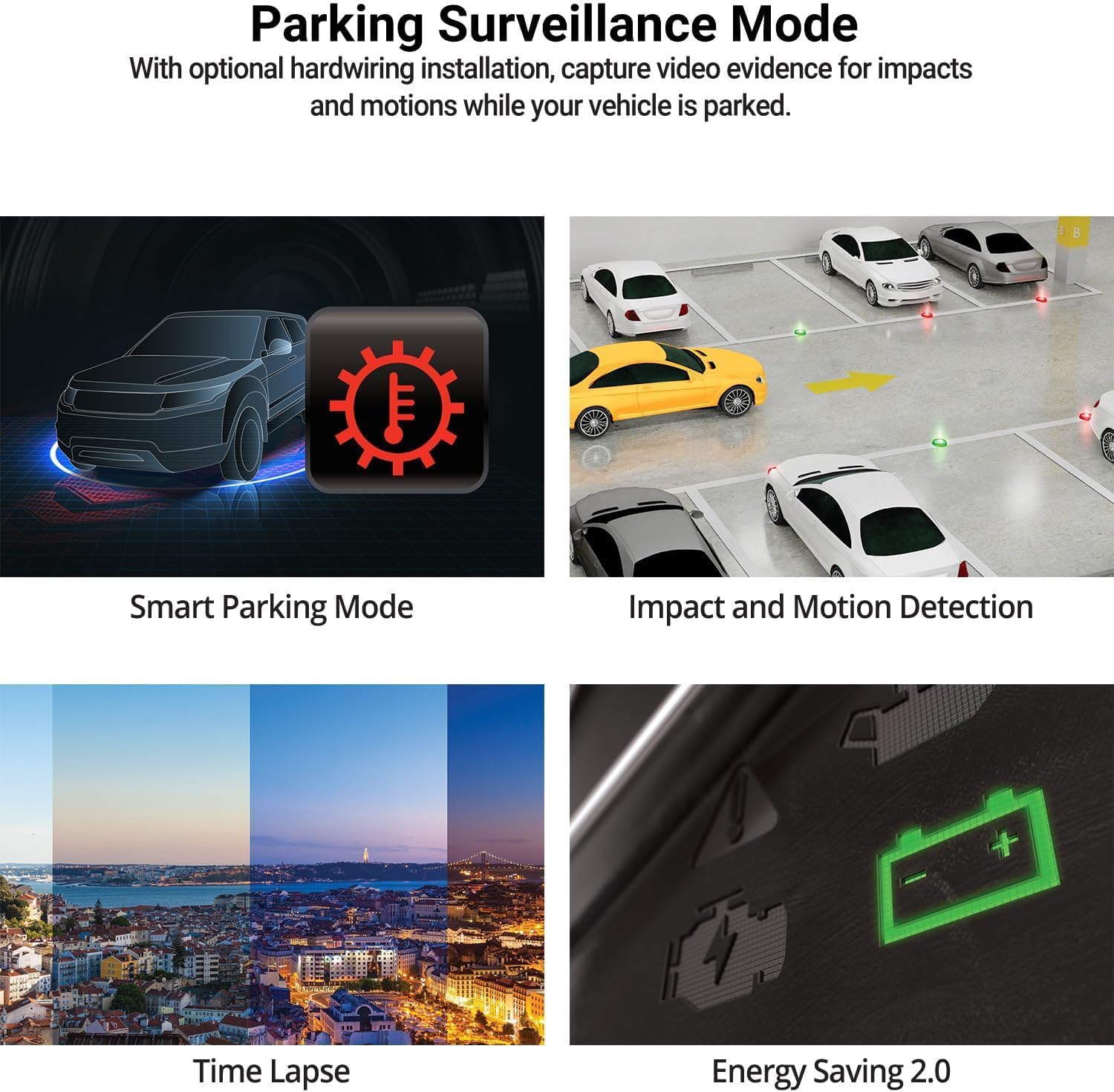
Image: The THINKWARE Q200 Dash Cam installed on a vehicle's windshield.
Videyo: Yon finiview of the THINKWARE Q200 Dash Cam, demonstrating its features and installation.
5. Operasyon Enstriksyon
5.1 Anrejistreman Otomatik
The Q200 Dash Cam automatically powers on and begins continuous recording when the vehicle's ignition is turned on. It will power off automatically when the ignition is turned off.
5.2 Mòd Anrejistreman
- Anrejistreman kontinyèl: Standard recording while driving.
- Anrejistreman ensidan: Triggered by the built-in G-sensor upon impact, saving a 20-second clip (10 seconds before and 10 seconds after the event) to a protected folder.
- Anrejistreman manyèl: Press the REC button to manually initiate an incident recording.
6. Parking Surveillance Mode
When connected via the hardwiring cable (or optional OBD II cable), the Q200 automatically switches to Parking Surveillance Mode when the ignition is off, providing continuous protection for your parked vehicle.
- Motion & Impact Detection: Records video when motion or impact is detected around the vehicle.
- Time Lapse: Records at 2 frames per second to minimize storage space, ideal for prolonged parking.
- Enèji ekonomize mòd: Reduces power consumption by recording only when impacts are detected, extending parking surveillance duration.
- Mòd Pakin Entelijan: Automatically disables power during high temperatures to prevent overheating and resumes recording seamlessly.

Image: Visual representation of the various parking surveillance features.
7. Wi-Fi App Control
The THINKWARE DASH CAM LINK app (available on iOS and Android) allows you to connect to your Q200 Dash Cam via Wi-Fi for convenient control and access to recordings.
- Download the THINKWARE DASH CAM LINK app from your device's app store.
- Aktive Wi-Fi sou telefòn entelijan ou epi konekte ak rezo Wi-Fi kamera a.
- Use the app to adjust settings, view viv footage, and download recorded videos directly to your phone.

Image: The THINKWARE DASH CAM LINK app interface on a smartphone.
8. Advanced Driver Assistance System (ADAS) & Safety Camera Alerts
The Q200 features ADAS functions and safety camera alerts to assist drivers and enhance road safety. An optional GPS module is required for full ADAS functionality and safety camera alerts.
- Avètisman Depa Machin Devan (FVDW): Alerts when the vehicle in front starts to move.
- Sistèm Avètisman Kolizyon Devan (FCWS): Warns of potential forward collisions based on speed and distance.
- Sistèm Avètisman Depa Liy (LDWS): Alerts if the vehicle drifts from its lane.
- Alèt Kamera Sekirite: Provides real-time alerts for speed cameras and red light cameras.

Image: Illustration of ADAS and safety camera alert features.
9. Video Quality Features
The Q200 is equipped with advanced video technology to ensure high-quality recordings in various conditions.
- 2K QHD Recording: Captures video at 2560x1440 resolution at 30 frames per second, providing clear and detailed footage.
- Vizyon lannwit siperyè 2.0: Enhances video brightness and reduces noise in low-light environments for improved night recordings.
- Wide Dynamic Range (WDR): Corrects images for optimal color balance and clarity in challenging lighting conditions, such as strong sunlight or shadows.
- Ekspozisyon Otomatik Entelijan (AE): Automatically adjusts exposure to ensure clear footage, especially when facing bright headlights or direct sunlight.
- Teknoloji pou diminye deformasyon videyo a: Provides a distortion-free 125-degree wide-angle view, preserving clarity across the entire frame.

Imaj: Egzamples of 2K QHD video quality in various lighting conditions.
10. Antretyen
- Jesyon kat MicroSD: Regularly format the microSD card to prevent data corruption and ensure optimal recording performance. Replace the card periodically (e.g., every 6-12 months) as they have a limited lifespan.
- Netwayaj lantiy: Keep the camera lens clean using a soft, lint-free cloth to ensure clear video recordings.
- Mizajou mikrolojisyèl: Check the THINKWARE website for the latest firmware updates to ensure your dash cam has the most current features and bug fixes.
NAN. Depanaj
| Pwoblèm | Solisyon posib |
|---|---|
| Kamera tablodbò a pa limen. | Check the power cable connection to the dash cam and the vehicle's power source. Ensure the vehicle's ignition is on if using the 12V car charger. If hardwired, check fuse connections. |
| Anrejistreman an pa fonksyone. | Ensure a microSD card is inserted and properly formatted. Check if the card is full; if so, format it or replace it. Verify the recording mode settings via the app. |
| Pwoblèm koneksyon Wi-Fi. | Restart the dash cam and your smartphone. Ensure you are within range of the dash cam's Wi-Fi signal. Re-establish the connection through the THINKWARE DASH CAM LINK app. |
| Move kalite videyo. | Clean the camera lens. Ensure the protective film has been removed. Check the video resolution settings in the app. |
12. Espesifikasyon
| Karakteristik | Detay |
|---|---|
| Dimansyon pwodwi | 0.87 x 3.88 x 1.34 pous |
| Pwa atik | 2.56 ons |
| Nimewo Modèl Atik | TW-Q200CH |
| Koneksyon teknoloji | Wi-Fi |
| Karakteristik espesyal | G-Capteur |
| Lòt Karakteristik Display | San fil |
| Koulè | 1CH Front |
| Manifakti | PANSE |
| Non modèl | Q200 |
| Kalite Sèvis Machin | Bus, Car, Minivan, RV, Truck |
| Rezolisyon Capture Videyo | 1440p |
| Kalite aliye | Vit devan mòn |
| Jaden nan View | 125 Degre |
13. Garanti ak sipò
The THINKWARE Q200 Dash Cam comes with a standard manufacturer's warranty. For specific warranty terms, conditions, and duration, please refer to the warranty information included in your product packaging or visit the official THINKWARE websit.
For technical support, troubleshooting assistance, or service inquiries, please contact THINKWARE customer support through their official channels. Contact information can typically be found in the Quick Start Guide or on the THINKWARE websit.


