1. Entwodiksyon
Thank you for choosing the Olympia Vitus 2G Senior Mobile Phone. This device is designed with ease of use in mind, featuring a foldable design, large buttons, and essential functions to keep you connected. It is also hearing aid compatible for enhanced accessibility.

Image 1.1: The Olympia Vitus 2G phone in both open and closed positions, alongside its charging dock.

Image 1.2: A selection of Olympia Vitus 2G phones, showcasing available colors and their charging docks.
2. Enfòmasyon sou Sekirite
- Li tout enstriksyon yo ak anpil atansyon anvan ou sèvi ak aparèy la.
- Kenbe aparèy la lwen dlo ak imidite.
- Pa ekspoze aparèy la nan tanperati ekstrèm.
- Sèvi ak sèlman pil, chajè, ak akseswa ki apwouve.
- Evite lage aparèy la oswa soumèt li a gwo enpak.
- Consult a qualified service professional for any repairs.
- Jete aparèy la ak batri li yon fason responsab dapre règleman lokal yo.
3. Enstalasyon
3.1. Debale ak Kontni Pakè a
Carefully unpack your Olympia Vitus 2G phone. The package should contain:
- Olympia Vitus 2G Senior Mobile Phone
- Chaje waf
- USB-C Chaje Kab
- Adaptè pouvwa
- Batri
- Manyèl Itilizatè (dokiman sa a)
3.2. Enstalasyon ak Chaje Batri
- Retire kouvèti dèyè telefòn lan.
- Insert the battery, ensuring the gold contacts align with the phone's terminals.
- Ranplase kouvèti dèyè a.
- Connect the USB-C charging cable to the phone or place the phone in the charging dock.
- Connect the other end of the cable to the power adapter and plug it into a wall outlet.
- Allow the phone to charge fully before first use. The battery indicator on the display will show charging status.
The Vitus 2G offers a standby time of up to 240 hours and a talk time of up to 3.5 hours. An automatic SMS notification will alert you when the battery level is low, prompting timely charging.

Image 3.1: The Olympia Vitus 2G phone securely placed in its charging dock, indicating the charging process.
3.3. Enstalasyon Kat SIM
- Asire w ke telefòn nan etenn.
- Retire kouvèti dèyè a ak batri a.
- Locate the SIM card slot(s). This phone supports 2G cellular technology.
- Carefully insert your SIM card(s) into the designated slot(s) with the gold contacts facing down, following the diagram usually found near the slot.
- Remete batri a epi remete kouvèti dèyè a.
3.4. Powering On / Off
- Pou limen: Peze epi kenbe bouton an Pouse/Fen Apèl bouton jiskaske ekran an limen.
- Pou etenn: Peze epi kenbe bouton an Pouse/Fen Apèl button, then select "Power off" from the options on the screen.
4. Operasyon Enstriksyon
The Olympia Vitus 2G is designed for straightforward operation with its intuitive user interface and large, easy-to-press buttons.

Image 4.1: A user demonstrating the ease of making a call with the Olympia Vitus 2G, highlighting its large buttons and clear display.
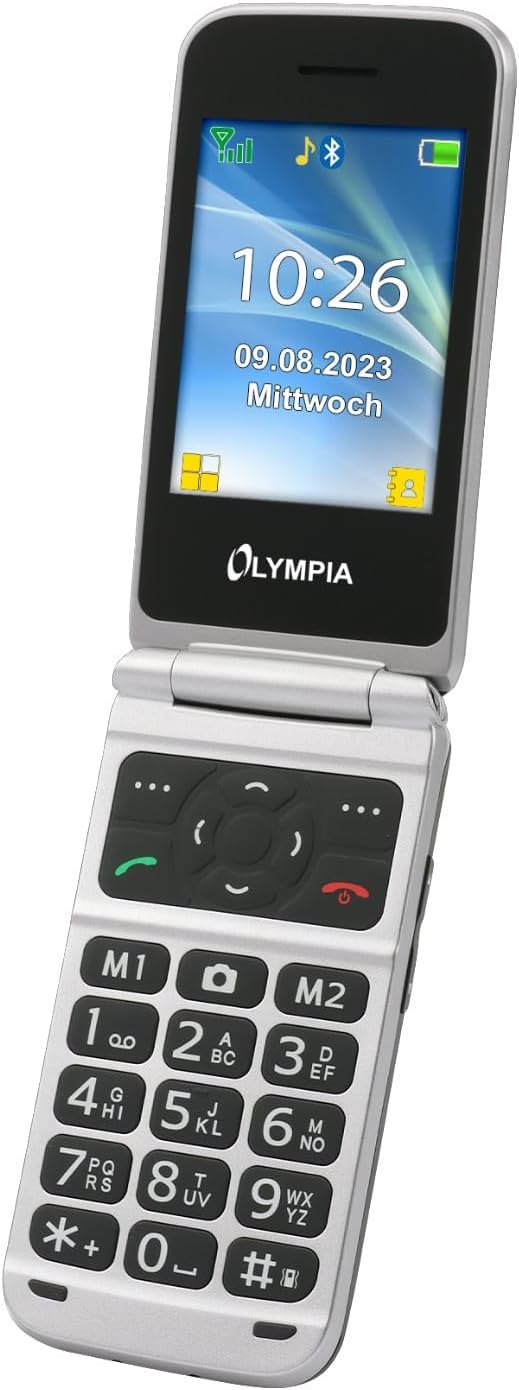
Imaj 4.2: Yon imaj detaye view of the Olympia Vitus 2G's keypad, emphasizing the large, well-spaced, and clearly labeled buttons for easy dialing and navigation.
4.1. Fè ak resevwa apèl
- To make a call: Dial the number using the large keypad and press the Rele button (green receiver icon).
- To answer a call: Press the Rele bouton an lè telefòn nan sonnen.
- Pou fini yon apèl: Peze bouton an Fini apèl button (red receiver icon).
4.2. Emergency Call Button (SOS Function)
The Vitus 2G features a dedicated SOS button for emergencies. When activated, it can trigger an SOS sound alarm, send SOS SMS messages, and initiate calls to pre-programmed emergency contacts.

Imaj 4.3: Dèyè a view of the Olympia Vitus 2G, clearly showing the prominent red SOS emergency call button.
- Pou aktive: Peze epi kenbe bouton an bouton SOS on the back of the phone for a few seconds.
- Ensure emergency contacts are set up in the phone's settings for this feature to function correctly.
4.3. Speed Dial and Direct Dial Buttons
The phone supports image speed dialing and includes two direct dial buttons (M1, M2) for quick access to important contacts.
- To set up: Refer to the phone's menu for "Speed Dial" or "Direct Dial" settings to assign contacts to M1, M2, or other number keys.
- To use: Simply press the assigned M1 or M2 button, or hold down a number key for speed dial.
4.4. Multimedia and Extra Features
Your Vitus 2G phone includes several useful features:
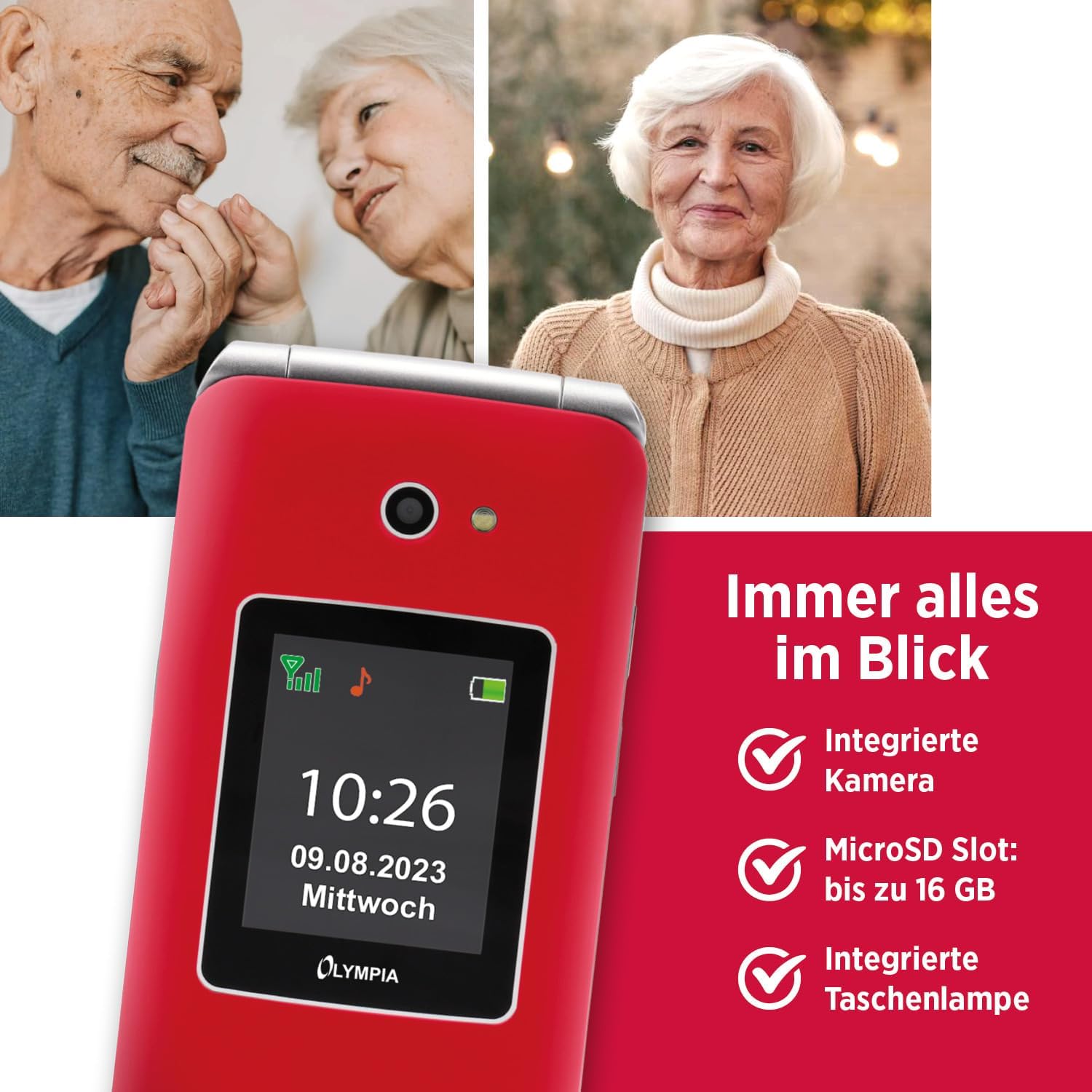
Image 4.4: The Olympia Vitus 2G phone, showcasing its integrated camera, microSD card slot for expandable storage, and built-in torch.
- Kamera: Capture photos using the integrated camera. Access it via the main menu.
- Radyo FM: Listen to your favorite radio stations. Headphones may be required for optimal reception.
- Torch: Activate the built-in torch for illumination in dark environments.
- Plas MicroSD: Expand storage up to 16GB for photos, music, and other files.
- Calendar, Calculator, Alarm Clock: Access these utility functions from the main menu.
- Bluetooth: Connect wirelessly to compatible devices such as headsets or other phones.
4.5. Hearing Aid Compatibility (HAC)
The Olympia Vitus 2G is designed to be compatible with hearing aids, reducing interference and improving call clarity for users with hearing devices.

Image 4.5: The Olympia Vitus 2G phone in its closed state, featuring the Hearing Aid Compatible (HAC) logo, indicating its suitability for users with hearing aids.
- When using a hearing aid, position the phone near your hearing aid to find the optimal listening position.
- Adjust the volume on both your phone and hearing aid for the best experience.
5. Antretyen
5.1. Netwaye Telefòn Ou
- Sèvi ak yon twal mou, sèk, epi ki pa gen pousyè pou netwaye deyò telefòn nan.
- Pa sèvi ak pwodui chimik piman bouk, solvang netwayaj, oswa detèjan fò.
- Evite ke imidite antre nan nenpòt ouvèti.
5.2. Swen batri
- Pou pwolonje lavi batri a, evite dechaje batri a nèt souvan.
- Charge the phone regularly, especially when the low battery notification appears.
- Sere telefòn nan nan yon kote ki fre epi sèk lè w pa itilize li pou yon bon bout tan.
5.3. Mizajou lojisyèl
Periodically check for software updates in the phone's settings menu. Updates can improve performance, add new features, and enhance security.
NAN. Depanaj
| Pwoblèm | Solisyon posib |
|---|---|
| Telefòn nan pa limen | Ensure the battery is correctly installed and charged. Connect to charger and try again. |
| M pa ka fè/resevwa apèl | Check SIM card installation. Ensure you have network signal. Contact your service provider. |
| Kalite apèl pòv | Move to an area with better network reception. If using a hearing aid, adjust phone position. |
| Batri vide byen vit | Diminye klète ekran an. Fèmen aplikasyon ki pa itilize yo. Limite itilizasyon done an aryè plan. |
| Bouton SOS la pa fonksyone | Ensure emergency contacts are correctly set up in the phone's settings. |
7. Espesifikasyon
The following are the technical specifications for the Olympia Vitus 2G Senior Mobile Phone:

Imaj 7.1: Yon anlèview of the Olympia Vitus 2G's key features and specifications, including its SOS button, USB-C, FM Radio, Bluetooth, and battery life.
- Non modèl: VITUS 2G
- Nimewo Modèl Atik: 2225
- Mak: OLYMPIA
- Sistèm operasyon: KaiOS
- Modèl CPU: Snapdragon
- Ekspozisyon: 1.7 inches (outer), 2.88 inches (inner)
- Rezolisyon: 240 x 320 piksèl
- Konpayi asirans san fil: Degaje pou tout konpayi asirans yo
- Teknoloji selilè: 2G
- Koneksyon Teknoloji: USB-C, Bluetooth
- Koulè: Red (other colors may be available)
- Tan sibstiti pou batri: Jiska 240 èdtan
- Tan Batri Pale: Jiska 3.5 èdtan
- MicroSD Support: Jiska 16 GB
- Dimansyon (LxHxP): 56 x 19 x 106 mm (closed)
- Pwa: 115 g
8. Enfòmasyon sou Garanti
Your Olympia Vitus 2G Senior Mobile Phone comes with a standard manufacturer's warranty. Please refer to the warranty card included in your package for specific terms, conditions, and duration. Keep your proof of purchase for warranty claims.
9. Sipò pou Kliyan
For technical assistance, troubleshooting, or further inquiries regarding your Olympia Vitus 2G, please contact Olympia customer support. Contact details can typically be found on the manufacturer's websit la oubyen sou kat garanti a.
Tanpri sonje: Espesifikasyon ak karakteristik pwodwi yo ka chanje san avètisman alavans.


