1. Entwodiksyon
This manual provides detailed instructions for the installation, operation, and maintenance of your ANNKE AP-I91DG0102-V1 PoE Surveillance Camera. This camera offers advanced security features including 12MP UHD resolution, intelligent AI detection for people and vehicles, and versatile night vision capabilities. Please read this manual thoroughly before using the product to ensure proper setup and optimal performance.
2. Ki sa ki nan bwat la
Verifye ke tout konpozan yo prezan nan pake ou a:
- 1 x ANNKE PoE Camera
- 1 x kouvèti ki enpèmeyab
- 1 x Ethernet Cable (1 meter / 3.3 feet)
- 1 x manyèl itilizatè
- 1 x aliye sak plimen
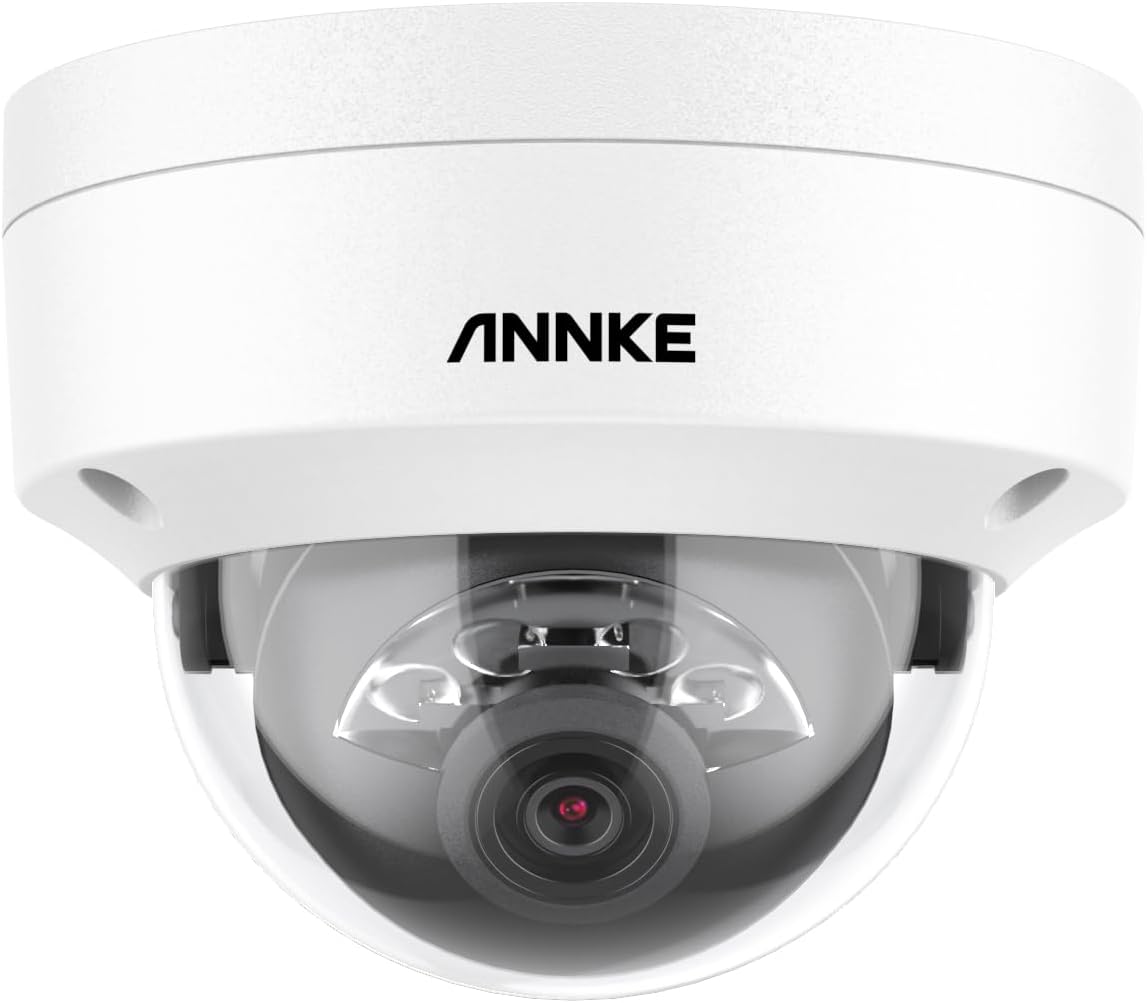
Image: ANNKE PoE Surveillance Camera (Dome Form Factor)

Image: ANNKE PoE Camera, a key component of the package.

Image: Included 1-meter Ethernet cable for connectivity.

Image: Waterproof lid for protecting cable connections.

Image: The user manual for detailed instructions.
3. Pwodwi souview
The ANNKE AP-I91DG0102-V1 is a robust PoE (Power over Ethernet) surveillance camera designed for both indoor and outdoor security. It features a durable plastic and metal construction with an IP67 water resistance rating, ensuring reliable operation in various environmental conditions.
Karakteristik kle:
- 12MP UHD Resolution: Captures ultra-high-definition video at 4096 x 3072 pixels, providing exceptional detail.
- Dual Light Night Vision: Offers both infrared (IR) night vision up to 100 feet and color night vision, which can be triggered by person/vehicle detection in low-light conditions (down to 0.005 lux).
- AI Person & Vehicle Detection: Advanced AI algorithms accurately distinguish between people and vehicles, significantly reducing false alarms.
- Mikwofòn entegre: Enables audio recording for comprehensive surveillance.
- H.265+ Video Encoding: Efficient compression technology to save storage space and bandwidth.
- IP67 Rezistan a move tan: Ki fèt pou reziste pousyè ak move tan.
- Depo fleksib: Supports local storage via a MicroSD card (up to 512GB, not included) and NVR (Network Video Recorder) storage.
- Smart Search & Playback: Quickly find important video clips and access the camera remotely via the ANNKE app.
Camera Components Diagram:
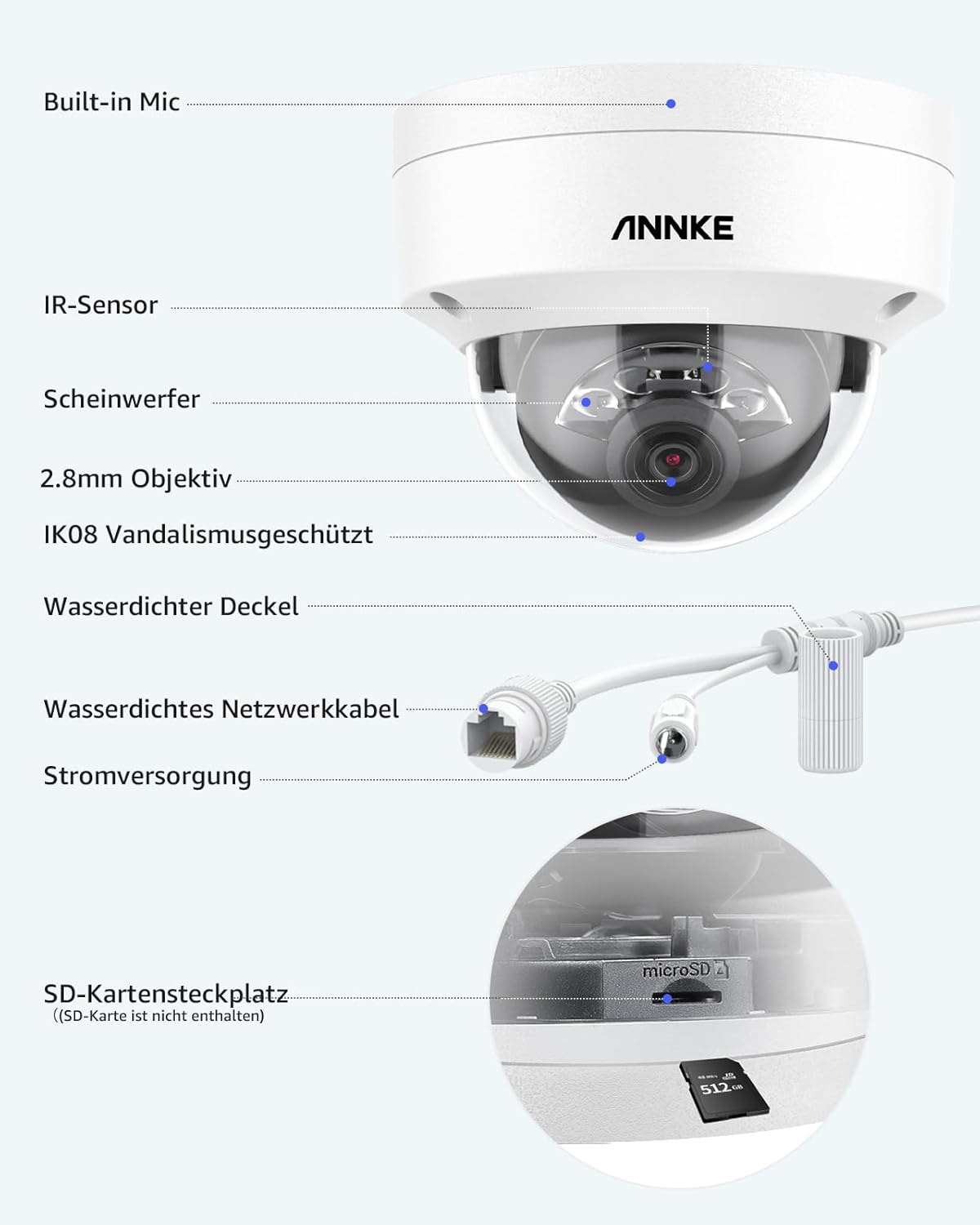
Image: Detailed diagram showing the camera's components, including the built-in mic, IR sensor, spotlight, 2.8mm lens, IK08 vandal-proof rating, waterproof lid, waterproof network cable, power supply, and SD card slot.
Karakteristik vizyèl:

Image: Banner highlighting the 12MP UHD resolution and Dual Light capabilities of the security IP camera.

Image: A backyard scene demonstrating the 12MP (4096x3072) Ultra HD resolution.

Image: Illustration of the three night vision modes: 100ft Color Night Vision, 100ft IR Night Vision, and AI-triggered Color Mode for person/vehicle detection.

Image: Demonstrates AI detection of a person and a vehicle, showing how false alarms are reduced.

Image: Illustrates the privacy masking feature, allowing users to block out private areas from surveillance.

Image: Comparison showing H.265+ video encoding uses significantly less storage space than H.264.
4. Enstalasyon
4.1 Monte Kamera a
The ANNKE AP-I91DG0102-V1 camera supports wall mounting. Use the included screw bag for secure installation. Ensure the mounting surface is strong enough to support the camera's weight.
- Choose a suitable location for optimal surveillance coverage, considering the camera's 100-foot night vision range.
- Make pwen perçage yo lè l sèvi avèk baz kamera a kòm modèl.
- Fè twou gid epi mete lank miray si sa nesesè.
- Fikse baz kamera a sou miray la avèk vis yo bay yo.
- Ajiste ang kamera a jan sa nesesè.
4.2 Connecting the Camera (PoE)
This is a Power over Ethernet (PoE) camera, meaning both power and data are transmitted through a single Ethernet cable.
- Connect one end of the included Ethernet cable to the camera's network port.
- Attach the waterproof lid to protect the Ethernet connection from environmental elements.
- Connect the other end of the Ethernet cable to a PoE-enabled NVR, PoE switch, or PoE injector.
- Ensure your NVR or network device is powered on. The camera will power up automatically.
Note: While the product specifications mention Wi-Fi as a wireless communication technology, this camera primarily uses wired PoE for reliable power and data transmission. Wi-Fi might be for app connectivity or specific models, but for this PoE model, a wired connection is standard.
5. Itilizasyon Kamera a
5.1 Initial Configuration and App Access
To access and configure your camera, download the ANNKE app on your smartphone or tablet. Follow the in-app instructions to add your camera to your account. This will allow for remote viewing, playback, and settings adjustments.
5.2 Mòd Vizyon Lannwit
The camera offers flexible night vision options:
- Vizyon lannwit enfrawouj (IR): Provides clear black and white images in complete darkness up to 100 feet.
- Vizyon lannwit koulè: Achieves color images in very low light conditions (above 0.005 lux).
- AI-Triggered Color Night Vision: When a person or vehicle is detected in standard IR night vision mode, the camera can automatically switch to color mode to capture more detail.
You can switch between these modes via the ANNKE app or NVR interface.
5.3 AI Person and Vehicle Detection
The camera's advanced AI detection minimizes false alarms by accurately identifying people and vehicles. When an event is detected, you will receive notifications through the ANNKE app.
- Configure detection zones and sensitivity settings within the ANNKE app or NVR.
- Set up notification preferences to receive alerts for specific events.
5.4 Rechèch ak Lektur Entelijan
The smart search feature allows you to quickly locate specific events in your recorded footage.
- Access the playback function through the ANNKE app or your connected NVR.
- Filter recordings by event type (e.g., person detection, motion detection) or time to find relevant clips efficiently.
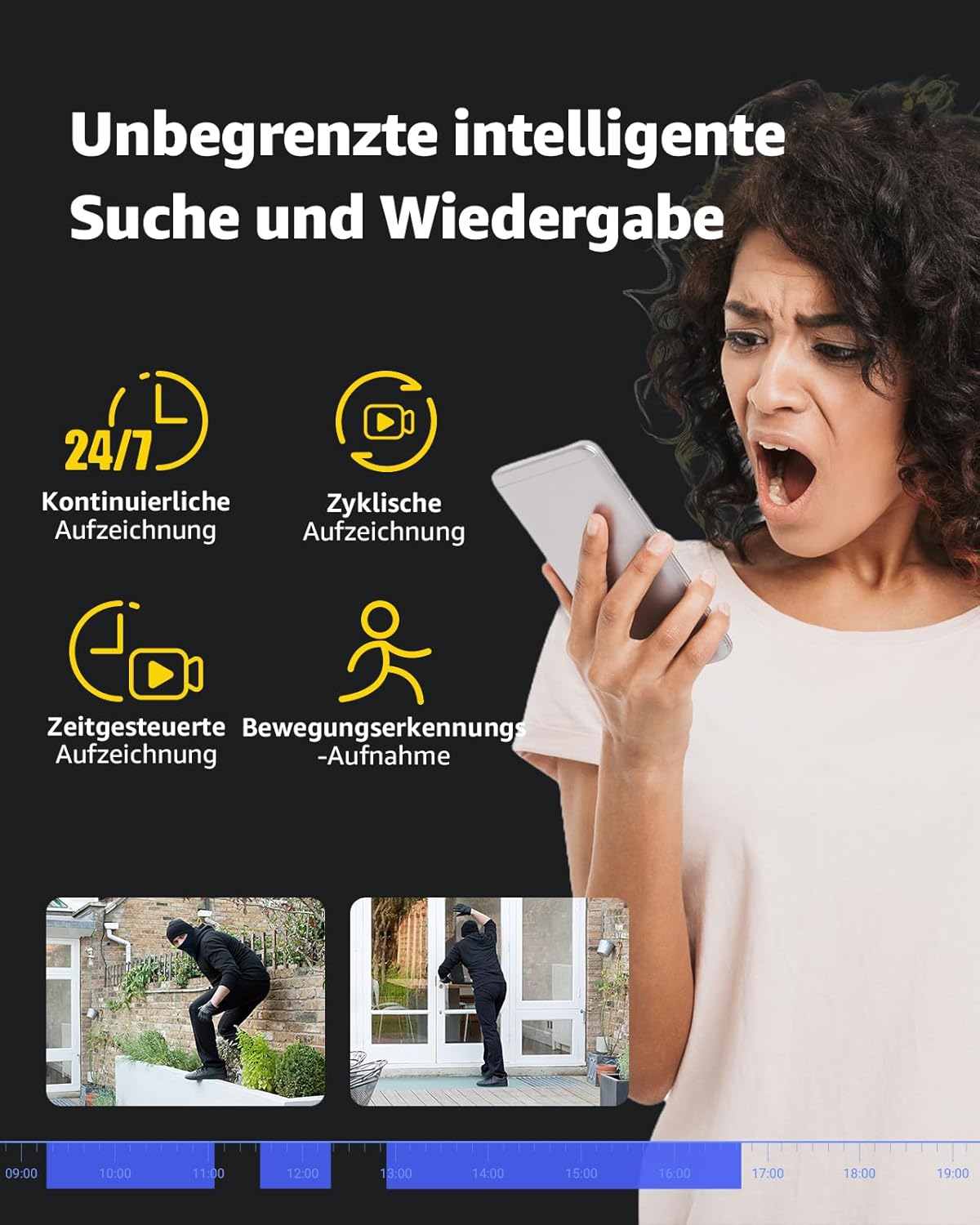
Image: Interface demonstrating smart search and playback features, including continuous, cyclic, timed, and motion-triggered recording options.
5.5 Opsyon Depo
The camera supports two primary storage methods:
- Kat MicroSD: Insert a MicroSD card (up to 512GB, not included) into the camera's dedicated slot for local storage. The camera supports automatic overwriting of old footage lè kat la plen.
- Depo NVR: For extended recording and multi-camera setups, connect the camera to an ANNKE NVR. This allows for centralized management and storage.
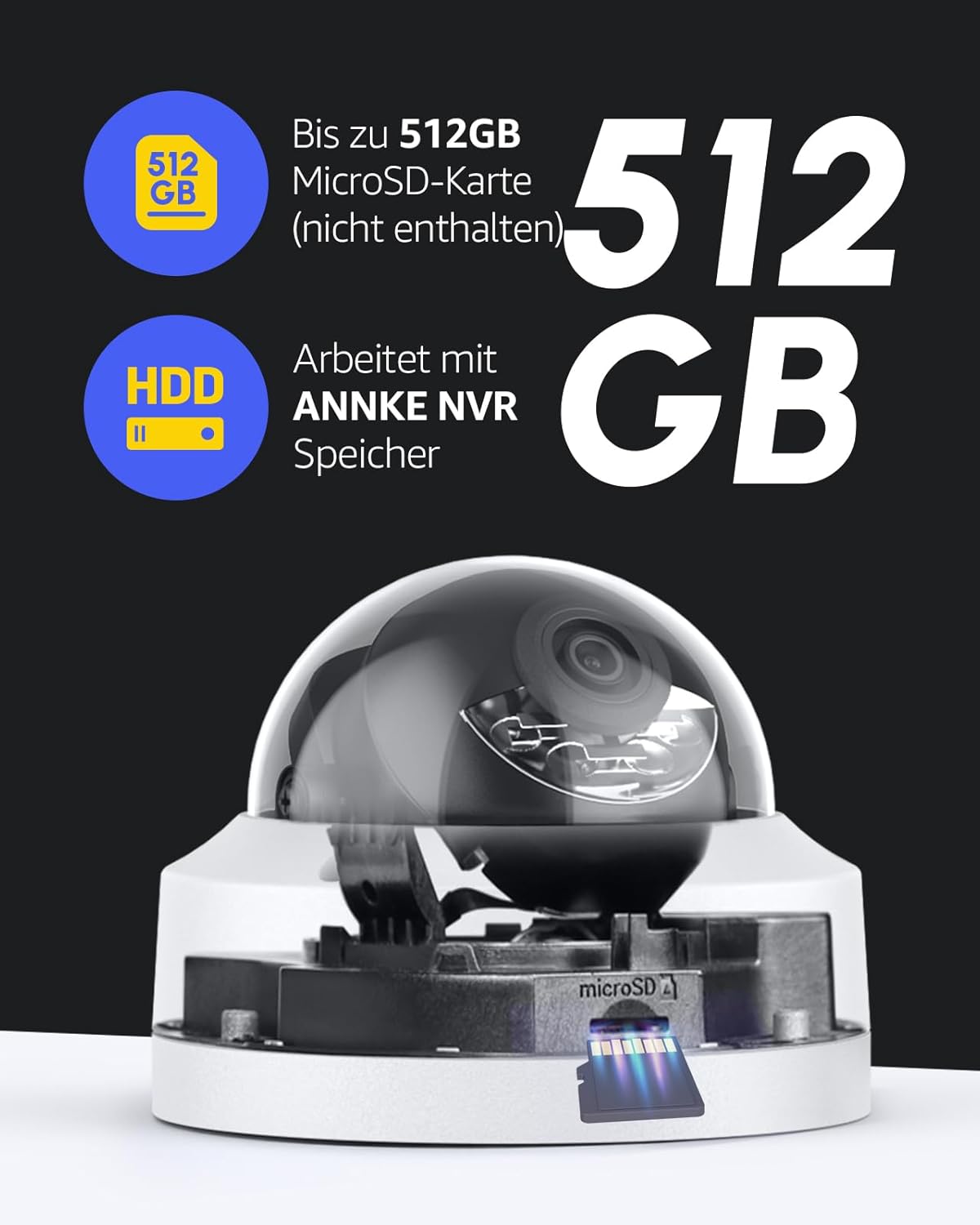
Image: Visual representation of MicroSD card storage (up to 512GB) and compatibility with ANNKE NVR systems.
6. Antretyen
Antretyen regilye asire lonjevite ak pèfòmans optimal kamera ou a.
- Netwayaj: Siye lantiy kamera a ak kò a dousman avèk yon twal mou,amp cloth. Avoid using harsh chemicals or abrasive materials that could scratch the lens or housing.
- Mizajou mikrolojisyèl: Periodically check for firmware updates through the ANNKE app or official websit la pou asire kamera ou a gen dènye karakteristik ak patch sekirite yo.
- Enspeksyon kab: Regularly inspect the Ethernet cable and connections for any signs of wear or damage, especially if installed outdoors. Ensure the waterproof lid is securely in place.
- Jesyon Depo: If using a MicroSD card, periodically review footage and ensure sufficient space is available, or verify that the auto-overwrite function is working as intended.
NAN. Depanaj
This section addresses common issues you might encounter with your ANNKE PoE camera.
7.1 No Power/No Image
- Tcheke koneksyon PoE a: Ensure the Ethernet cable is securely connected to both the camera and a PoE-enabled device (NVR, switch, injector).
- Verifye Sous PoE a: Confirm that your NVR, PoE switch, or injector is powered on and functioning correctly.
- Entegrite kab: Inspect the Ethernet cable for any damage. Try a different cable if available.
7.2 Cannot Access Camera via App
- Rezo Koneksyon: Ensure your smartphone/tablet has a stable internet connection.
- Estati Kamera: Verifye kamera a limen epi li konekte ak rezo a.
- Vèsyon App: Make sure your ANNKE app is updated to the latest version.
- Re-add Camera: If issues persist, try removing the camera from the app and re-adding it according to the initial setup instructions.
7.3 Fo Alam Souvan
- Ajiste sansiblite: Reduce the motion detection sensitivity in the ANNKE app or NVR settings.
- Configure Detection Zones: Define specific areas for detection and exclude irrelevant zones (e.g., public roads, swaying trees).
- AI Deteksyon: Ensure AI person/vehicle detection is enabled to filter out non-human/vehicle movements.
7.4 Poor Night Vision Quality
- Netwaye Lantiy: Asire w ke lantiy kamera a pwòp epi san pousyè oswa tach.
- Obstak: Check for any objects (e.g., spiderwebs, leaves) blocking the camera's view oubyen iluminatè IR.
- Kondisyon ekleraj: For color night vision, ensure there is some ambient light (above 0.005 lux). In complete darkness, IR night vision will be black and white.
7.5 Camera is Not 360° (Fixed Dome)
Please note that the ANNKE AP-I91DG0102-V1 is a fixed dome camera. It does not have pan, tilt, or zoom (PTZ) capabilities. The viewing angle is fixed once installed, though you can manually adjust its orientation during installation. If you require a camera with 360° rotation, this model is not suitable.
8. Espesifikasyon
| Non modèl | AP-I91DG0102-V1 |
| Rezolisyon anrejistreman videyo | 12MP (4096 x 3072) |
| Rezolisyon Videyo efikas | 12 megapiksèl |
| To Frame | 15 ankadreman pou chak dezyèm |
| Vizyon lannwit Range | 100 pye |
| Koneksyon Teknoloji | Filaire (PoE) |
| Pwotokòl Koneksyon | ONVIF |
| Sous pouvwa | Power Cable (PoE) |
| Voltage | 6 Volts |
| Konsomasyon pouvwa | 12 Watts |
| Andedan kay la / Deyò Itilizasyon | Deyò |
| Nivo rezistans dlo | IP67 (Impermeable) |
| Faktè fòm | Dome |
| Materyèl | Plastik ak metal |
| Dimansyon atik (L x W x H) | 15 x 14 x 15 cm (5.9 x 5.5 x 5.9 pous) |
| Pwa | 500 gram (1.1 liv) |
| Karakteristik espesyal | Night vision, H.265+ video encoding, Person detection, Vehicle detection, Siren alarm, Audio recording, Auto-overwrite, Motion detector |
| Sipò pou Depo | MicroSD card (up to 512GB, not included), NVR |
| Aparèy konpatib | TVs, Cameras, Laptops, Personal Computers, Smartphones, Tablets |
9. Garanti ak sipò
For warranty information and technical support, please refer to the official ANNKE website or contact their customer service directly. Details regarding product registration, warranty claims, and support resources can typically be found on the manufacturer's official support pages.
Manifakti: ANNKE
ASIN: B0CQS4G99X


