1. Entwodiksyon
This manual provides essential information for the safe and efficient operation of your GOBOULT Drift+ Smart Watch. Please read it thoroughly before using the device to ensure proper functionality and to understand all features. The GOBOULT Drift+ Smart Watch features a 1.85-inch HD display, Bluetooth calling capabilities, comprehensive health monitoring, and multiple sports modes.

Image 1.1: GOBOULT Drift+ Smart Watch overview.

Image 1.2: Key features of the GOBOULT Drift+ Smart Watch.
2. Ki sa ki nan bwat la
Upon opening your GOBOULT Drift+ Smart Watch package, please verify that all the following items are included:
- GOBOULT Drift+ Smart Watch
- Chaje kab
- Manyèl Itilizatè (dokiman sa a)
- Kat Garanti
3. Enstalasyon
3.1. Chaje Aparèy la
Before initial use, fully charge your GOBOULT Drift+ Smart Watch. Connect the provided charging cable to the charging port on the back of the watch and a standard USB power adapter (not included). The watch typically takes approximately 2.5 hours to fully charge.
3.2. Enstalasyon ak koneksyon aplikasyon an
To unlock the full potential of your smart watch, download and install the companion application on your smartphone. The app is compatible with both iOS and Android operating systems.
- Scan the QR code in the quick start guide or search for the official GOBOULT app in your smartphone's app store (Google Play Store for Android, Apple App Store for iOS).
- Install the application and create an account or log in.
- Asire w ke Bluetooth aktive sou smartphone ou.
- Open the GOBOULT app, navigate to the device pairing section, and select your Drift+ Smart Watch from the list of available devices.
- Follow the on-screen prompts on both your watch and smartphone to complete the pairing process.
4. Kijan pou w itilize mont entelijan w lan
4.1. Ekspozisyon ak Navigasyon
The GOBOULT Drift+ features a 1.85-inch HD display with 500 nits brightness, ensuring clear visibility even in bright outdoor conditions. Navigate through menus and functions by swiping across the touchscreen and using the physical button on the side.
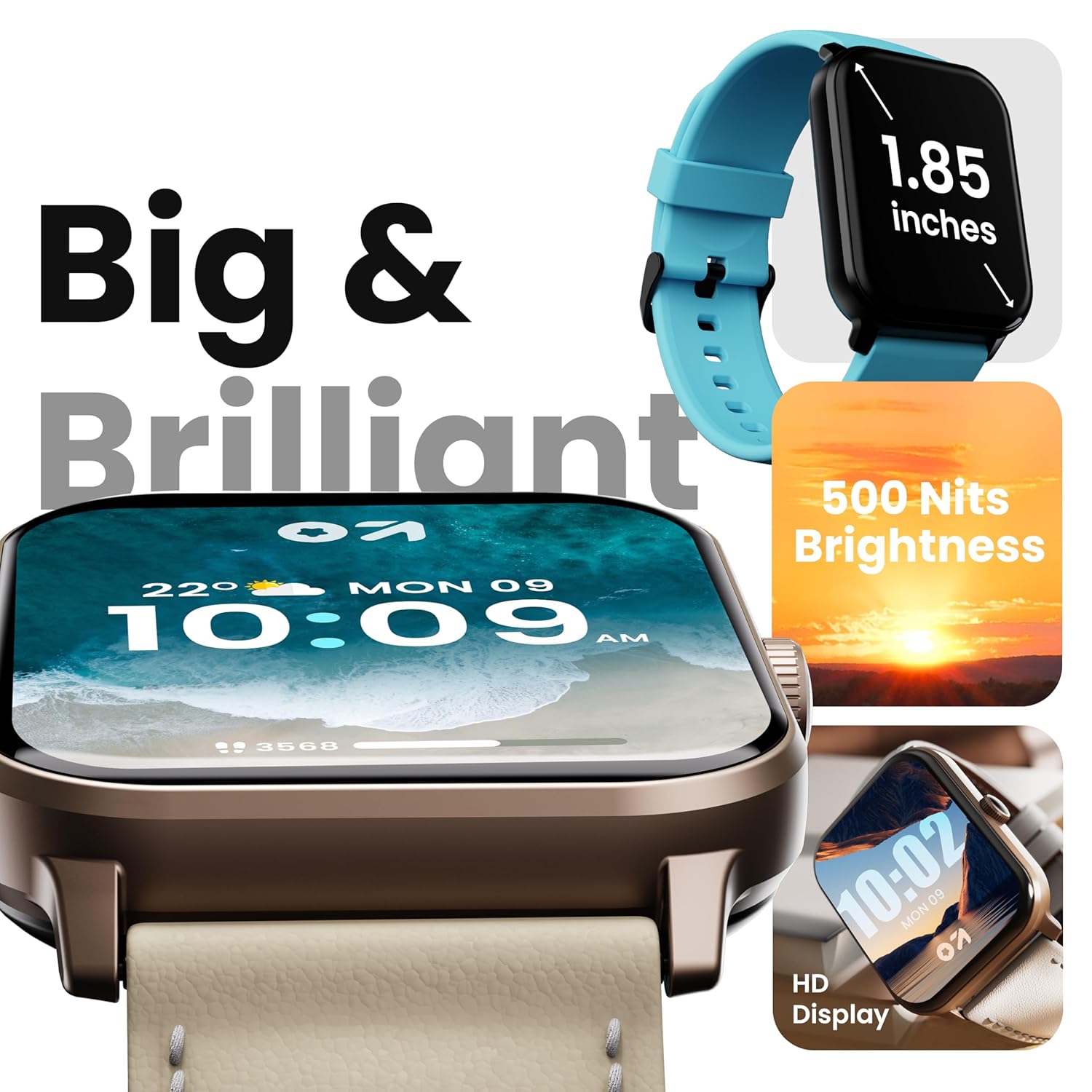
Image 4.1: High-definition display of the Drift+ Smart Watch.
4.2. Apèl Bluetooth
The smart watch supports seamless Bluetooth calling with a built-in speaker and microphone. Once paired with your smartphone, you can answer, reject, or make calls directly from your wrist.
- Reponn apèl: Lè w resevwa yon apèl, tape ikòn vèt la sou ekran mont lan.
- Fè apèl: Jwenn aksè nan klavye nimewo a oswa lis kontak la atravè koòdone mont lan pou kòmanse yon apèl.

Image 4.2: Bluetooth calling feature in action.
4.3. Siveyans Sante
The Drift+ Smart Watch provides comprehensive health insights through various sensors:
- Siveyans batman kè 24/7: Li kontwole batman kè w san rete pandan tout jounen an.
- SpO2 Blood Oxygen Tracking: Mezire nivo saturation oksijèn nan san an.
- Siveyans tansyon: Bay estimasyon tansyon.
- Suivi Sik Règ Fi: Ede swiv epi predi sik règ yo.
- Rapèl pou bwè dlo: Li ankouraje w rete idrate.
- Rapèl sedantèr: Encourages movement after periods of inactivity.
Note: Health monitoring data is for reference only and should not be used for medical diagnosis or treatment. Consult a medical professional for health-related concerns.

Image 4.3: Health monitoring features.
4.4. Mòd Espò
The watch offers over 100 sports modes to track various physical activities. Select your desired sport from the watch menu to record data such as steps, distance, calories burned, and duration.

Image 4.4: Tracking activity with sports modes.
4.5. Watch Faces and Customization
Personalize your watch with over 150 cloud-based watch faces. You can also create custom watch faces through the companion app to match your style.

Image 4.5: Watch face customization options.
4.6. Smart Notifications and AI Voice Assistant
Receive notifications from your favorite social applications and messages directly on your watch. The integrated AI voice assistant provides hands-free assistance for various tasks.
5. Antretyen
5.1. Rezistans dlo (IP68)
The GOBOULT Drift+ Smart Watch is IP68 water-resistant, meaning it is protected against dust and can withstand immersion in water up to 1.5 meters for up to 30 minutes. It is suitable for daily use, such as hand washing or light rain exposure. Avoid using it during swimming, diving, or in hot water/steam environments.

Image 5.1: IP68 water resistance.
5.2. Netwayaj ak Swen
Pou kenbe aparans ak fonksyonalite mont ou a:
- Siye mont lan ak braslè a regilyèman avèk yon twal mou epi sèk.
- Si sa nesesè, sèvi ak yon ti kras damp twal pou netwaye, apresa seche byen.
- Evite itilize pwodui chimik ki fò, pwodui netwayaj abrazif, oswa solvan.
- Kenbe kontak chaje yo pwòp epi sèk.
5.3. Jesyon batri
The GOBOULT Drift+ offers extended battery life:
- Up to 7 days in regular usage mode.
- Up to 2-3 days with heavy Bluetooth calling.
- Up to 25 days in standby mode.
To optimize battery life, consider adjusting screen brightness, limiting background app refresh, and disabling unnecessary notifications.

Image 5.2: Battery life details.
NAN. Depanaj
If you encounter issues with your GOBOULT Drift+ Smart Watch, refer to the following common solutions:
| Pwoblèm | Solisyon posib |
|---|---|
| Gade pa limen | Asire w ke mont lan chaje nèt. Konekte l nan plato a pou omwen 30 minit. |
| Pa ka konekte ak smartphone la | Ensure Bluetooth is enabled on your phone and watch. Restart both devices. Make sure the watch is within range of your phone. Check if the app is updated. |
| Done sante ki pa egzak | Asire w ke mont lan byen sere sou ponyèt ou, ni twò sere ni twò lach. Netwaye detèktè ki dèyè mont lan. Evite twòp mouvman pandan w ap mezire. |
| Notifikasyon pa resevwa | Check app permissions on your phone to ensure notifications are allowed. Verify that notifications are enabled within the GOBOULT app settings. Ensure the watch is connected via Bluetooth. |
| Bluetooth calling issues | Ensure the watch is properly connected for calls (sometimes a separate Bluetooth connection is needed for audio). Check volume settings on both watch and phone. |
7. Espesifikasyon
| Karakteristik | Detay |
|---|---|
| Mak | GOBOULT |
| Non modèl | Drift+ |
| Nimewo Modèl Atik | 8906133851347 |
| Gwosè ekspozisyon | 1.85 pous |
| Klète | 500 Nit |
| Rezistans dlo | IP68 |
| Koneksyon | Bluetooth 5.1 |
| Sistèm operasyon konpatibilite | iOS, andwad |
| Kalite batri | Lityòm Polymère |
| Tan chaj batri | 2.5 èdtan |
| Mwayèn lavi batri | 7 Days (normal usage) |
| Pwa atik | 38 g |
| Konpozan ki enkli | Mont entelijan, kab chaje, manyèl itilizatè, kat garanti |
8. Garanti ak sipò
Your GOBOULT Drift+ Smart Watch comes with a standard manufacturer's warranty. Please refer to the included Warranty Card for specific terms, conditions, and duration of coverage. For technical support, service, or warranty claims, please contact GOBOULT customer service through the contact information provided on the warranty card or the official GOBOULT websit.
Manufacturer: Exotic Mile Private Limited, Boult Audio, B-67 Wazirpur Industrial Area, New Delhi 110052


