1. Entwodiksyon
The MorePro Fitness Tracker (Model M-HM08) is a versatile smartwatch designed to help you monitor your health and fitness activities. It features a 1.47-inch HD color display and offers comprehensive tracking for heart rate, blood pressure, blood oxygen, sleep, and various sports modes. This manual provides detailed instructions to help you get the most out of your device.

Image: MorePro Fitness Tracker with customizable watch faces and a 1.47-inch HD color display.
2. Enstalasyon
2.1. Debale ak Konpozan
Anvan ou kòmanse, asire w ke tout konpozan yo prezan nan pake a:
- MorePro Fitness Tracker (M-HM08)
- Gade Gwoup Mizik
- Mayetik USB Chaje Kab
- Manyèl Itilizatè (dokiman sa a)
2.2. Chaje Aparèy la
To charge your fitness tracker:
- Connect the magnetic end of the USB charging cable to the charging points on the back of the watch. Ensure the pins align correctly.
- Branche bout USB kab la nan yon adaptè kouran USB estanda (5V/1A rekòmande) oubyen nan yon pò USB òdinatè.
- The watch screen will display a charging indicator. A full charge typically takes about 2 hours and provides up to 10 days of standby time.

Image: The MorePro Fitness Tracker connected to its magnetic charging cable, illustrating the charging process and highlighting its 10-day standby mode.
2.3. Installing the Watch Band
The watch band is designed for easy installation:
- Locate the spring bars on the watch band.
- Align one end of the spring bar with the lug hole on the watch case.
- Push the spring bar inwards and slide the other end into the corresponding lug hole on the opposite side.
- Release the spring bar to secure the band. Gently pull on the band to ensure it is firmly attached.
Video: Official MorePro guide demonstrating how to install the watch band on the HM08 fitness tracker, showing the process of attaching the strap to the watch body.
2.4. Connecting to the App (FitCloudPro)
To unlock the full potential of your MorePro Fitness Tracker, connect it to the FitCloudPro app:
- Download the 'FitCloudPro' app from your smartphone's app store (available on iOS and Android).
- Asire w ke Bluetooth aktive sou smartphone ou.
- Open the FitCloudPro app and follow the on-screen instructions to create an account and set up your personal profile.
- In the app, navigate to the 'Device' section and select 'Bind Bracelet' or 'Add Device'.
- The app will search for nearby devices. Select 'HM08' or the corresponding device name from the list to pair.
- Konfime demann koneksyon an sou telefòn ou ak sou mont ou si yo mande w la.
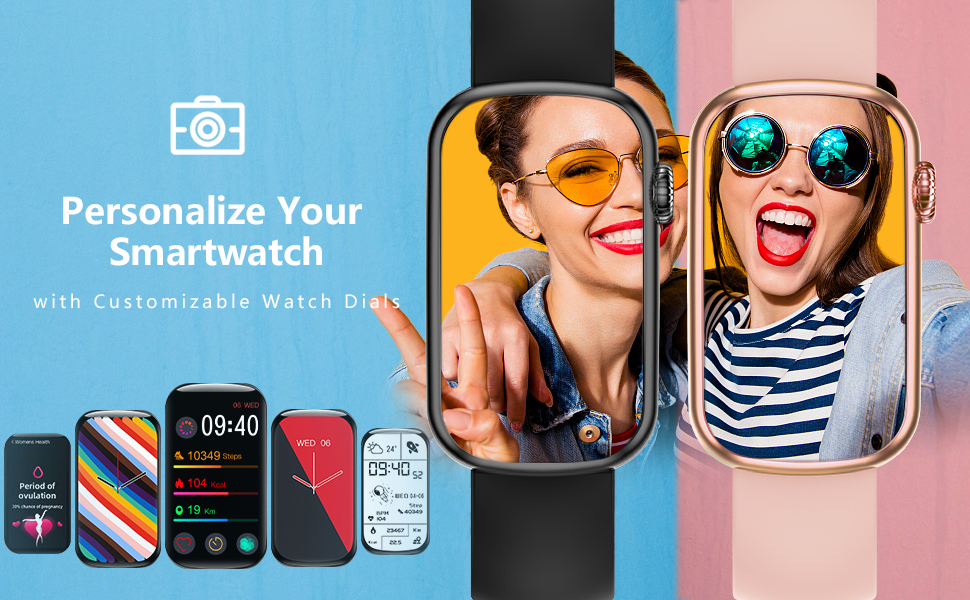
Image: The FitCloudPro app interface, showcasing practical tools like music control, water reminder, calorie tracking, camera control, alarm clock, pedometer, weather, and find phone features.
Video: Official MorePro tutorial on how to connect the HM08 fitness tracker to a smartphone using the FitCloudPro app, demonstrating the pairing process.
3. Opere Aparèy la
3.1. Navigasyon debaz
The MorePro Fitness Tracker features a responsive touchscreen and a side button for navigation:
- Ekran tactile: Swipe left/right or up/down to navigate through different menus and features. Tap to select an option.
- Bouton bò: Press the side button to return to the previous screen or the main watch face. Long-press to power on/off the device.

Image: The MorePro Fitness Tracker displaying its main screen with time, steps, calories, and distance, showcasing konsepsyon elegant li yo.
3.2. Monitoring Health Metrics
Your fitness tracker can monitor several key health indicators:
- Batman kè (HR): Access the HR interface on the watch to measure your real-time heart rate. For continuous monitoring, enable the feature in the FitCloudPro app.
- Blood Pressure (BP): Navigate to the BP interface to take a blood pressure reading. Ensure the watch is worn correctly on your wrist for accurate results.
- Oksijèn nan san (SpO2): Select the SpO2 function to measure your blood oxygen saturation level.
- Suivi dòmi: The device automatically tracks your sleep patterns, including deep sleep, light sleep, and awake times. View detailed sleep data in the FitCloudPro app.

Image: Visual representation of the watch's health monitoring capabilities, including heart rate, blood pressure, blood oxygen, and sleep tracking, with corresponding app screens.

Image: A woman sleeping with the MorePro Fitness Tracker, highlighting its scientific sleep analysis function that differentiates between deep sleep, light sleep, and awake states.
Video: An official MorePro video showcasing the HM08 Fitness Tracker's capabilities, including heart rate monitoring, various sports modes, and overall health tracking.
Video: An official MorePro video demonstrating the activity and blood pressure tracking features of the fitness tracker, highlighting its health monitoring functions.
3.3. Suivi Aktivite
The tracker supports multiple sport modes and records your daily activity:
- Pa, Kalori, Distans: The watch automatically tracks your daily steps, estimated calories burned, and distance covered.
- Mòd espò: Select from various built-in sport modes (e.g., walking, running, cycling) to get more accurate data for specific activities.

Image: The MorePro Fitness Tracker highlighting its 7 common sport modes for activity tracking and its IP68 waterproof rating, suitable for various activities.

Image: The MorePro Fitness Tracker showing different sport modes available for tracking, including walking, running, cycling, and yoga, to help users monitor specific activities.
3.4. Smart Features
Enhance your daily routine with these smart functionalities:
- Rapèl pou apèl ak mesaj: Receive notifications for incoming calls, text messages, and app alerts directly on your watch. Manage notification settings in the FitCloudPro app.
- Kontwòl Mizik: Kontwole lèktur mizik sou smartphone ou dirèkteman nan mont ou.
- Tan: View real-time weather updates on your watch after syncing with the app.
- Jwenn telefòn: Use this feature on your watch to make your paired smartphone ring, helping you locate it quickly.
- Revèy Alam: Set alarms through the app, and your watch will vibrate to wake you up or remind you of tasks.
- Rapèl Bwè: Set reminders to ensure you stay hydrated throughout the day.
- Suivi Sik Menstruèl: Utilize the dedicated women's health feature to track and predict menstrual cycles.
- Montre figi personnalisable: Personalize your watch with a variety of pre-installed watch faces or create your own using the FitCloudPro app.
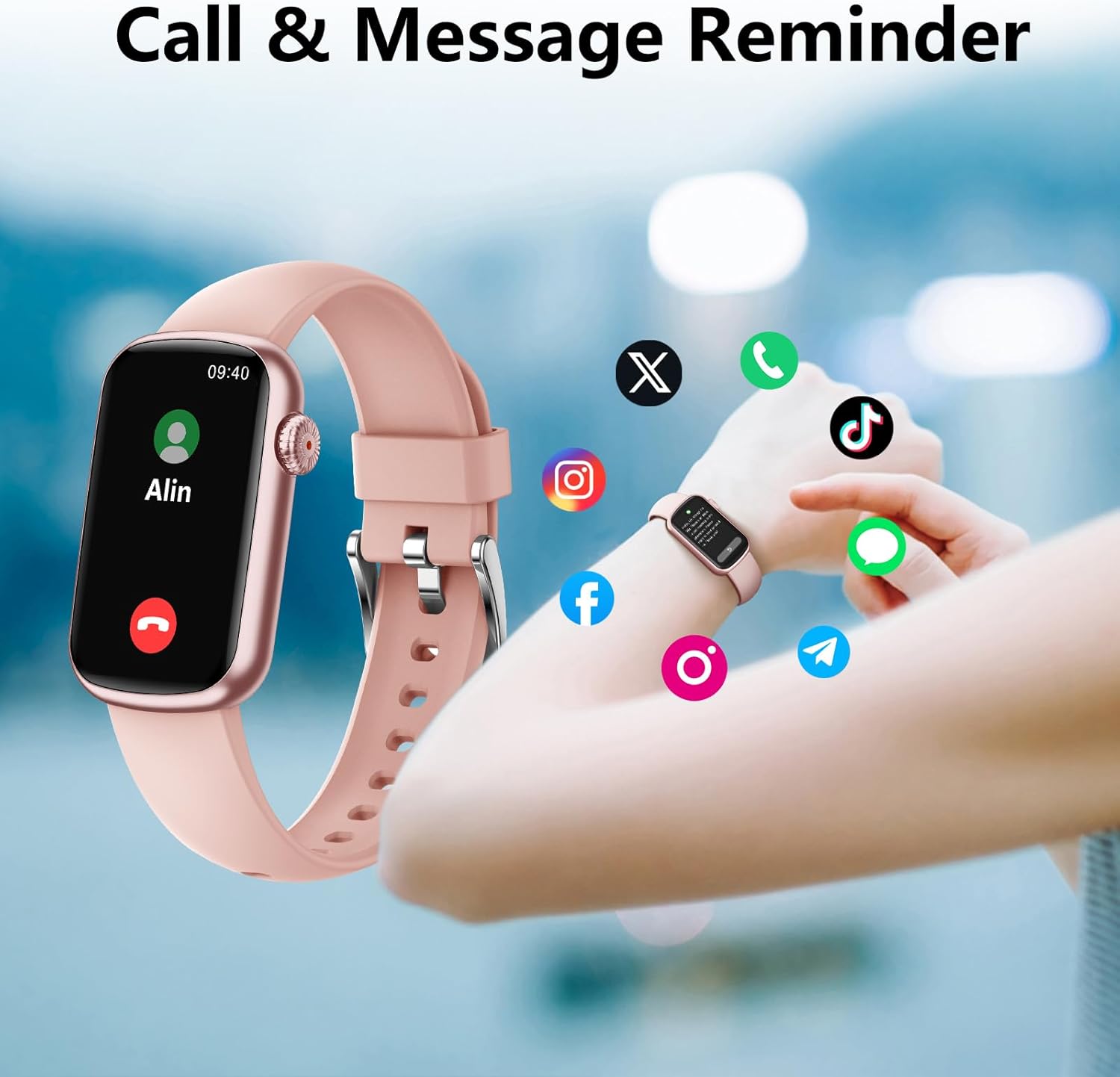
Image: The MorePro Fitness Tracker showing an incoming call notification and various social media app icons, illustrating its call and message reminder features.
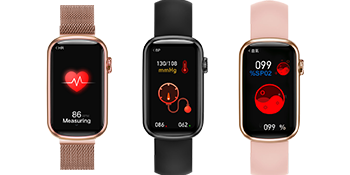
Image: The MorePro Fitness Tracker showing message notifications from popular social media and messaging applications, ensuring you stay connected.

Image: The MorePro Fitness Tracker displaying a menstrual cycle reminder, indicating its built-in features for women's health tracking.

Image: The MorePro Fitness Tracker showcasing its customizable watch faces and additional features like motion record, menstrual cycle tracking, music player, blood oxygen, weather, find phone, alarm clock, and drink reminder.
4. Antretyen
4.1. Netwaye Aparèy la
Pou kenbe pèfòmans ak ijyèn optimal:
- Wipe the watch screen and body regularly with a soft, lint-free cloth.
- Si sa nesesè, sèvi ak yon ti kras damp twal la avèk savon dou, apresa rense l epi seche l byen.
- Clean the charging contacts periodically to ensure proper connection.
4.2. Rezistans dlo (IP68)
The MorePro Fitness Tracker is IP68 waterproof, meaning it is resistant to dust and can withstand immersion in water up to 1.5 meters for 30 minutes. While it is suitable for daily use and light swimming, it is not recommended for hot showers, saunas, or diving, as steam and hot water can damage the seals.
Image: The MorePro Fitness Tracker highlighting its 7 common sport modes for activity tracking and its IP68 waterproof rating, suitable for various activities.
NAN. Depanaj
If you encounter any issues with your MorePro Fitness Tracker, try the following solutions:
| Pwoblèm | Solisyon posib |
|---|---|
| Aparèy pa limen | Ensure the device is fully charged. Connect to the magnetic charging cable and check for the charging indicator. |
| Pa kapab konekte ak aplikasyon an | Ensure Bluetooth is enabled on your phone. Restart both the watch and your phone. Make sure the app is updated to the latest version. Keep the watch close to your phone during pairing. |
| Lekti sante ki pa kòrèk | Ensure the watch is worn snugly on your wrist, about one finger's width from your wrist bone. Avoid excessive movement during measurements. |
| Notifikasyon pa resevwa | Check notification settings in the FitCloudPro app and your phone's system settings to ensure permissions are granted. Ensure the app is running in the background. |
| Kout lavi batri | Reduce screen brightness, disable continuous heart rate monitoring, and limit frequent notifications. |
For more detailed troubleshooting and FAQs, please refer to the FitCloudPro app's help section or the official MorePro support resources.
6. Espesifikasyon
| Karakteristik | Detay |
|---|---|
| Non modèl | M-HM08 |
| Gwosè ekran | 1.47 pous |
| Koneksyon Teknoloji | Bluetooth |
| Rezistans dlo | IP68 |
| Pwa atik | 30 gram |
| Materyèl | Rubber (Band) |
| Lavi batri (standby) | Jiska 10 jou |
| Karakteristik espesyal | Activity Tracker, Heart Rate Monitor, Blood Pressure, Blood Oxygen, Sleep Tracking, Call/Message Reminders, Menstrual Cycle Tracking |
7. Garanti ak sipò
7.1. Enfòmasyon sou Garanti
The MorePro Fitness Tracker (Model M-HM08) comes with a 1-year warranty from the date of purchase. This warranty covers manufacturing defects and issues arising from normal use. It does not cover damage caused by misuse, accidents, unauthorized repairs, or normal wear and tear.
7.2. Sipò pou Kliyan
For any questions, technical assistance, or warranty claims, please contact MorePro customer support through the following channels:
- Ofisyèl Websit: Visit the MorePro official websit pou resous sipò, FAQ, ak fòm kontak.
- Sipò Imèl: Gade anbalaj pwodwi ou a oswa enfòmasyon ofisyèl la. websit pou adrès imel sèvis kliyan an.
- Sipò nan aplikasyon an: The FitCloudPro app may offer a direct support or feedback option.
Ou kapab tou refere a Manyèl itilizatè (PDF) pou plis enfòmasyon.


