Enstriksyon Sekirite Enpòtan
Tanpri li epi konsève enstriksyon sekirite enpòtan sa yo anvan ou itilize vantilatè sa a. Si ou pa swiv enstriksyon sa yo, sa ka lakòz chòk elektrik, dife, oswa blesi pèsonèl grav.
- Always unplug the fan before cleaning, assembling, or disassembling parts.
- Pa opere okenn fanatik ki gen yon kòd oswa ploge ki domaje. Jete fanatik oswa retounen nan yon sant sèvis otorize pou egzamen ak/oswa reparasyon.
- Pa pase kòd anba tapi. Pa kouvri kòd la ak tapi jete, kourè, oswa kouvri menm jan an. Fè aranjman pou kòd lwen zòn trafik la ak kote li pa pral tonbe sou li.
- Pa mete dwèt ou oswa objè etranje antre nan okenn ouvèti vantilasyon oswa echapman paske sa ka lakòz yon chòk elektrik oswa dife, oswa domaje vantilatè a.
- Pa sèvi ak li deyò. Vantilatè sa a fèt pou itilizasyon andedan kay la sèlman.
- Mete vantilatè a sou yon sifas ki plat e ki estab pou anpeche li chavire.
- Kenbe timoun ak bèt kay lwen vantilatè a pandan l ap fonksyone.
Pwodwi souview
The PELONIS 16'' Oscillating Pedestal Standing Fan is designed to provide powerful and quiet air circulation for various indoor spaces. It features a durable AC motor, three-speed settings, 90° oscillation, adjustable height, and a convenient remote control with a timer function.
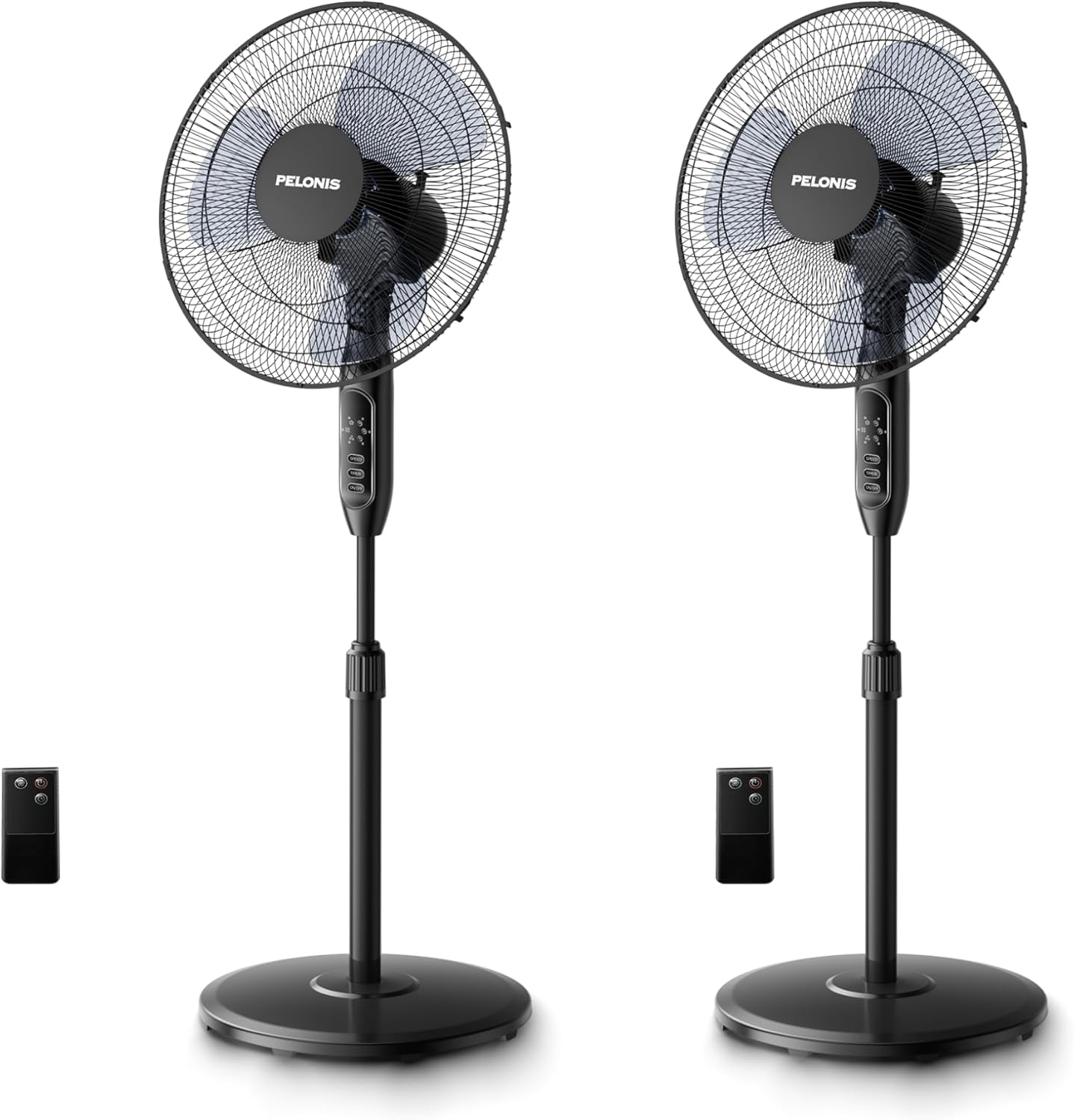
Image: Two PELONIS 16-inch oscillating pedestal fans, black in color, shown with their respective remote controls. The fans feature a round base, an adjustable pole, and a circular fan head with a protective grille.
Asanble ak Enstalasyon
Follow these steps to assemble your PELONIS Pedestal Fan:
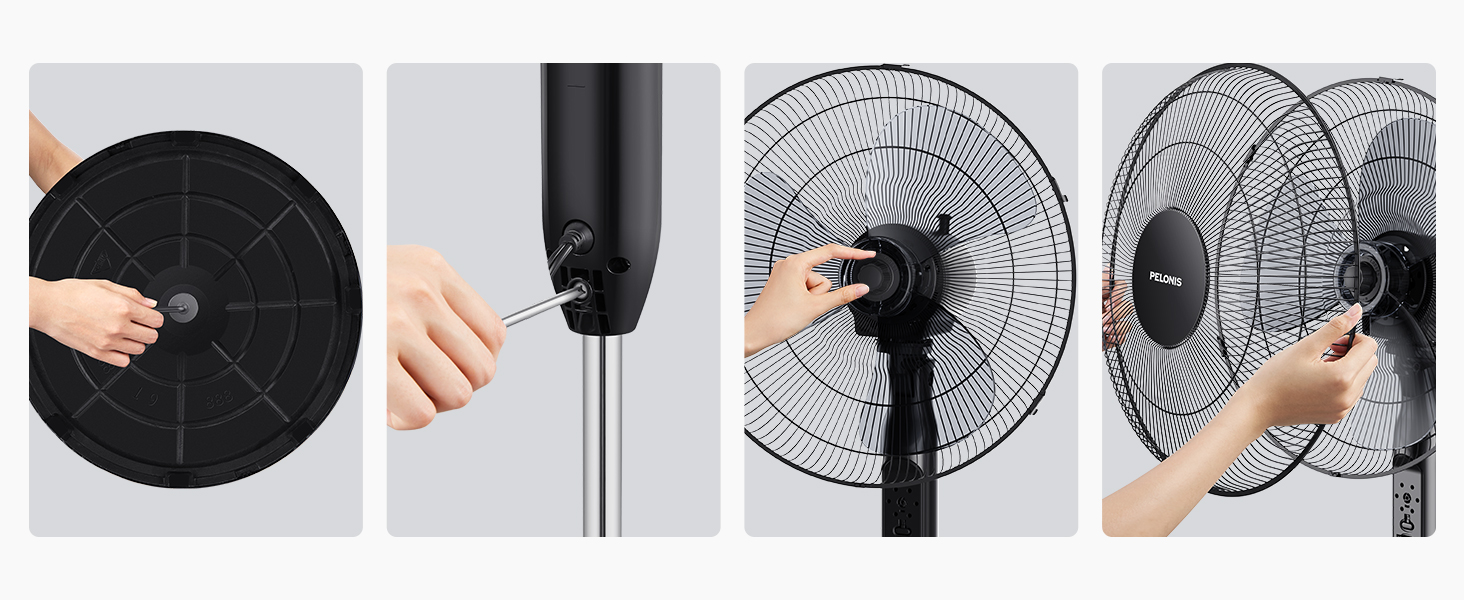
- Step 1: Attach the Base. Secure the fan pole to the round base using the provided screw and washer. Ensure it is firmly tightened for stability.

Image: A hand securing the fan pole into the circular base from underneath.
- Step 2: Connect the Pole to the Motor Housing. Insert the top part of the pole into the motor housing unit. Tighten the securing screw on the motor housing to fix it in place.
Image: A hand inserting the pole into the fan's main body and tightening a screw.
- Step 3: Install the Rear Grille. Place the rear grille onto the motor housing, aligning the notches. Secure it with the provided locking nut.
Image: A hand attaching the rear protective grille to the fan motor housing.
- Step 4: Attach the Fan Blades. Slide the fan blades onto the motor shaft, ensuring they are properly seated. Secure them with the blade cap.
Image: A hand securing the fan blades onto the motor shaft.
- Step 5: Install the Front Grille. Place the front grille over the rear grille, aligning the clips. Secure the two grilles together using the clips or screws provided.
Image: A hand attaching the front protective grille to the fan assembly.
- Step 6: Power Connection. Ploge fanatik la nan yon priz elektrik estanda.
Enstriksyon Operasyon
Your PELONIS Pedestal Fan can be operated using the control panel on the fan unit or the included remote control.
Fonksyon Panèl Kontwòl ak Kontwòl Remote:
Imaj: Yon imaj detaye view of the fan's control panel with buttons for Speed, Timer, and On/Off, alongside the remote control.
- Bouton ON/OFF: Peze pou limen oswa etenn fanatik la.
- Bouton SPEED: Press repeatedly to cycle through the three speed settings: Low, Medium, and High.
- Bouton TIMER: Press repeatedly to set the automatic shut-off timer for 1 hour, 2 hours, 4 hours, or a combined 7 hours.
- Osilasyon: The fan features a 90° wide-range oscillation. To activate or deactivate oscillation, press the dedicated oscillation button on the control panel (if available) or use the remote control.
- Wotè reglabl: Loosen the height-adjustable knob on the pole, adjust the fan to your desired height, and then tighten the knob securely.
- Enklinasyon reglabl: Manually adjust the fan head up or down to direct airflow.
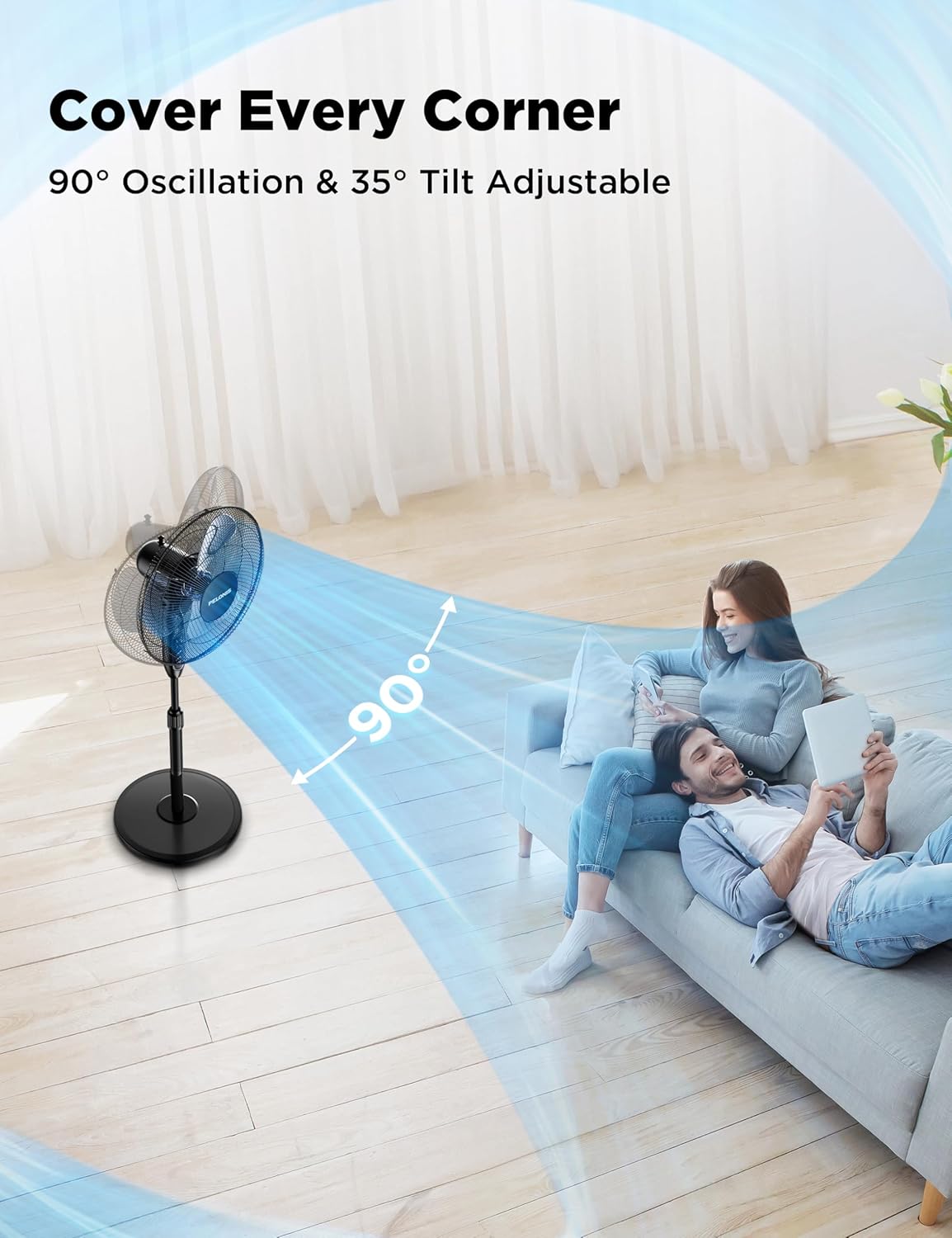
Image: A PELONIS fan illustrating its 90-degree horizontal oscillation and 35-degree vertical tilt capabilities, showing airflow covering a wide area.

Image: A PELONIS fan demonstrating its three adjustable speed settings, visually representing the airflow for Low, Medium, and High.
Antretyen
Antretyen regilye ede asire lonjevite ak pèfòmans optimal fanatik ou an.
- Netwayaj: Always unplug the fan from the power outlet before cleaning. Use a soft, damp cloth to wipe the exterior surfaces. Do not use abrasive cleaners or harsh chemicals, as they may damage the fan's finish.
- Netwayaj griyaj: The front and rear grilles can accumulate dust. Periodically remove the front grille (refer to assembly instructions in reverse) and gently wipe the blades and grilles with a soft cloth or use a vacuum cleaner with a brush attachment.
- Depo: Lè w pa itilize vantilatè a pou yon bon bout tan, sere l nan yon kote ki fre epi sèk, de preferans nan anbalaj orijinal li pou pwoteje l kont pousyè ak domaj.
Depanaj
If your fan is not operating correctly, please check the following common issues and solutions:
| Pwoblèm | Kòz posib | Solisyon |
|---|---|---|
| Vantilatè a pa limen. | No power supply; Fan not plugged in; Power outlet not working. | Ensure the fan is securely plugged into a working electrical outlet. Check the circuit breaker. |
| Sikilasyon lè a fèb oswa pa genyen. | Fan speed set too low; Obstruction in front/rear grille; Dirty blades. | Increase the fan speed setting. Remove any obstructions. Clean the fan blades and grilles. |
| Fan is noisy during operation. | Loose parts; Fan not on a stable surface; Obstruction. | Check that all assembly screws are tightened. Place the fan on a flat, stable surface. Ensure no objects are interfering with the blades. |
| Remote kontwòl pa travay. | Pil yo mouri oswa yo mal mete; Telekòmand lan pa pwente nan direksyon reseptè a. | Replace the batteries (2x AAA, not included). Ensure the remote is pointed directly at the fan's control panel. |
Espesifikasyon
| Karakteristik | Detay |
|---|---|
| Mak | PELONIS |
| Non modèl | PFS16R0APK2 |
| Dimansyon pwodwi | 17.9"D x 15"W x 48.4"H |
| Pwa atik | 28.1 liv |
| Koulè | Nwa |
| Sous pouvwa | AC |
| Kantite Nivo Pouvwa | 3 (Ba, Mwayen, Segondè) |
| Nivo bri | 45 dB |
| Karakteristik espesyal | Adjustable Height, Adjustable Tilt, Remote Controlled, Timer (7H) |
| Metòd kontwòl | Remote, Manual Buttons |
| Materyèl lam | Plastik |
| Itilizasyon Andedan kay la / Deyò | Andedan kay la |
| Konpozan ki enkli | Fil, Telekòmand |


