1. Entwodiksyon
Mèsi pou acha aasing the amazon basics 90W RMS 2.1 Channel Soundbar with Wired Subwoofer. This manual provides essential information for setting up, operating, and maintaining your new audio system. Please read it thoroughly before use and retain it for future reference.
2. Enfòmasyon sou Sekirite
- Pa ekspoze aparèy la anba lapli, imidite, oswa tanperati ekstrèm.
- Asire w ke ou gen bon vantilasyon toutotou ba son an ak subwoofer la.
- Pa bloke okenn ouvèti vantilasyon.
- Sèvi ak adaptè pouvwa a sèlman ak inite a.
- Pa ouvri c laasing; konfye tout antretyen bay pèsonèl kalifye.
- Kenbe pwodwi a lwen gwo chan mayetik.
- Netwaye sèlman ak yon twal sèk.
3. Pake kontni
Verifye ke tout atik yo prezan nan pakè a:
- amazon basics Soundbar
- Filè Subwoofer
- Kontwòl Remote
- Manyèl Itilizatè (dokiman sa a)
- Kab pouvwa detachable

Image: The soundbar, wired subwoofer, and remote control included in the package.
4. Pwodwi Features
- 90W RMS Power: Bay yon odyo pwisan ak klè.
- 2.1 Channel System: Soundbar with a dedicated wired subwoofer for enhanced bass.
- Opsyon Koneksyon miltip: Bluetooth v5.3, HDMI (ARC), Optical, AUX, and USB.
- Kontwòl Remote: Telekòmand konplè pou operasyon pratik.
- Mens ak lejè konsepsyon: Space-saving and easy to integrate into any setup.
- Multiple EQ Modes: Optimize son profiles for Music, Movies, and News.

Image: Graphic highlighting the 90W RMS power for an immersive sound experience.
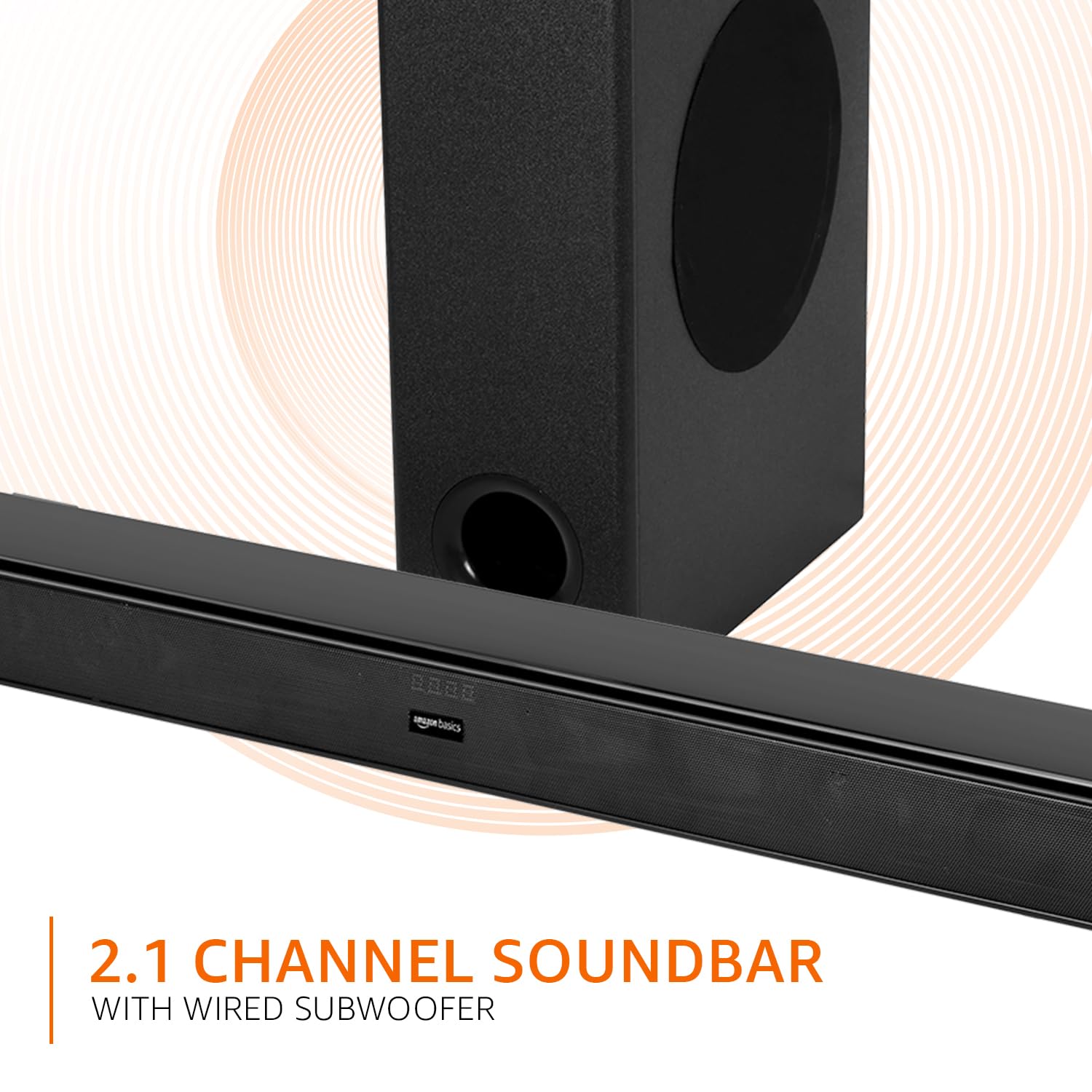
Image: Graphic illustrating the 2.1 channel soundbar system with a wired subwoofer.

Imaj: Gwo plan view of the soundbar, emphasizing its slim and space-saving design.
5. Gid Enstalasyon
5.1 Plasman
- Ba son: Place the soundbar on a stable, flat surface directly in front of your TV, or mount it on the wall below your TV. Ensure it is not obstructing the TV's remote sensor.
- Subwoofers: Position the wired subwoofer on the floor near the soundbar. For optimal bass, experiment with different locations in the room.
5.2 Koneksyon
Before making any connections, ensure both the soundbar and your audio source (TV, PC, etc.) are powered off.
- Wired Subwoofer Connection: Connect the subwoofer cable from the subwoofer to the dedicated subwoofer output port on the soundbar.
- Antre odyo: Chwazi youn nan metòd sa yo pou konekte sous odyo ou a:
- HDMI (ARC): Connect an HDMI cable from the HDMI ARC port on the soundbar to the HDMI ARC port on your TV. This allows audio to be sent from the TV to the soundbar and often enables TV remote control of the soundbar volume.
- Optik: Connect an optical cable from the OPTICAL port on the soundbar to the optical output port on your TV or other audio device.
- AUX: Connect a 3.5mm audio cable from the AUX port on the soundbar to the headphone jack or audio output port on your device.
- USB: Insert a USB drive into the USB port on the soundbar for direct audio playback.
- Koneksyon pouvwa: Connect the detachable power cable to the soundbar's power input, then plug it into a wall outlet.

Image: An illustration showing the soundbar and subwoofer positioned in front of a television, demonstrating a typical setup.
6. Operasyon Enstriksyon
6.1 Power On/Off
Peze a Pouvwa bouton ki sou ba son an oswa sou kontwòl remote la pou limen oswa etenn aparèy la.
6.2 Seleksyon Antre
Peze a Antre button on the soundbar or the remote control repeatedly to cycle through available input sources: HDMI (ARC), Optical, AUX, USB, and Bluetooth.
6.3 Kontwòl Volim
Sèvi ak la Volim + epi Volim - buttons on the soundbar or remote control to adjust the master volume.
6.4 Equalizer (EQ) Modes
Peze a NOUVEL, FILM, oswa MIZIK buttons on the remote control to select the desired sound mode. Each mode optimizes audio for specific content.

Image: Graphic showing the soundbar and subwoofer with text indicating 'Multiple EQ Modes: Music, Movies & News'.
6.5 Bluetooth Pairing
- Turn on the soundbar and select the Bluetooth input mode. The LED indicator will flash, indicating pairing mode.
- Aktive Bluetooth sou aparèy mobil ou a (telefòn entelijan, tablèt, elatriye).
- Chèche pou "amazon basics" in your device's Bluetooth list and select it to pair.
- Once paired, the LED indicator on the soundbar will stop flashing and remain solid.
7. Opsyon Koneksyon
The soundbar offers various ways to connect to your audio sources:
- Bluetooth v5.3: For wireless audio streaming from compatible devices within a 10-meter range.
- HDMI (ARC): Audio Return Channel for simplified connection with ARC-enabled TVs.
- Optik: Digital audio input for high-quality sound from TVs, gaming consoles, etc.
- AUX: Analog audio input for connecting devices with a 3.5mm audio output.
- USB: Pou jwe odyo files ki sòti dirèkteman nan yon aparèy depo USB.

Imaj: Yon imaj detaye view of the soundbar's rear panel, highlighting the HDMI (ARC), USB, AUX, and Optical input ports.
8. Fonksyon kontwòl Remote
The included remote control provides full command over your soundbar. Ensure batteries are correctly inserted.

Image: A close-up of the remote control, showing all buttons and their labels.
| Bouton | Fonksyon |
|---|---|
| Pouvwa | Limen oswa etenn ba son an. |
| bèbè | Aktive oubyen koupe son an. |
| Input (H-ARC, OPTICAL, BT, AUX, USB) | Chwazi sous antre odyo a. |
| Volim + / - | Ajiste nivo volim prensipal la. |
| Previous / Next | Skips to the previous or next track (USB/Bluetooth mode). |
| Jwe / Pòz | Plays or pauses audio playback (USB/Bluetooth mode). |
| NOUVEL | Activates News EQ mode. |
| FILM | Activates Movie EQ mode. |
| MIZIK | Activates Music EQ mode. |
9. Antretyen
- Netwayaj: Wipe the surfaces of the soundbar and subwoofer with a soft, dry cloth. Do not use liquid cleaners or aerosols.
- Depo: Si w ap sere aparèy la pou yon bon bout tan, dekonekte l nan priz kouran an epi sere l nan yon kote ki fre epi sèk.
- Vantilasyon: Asire w ke ouvèti vantilasyon yo pa bloke ak pousyè oswa debri.
NAN. Depanaj
| Pwoblèm | Solisyon posib |
|---|---|
| Pa gen pouvwa | Check if the power cable is securely connected to the soundbar and the wall outlet. Ensure the outlet is functional. |
| Pa gen son | Verify the correct input source is selected. Check volume levels on both the soundbar and the connected device. Ensure cables are properly connected. If using HDMI ARC, confirm ARC is enabled on your TV. |
| Remote kontwòl pa travay | Check and replace batteries. Ensure there are no obstructions between the remote and the soundbar's sensor. |
| Pwoblèm appariement Bluetooth | Ensure the soundbar is in Bluetooth pairing mode. Disable and re-enable Bluetooth on your device. Move your device closer to the soundbar. |
| Son defòme | Reduce the volume. Check audio source quality. Ensure cables are not damaged. |
11. Espesifikasyon
| Karakteristik | Spesifikasyon |
|---|---|
| Non modèl | AB-SBW-090 |
| Kalite Oratè | Ba son ak filè subwoofer |
| Pouvwa Sòti Total | 90W RMS |
| Chanèl | 2.1 |
| Koneksyon | Bluetooth v5.3, HDMI (ARC), Optical, AUX, USB |
| Gamme Bluetooth | 10 Metres (approx. 33 feet) |
| Subwoofer Dyamèt | 5.25 pous |
| Dimansyon pwodwi (Soundbar) | 7.3P x 82W x 6.8H santimèt |
| Pwa atik | 4.9 Kilogram |
| Sous pouvwa | Fil elektrik |
| Siyal-a-bwi Pwopòsyon | 70 dB |
| Enpedans | 4 Ohm |
| Materyèl | Plastik |
12. Garanti ak sipò
Ba son Amazon Basics sa a vini ak yon 1-ane garanti limite apati dat acha a. Garanti sa a kouvri domaj fabrikasyon ak atizan konn fè nan itilizasyon nòmal. Li pa kouvri domaj ki koze pa move itilizasyon, aksidan, modifikasyon san otorizasyon, oswa kòz ekstèn.
For warranty claims, technical support, or service inquiries, please contact amazon basics customer support through your purchase platform or visit the official amazon basics websit.
Pou plis enfòmasyon, vizite: amazon basics Store