1. Entwodiksyon
This manual provides detailed instructions for the installation, configuration, and operation of your Rebel KOM1031 Dual-Band Wireless Network Repeater. This device is designed to extend the coverage of your existing Wi-Fi network, providing a stronger and more reliable signal in areas with weak or no coverage. It supports both 2.4 GHz and 5 GHz wireless bands, offering flexible connectivity options and high data transfer rates.
2. Pake kontni
Tanpri verifye ke tout atik yo prezan nan pakè ou a:
- Rebel KOM1031 Wireless Network Repeater
- Manyèl Itilizatè (dokiman sa a)
- Ethernet Cable (may be included, check packaging)

Figi 2.1: The Rebel KOM1031 Repeater packaging, showing the device and its key features.
3. Pwodwi souview
Familiarize yourself with the physical components and indicators of the Rebel KOM1031 Repeater.
3.1. Layout aparèy

Figi 3.1: Devan view of the Rebel KOM1031 Repeater, highlighting the LED indicators and Ethernet ports.

Figi 3.2: Side view of the Rebel KOM1031 Repeater, showing the four external antennas in an extended position.

Figi 3.3: Anba view of the Rebel KOM1031 Repeater, illustrating the integrated power plug and two RJ45 Ethernet ports.
3.2. Endikatè ki ap dirije
| Endikatè | Estati | Deskripsyon |
|---|---|---|
| SYS/POWER | Solid On | Aparèy la limen epi l ap fonksyone nòmalman. |
| 2.4G | Solid On | 2.4 GHz Wi-Fi band is active. |
| 5.8G | Solid On | 5 GHz Wi-Fi band is active. |
| LAN3 / LAN4 | Solid On/Flashing | Indicates an active Ethernet connection and data transfer on the respective LAN port. |
4. Gid Enstalasyon
Follow these steps to set up your Rebel KOM1031 Repeater.
4.1. Initial Placement and Power On
- Chwazi yon kote: Plug the repeater into an electrical outlet in an area between your main router and the location where you need improved Wi-Fi coverage. Ensure it is within the range of your existing Wi-Fi signal.
- Pouvwa sou: Plug the device directly into a standard wall socket. The SYS/POWER LED should illuminate. Wait approximately 30-60 seconds for the device to boot up.
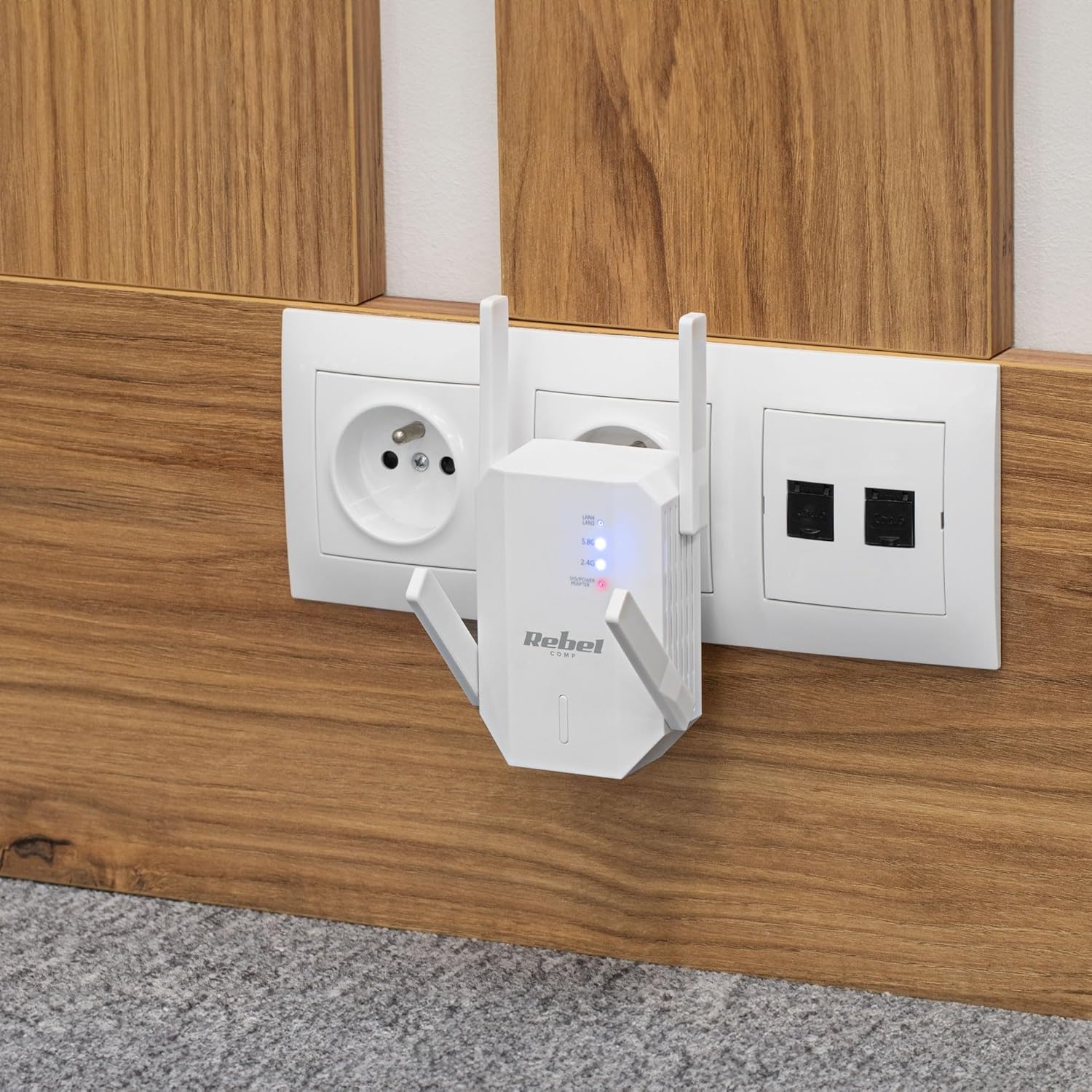
Figi 4.1: The Rebel KOM1031 Repeater plugged into a wall outlet, ready for configuration.
4.2. Connecting to the Repeater
- Konekte san fil: On your computer or mobile device, search for available Wi-Fi networks. Connect to the network named "Rebel_XXXX" or similar (check the label on the device for the default SSID). No password is required for the initial connection.
- Aksè Web Entèfas: Louvri a web browser (e.g., Chrome, Firefox, Edge) and enter the default IP address or domain name (usually 192.168.10.1 or rebelrepeater.net) nan ba adrès la. Peze Antre.
- Konekte: When prompted, enter the default username and password (usually admin pou tou de).
4.3. Configuration Wizard (Repeater Mode)
Most users will configure the device in Repeater Mode to extend an existing Wi-Fi network.
- Select Repeater Mode: Sou la web interface, select "Repeater Mode" or "Wi-Fi Repeater" from the available options.
- Eskane pou rezo yo: The device will scan for available Wi-Fi networks. Select your main Wi-Fi network (SSID) from the list.
- Antre modpas: Enter the Wi-Fi password (security key) of your main router.
- Configure Repeater SSID (Optional): You can choose to keep the same SSID as your main network or create a new one (e.g., "MyHome_EXT"). It is recommended to use a different SSID to easily distinguish between networks.
- Aplike Anviwònman yo: Click "Apply" or "Save" to confirm your settings. The repeater will restart. This process may take a few minutes.
- Rekonekte: After the repeater restarts, disconnect from the repeater's default Wi-Fi network and connect to your newly configured extended network (e.g., "MyHome_EXT") using the password you entered.
Your Rebel KOM1031 Repeater should now be extending your Wi-Fi network. Check the signal strength in previously weak areas.
5. Operasyon Modes
The Rebel KOM1031 supports multiple operating modes to suit various networking needs.
5.1. Mòd Repetè (Default)
In Repeater Mode, the device extends the coverage of an existing wireless network. It receives the wireless signal from your main router and re-transmits it, effectively expanding the Wi-Fi range. This is the most common mode for eliminating Wi-Fi dead zones.
5.2. Mòd Pwen Aksè (AP)
In AP Mode, the device connects to a wired network (via an Ethernet cable) and broadcasts a new wireless network. This is useful for adding Wi-Fi capability to a wired-only network or creating a new Wi-Fi hotspot from a wired internet connection.
- Konekte Ethernet: Connect an Ethernet cable from your router or modem to one of the RJ45 ports on the KOM1031.
- Aksè Web Entèfas: Follow steps 4.2 to access the web koòdone.
- Chwazi mòd AP: Choose "AP Mode" or "Access Point" from the configuration options.
- Konfigirasyon Anviwònman Wi-Fi: Set a new SSID (network name) and a strong password for your new wireless network.
- Aplike Anviwònman yo: Save the configuration. The device will restart and operate as an Access Point.
6. Antretyen
Bon antretyen asire lonjevite ak pèfòmans optimal aparèy ou an.
- Netwayaj: Sèvi ak yon twal mou epi sèk pou netwaye aparèy la. Pa sèvi ak pwodui netwayaj likid oswa ayewosòl.
- Vantilasyon: Ensure the device is placed in a well-ventilated area. Do not block the ventilation slots.
- Mizajou mikrolojisyèl: Tcheke manifakti a regilyèman website for firmware updates. Updating firmware can improve performance and security.
- Reyajiste: If the device malfunctions or you forget the login credentials, you can perform a factory reset. Locate the reset button (usually a small pinhole) and press it with a paperclip for 5-10 seconds while the device is powered on. The device will revert to factory default settings.
NAN. Depanaj
Si ou rankontre pwoblèm, gade pwoblèm ak solisyon komen sa yo.
7.1. No Internet Access After Setup
- Check Main Router: Asire w routeur prensipal ou a gen yon koneksyon entènèt aktif.
- Verifye modpas: Double-check that you entered the correct Wi-Fi password for your main router during setup.
- Relocate Repeater: The repeater might be too far from your main router. Move it closer to ensure it receives a strong signal.
- Rekòmanse Aparèy: Restart your main router, the repeater, and your client devices.
7.2. Pa ka jwenn aksè Web Paj Jesyon
- Tcheke Koneksyon: Ensure your device is connected to the repeater's Wi-Fi network (either the default "Rebel_XXXX" or your configured extended network).
- Verifye Adrès IP: Confirm you are using the correct IP address (e.g., 192.168.10.1) or domain name (rebelrepeater.net).
- Efase kach navigatè a: Eseye netwaye ou web kach navigatè a oubyen lè w ap itilize yon lòt navigatè.
- Reset faktori: If all else fails, perform a factory reset (see Section 6. Maintenance) and try setting up again.
7.3. Weak Signal or Slow Speed
- Plasman Optimal: Ensure the repeater is placed optimally, roughly halfway between your router and the dead zone. Avoid physical obstructions like thick walls or metal objects.
- Entèferans: Other electronic devices (microwaves, cordless phones) can cause interference. Try moving the repeater away from such devices.
- Ajisteman Antèn: Adjust the external antennas for better signal reception and transmission.
8. Espesifikasyon teknik
| Karakteristik | Detay |
|---|---|
| Modèl | KOM1031 |
| Mak | Rebèl |
| Chipset | MTK7612 |
| Estanda san fil | IEEE 802.11 a/b/g/n/ac |
| Bann Frekans | 2.4 GHz / 5 GHz (Double-Band) |
| Done Transmisyon Pousantaj | Jiska 300 Mbps (2.4 GHz), Jiska 867 Mbps (5 GHz) |
| Antèn | 4 External (2 dBi each) |
| Pwotokòl Sekirite | WEP, WPA/WPA2, WPS (64/128 bit) |
| Pò Ethernet | 2x RJ45 (10/100 Mbps) |
| Wireless Range | Up to 100 meters (environment dependent) |
| Pwovizyon pou pouvwa | 110-240 V; 50/60 Hz; 2 A |
| Dimansyon | 87 x 63 x 55 mm |
| Pwa | 76 g |
| Itilizatè similtane | Sipòte jiska 10 itilizatè yo ansanm |
9. Enfòmasyon sou Sekirite
Please read and follow these safety guidelines to prevent damage to the device or injury to yourself.
- Pa ekspoze aparèy la nan dlo, imidite, oswa tanperati ekstrèm.
- Pa eseye demonte oswa repare aparèy la tèt ou. Konfye tout antretyen bay pèsonèl kalifye.
- Ensure the power outlet used is easily accessible and provides the correct voltage (110-240V).
- Evite mete aparèy la toupre sous chalè oswa nan limyè solèy la dirèk.
- Kenbe aparèy la lwen timoun ak bèt kay.
10. Garanti ak sipò
For warranty information, technical support, or further assistance, please refer to the official Rebel website or contact your retailer. Please have your product model number (KOM1031) and purchase details ready when seeking support.


