Entwodiksyon
Thank you for choosing the STRICH SDP-120 Weighted Digital Piano. This manual provides essential information for setting up, operating, maintaining, and troubleshooting your new instrument. Designed for musicians of all levels, the SDP-120 offers a realistic playing experience with its hammer-action weighted keys and extensive sound capabilities. Please read this manual thoroughly to ensure optimal performance and longevity of your digital piano.
Ki sa ki enkli
Upon unboxing your STRICH SDP-120 Digital Piano, please verify that all components listed below are present and in good condition. Carefully check all packaging materials before discarding them.
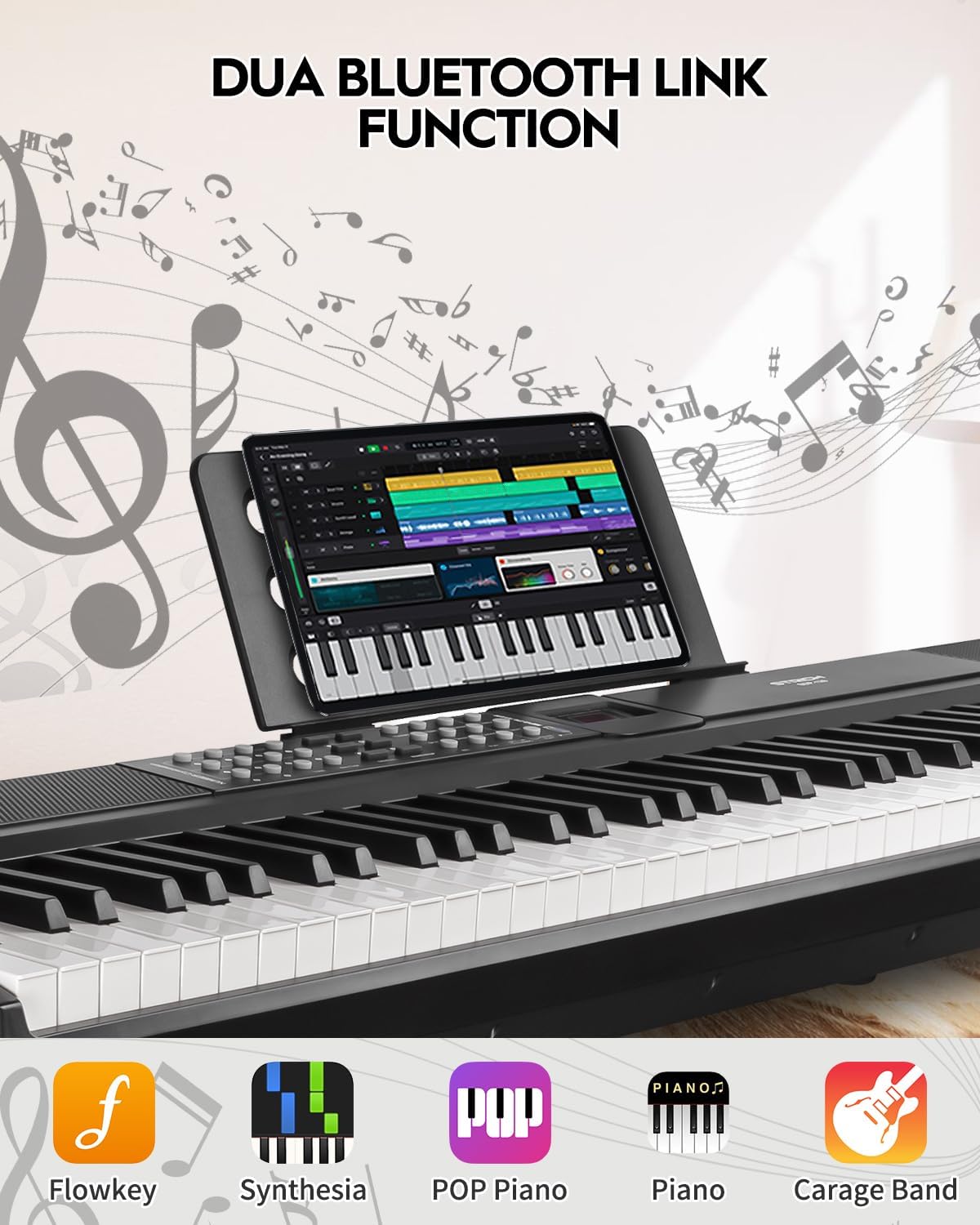
Figure 1: Included components with the STRICH SDP-120 Digital Piano.
- STRICH SDP-120 Digital Piano (1 unit)
- Sustain Pedal (1 unit)
- Sheet Music Holder (1 unit)
- Keyboard Stickers (1 set)
- Headphones (1 unit)
- Adaptè kouran (1 inite)
- Manyèl itilizatè (1 inite)
Enstalasyon
Follow these steps to set up your STRICH SDP-120 Digital Piano:
- Plasman: Place the digital piano on a stable, flat surface or a compatible keyboard stand. Ensure there is adequate space for the sustain pedal and power connections.
- Connect Sustain Pedal: Locate the sustain pedal input port on the rear panel of the piano and securely plug in the sustain pedal.
- Koneksyon pouvwa: Connect the power adapter to the DC IN port on the rear of the piano. Plug the other end of the adapter into a standard electrical outlet.
- Attach Sheet Music Holder: Insert the sheet music holder into the designated slots on the top panel of the piano.
- Koneksyon opsyonèl: If desired, connect headphones to the 3.5mm headphone jack for private practice, or external speakers/amplifiers to the audio output jacks.

Figure 2: Rear panel connections of the SDP-120, illustrating power, USB, MIDI, and audio ports.
Enstriksyon Operasyon
Pouvwa sou / Off ak kontwòl Volim
- To power on the piano, locate the power switch on the rear panel and flip it to the 'ON' position. The LCD display will illuminate.
- Adjust the master volume using the dedicated volume control buttons or knob on the control panel.
- To power off, flip the power switch to the 'OFF' position.
Karakteristik kle
Fully-Weighted Hammer-Action Keys
The SDP-120 features a fully-weighted hammer-action keyboard, designed to replicate the feel and response of an acoustic grand piano. This provides a realistic touch, crucial for developing proper piano technique.

Figure 3: Illustration of the weighted key mechanism, providing authentic piano feel.
Extensive Sound Library
Explore a rich palette of sounds with 900 tones, 700 rhythms, and 110 demo songs. The piano is equipped with 2x15W built-in speakers and 256 max polyphony, ensuring a full and dynamic audio experience.

Figure 4: Detail of the built-in speakers and polyphony capabilities.
Koneksyon versatile
The SDP-120 offers multiple connectivity options for enhanced versatility:
- USB-MIDI: Connect to a computer or other MIDI devices for recording, music production, or using educational software.
- Wireless MIDI: Utilize built-in wireless MIDI for seamless connection to compatible devices and applications without cables.
- Antre / Sòti odyo: Connect external audio sources or output the piano's sound to external ampsistèm lifikasyon.
- Kas ekoutè Jack: Practice silently using the 3.5mm headphone jack.
Selecting Tones and Rhythms
Use the control panel buttons to navigate and select different tones (instrument sounds) and rhythms (accompaniment patterns). Refer to the Tone List and Rhythm List in the appendix for a complete overview nan opsyon ki disponib yo.
Jwe chante Demo
The piano includes 110 demo songs. Press the 'Demo' button to cycle through the available songs. Use the '+' and '-' buttons to select specific demo songs.
Using the Sustain Pedal
The included sustain pedal allows notes to continue sounding after the keys are released, mimicking an acoustic piano's sustain function. Press the pedal down to sustain notes and release it to stop the sustain.
Video 1: Official product video demonstrating the STRICH SDP-120 Hammer-Action Digital Piano with Weighted Keys, showcasing karakteristik li yo ak son li yo.
Antretyen
Proper care will ensure your digital piano remains in excellent condition:
- Netwayaj: Sèvi ak yon twal mou epi sèk pou siye sifas pyano a. Pou pousyè tè ki difisil pou retire, siye yon ti kras.ampen the cloth with water. Avoid using abrasive cleaners, waxes, or solvents.
- Netwayaj Kle: Wipe the keys with a soft cloth. For white keys, use a cloth slightly dampened with water and a mild soap solution if necessary, then wipe dry. For black keys, use a dry cloth.
- Depo: Store the piano in a cool, dry place away from direct sunlight, extreme temperatures, and high humidity. When not in use, cover the piano with a dust cover to protect it from dust and debris.
- Evite likid: Keep liquids away from the piano to prevent damage to internal electronic components.
Depanaj
If you encounter any issues with your STRICH SDP-120, please refer to the following common problems and solutions before contacting customer support:
| Pwoblèm | Kòz posib | Solisyon |
|---|---|---|
| Pa gen son ki soti nan oratè/kas ekoutè | Volume too low; headphones connected; power issue; internal fault. | Increase master volume. Disconnect headphones. Ensure power adapter is securely connected and unit is ON. Restart the piano. |
| Kle yo pa reponn oswa manyen yo pa konsistan | Dust/debris under keys; software glitch. | Gently clean around keys. Power off and on the piano. |
| Sustain pedal pa travay | Pedal not connected properly; faulty pedal. | Ensure pedal is fully inserted into the correct port. Test with another compatible pedal if available. |
| Connectivity issues (USB/Wireless MIDI) | Incorrect settings; driver issues (for USB); interference (for Wireless). | Check piano's MIDI settings. Ensure correct drivers are installed on your computer. Reduce wireless interference. |
Espesifikasyon
| Karakteristik | Detay |
|---|---|
| Non modèl | SDP-120 |
| Kantite kle | 88 |
| Kalite kle | Weighted, Hammer Action |
| Moun kap pale | 2x15W Built-In Speakers |
| Max Polyphony | 256 |
| Ton | 900 |
| Ritm | 700 |
| Chante Demo | 110 |
| Koneksyon | USB-MIDI, Wireless MIDI, 6.35mm Jack, 3.5mm Jack (Headphones/Audio In) |
| Dimansyon pwodwi | 11"D x 51"W x 4.3"H |
| Pwa atik | 28.1 liv |
| Sous pouvwa | Fil elektrik |
| Koulè | Klasik nwa |
Garanti ak sipò
The STRICH SDP-120 Digital Piano comes with a manufacturer's warranty. Please refer to the warranty card included in your packaging for specific terms and conditions. For technical support, service, or warranty claims, please contact STRICH customer service through the contact information provided on the product packaging or the official STRICH websit la. Kenbe resi acha ou kòm prèv acha pou rezon garanti.


