Entwodiksyon
Mèsi pou acha aasing the soundcore Pyro Mini Portable Bluetooth Speaker. This manual provides essential information for setting up, operating, and maintaining your device. Please read it thoroughly before use to ensure optimal performance and longevity.
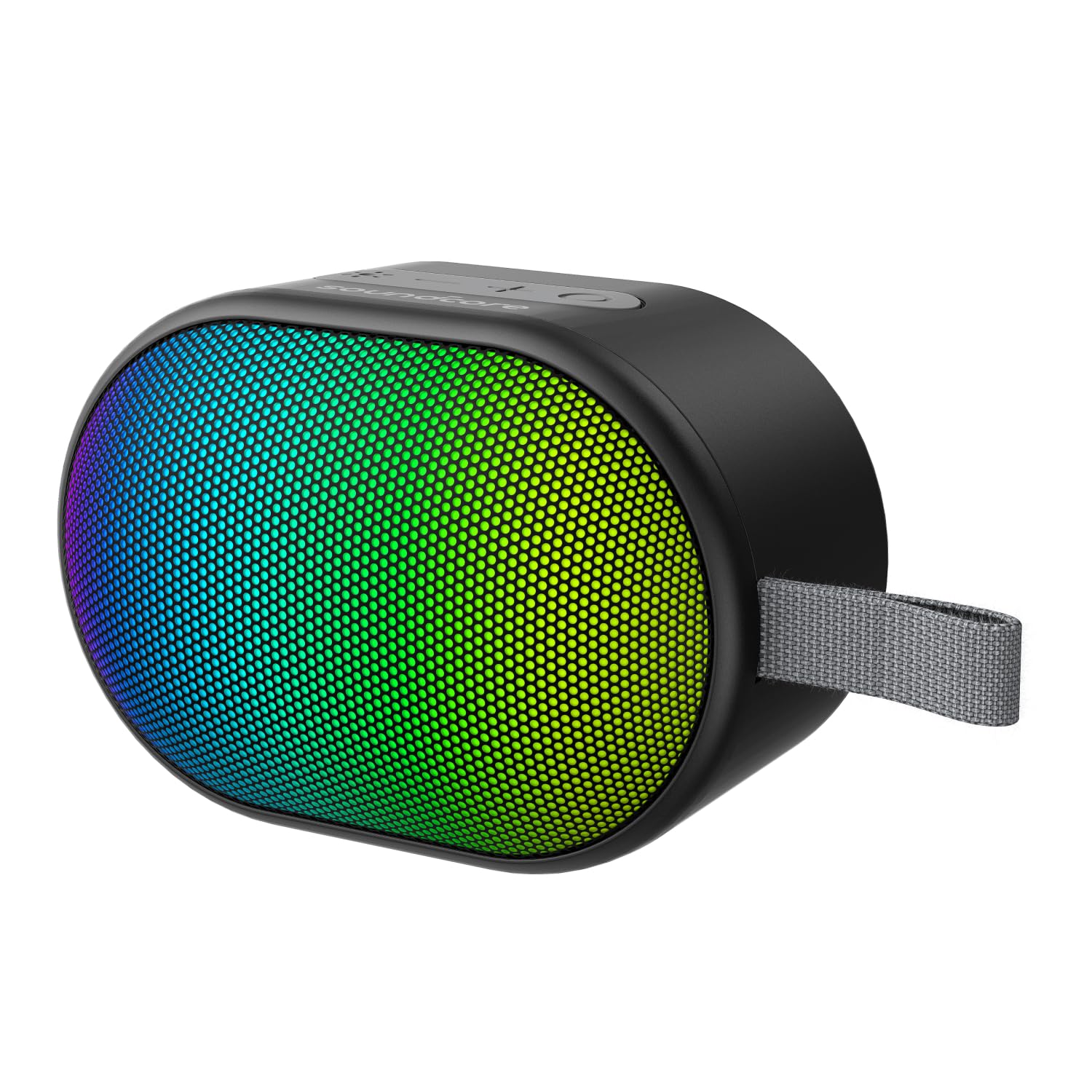
Image: The soundcore Pyro Mini speaker, showcasing its compact design and vibrant LED light panel.
Ki sa ki nan bwat la
- soundcore Pyro Mini Speaker x 1
- Chaje kab x 1
- Gid itilizatè x 1
Karakteristik pwodwi
- Plizyè efè limyè: Choose from 12 preset light effects to customize the beat-driven light show.
- Kontra enfòmèl ant ak pwisan: Portable and lightweight design with 6W powerful sound and punchy bass.
- True Wireless Stereo Pairing: Connect two Pyro Mini speakers wirelessly for an immersive audio experience.
- Ultra-Long 10H Playtime: Enjoy up to 10 hours of uninterrupted entertainment on a single charge.
- Koneksyon lajè: Supports Bluetooth, AUX connections, and SD card input.

Image: The Pyro Mini speaker displaying its beat-synced light show in a social environment.

Image: A person carrying the Pyro Mini speaker on a backpack, illustrating its lightweight and portable design.

Image: The Pyro Mini speaker with a visual representation of its 10-hour battery life, suitable for outdoor use.

Image: Two Pyro Mini speakers positioned to illustrate True Wireless Stereo pairing for enhanced sound.

Imaj: Yon entèn view of the Pyro Mini speaker, highlighting its 2.25-inch driver and 6W speaker for powerful sound.
Enstalasyon
1. Chaje Oratè a
Before first use, fully charge the speaker. Connect the provided charging cable to the speaker's charging port and a compatible USB power source. The LED indicator will show charging status and turn off when fully charged.
2. Power On/Off
- Pou limen l, peze epi kenbe bouton Power la pandan 2 segonn.
- Pou etenn li, peze epi kenbe bouton Power la pandan 2 segonn.
3. Pè Bluetooth
- Power on the soundcore Pyro Mini speaker. It will automatically enter Bluetooth pairing mode, indicated by a flashing blue LED.
- Sou aparèy ou ki gen Bluetooth la (telefòn entelijan, tablèt, elatriye), aktive Bluetooth epi chèche aparèy ki disponib yo.
- Select "soundcore Pyro Mini" from the list of devices.
- Yon fwa konekte, endikatè LED la ap vin ble fiks, epi w ap tande yon konfimasyon sonab.
Remak: Oratè a ap otomatikman eseye rekonekte ak dènye aparèy ki konekte a lè li limen.
4. Koneksyon Vrè Stereo San Fil (TWS)
To achieve a stereo sound experience, you can pair two soundcore Pyro Mini speakers together.
- Ensure both Pyro Mini speakers are powered on and not connected to any other Bluetooth device.
- On one speaker (this will be the primary speaker), press and hold the TWS button (often indicated by two interlocking circles) for 2 seconds. The speaker will enter TWS pairing mode.
- The second speaker will automatically detect and pair with the primary speaker. Once connected, both speakers will emit an audible confirmation, and their LEDs will synchronize.
- Now, connect your Bluetooth device to the primary speaker as described in the "Bluetooth Pairing" section. Audio will play in stereo through both speakers.
Note: TWS pairing only works between two identical soundcore Pyro Mini speakers.
Operasyon Speaker
1. Fonksyon bouton
| Bouton | Fonksyon |
|---|---|
| Bouton pouvwa | Peze epi kenbe pandan 2 segonn pou limen/etenn. |
| Volim monte (+) | Peze pou ogmante volim nan. Peze epi kenbe pou pwochen mizik la. |
| Volim Dawonn (-) | Peze pou bese volim nan. Peze epi kenbe pou ale nan mizik anvan an. |
| Bouton jwe/poz | Press to Play/Pause music. Press to answer/end calls. Press and hold to reject calls. |
| Limyè efè bouton | Press to cycle through 12 light effects. Press and hold to turn lights On/Off. |
| Bouton mòd (M) | Press to switch between Bluetooth, AUX, and SD Card modes. |
2. Efè limyè
The soundcore Pyro Mini features 12 customizable light effects that synchronize with your music. Press the Light Effect button to cycle through the available patterns. To turn the lights off or on, press and hold the Light Effect button.
3. AUX Mode
Connect an audio device to the speaker's AUX input port using a 3.5mm audio cable (not included). The speaker will automatically switch to AUX mode, or you can manually select it by pressing the Mode button.
4. SD Card Mode
Insert a microSD card (up to 32GB, not included) with MP3 audio files into the SD card slot. The speaker will automatically switch to SD Card mode and begin playing music, or you can manually select it by pressing the Mode button.
Antretyen
- Netwayaj: Use a soft, dry cloth to clean the speaker. Do not use liquid cleaners or aerosols.
- Depo: Sere oratè a nan yon kote ki fre epi sèk, lwen limyè solèy dirèk ak tanperati ekstrèm.
- Swen batri: To preserve battery life, charge the speaker at least once every 3 months if not in regular use.
- Rezistans dlo: The speaker is waterproof. However, ensure the charging port cover is securely closed before exposure to water. Do not submerge for extended periods.
Depanaj
| Pwoblèm | Solisyon posib |
|---|---|
| Oratè a pa limen. | Asire w ke oratè a chaje. Konekte l nan yon sous kouran epi eseye ankò. |
| Pa ka konekte atravè Bluetooth. |
|
| Pa gen son. |
|
| Koneksyon TWS la echwe. |
|
Espesifikasyon
| Karakteristik | Detay |
|---|---|
| Non modèl | Pyro |
| Nimewo Modèl | A31A0 |
| Kalite Oratè | Pòtab Bluetooth Oratè |
| Koneksyon Teknoloji | Bluetooth 5.3, Auxiliary, SD Card |
| Oratè Sorti pouvwa | 6 Watts |
| Gwosè Oratè | 57 Millimetres (2.25-inch driver) |
| Playtime | Jiska 10 èdtan |
| Wireless Range | Jiska 20 mèt |
| Metòd kontwòl | Touche bouton |
| Rezistans dlo | Wi (ki enpèmeyab) |
| Pwa atik | 365 gram |
| Dimansyon pwodwi (LxWxH) | 5.4 x 16.5 x 4.5 santimèt |
| Pwopòsyon siyal-a-bri (SNR) | 85 dB |
| Sous pouvwa | Mache ak pil (1 pil A enkli) |
Garanti ak sipò
The soundcore Pyro Mini Portable Bluetooth Speaker comes with a Garanti limite. For detailed warranty information, product support, or service inquiries, please refer to the official soundcore websit oswa kontakte sèvis kliyan yo.
Manifakti: Anker Innovations Limited
Pou plis asistans, vizite soundcore Store on Amazon.


