1. Pwodwi souview
The Speedlink LIBERA is a versatile rechargeable wireless mouse designed for comfort and efficiency. It offers dual connectivity options, allowing you to connect via Bluetooth or a 2.4 GHz USB-A nano receiver. Key features include silent main buttons, a thumb scroll wheel for horizontal scrolling, and adjustable DPI settings for precise control.

Image: The Speedlink LIBERA mouse shown with its accompanying USB receiver, highlighting its sleek design and connectivity components.
2. Ki sa ki nan bwat la
Lè w ap ouvri pake a, tanpri asire w ke tout bagay sa yo la:
- Speedlink LIBERA Mouse
- Reseptè USB
- USB-C USB-A chaje kab
- Manyèl Itilizatè (dokiman sa a)
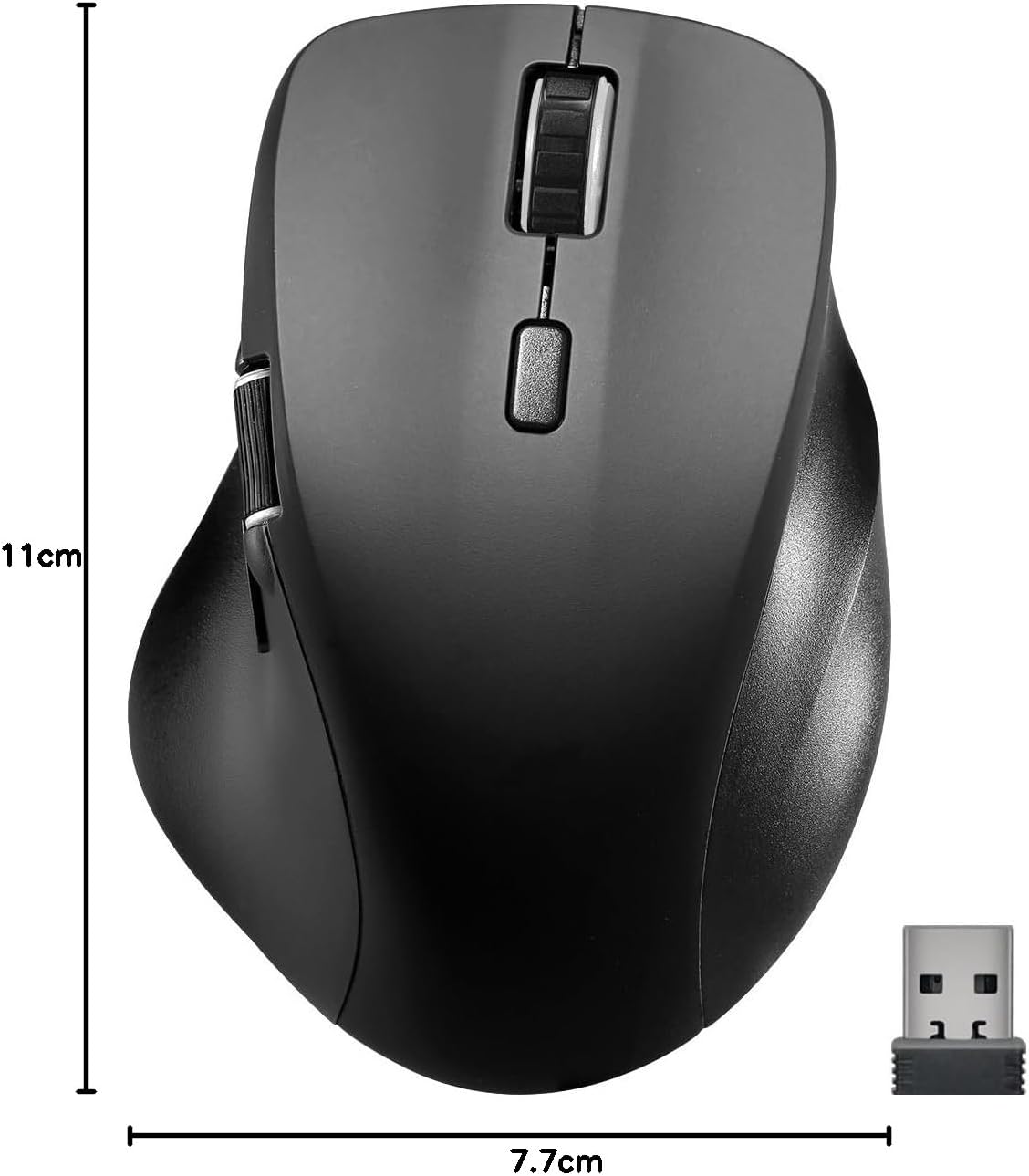
Image: The retail packaging for the Speedlink LIBERA mouse, indicating the contents and key features.
3. Enstalasyon
3.1. Chaje Sourit la
Before first use, it is recommended to fully charge the mouse. The mouse can be charged while in use.
- Locate the USB-C port on the front of the mouse.
- Connect the included USB-C to USB-A charging cable to the mouse.
- Plug the USB-A end of the cable into a powered USB port (e.g., computer, USB wall adapter).
- Limyè endikatè chaj la ap limen. Li pral etenn oswa chanje koulè lè li fin chaje nèt.

Image: The USB-C to USB-A charging cable included with the mouse, used for recharging the internal battery.
3.2. Konekte sourit la
The Speedlink LIBERA mouse offers two connection methods: 2.4 GHz USB receiver and Bluetooth.
3.2.1. 2.4 GHz USB Connection
- Locate the USB-A nano receiver, typically stored in a compartment on the underside of the mouse.
- Branche reseptè USB a nan yon pò USB-A ki disponib sou òdinatè w la.
- Limen sourit la avèk bouton On/Off ki sitiye anba a.
- Sourit la ta dwe konekte otomatikman ak òdinatè w la.
3.2.2. Bluetooth Koneksyon
The mouse supports up to two Bluetooth profiles.
- Asire w sourit la limen.
- Press the Bluetooth pairing button (refer to the diagram in Section 4.1 for location) to enter pairing mode. The indicator light will flash.
- Sou òdinatè w la, ale nan paramèt Bluetooth yo.
- Chèche pou new devices and select "Speedlink LIBERA" from the list.
- Swiv nenpòt envit ki sou ekran pou konplete pwosesis kouple a.
- To switch between Bluetooth profiles or to the 2.4 GHz connection, press the mode switch button on the underside of the mouse.

Image: The Speedlink LIBERA mouse positioned next to its compact USB receiver, illustrating the 2.4 GHz wireless connection method.
4. Operasyon Enstriksyon
4.1. Fonksyon bouton
The Speedlink LIBERA mouse features multiple buttons for enhanced control:
- Bouton Klike Goch: Standard primary click function. (Silent)
- Bouton Klike Dwat: Standard secondary click function. (Silent)
- wou woulo liv: Vertical scrolling. Can also be pressed for middle-click functionality.
- Bouton chanjman DPI: Cycles through DPI settings (1000/1600/2400/3200 DPI).
- Thumb Scroll Wheel: Located on the side, allows for horizontal scrolling of documents and web paj.
- Bouton Avanse/Aryè: Located near the thumb scroll wheel, typically used for navigation in web navigatè oswa file eksploratè.

Image: A hand demonstrating the ergonomic grip and use of the Speedlink LIBERA mouse, highlighting the placement of the thumb scroll wheel and side buttons.
4.2. Ajisteman DPI
The mouse's optical sensor resolution can be adjusted to suit your preference and task. Press the DPI switch button (located behind the main scroll wheel) to cycle through the available DPI settings: 1000, 1600, 2400, and 3200 DPI. Each press will change the sensitivity, allowing for faster or slower cursor movement.
4.3. Jesyon pouvwa
The mouse features an On/Off switch on its underside to conserve battery life when not in use. It also incorporates a smart power-saving mode that activates after a period of inactivity, further extending battery life. To wake the mouse, simply move it or click any button.
5. Antretyen
To ensure the longevity and optimal performance of your Speedlink LIBERA mouse, follow these simple maintenance guidelines:
- Netwayaj: Sèvi ak yon twal mou, sèk, ki pa gen pousyè pou siye sifas sourit la. Pou pousyè tè ki difisil pou retire, siye l yon ti kras.ampRense twal la avèk dlo. Evite itilize pwodui chimik ki agresif, solvang, oswa pwodui netwayaj abrazif.
- Swen Capteur: Keep the optical sensor on the underside of the mouse clean and free from dust or debris. A small brush or compressed air can be used carefully.
- Swen batri: While the mouse has a rechargeable battery, avoid completely draining it frequently. Recharge it when the low battery indicator appears. Store the mouse in a cool, dry place if not used for extended periods.
- Depo: When transporting or storing the mouse, ensure it is protected from impacts and extreme temperatures.
NAN. Depanaj
If you encounter issues with your Speedlink LIBERA mouse, please refer to the following common problems and solutions:
| Pwoblèm | Kòz posib | Solisyon |
|---|---|---|
| Sourit pa reponn | Mouse is off, low battery, connection issue. | Ensure mouse is on. Charge the mouse. Re-establish 2.4 GHz or Bluetooth connection. Try a different USB port. |
| Mouvman kurseur a pa regilye oswa ralanti | Capteur optik sal, sifas ki pa apwopriye, paramèt DPI ki ba. | Clean the optical sensor. Use on a clean, non-reflective mouse pad. Increase DPI setting. |
| Koneksyon Bluetooth echwe | Mouse not in pairing mode, interference, incorrect pairing steps. | Ensure mouse is in Bluetooth pairing mode. Turn off other Bluetooth devices. Remove previous pairings from computer and re-pair. |
| Pwoblèm chaje | Faulty cable, power source issue. | Try a different USB port or power adapter. Ensure the charging cable is securely connected. |
| Buttons not clicking or unresponsive | Software issue, physical obstruction. | Restart your computer. Ensure no debris is lodged under the buttons. |
7. Espesifikasyon teknik
| Karakteristik | Spesifikasyon |
|---|---|
| Nimewo Modèl | SL-630021-RRBK |
| Koneksyon | Bluetooth, 2.4 GHz Radio Frequency (USB Receiver) |
| Teknoloji deteksyon mouvman | Optik |
| DPI Rezolisyon | 1000 / 1600 / 2400 / 3200 dpi (adjustable) |
| Bouton | 5 buttons + DPI switch + dual scroll wheels (vertical and horizontal) |
| Kalite batri | 500mAh Lithium-Ion (rechargeable) |
| Port chaje | USB-C |
| Dimansyon (L x W x H) | 110 x 77 x 45 mm |
| Pwa | 93 g |
| Sistèm operasyon konpatibilite | Windows 7, Windows 8, Windows 8.1, Windows 10, Windows 11 |
8. Enfòmasyon sou garanti ak sipò
Speedlink products are manufactured with care and undergo strict quality controls. This product is covered by a manufacturer's warranty. For detailed warranty terms and conditions, please refer to the warranty card included with your purchase or visit the official Speedlink websit.
For technical support, troubleshooting assistance beyond this manual, or warranty claims, please contact Speedlink customer service through their official website or the contact information provided in your product packaging. Please have your product model number (SL-630021-RRBK) and proof of purchase ready when contacting support.


