Entwodiksyon
Thank you for choosing the LEXIP Madara Design Headset. This manual provides detailed instructions for setting up, operating, and maintaining your headset. Please read this manual thoroughly before use to ensure optimal performance and longevity of your device.
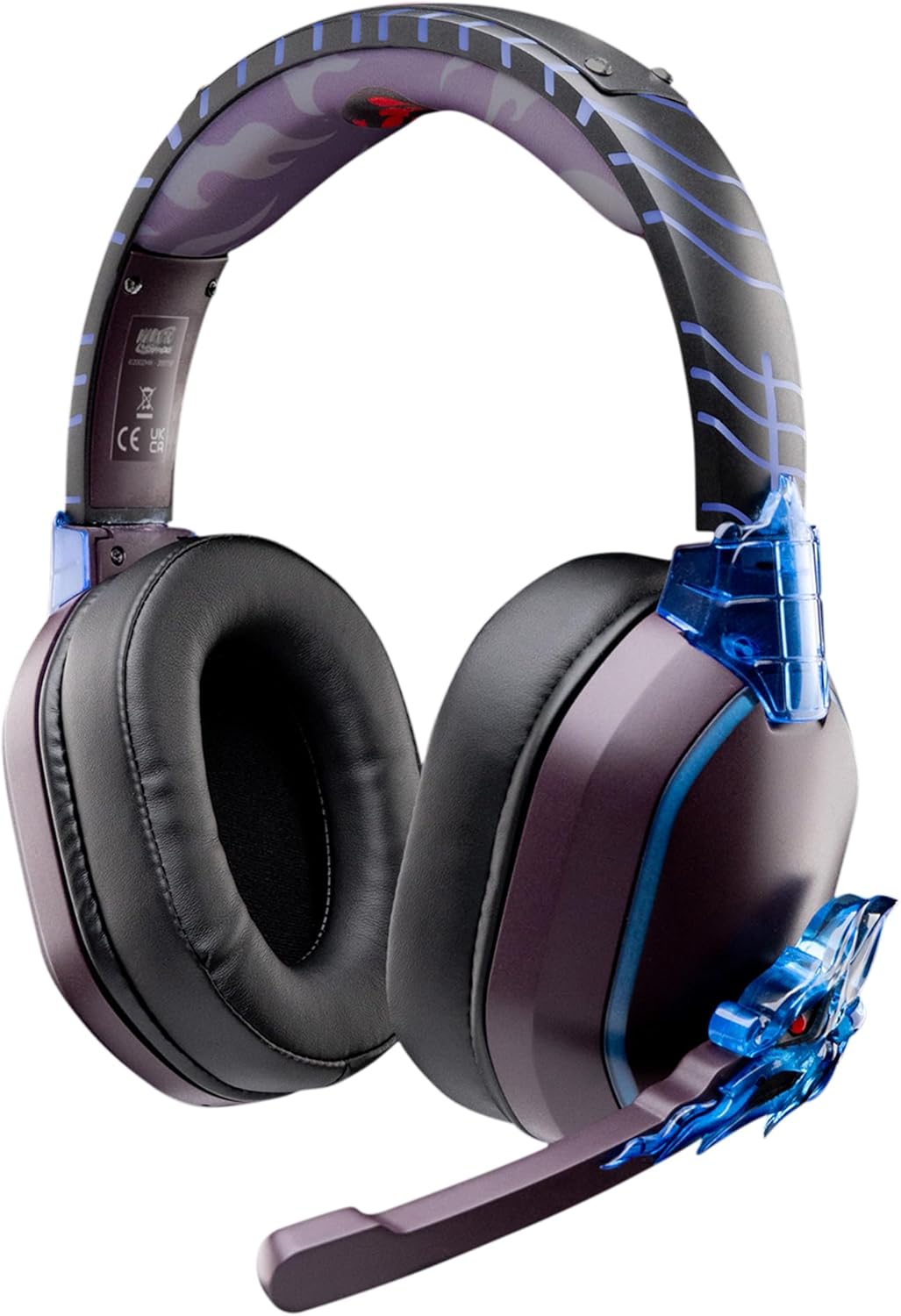
Image: The LEXIP Madara Design Headset, featuring a distinctive purple and blue color scheme with intricate design elements inspired by Madara.
Kontni pake
Asire w tout atik yo prezan nan pakè a:
- LEXIP Madara Design Headset
- Mikwofòn detachable
- 3.5mm Audio Kab
- USB Chaje Kab
- Manyèl itilizatè
Pwodwi souview
Familiarize yourself with the components and design features of your headset.

Image: Close-up of the headset's ear cup, highlighting the intricate blue dragon design element.

Imaj: View of the soft earcups and adjustable headband, designed for comfort during extended use.
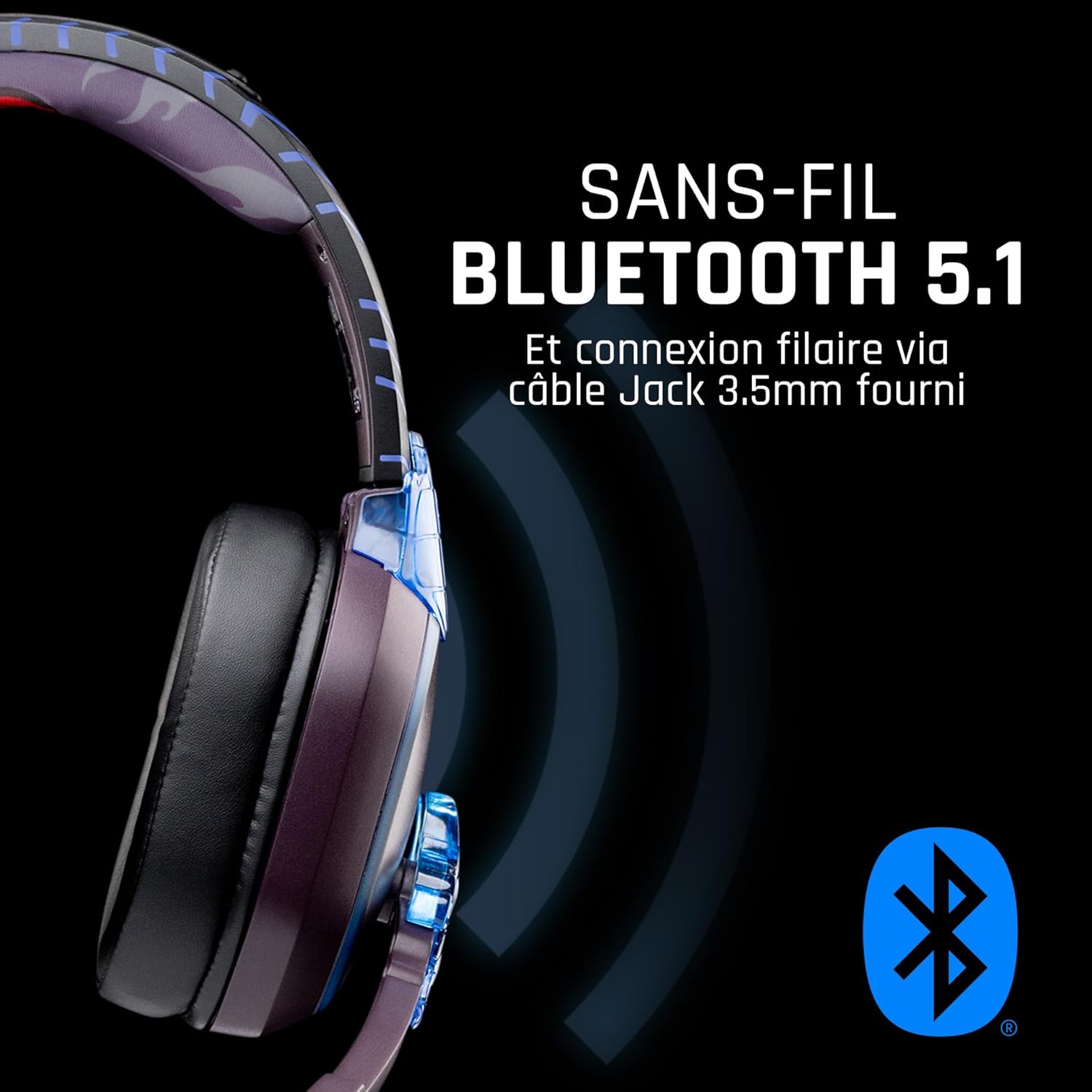
Imaj: Bò kote view of the headset, illustrating its wireless Bluetooth 5.1 capability and connection points.

Image: The headset displayed on a stand, alongside a matching game controller, showcasing its gaming application.
Karakteristik kle:
- Wireless Bluetooth 5.1: For seamless wireless audio.
- Koneksyon branche: Via the included 3.5mm Jack cable.
- Mikwofòn detachable: For clear communication and versatility.
- Kontwòl Volim: Integrated controls for easy audio adjustment.
- Izolasyon bri: Passive noise reduction for an immersive experience.
- Konfòtab konsepsyon: Adjustable headband and over-ear form factor.
Enstalasyon
1. Chaje Headset la
- Konekte kab chaje USB a nan pò chaje ki sou kas ekoutè a.
- Konekte lòt bout kab USB a nan yon sous kouran USB konpatib (pa egzanp, yon pò USB òdinatè, yon adaptè USB nan miray).
- The LED indicator on the headset will show the charging status. A full charge typically takes approximately 2-3 hours.
2. Tache Mikwofòn la
- Locate the microphone input port on the headset, usually on the left earcup.
- Align the detachable microphone connector with the port and gently push it in until it clicks into place.
- Ajiste pozisyon mikwofòn nan pou yon kaptaj vwa optimal.
Enstriksyon Operasyon
1. Powering On / Off
- Pou limen: Peze epi kenbe bouton Power la pou apeprè 3 segonn jiskaske endikatè LED la limen.
- Pou etenn: Peze epi kenbe bouton Power la pou apeprè 5 segonn jiskaske endikatè LED la etenn.
2. Koneksyon Bluetooth (Mòd san fil)
- Asire ekoutè a koupe.
- Peze epi kenbe bouton Pouvwa a pou apeprè 5-7 segonn jiskaske endikatè LED la flache rapidman, sa ki endike mòd koneksyon.
- On your device (Windows 10/11, Mac, PS5, PS4, Xbox Series X/S, Xbox One, Nintendo Switch, Android, iOS, tablets), navigate to Bluetooth settings.
- Chèche pou available devices and select "LEXIP Madara Headset" (or similar name).
- Yon fwa pè, endikatè ki ap dirije a ap sispann flache epi li rete solid ble.
3. Koneksyon filaire (3.5mm Jack)
- Insert one end of the 3.5mm audio cable into the headset's audio jack.
- Insert the other end into the 3.5mm audio port of your desired device.
- The headset will operate in passive wired mode, even if the power is off.
4. Kontwòl Volim
- Use the volume control dial or buttons located on the headset to adjust the audio level.
Antretyen
- Netwayaj: Sèvi ak yon twal mou epi sèk pou netwaye kas ekoutè a. Pa sèvi ak pwodui netwayaj abrazif oswa solvan.
- Depo: Sere kas ekoutè a nan yon kote ki fre epi sèk, lwen limyè solèy dirèk ak tanperati ekstrèm.
- Swen batri: Pou yon batri ki dire pi byen, evite dechaje kas ekoutè a nèt souvan. Chaje l regilyèman.
- Rezistans dlo: Kas ekoutè a pa enpèmeyab. Evite kontak ak likid.
Depanaj
| Pwoblèm | Kòz posib | Solisyon |
|---|---|---|
| Pa gen son ki soti nan kas ekoutè a | Headset not powered on; Volume too low; Not paired/connected; Incorrect audio output selected on device. | Ensure headset is powered on and charged. Increase volume. Re-pair Bluetooth or check 3.5mm cable connection. Select headset as audio output on your device. |
| Pa ka konekte via Bluetooth | Headset not in pairing mode; Device Bluetooth off; Too far from device; Interference. | Ensure headset is in pairing mode (flashing LED). Turn device Bluetooth off and on again. Move headset closer to device. Avoid strong Wi-Fi signals or other Bluetooth devices. |
| Mikwofòn pa mache | Microphone not properly attached; Muted on headset/device; Incorrect input selected on device. | Ensure microphone is securely attached. Check if microphone is muted. Select headset microphone as input device in your device's sound settings. |
| Kout lavi batri | Headset not fully charged; Old battery. | Asire w ke kas ekoutè a byen chaje anvan w itilize li. Pèfòmans batri a ka deteryore avèk tan. |
Espesifikasyon
| Nimewo Modèl | TSXLXHS0003 |
| Mak | Lexip |
| Koneksyon Teknoloji | San fil (Bluetooth 5.1), Filaire (3.5mm Jack) |
| Gamme frekans | 20 Hz - 20,000 Hz |
| Enpedans | 3 ohm |
| Sansiblite | 116 dB |
| Izolasyon bri | Rediksyon bri pasif |
| Mikwofòn | Detachable |
| Kontwòl | Kontwòl Volim, Kontwòl Remote |
| Aparèy konpatib | Windows 10/11, Mac, PS5, PS4, Xbox Series X/S, Xbox One, Nintendo Switch, Android, iOS, tablets |
| Faktè fòm | Over-ear, Extra-aural |
| Materyèl | Materyèl melanje |
| Ranje laj | Granmoun |
| Nivo rezistans dlo | Pa reziste dlo |
| Batri | 1 pil ki pa estanda (enkli) |
Garanti ak sipò
The LEXIP Madara Design Headset comes with a Garanti manifakti 2 zan soti nan dat acha a. Garanti sa a kouvri domaj nan materyèl ak atizan konn fè nan itilizasyon nòmal.
For warranty claims, technical support, or further assistance, please contact LEXIP customer service through their official website or the retailer where the product was purchased. Please have your proof of purchase and model number (TSXLXHS0003) ready when contacting support.
Note: Information regarding spare parts availability and software updates is not available at this time.


