Entwodiksyon
Welcome to the user manual for your OhO sunshine Smart Bluetooth Sunglasses & 4K Camera Sunglasses. This device combines high-quality sunglasses with advanced smart features, including Bluetooth audio connectivity and a 4K camera for capturing photos and videos. Please read this manual carefully to ensure proper use, optimal performance, and longevity of your product.

Image: OhO sunshine Smart Bluetooth Sunglasses, showcasing the integrated camera and various interchangeable lens options (black, clear, yellow, orange).
Enstalasyon
1. Chaje Aparèy la
Before first use, fully charge your sunglasses.
- Locate the charging port, typically on one of the temples.
- Connect the provided USB charging cable to the sunglasses and a power source (e.g., computer USB port or wall adapter).
- The LED indicator will show charging status (e.g., red for charging, blue/green for fully charged).
- Charging time may vary, typically 1-2 hours for a full charge.
2. Inserting a MicroSD Card (for Camera Function)
A MicroSD card (not included) is required for recording videos and taking photos.
- Locate the MicroSD card slot, usually near the charging port.
- Gently insert the MicroSD card with the gold contacts facing down until it clicks into place.
- Ensure the card is properly formatted (FAT32 recommended) for optimal performance.
3. Pè Bluetooth
Pair your sunglasses with your smartphone or other Bluetooth-enabled device for audio playback and calls.
- Asire w linèt solèy yo chaje epi yo limen.
- Aktive Bluetooth sou smartphone ou.
- Put the sunglasses into pairing mode (refer to specific button press combination in the operating section, usually holding the power button). The LED indicator will flash rapidly.
- On your smartphone, search for available Bluetooth devices and select "OhO sunshine" or similar name.
- Once paired, the LED indicator will change to a steady blue/green light.
Enstriksyon Operasyon
Power On/Off
- Pouvwa sou: Peze epi kenbe bouton Power la pou apeprè 3 segonn jiskaske endikatè LED la limen.
- Pouvwa Off: Peze epi kenbe bouton Power la pou apeprè 5 segonn jiskaske endikatè LED la etenn.
Camera Operation (Video Recording & Photo Capture)
Ensure a MicroSD card is inserted and formatted.
- Start Video Recording: With the device powered on, short press the Camera button. The LED indicator will flash slowly during recording.
- Sispann anrejistreman videyo: Short press the Camera button again. The LED indicator will return to standby mode.
- Pran yon foto: While in standby mode, double-press the Camera button quickly. The LED indicator will flash once to confirm a photo has been taken.

Image: A man wearing the OhO sunshine Smart Bluetooth Sunglasses with blue mirrored lenses, demonstrating typical use.
Bluetooth Audio & Call Functions
- Jwe/Poz Mizik: Short press the Multi-function button (often the same as Power button).
- Pwochen Track: Peze bouton Volim Monte a pandan lontan.
- Track Previous: Peze bouton Diminye Volim nan pandan lontan.
- Reponn apèl: Short press the Multi-function button when a call comes in.
- Fini apèl: Peze bouton milti-fonksyon an yon ti tan pandan yon apèl.
- Rejte apèl: Long press the Multi-function button when a call comes in.
- Ajisteman Volim: Peze bouton Volim Monte (+) oswa bouton Volim Diminye (-) yon ti tan.
Antretyen
Netwayaj
- Use a soft, clean microfiber cloth to wipe the lenses and frame.
- For stubborn smudges, use a lens cleaning spray specifically designed for optical lenses.
- Avoid using abrasive materials or harsh chemicals, as they can damage the lenses and frame.
Depo
- Sere linèt solèy yo nan bwat pwoteksyon yo lè w pa itilize yo pou evite reyur ak domaj.
- Evite ekspoze aparèy la nan tanperati ekstrèm (cho oswa frèt) oswa nan limyè solèy dirèk pou peryòd pwolonje.
Swen batri
- Pou pwolonje lavi batri a, evite dechaje batri a nèt souvan.
- Chaje aparèy la regilyèman, menm si ou pa itilize li souvan.
- Si w ap sere l pou yon peryòd tan pwolonje, chaje batri a apewodi 50% anvan ou sere l.
Depanaj
| Pwoblèm | Kòz posib | Solisyon |
|---|---|---|
| Aparèy la pa vle limen. | Batri ki ba. | Chaje aparèy la konplètman. |
| Pa ka konekte atravè Bluetooth. | Sunglasses not in pairing mode; Bluetooth off on phone; interference. | Ensure sunglasses are in pairing mode. Turn phone's Bluetooth off/on. Move closer to phone. |
| Kamera a pa anrejistre/pran foto. | No MicroSD card; card full; card not formatted; low battery. | Insert/replace MicroSD card. Format card. Charge device. |
| Pòv kalite odyo. | Bluetooth interference; low battery; distance from paired device. | Reduce interference. Charge device. Stay within Bluetooth range. |
Espesifikasyon
- Mak: Oo solèy
- Modèl: B0CP3XVQD7
- Style: Smart Bluetooth Sunglasses & 4K Camera Sunglasses
- Materyèl: Plastik
- Kalite kontwòl: Kontwòl Medya
- Itilizasyon Rekòmande: Outdoor activities, sports, travel
- Koneksyon: Bluetooth 5.0 (implied by "Smart bluetooth sunglasses")
- Rezolisyon kamera: 4K (implied by "4k Camera Sunglasses")
- Depo: Supports MicroSD card (capacity not specified, but 256GB mentioned in an image)
- Pwa: 37g (from image PT05)
- Rezistans dlo: Yes (from image PT05)
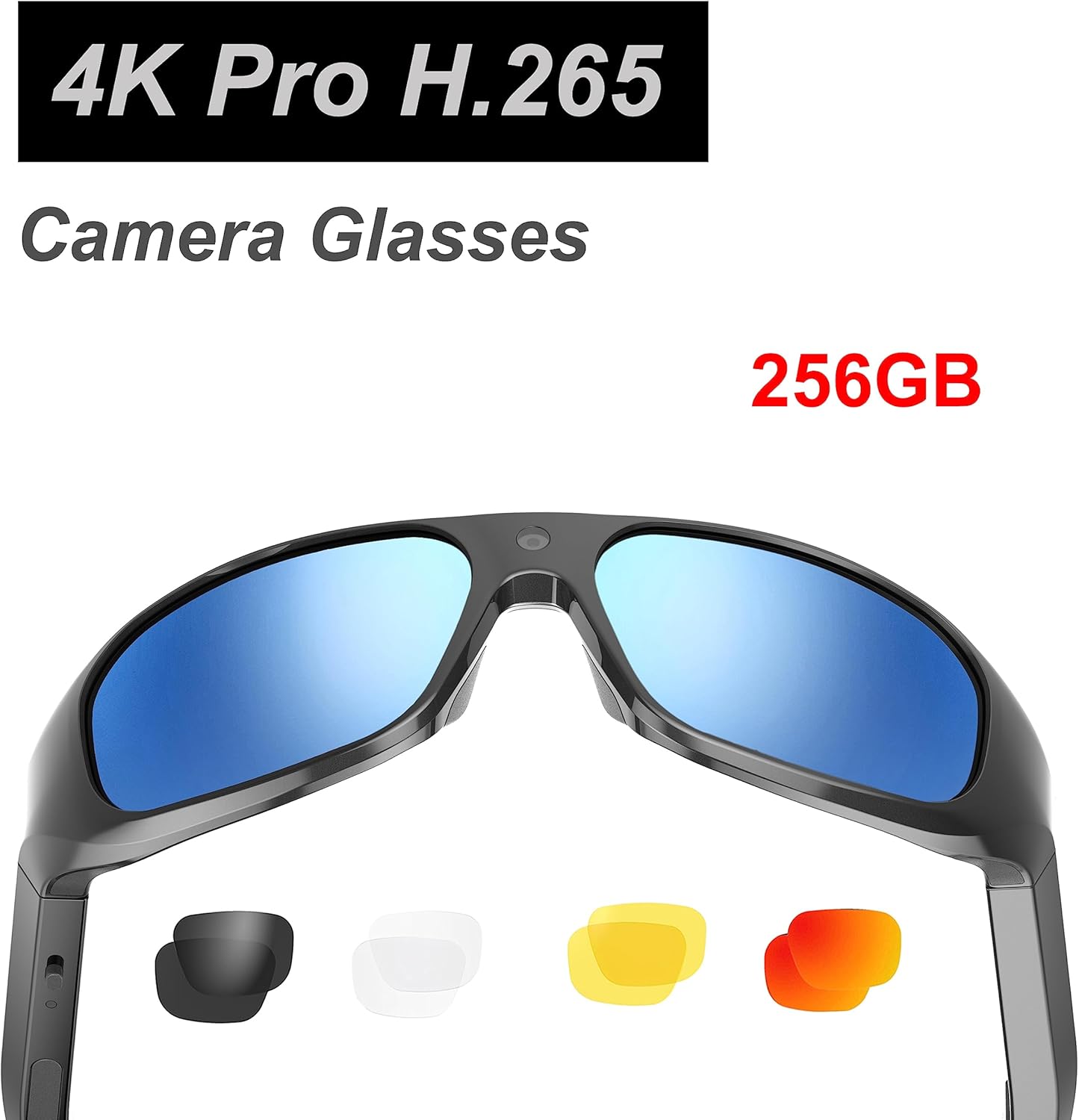
Image: Product packaging highlighting "4K Pro H.265 Camera Glasses" and "256GB" storage capability.
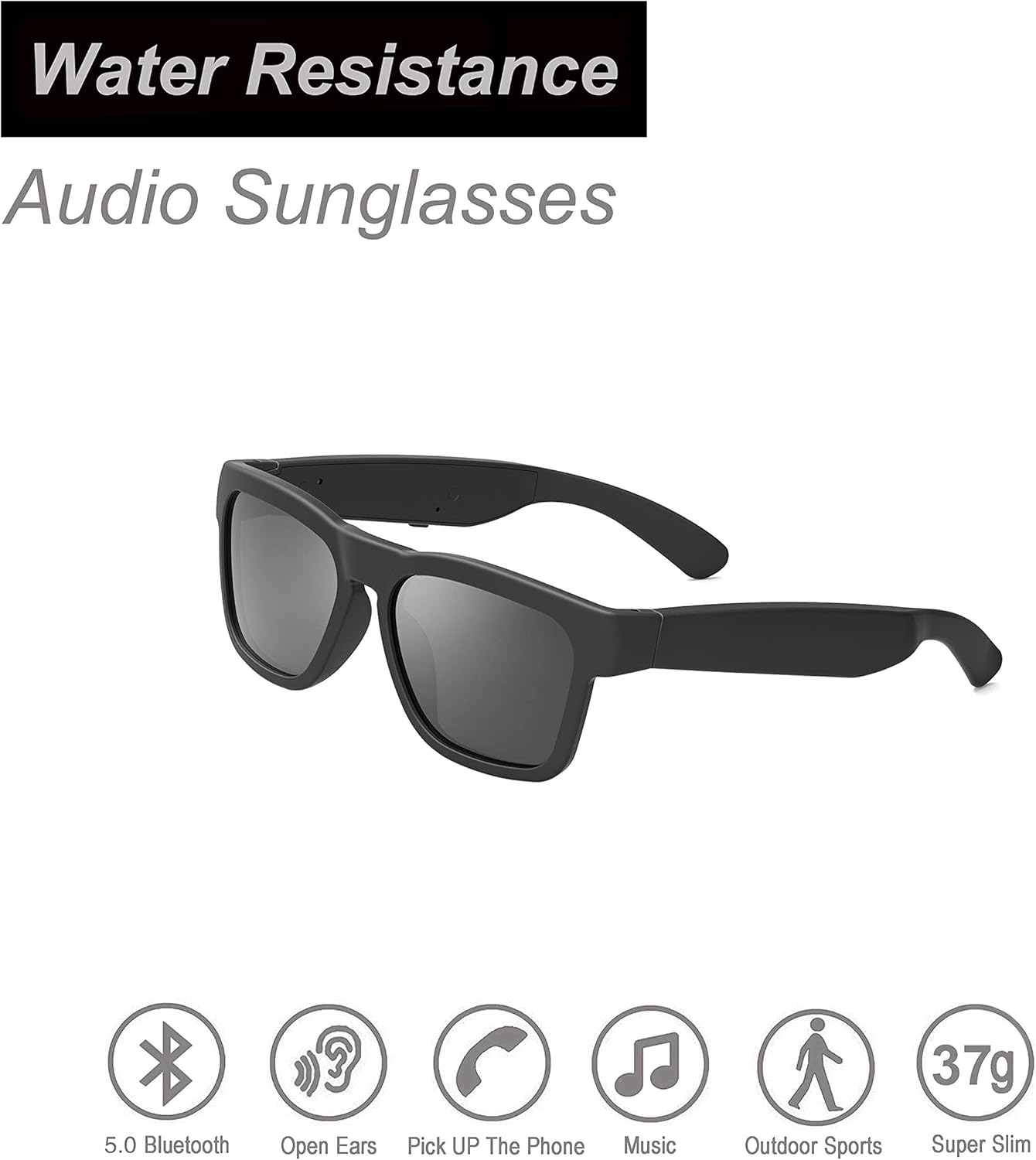
Image: OhO sunshine Audio Sunglasses highlighting "Water Resistance" and features like 5.0 Bluetooth, Open Ears, Pick Up The Phone, Music, Outdoor Sports, and Super Slim (37g).
Garanti ak sipò
For warranty information and technical support, please refer to the official OhO sunshine websit la oubyen kontakte sèvis kliyan yo dirèkteman. Kenbe resi acha w la kòm prèv acha pou nenpòt reklamasyon garanti.
Sipò sou entènèt: Visit the OhO sunshine store on Amazon or their official websit pou FAQ ak resous sipò.OhO sunshine Amazon Store