1. Entwodiksyon
Thank you for choosing the Lenovo IdeaCentre AIO 3. This all-in-one desktop computer is designed to provide maximum performance for your daily activities, combining a powerful AMD Ryzen 5 7530U processor with 16 GB of RAM and a fast 512 GB SSD. Its 27-inch Full HD display offers a vibrant visual experience for both work and entertainment. This manual will guide you through the setup, operation, and maintenance of your new device.
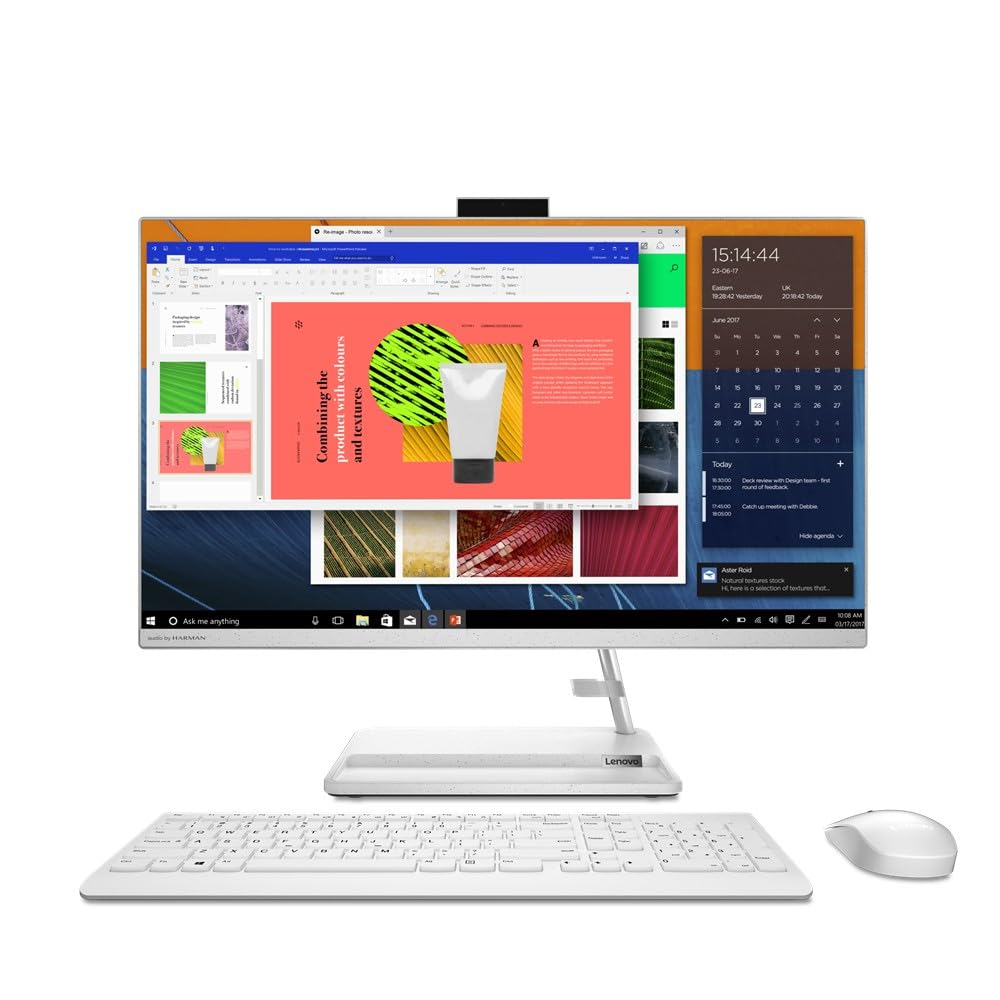
Figure 1: Lenovo IdeaCentre AIO 3 All-in-One PC, front view with included keyboard and mouse.
2. Ki sa ki nan bwat la
Your Lenovo IdeaCentre AIO 3 package should contain the following items:
- Lenovo IdeaCentre AIO 3 Desktop PC (27-inch display)
- Keyboard (QWERTY Spanish layout)
- Sourit
- Adaptè pouvwa
- Dokimantasyon (Gid Demaraj Rapid, Enfòmasyon sou Garanti)
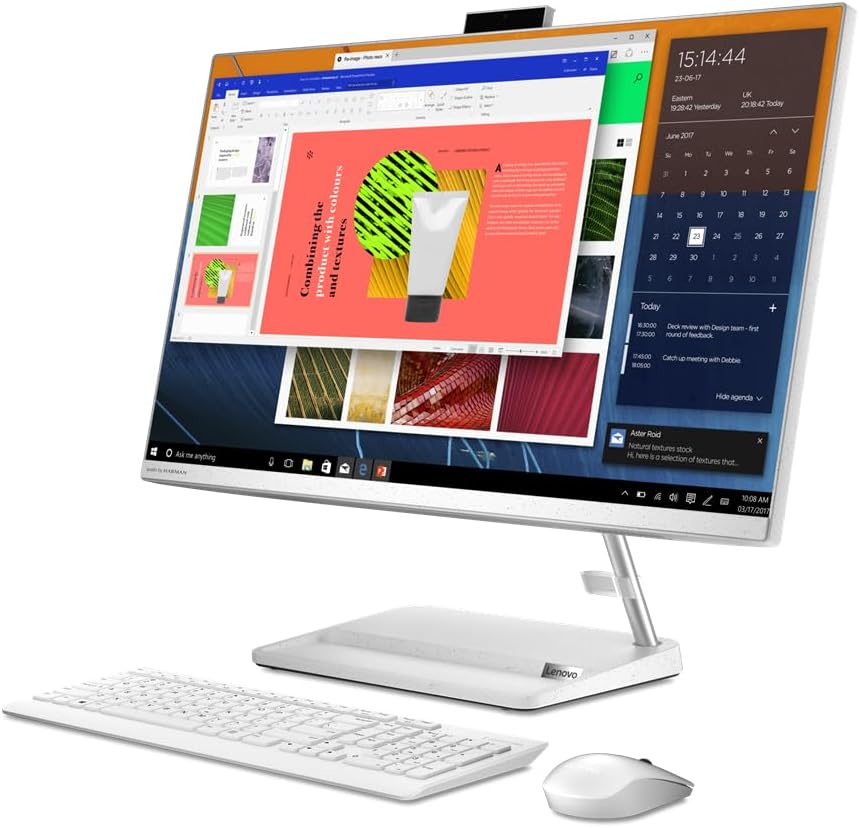
Figi 2: Devan view of the Lenovo IdeaCentre AIO 3, showcasing the display with active applications.
3. Gid Enstalasyon
Follow these steps to set up your Lenovo IdeaCentre AIO 3:
- Depake konpozan yo: Carefully remove the AIO PC, keyboard, mouse, and power adapter from their packaging.
- Place the AIO PC: Position the AIO PC on a stable, flat surface, ensuring adequate ventilation around the device.
- Konekte adaptè pouvwa a: Plug the power adapter into the power port on the back of the AIO PC, then plug the other end into a wall outlet.
- Konekte klavye ak sourit:
- For wired peripherals: Connect the keyboard and mouse USB cables to the available USB ports on the AIO PC.
- For wireless peripherals: Insert the USB receiver (usually found in the mouse or keyboard battery compartment) into an available USB port on the AIO PC. Ensure batteries are installed in the wireless keyboard and mouse.
- Pouvwa sou: Peze bouton pouvwa a, ki anjeneral sitiye sou bò oswa dèyè ekran an.
- Premye enstalasyon Windows: Swiv enstriksyon ki sou ekran an pou konplete konfigirasyon Windows 11 Home la, ki gen ladan lang, rejyon, koneksyon rezo, ak kreyasyon kont itilizatè.
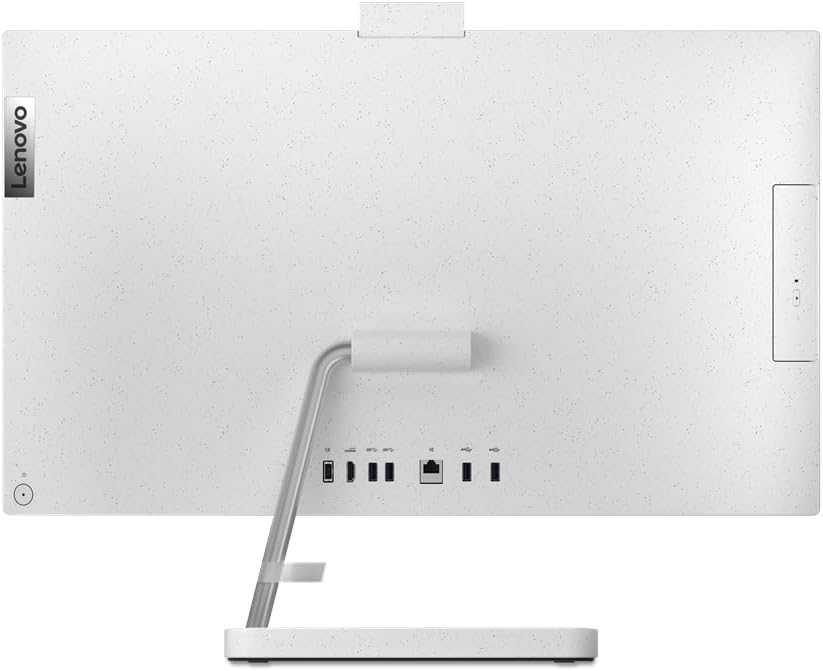
Figi 3: Dèyè view of the AIO PC, highlighting the connectivity ports for power, USB, and HDMI.
4. Operasyon Enstriksyon
4.1 Operasyon debaz
- Limen/Etenyen: Press the power button to turn the PC on. To turn off, click the Start button in Windows, then select Power > Shut down.
- Ajiste Ekspozisyon an: The display can be tilted for optimal viewing konfò.
- Kontwòl Volim: Use the volume keys on your keyboard or the volume icon in the Windows taskbar to adjust audio levels.
4.2 Konekte Aparèy Ekstèn yo
Your AIO PC is equipped with various ports for connecting external devices:
- Pò USB: Connect USB drives, printers, or other USB accessories. (2x USB 2.0, 2x USB 3.0)
- HDMI Port: Connect an external monitor or TV for extended display. (1x HDMI)
- Audio Jack: Konekte kas ekoutè oswa oratè ekstèn.
- Ethernet Port: Konekte ak yon rezo filaire pou yon aksè entènèt ki estab.
- Bluetooth: Pair with Bluetooth-enabled devices like headphones or speakers.
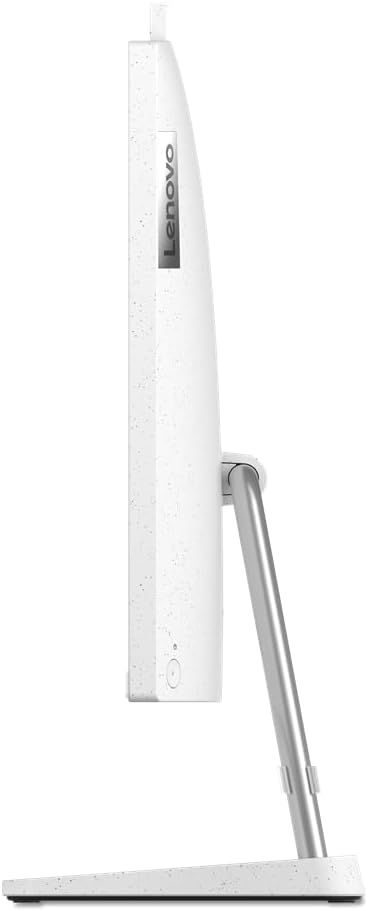
Figi 4: Pwofesyonèl bò kotefile of the Lenovo IdeaCentre AIO 3, showing its slim design.
5. Antretyen
5.1 Netwaye Aparèy la
- Ekran: Sèvi ak yon ti moso twal mou, ki san pèl dampRense avèk dlo oswa yon solisyon pou netwaye ekran. Pa flite likid la dirèkteman sou ekran an.
- Casing: Siye sifas ekstèn yo ak yon twal mou epi sèk. Evite pwodui netwayaj abrazif.
- Vantilasyon: Ensure the ventilation openings on the back and sides of the AIO PC are clear of dust and obstructions to prevent overheating.
5.2 Mizajou lojisyèl
Mete sistèm operasyon Windows ou ajou regilyèman ak chofè yo pou asire pèfòmans ak sekirite optimal.
- Mizajou Windows yo: Go to Start > Settings > Windows Update and check for updates.
- Mizajou chofè: Vizite sipò ofisyèl Lenovo a websit la pou jwenn dènye chofè yo pou modèl espesifik ou a.
NAN. Depanaj
| Pwoblèm | Solisyon posib |
|---|---|
| Odinatè a pa limen. |
|
| Pa gen okenn ekspozisyon sou ekran an. |
|
| Klavye a oswa sourit la pa reponn. |
|
| Pèfòmans ralanti. |
|
7. Espesifikasyon
| Karakteristik | Detay |
|---|---|
| Mak | Lenovo |
| Seri modèl | IdeaCentre AIO 3 |
| Nimewo Modèl | F0FY00L9SP |
| Koulè | Blan |
| Faktè fòm | Tout-an-yon sèl |
| Gwosè ekran | 27 pous |
| Rezolisyon ekran | 1920 x 1080 (Full HD) |
| Mak processeur | AMD |
| Kalite processeur | Ryzen 5 7530U |
| Vitès processeur | 4.5 GHz |
| Kantite processeurs | 6 |
| Gwosè RAM | 16 GB |
| Teknoloji memwa | DDR4 SDRAM |
| Vitès revèy memwa | 3200 MHz |
| Gwosè Disk Disk | 512 GB |
| Kalite Disk Di | SSD (Solid State) |
| Koprosesè grafik | AMD Radeon Graphics |
| Deskripsyon kat grafik | Entegre |
| Kalite koneksyon | Bluetooth, 802.11ac (Wi-Fi) |
| Pò USB 2.0 | 2 |
| Pò USB 3.0 | 2 |
| Pò HDMI | 1 |
| Kalite kondwi optik | Okenn |
| Sistèm operasyon | Windows 11 Kay |
| Pwa atik | 8 Kilogram |
8. Garanti ak sipò
Your Lenovo IdeaCentre AIO 3 comes with a standard manufacturer's warranty. For detailed warranty terms and conditions, please refer to the documentation included in your product package or visit the official Lenovo support websit.
For technical assistance, driver downloads, or further support, please visit:Lenovo Sipò Websit
Please have your product model number (F0FY00L9SP) and serial number ready when contacting support.


