Entwodiksyon
Mèsi pou acha aasing the Present Time Flat LED Alarm Clock with Wireless Charger. This device combines a modern digital alarm clock with the convenience of wireless charging, all housed in an elegant bamboo design. Please read this manual carefully to ensure proper use and maintenance of your new device.
Enfòmasyon sou Sekirite
Pou asire yon operasyon an sekirite epi pou anpeche domaj, tanpri obsève prekosyon sekirite sa yo:
- Pa ekspoze aparèy la nan dlo, imidite, oswa tanperati ekstrèm.
- Evite jete oswa sibi aparèy la nan gwo enpak.
- Pa eseye demonte, repare, oswa modifye aparèy la tèt ou. Konfye tout antretyen bay pèsonèl kalifye.
- Use only the provided power adapter or a compatible power source.
- Kenbe aparèy la lwen sous chalè ak limyè solèy la dirèk.
- Ensure proper ventilation around the device during operation, especially when using the wireless charging function.
Kontni pake
Tanpri verifye ke tout atik yo prezan nan pakè a:
- Present Time Flat LED Alarm Clock with Wireless Charger (Model: PTG-KA5934)
- Adaptè pouvwa
- Manyèl itilizatè
Pwodwi souview
Devan ak Top View
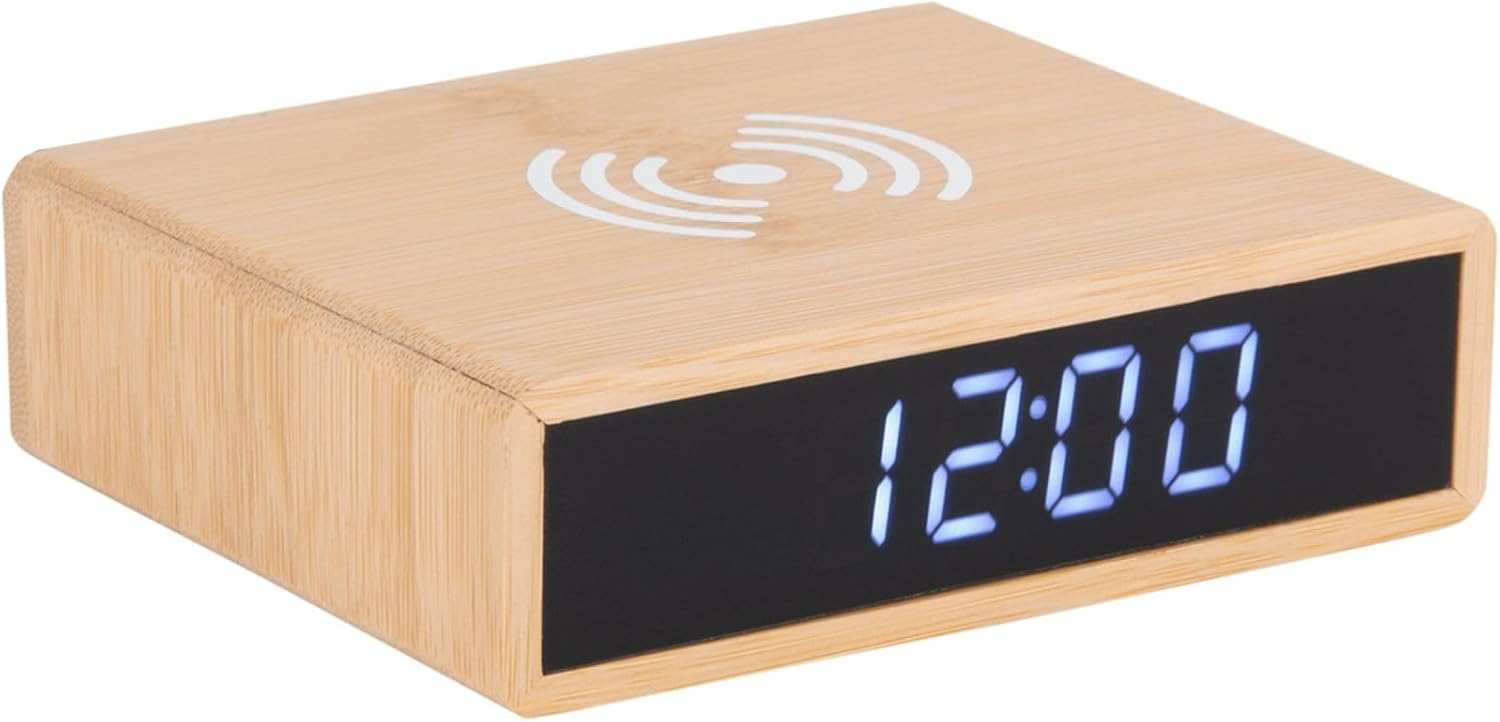
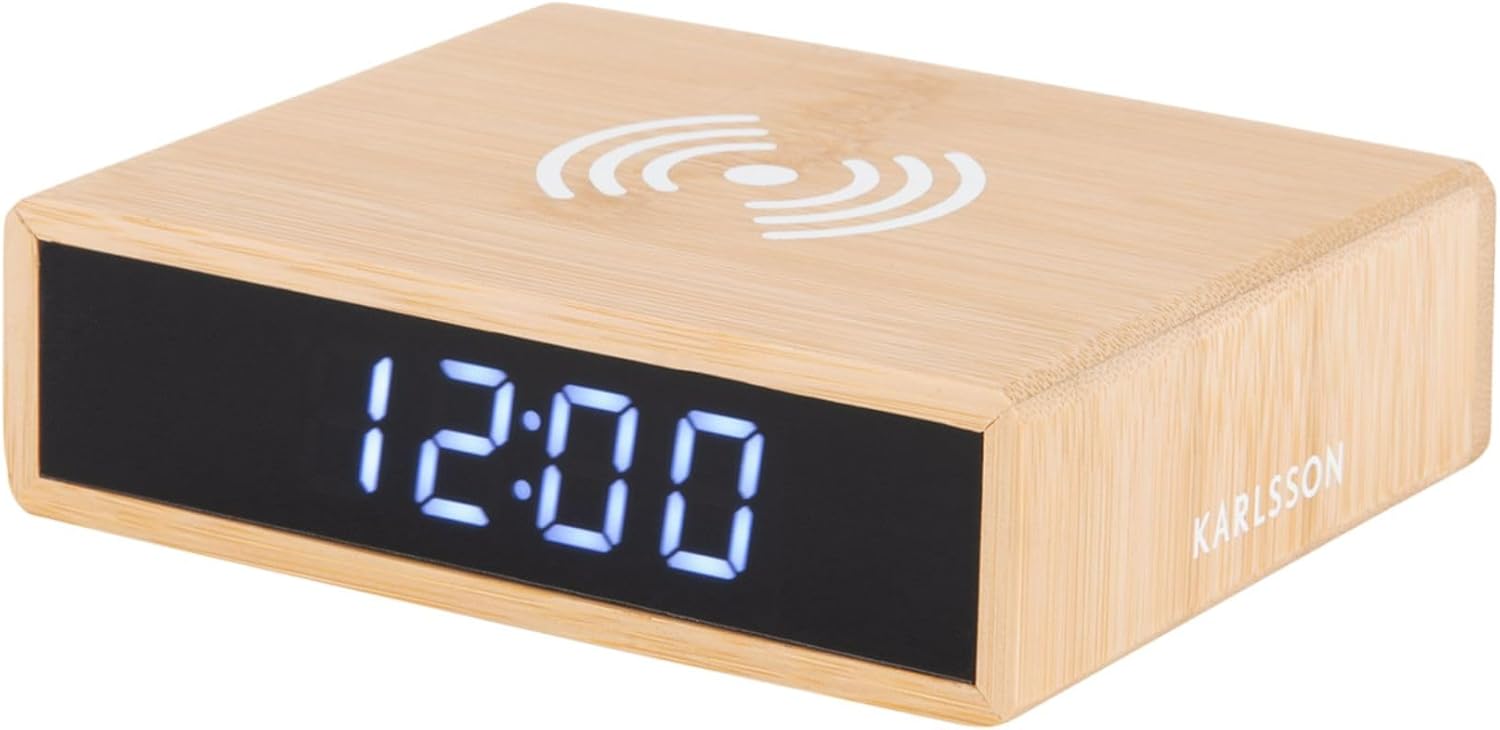
This image displays the front of the alarm clock with its clear digital LED time display and the top surface featuring the wireless charging pad symbol. The clock is made of bamboo.

This image illustrates the wireless charging functionality, showing a smartphone being placed on the top surface of the alarm clock, aligning with the charging symbol.
Dèyè View ak Kontwòl
Dèyè a view of the device reveals the control panel, including buttons for setting time and alarm, a small reset pinhole, and the DC power input jack.
- Bouton pou mete tan: Itilize pou antre nan mòd reglaj tan.
- Bouton pou mete alam: Itilize pou antre nan mòd konfigirasyon alam.
- Bouton monte / desann: Adjust values during setting.
- Reyajiste Pinhole: For factory reset (use a thin object like a paperclip).
- DC IN Pò: Konekte ak adaptè pouvwa a.
- Pad chaje san fil: Sitiye sou sifas anwo a.
Enstalasyon
1. Koneksyon pouvwa
- Konekte adaptè kouran ki vini ak revèy la nan pò DC IN ki sou dèyè revèy la.
- Branche adaptè kouran an nan yon priz miray estanda. Ekran LED la ap limen.
2. Mete Tan an
- Peze epi kenbe la Tan Mete bouton ki dèyè revèy la jiskaske chif èdtan yo kòmanse flache.
- Sèvi ak la Up epi Desann bouton pou ajiste lè a.
- Peze a Tan Mete Peze bouton an ankò pou konfime lè a epi ale nan paramèt minit yo. Chif minit yo ap flache.
- Sèvi ak la Up epi Desann bouton pou ajiste minit yo.
- Peze a Tan Mete button one more time to save the time and exit setting mode.
3. Mete alam la
- Peze epi kenbe la Alam Mete button on the back of the clock until the alarm hour digits begin to flash.
- Sèvi ak la Up epi Desann bouton pou ajiste lè alam la.
- Peze a Alam Mete button again to confirm the alarm hour and move to the alarm minute setting. The alarm minute digits will flash.
- Sèvi ak la Up epi Desann bouton pou ajiste minit alam lan.
- Peze a Alam Mete button one more time to save the alarm time.
- Pou aktive oswa dezaktive alam lan, peze yon ti tan sou bouton an. Alam Mete bouton. Yon ikòn alam ap parèt sou ekran an lè alam lan aktif.
Enstriksyon Operasyon
Fonksyon chaje san fil
The top surface of the alarm clock features a built-in wireless charging pad compatible with Qi-enabled devices.
- Place your Qi-enabled smartphone or device directly onto the wireless charging symbol on the top of the clock.
- Ensure the device is centered on the charging pad for optimal charging efficiency.
- A charging indicator (if available on your phone) will confirm that charging has begun.
- Retire aparèy ou an yon fwa konplètman chaje.
Nòt: Wireless charging may not work through thick phone cases or cases containing metal. Remove such cases if charging issues occur.
Montre Ajisteman klète
The display brightness can typically be adjusted by briefly pressing one of the control buttons (often the Up/Down buttons when not in setting mode, or a dedicated brightness button if present). Refer to the specific button functions on the rear panel for your model.
Fonksyon Snooze
When the alarm sounds, briefly press any button (often the large button on top or a dedicated snooze button) to activate the snooze function. The alarm will temporarily stop and sound again after a set interval (e.g., 5 or 9 minutes). To turn off the alarm completely, press and hold the Alarm Set button or the designated alarm off button.
Antretyen
- Netwayaj: Siye aparèy la avèk yon twal mou epi sèk. Pa sèvi ak pwodui netwayaj abrazif oswa solvan.
- Depo: Si w pa itilize aparèy la pou yon bon bout tan, debranche l epi sere l nan yon kote ki fre epi sèk.
- Swen Jeneral: Avoid placing heavy objects on the device or exposing it to excessive dust.
Depanaj
| Pwoblèm | Kòz posib | Solisyon |
|---|---|---|
| Display is off or not lighting up. | Pa gen koneksyon pouvwa. | Ensure the power adapter is securely plugged into the clock and the wall outlet. |
| Chaje san fil la pa fonksyone. | Phone not Qi-enabled; phone not centered; thick case; foreign objects. | Verify phone compatibility. Reposition phone. Remove thick/metal case. Remove objects from charging pad. |
| Alam pa sonnen. | Alarm not activated; alarm volume too low (if adjustable); incorrect time set. | Check if alarm icon is displayed. Ensure alarm time is correctly set. |
| Lè a pa kòrèk. | Lè a pa byen fikse; kouran an koupe. | Reset the time as per "Setting the Time" instructions. |
Espesifikasyon
| Mak | Karlsson |
| Nimewo Modèl | PTG-KA5934 |
| Koulè | Wood (Bamboo) |
| Materyèl | Banbou |
| Dimansyon (L x W x H) | 42 x 3.81 x 6 cm (apeprè 16.5 x 1.5 x 2.4 pous) |
| Pwa | 190 g (apeprè 0.42 liv) |
| Kalite ekspozisyon | Dijital dirije |
| Karakteristik | Alarm, Wireless Charging (Qi-compatible) |
| Sous pouvwa | Adaptè AC/DC (enkli) |
Garanti ak sipò
This product is covered by a standard manufacturer's warranty. For detailed warranty information, please refer to the warranty card included in your package or contact your retailer. For technical support or service inquiries, please contact the customer service department of Karlsson or your point of purchase.
For further assistance, please visit the official Karlsson websit oswa kontakte sipò kliyan yo.


