Entwodiksyon
This manual provides essential information for the safe and effective operation of your Gemini Sound GSP-L2200PK Powered DJ Speaker System. This bundle includes a 2200W 15-inch powered Bluetooth PA speaker with sound-reactive LED lighting, a speaker stand, a Polsen M-85 microphone with cable, two Auray MS-5230F tripod microphone stands, and an XLR-XLR cable. Please read this manual thoroughly before use and retain it for future reference.
Enstriksyon Sekirite Enpòtan
- Li enstriksyon sa yo.
- Kenbe enstriksyon sa yo.
- Fè atansyon tout avètisman yo.
- Swiv tout enstriksyon yo.
- Pa sèvi ak aparèy sa a toupre dlo.
- Netwaye sèlman ak yon twal sèk.
- Pa bloke okenn ouvèti vantilasyon. Enstale li dapre enstriksyon manifakti a.
- Pa enstale tou pre okenn sous chalè tankou radyatè, rejis chalè, recho, oswa lòt aparèy (tankou amplifiers) ki pwodui chalè.
- Pa defèt objektif sekirite nan ploge polarize oswa ki kalite tè. Yon ploge polarize gen de lam ak youn pi laj pase lòt la. Yon ploge kalite tè gen de lam ak yon twazyèm pwong tè. Yo bay lam lajè a oswa twazyèm pikèt la pou sekirite ou. Si priz yo bay la pa anfòm nan priz ou a, konsilte yon elektrisyen pou ranplase priz demode a.
- Pwoteje kòd elektrik la pou yo pa mache oswa kwense sitou nan priz, resipyan konvenyans, ak pwen kote yo sòti nan aparèy la.
- Itilize sèlman atachman/akseswa manifakti a espesifye.
- Itilize sèlman ak charyo a, kanpe, tripod, bracket, oswa tab ki espesifye pa manifakti a, oswa vann ak aparèy la. Lè yo itilize yon kabwa, pran prekosyon lè w ap deplase konbinezon kabwa a/aparèy la pou evite blese nan ranvèse.
- Deploge aparèy sa a pandan tanpèt zèklè oswa lè li pa itilize pou yon peryòd tan ki long.
- Refere tout sèvis yo bay pèsonèl sèvis kalifye. Reparasyon nesesè lè aparèy la domaje nenpòt fason, tankou kòd kouran oswa ploge domaje, likid koule oswa objè tonbe nan aparèy la, aparèy la te ekspoze a lapli oswa imidite, li pa fonksyone nòmalman. , oswa li te tonbe.
Kontni pake
Tanpri verifye ke tout atik ki nan lis anba a yo enkli nan pakè ou a:
- 1x Gemini 2200W 15" Powered Bluetooth PA Speaker with Lights
- 1x Oratè kanpe
- 1x Polsen M-85 Professional Dynamic Handheld Microphone
- 1x Microphone Cable (XLR to 1/4")
- 1x pouvwa kòd
- 1x XLR-XLR Cable (20")
- 2x Auray MS-5230F Tripod Microphone Stand with Fixed Boom
- 2x Cable-Guide Clip (for mic stands)
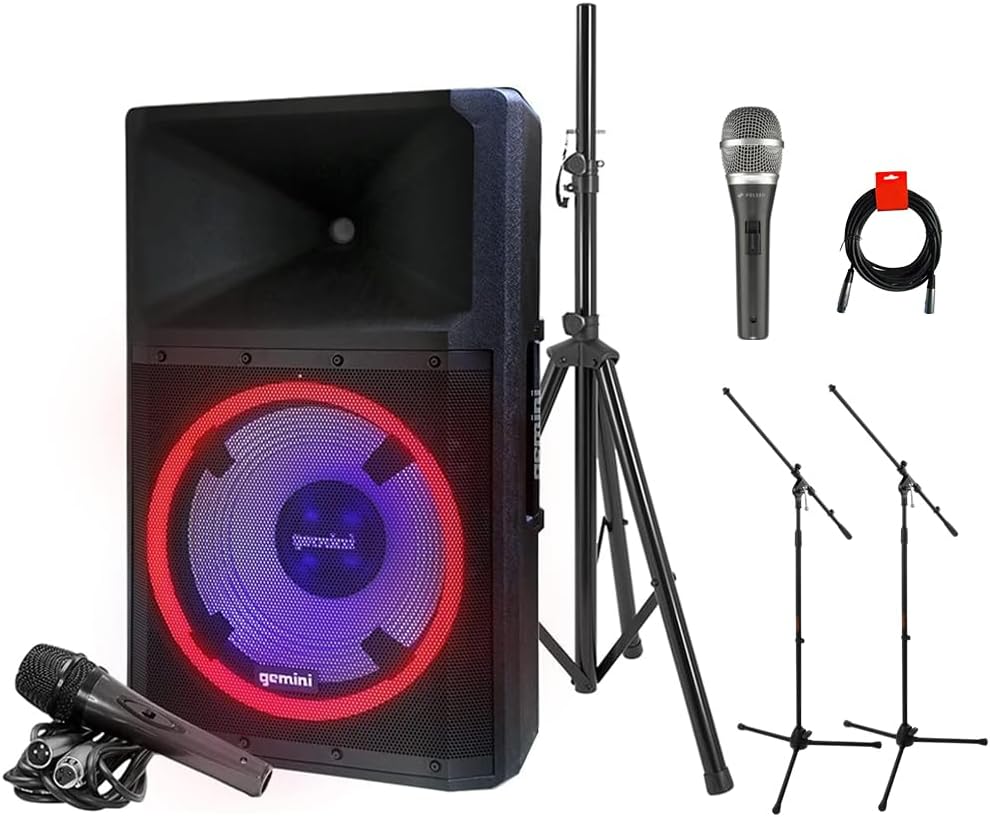
Image: The complete GSP-L2200PK bundle, showing the main speaker, a speaker stand, a Polsen M-85 microphone, two tripod microphone stands, and an XLR cable.
Pwodwi souview
Gemini GSP-L2200PK Powered Speaker
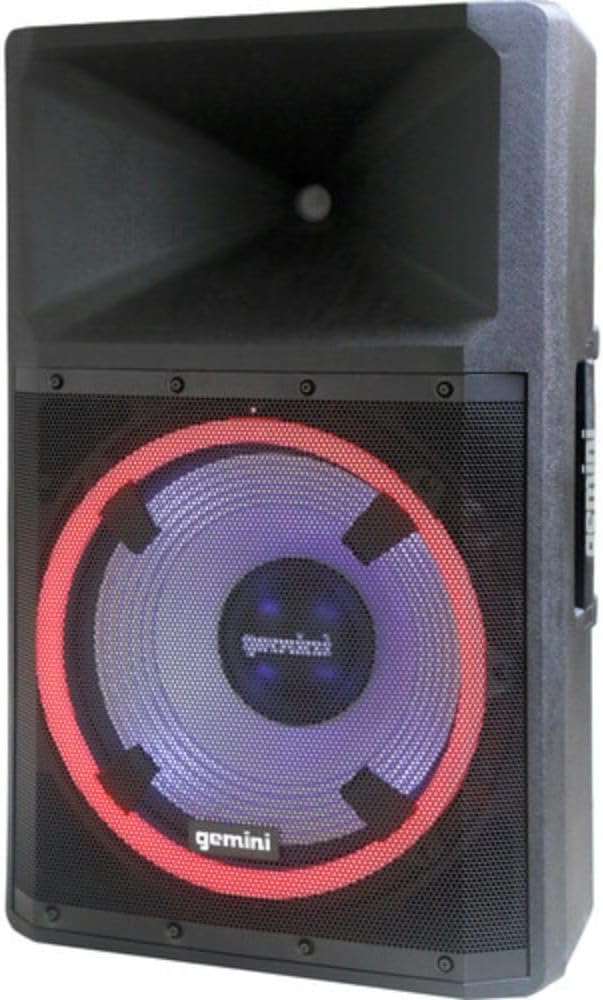
Imaj: Devan view of the Gemini GSP-L2200PK speaker, highlighting the 15-inch woofer with its illuminated LED ring and the horn tweeter.

Image: Rear panel of the Gemini GSP-L2200PK speaker, displaying the various input and output connections, volume controls, and the built-in media player interface.
The GSP-L2200PK is a powerful 15-inch bi-amped PA speaker featuring a 2200W peak output. It includes a 15" low-frequency woofer, a 3" voice coil, and a 1.35" tweeter for clear audio reproduction. The speaker is equipped with a three-channel mixer, individual gain controls, and a built-in media player that supports Bluetooth, SD cards, and USB drives. It also features adjustable full-color LED party lighting and a telescopic handle with wheels for portability.
Polsen M-85 Professional Dynamic Handheld Microphone

Image: The Polsen M-85 Professional Dynamic Handheld Microphone, a cardioid microphone with durable all-metal construction and an on/off switch.
The Polsen M-85 is a cardioid dynamic microphone designed for clear vocal reproduction. It features durable all-metal construction and a balanced XLR output connector for reliable performance.
Auray MS-5230F Tripod Microphone Stands
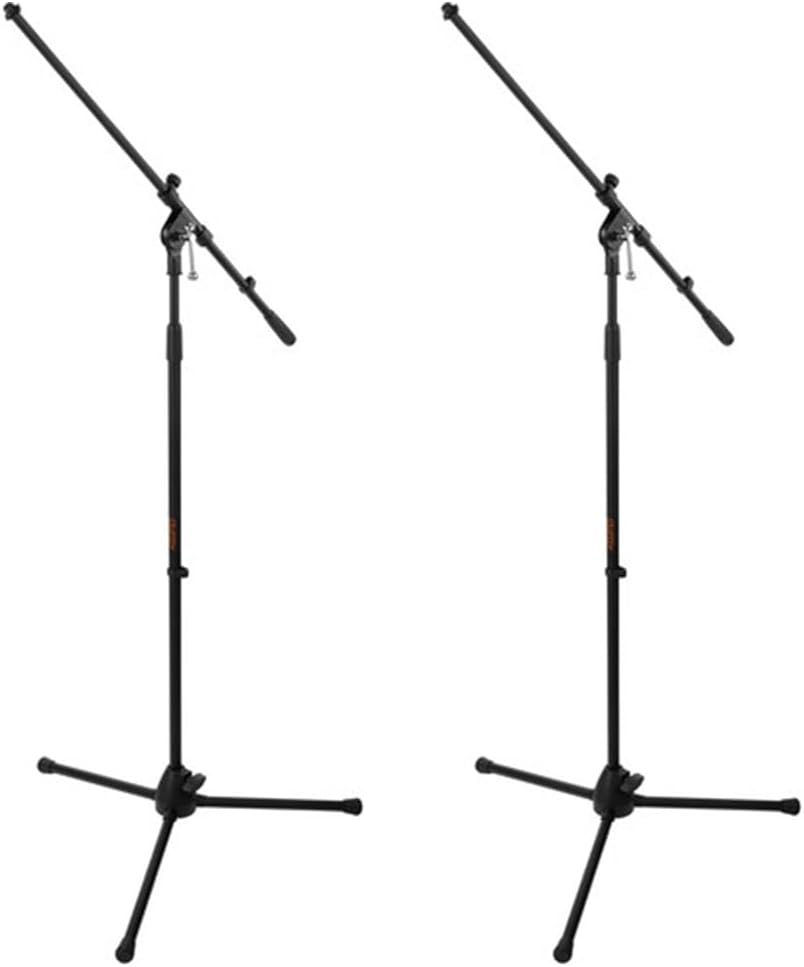
Image: Two Auray MS-5230F Tripod Microphone Stands, featuring a stable tripod base and a fixed boom arm for microphone positioning.
The MS-5230F stands feature durable steel construction with a stable tripod base and a fixed boom arm, ideal for various microphone placements.
Câbles

Image: A coiled 20-inch XLR-XLR cable, used for connecting audio equipment.
The bundle includes a power cord for the speaker, an XLR to 1/4" cable for the Polsen M-85 microphone, and a 20-inch XLR-XLR cable for linking speakers or other audio devices.
Gid Enstalasyon
1. Plasman Oratè
- Unpack the GSP-L2200PK speaker and the speaker stand.
- Extend the legs of the speaker stand to form a stable tripod base. Ensure the locking mechanisms are securely fastened.
- Carefully lift the GSP-L2200PK speaker and place it onto the pole of the speaker stand. Ensure it is seated firmly and securely.
- Position the speaker in a central location, elevated for optimal sound dispersion. Avoid placing it directly against walls or in corners, which can affect bass response.
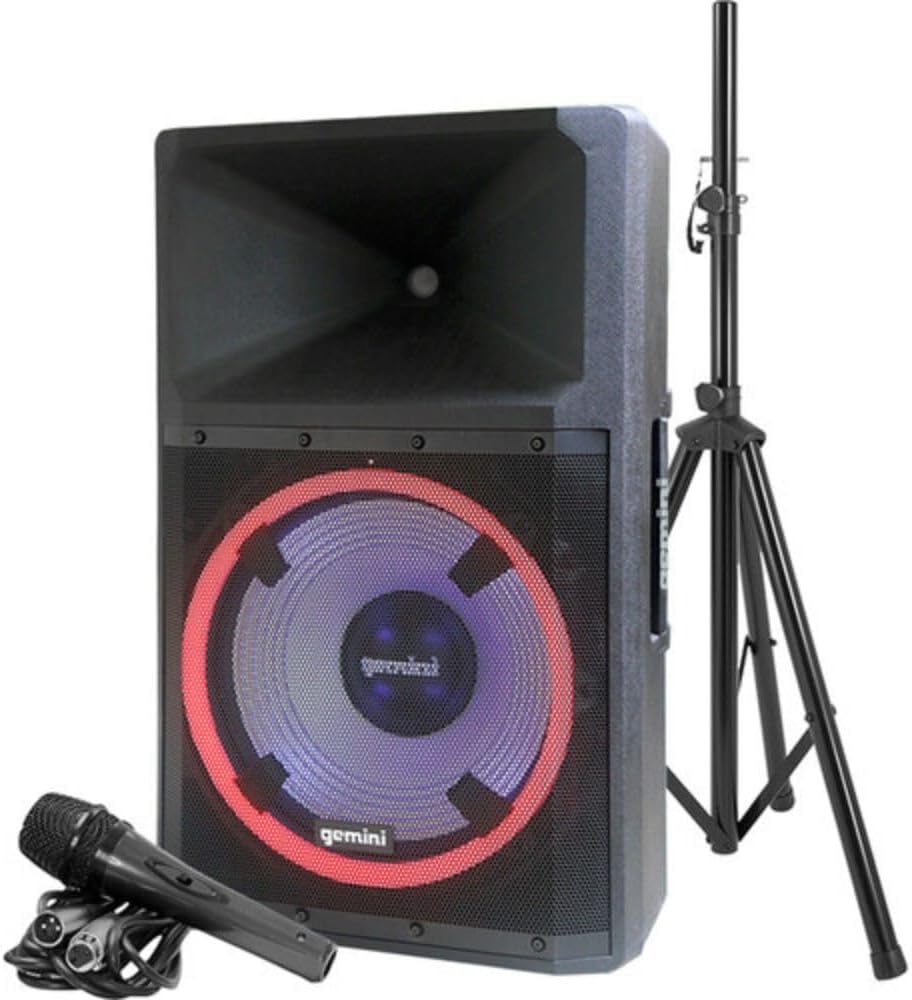
Image: The Gemini GSP-L2200PK speaker correctly mounted on its included stand, with the Polsen M-85 microphone positioned in front.
2. Enstalasyon Mikwofòn
- Assemble the Auray MS-5230F tripod microphone stands by extending the legs and attaching the fixed boom arm.
- Attach the microphone clip to the boom arm of the stand.
- Insert the Polsen M-85 microphone into the microphone clip.
- Connect the XLR end of the provided microphone cable (XLR to 1/4") to the Polsen M-85 microphone.
- Connect the 1/4" end of the microphone cable to one of the Microphone Input (XLR/1/4" Combo) jacks on the rear panel of the GSP-L2200PK speaker.
3. Koneksyon pouvwa
- Asire w ke switch pouvwa oratè a nan pozisyon OFF.
- Connect the provided power cord to the AC INLET on the rear panel of the speaker.
- Ploge lòt bout kòd la nan yon priz kouran AC apwopriye.
Enstriksyon Operasyon
1. Powering On and Initial Volume Settings
- Before powering on, ensure all volume knobs (Master, Mic, Line, Media Player) are set to their minimum (counter-clockwise) position.
- Flip the POWER switch on the rear panel to the ON position. The power indicator light will illuminate.
- Slowly increase the MASTER VOLUME to a low listening level.
2. Pè Bluetooth
- On the speaker's media player, select the Bluetooth mode. The Bluetooth indicator will flash, indicating it's ready for pairing.
- Sou telefòn entelijan ou, tablèt ou, oswa òdinatè w la, aktive Bluetooth epi chèche aparèy ki disponib yo.
- Select "GSP-L2200PK" from the list of devices. Once paired, the Bluetooth indicator on the speaker will become solid.
- You can now stream audio wirelessly to the speaker. Adjust the MEDIA PLAYER VOLUME knob for the desired level.
3. Wired Audio Inputs
- Mikwo Entran: Connect your Polsen M-85 microphone (or other XLR/1/4" microphones) to the MIC INPUT 1 or MIC INPUT 2 jacks. Adjust the corresponding MIC VOLUME knob.
- Antre liy: For other audio sources (e.g., mixer, instrument, non-Bluetooth player), use the LINE INPUTS (XLR, RCA, or 3.5mm AUX). Connect your device and adjust the LINE VOLUME knob.
- Antre gita: The 1/4" input can also be used for guitar connection.
4. LED Lighting Control
The GSP-L2200PK features built-in LED lights with several operational modes. Refer to the controls on the rear panel to cycle through different lighting effects, including sound-reactive modes, or to turn the lights off.
5. TWS Linking (True Wireless Stereo)
For a stereo sound experience, you can wirelessly link two GSP-L2200PK speakers. Consult the speaker's specific TWS linking instructions, usually involving pressing a dedicated TWS button on both units until they pair.
6. XLR Sòti
The XLR OUTPUT allows you to link additional powered speakers or send the mixed audio signal to another sound system. Use the provided XLR-XLR cable for this connection.
Antretyen
- Netwayaj: Always unplug the speaker before cleaning. Use a soft, dry cloth to wipe down the exterior surfaces. Do not use abrasive cleaners, waxes, or solvents.
- Depo: When not in use for extended periods, store the speaker and accessories in a cool, dry place, away from direct sunlight and extreme temperatures.
- Câbles: Inspect all cables regularly for signs of wear or damage. Replace any damaged cables immediately to ensure safe operation.
- Vantilasyon: Ensure that the ventilation openings on the speaker are not blocked to prevent overheating.
Depanaj
| Pwoblèm | Kòz posib | Solisyon |
|---|---|---|
| Pa gen pouvwa | Power cord not connected; Power outlet not active; Speaker power switch off. | Ensure power cord is securely connected; Test outlet with another device; Turn speaker power switch ON. |
| Pa gen pwodiksyon son | Volume knobs too low; Incorrect input selected; Source device not playing; Damaged cable. | Increase MASTER, MIC, LINE, or MEDIA PLAYER volume; Ensure correct input is active; Check source device playback; Replace cable if damaged. |
| Bluetooth pa asosye | Speaker not in pairing mode; Device too far; Incorrect device selected. | Ensure speaker is in Bluetooth pairing mode (flashing indicator); Move device closer to speaker; Select "GSP-L2200PK" from device list. |
| Son defòme | Volume too high (clipping); Input signal too strong; Damaged speaker component. | Reduce MASTER or input volume; Lower output level from source device; Contact customer support if distortion persists at low volumes. |
| Mikwofòn pa mache | Microphone switch off; Cable not connected properly; MIC VOLUME too low. | Ensure microphone switch is ON; Check cable connection at both ends; Increase MIC VOLUME. |
Espesifikasyon
| Karakteristik | Detay |
|---|---|
| Nimewo Modèl | GSP-L2200PK |
| Sòti Wattage | 2200 Watt (pik) |
| Woofer Size | 15 pous |
| Tweeter Gwosè | 1.35 pous |
| Kantite Chanèl | 3 (Mic 1, Mic 2, Line/Media Player) |
| Koneksyon Teknoloji | Bluetooth, XLR, 1/4" TRS or TS, RCA |
| Entrain Audio | XLR microphones, 1/4'' instrument inputs, RCA, 3.5mm auxiliary inputs |
| Sòti odyo | XLR Link Output |
| Sous pouvwa | Fil elektrik |
| Materyèl | Steel (stands), Durable Enclosure (speaker) |
| Koulè | Nwa |
| Pwa atik | 58 liv (total pake a) |
| Dimansyon pake | 30.5 x 21 x 16.13 pous |
| Kalite aliye | Pòl Mount |
| Itilizasyon Rekòmande | Events, speaking engagements, fitness programs, DJ parties, karaoke, indoor events |
Garanti ak sipò
For warranty information and technical support, please refer to the warranty card included with your product or visit the official Gemini Sound websit la. Kenbe prèv acha ou a pou nenpòt reklamasyon garanti.
Gemini Customer Support: For assistance with your GSP-L2200PK system, please contact Gemini customer support. Contact details can typically be found on the manufacturer's websit la oubyen sou anbalaj pwodwi a.


