1. Entwodiksyon
Welcome to your new Porodo 2-in-1 Wireless Office Mouse. This device offers versatile connectivity options (2.4G USB and Bluetooth 5.1), adjustable DPI settings, and a long-lasting battery, designed for efficient and comfortable use across various devices.
This manual provides detailed instructions for setup, operation, maintenance, and troubleshooting to ensure you get the most out of your mouse.
2. Pake kontni
- Porodo 2-in-1 Wireless Office Mouse
- USB Receiver (for 2.4G connection)
- Chaje kab
- Manyèl itilizatè
3. Pwodwi souview
Familiarize yourself with the components and design of your Porodo wireless mouse.

Imaj: Anwo-anba view of the Porodo PD-21MIOM-BK wireless mouse, highlighting the scroll wheel, main buttons, and brand logo.
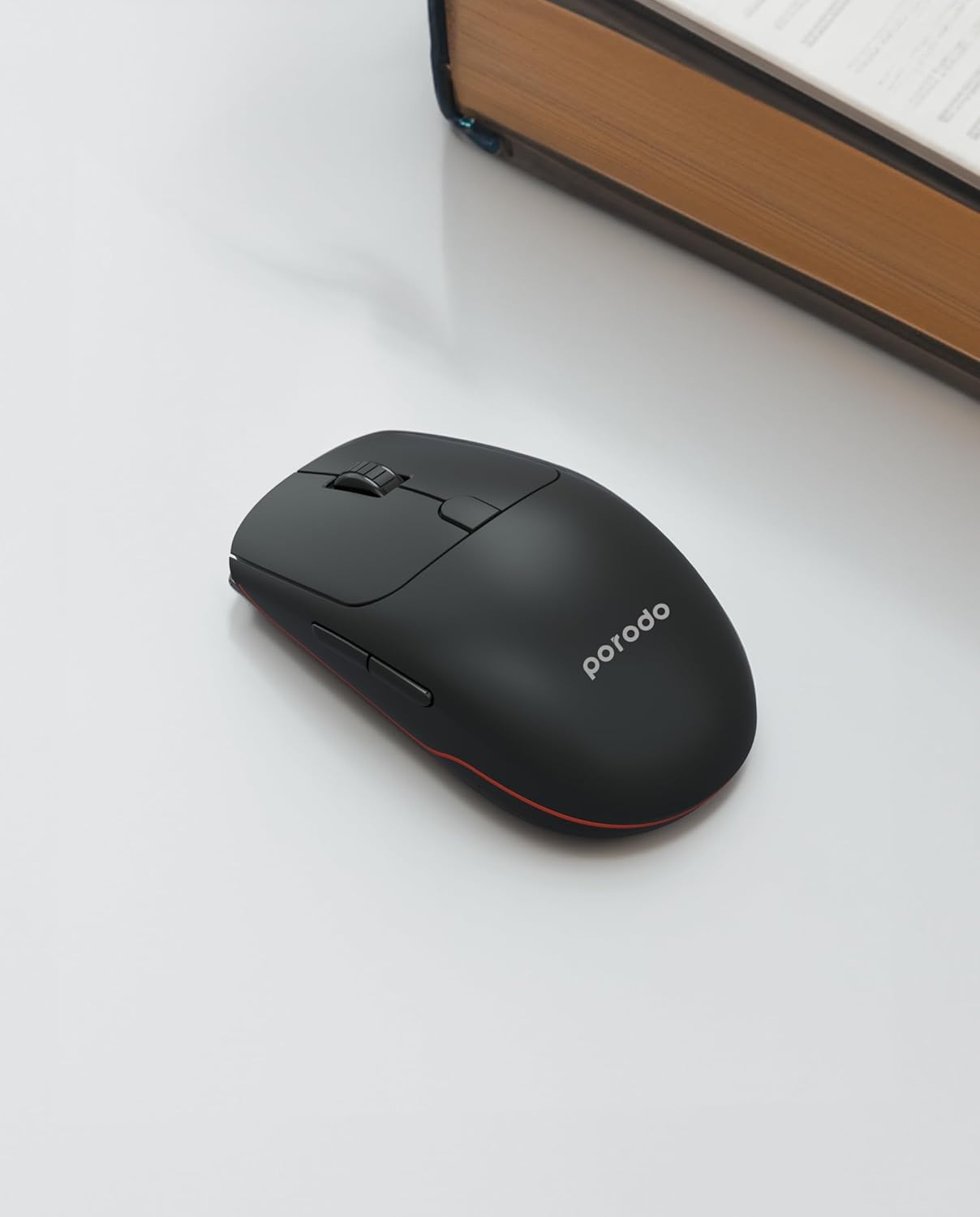
Imaj: Angle view of the Porodo PD-21MIOM-BK wireless mouse, showing its ergonomic design and side buttons.
4. Enstalasyon
4.1 Chaje Sourit la
The mouse features a built-in 500mAh 3.7V battery. Before first use, or when the battery is low, connect the mouse to a USB power source using the provided charging cable. A full charge provides approximately 480 hours of usage.
4.2 Connecting via 2.4G USB Receiver
- Locate the USB receiver, typically stored in a compartment on the underside of the mouse.
- Ploge reseptè USB a nan yon pò USB ki disponib sou òdinatè w lan.
- Turn on the mouse using the power switch (usually on the underside). The mouse should automatically connect to the receiver.
- Your computer will typically install the necessary drivers automatically.
4.3 Konekte atravè Bluetooth 5.1
- Asire w sourit la mache.
- Switch the mouse to Bluetooth mode using the mode switch on the underside.
- On your device (laptop, tablet, smartphone), navigate to the Bluetooth settings.
- Chèche pou new devices. The mouse should appear as "Porodo Mouse" or similar.
- Chwazi sourit la pou pè.
- Yon fwa li konekte, sourit la pare pou itilize.
5. Operasyon Enstriksyon
5.1 DPI Ajisteman
The mouse supports adjustable DPI settings between 800 and 1600. To change the DPI, press the DPI button (usually located near the scroll wheel or on the underside). Each press cycles through the available DPI settings. Adjust the DPI to suit your preference for cursor speed and precision.
5.2 Chanje Mòd Koneksyon
If your mouse supports both 2.4G and Bluetooth, there is a switch on the underside to select the desired connection mode. Move the switch to the 2.4G position for USB receiver connection or to the Bluetooth position for Bluetooth pairing.
5.3 Fonksyon debaz
- Klike Goch: Seleksyon prensipal ak aktivasyon.
- Klike sou dwa: Aksè nan meni kontèkstal yo.
- wou woulo liv: Dokiman defile ak web paj yo. Ou kapab klike tou pou fonksyonalite klike sou bouton mitan an.
- Bouton bò: Often used for forward/back navigation in web navigatè.
6. Antretyen
6.1 Netwayaj
Pou netwaye sourit ou a, sèvi ak yon twal mou epi sèk. Pou pousyè tè ki difisil pou netwaye, siye l yon ti kras.ampen the cloth with water or a mild cleaning solution. Avoid using harsh chemicals or abrasive materials. Do not immerse the mouse in water or any liquid.
6.2 Swen Batri
To prolong battery life, avoid fully discharging the mouse frequently. Recharge when the low battery indicator appears. If storing the mouse for an extended period, ensure it is partially charged and turn off the power.
NAN. Depanaj
7.1 Sourit la pa reponn
- Tcheke nivo batri a epi rechaje si sa nesesè.
- Asire w sourit la mache.
- For 2.4G connection: Ensure the USB receiver is securely plugged into a working USB port. Try a different USB port.
- For Bluetooth connection: Ensure Bluetooth is enabled on your device and the mouse is in pairing mode or already paired. Try re-pairing the mouse.
- Rekòmanse òdinatè w la oswa aparèy ou an.
7.2 Mouvman Kurseur Iregilye
- Netwaye detèktè optik ki anba sourit la.
- Ensure you are using the mouse on a suitable surface (non-reflective, uniform color).
- Tcheke pou entèferans nan lòt aparèy san fil.
8. Espesifikasyon
| Karakteristik | Detay |
|---|---|
| Mak | Porodo |
| Nimewo Modèl | PD-21MIOM-BK (7267547498421) |
| Koneksyon Teknoloji | 2.4G USB, Bluetooth 5.1 |
| Kalite batri | 500mAh 3.7V Built-In Lithium Battery |
| Mwayèn lavi batri | Jiska 480 èdtan |
| Wireless Range | 8 mèt |
| Teknoloji deteksyon mouvman | Optik |
| Anviwònman DPI | 800-1600 DPI |
| Kantite bouton | 3 |
| Oryantasyon men | Anbidextr |
| Pwa atik | 60 g |
| Dimansyon pwodwi | 12 x 6 x 0.1 cm |
| Aparèy konpatib | Laptop, Odinatè pèsonèl, Telefòn entelijan, Tablèt |
| Sistèm operasyon | Linux, Windows XP (and modern operating systems) |
9. Garanti ak sipò
Your Porodo PD-21MIOM-BK 2-in-1 Wireless Office Mouse comes with a standard manufacturer's warranty. Please refer to the warranty card included in your package or visit the official Porodo websit la pou wè tèm ak kondisyon garanti detaye yo.
For technical support or customer service, please contact Porodo customer support through their official channels.


