1. Entwodiksyon
Mèsi paske ou te chwazi CZE a.view ZY-D4 Indoor Surveillance Camera. This manual provides comprehensive instructions to help you set up, operate, and maintain your camera for optimal performance and security. Please read this manual carefully before use and retain it for future reference.
2. Pwodwi souview
CZE aview ZY-D4 is a high-definition indoor surveillance camera designed to provide clear and reliable monitoring of your home or office. It features advanced capabilities such as dual-band Wi-Fi connectivity, motion tracking, two-way audio, and enhanced night vision.
2.1 Kontni pake a
- CZEview ZY-D4 Indoor Surveillance Camera
- Adaptè pouvwa
- USB pouvwa kab
- Mounting Bracket
- Montaj Vis
- Manyèl Itilizatè (dokiman sa a)
2.2 Konpozan Kamera

Figure 2.2.1: CZEview ZY-D4 Indoor Surveillance Camera. This image shows the camera unit alongside a smartphone screen, illustrating its connectivity and monitoring capabilities.

Figure 2.2.2: Internal Components of the Camera. This diagram illustrates the sophisticated internal design and lens system that contribute to the camera's high performance.
- Lantiy: Kaptire videyo footage.
- Mikwofòn: Pou antre odyo ak kominikasyon bidireksyonèl.
- Oratè: Pou pwodiksyon odyo ak kominikasyon bidireksyonèl.
- Limyè Endikatè Estati: Endike estati kamera a (pa egzanp, konekte, ap anrejistre).
- Pouvwa Port: Konekte ak adaptè pouvwa a.
- Bouton Reyajiste: Used to reset the camera to factory settings. (Located by tilting the camera lens upwards)
- Mikwo SD kat plas: For local storage of recordings (supports up to 128GB, not included). (Located by tilting the camera lens upwards)
3. Enstalasyon
3.1 Limen
- Konekte kab kouran USB a nan pò kouran kamera a.
- Ploge adaptè pouvwa a nan yon priz elektrik estanda.
- The camera will power on, and the status indicator light will illuminate.
3.2 Enstalasyon Aplikasyon ak Kreyasyon Kont
- Telechaje CZE ofisyèl laview application from your mobile device's app store (iOS App Store or Google Play Store).
- Louvri aplikasyon an epi swiv enstriksyon ki sou ekran an pou kreye yon nouvo kont oubyen konekte si ou deja genyen youn.
3.3 Konekte ak Wi-Fi
CZE aview ZY-D4 supports both 2.4 GHz and 5 GHz Wi-Fi networks for flexible connectivity.

Figure 3.3.1: Dual-Band Wi-Fi Connectivity. This image highlights the camera's compatibility with both 2.4 GHz and 5 GHz Wi-Fi networks, ensuring a stable and smooth connection.
- In the CZEview app, tap on "Add Device" or the "+" icon.
- Chwazi modèl kamera ou nan lis la.
- Follow the app's instructions to connect the camera to your Wi-Fi network. This typically involves scanning a QR code displayed on your phone with the camera's lens or entering your Wi-Fi password.
- Ensure your Wi-Fi password is correct to avoid connection issues.
- Once connected, the status indicator light will change, and the app will confirm successful pairing.
3.4 Monte Kamera a
The camera can be placed on a flat surface or mounted to a ceiling using the provided bracket and screws.
- For Ceiling Mount:
- Choose a suitable location on the ceiling.
- Fikse sipò montaj la nan plafon an avèk vis yo bay yo.
- Secure the camera to the mounting bracket by twisting it into place until it clicks.
- For Flat Surface Placement:
- Place the camera on a stable, flat surface with a clear view nan zòn ou vle kontwole.
4. Itilizasyon Kamera a
4.1 Viv View ak Kontwòl Pan/Tilt
Access the live video feed and control the camera's movement through the CZEview app.

Figure 4.1.1: Ultra Clarity and Zoom. This image demonstrates the camera's 3K 5MP resolution and 4X zoom capability, providing clear and detailed visuals.
- Louvri CZE aview app and select your camera from the device list.
- Emisyon videyo an dirèk la ap parèt.
- Use the on-screen controls to pan (355° horizontal) and tilt (100° vertical) the camera to adjust the viewang ang.
- You can switch between SD, HD, 5MP, and AUTO resolution modes in the live view anviwònman.
4.2 Odyo De-fason
Kominike avèk moun ki toupre kamera a lè l sèvi avèk fonksyon odyo bidireksyonèl la.

Figure 4.2.1: Two-Way Talk Functionality. This image humorously depicts the camera's ability to enable two-way communication, allowing users to speak through the camera.
- Pandan w ap viv la view, tape ikòn mikwofòn nan pou pale nan oratè kamera a.
- Tape ikòn oratè a pou koute odyo ki soti nan mikwofòn kamera a.
4.3 Deteksyon Mouvman ak Son
Receive instant alerts on your phone when motion or sound is detected.

Figure 4.3.1: AI-Driven Tracking and Alerts. This image illustrates the camera's intelligent motion and sound detection, providing real-time alerts for activity in monitored areas.
- Enable motion detection and sound detection in the camera settings within the app.
- Konfigire sansiblite alèt ak preferans notifikasyon.
- The camera will automatically track detected movements.
4.4 Vizyon lannwit
The camera automatically switches to night vision mode in low-light conditions, providing clear video footage.

Figure 4.4.1: Clear Night Vision. This image demonstrates the camera's ability to capture clear video in low-light environments, ensuring continuous monitoring day and night.
- Night vision is automatically activated when ambient light is insufficient.
4.5 Mode konfidansyalite
Activate privacy mode to temporarily disable live streaming and recording for enhanced privacy.
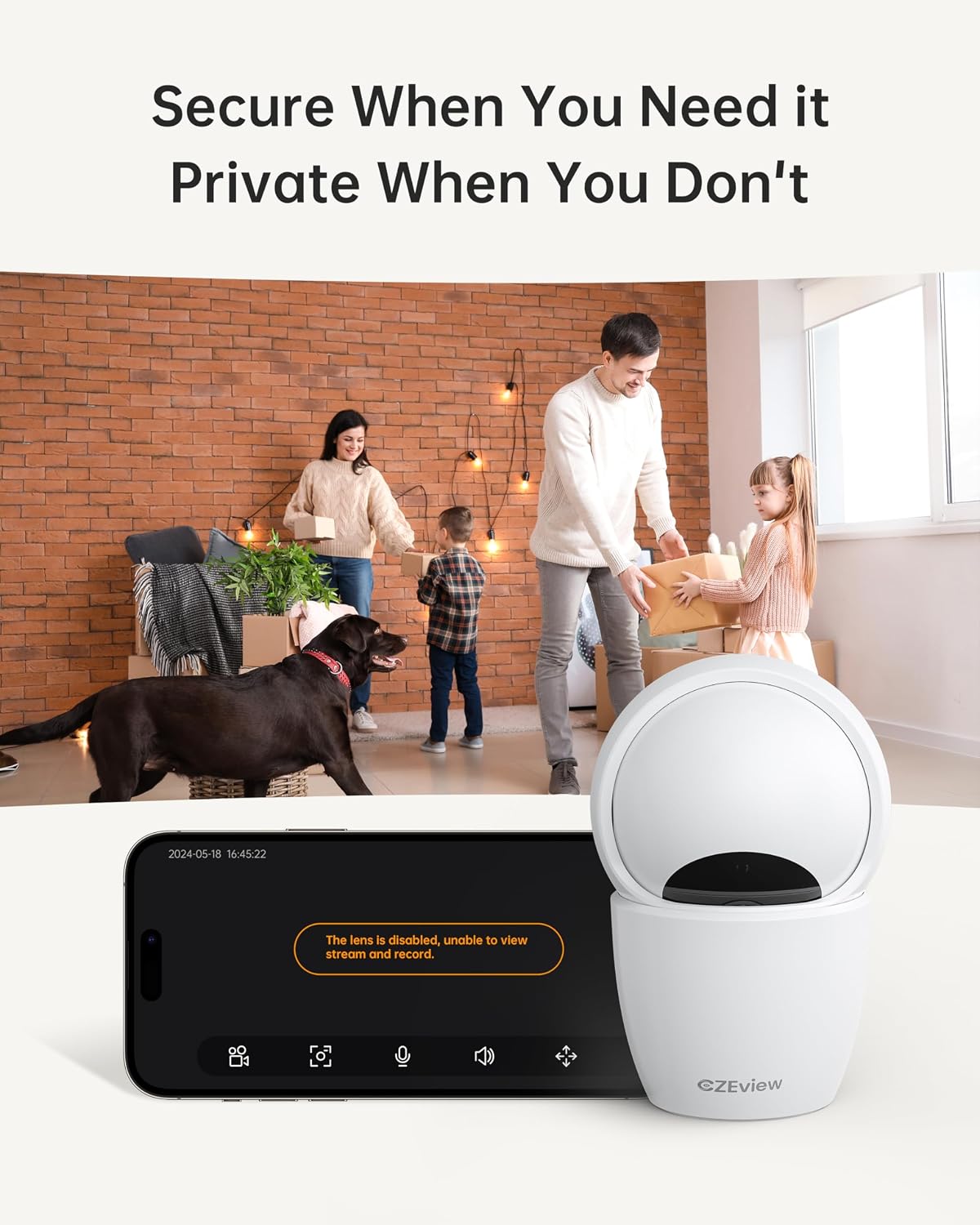
Figure 4.5.1: Privacy Mode Activation. This image illustrates the camera's privacy feature, allowing users to disable the lens for temporary suspension of streaming and recording.
- In the app, locate the privacy mode setting.
- Tap to activate or deactivate privacy mode. When active, the camera lens may physically retract or turn away.
4.6 Opsyon Depo
The camera supports local storage via a Micro SD card and optional cloud storage.
- Kat mikwo SD: Insert a Micro SD card (up to 128GB, not included) into the designated slot. Ensure the camera is powered off before inserting or removing the card. The slot is located by tilting the camera lens upwards.
- Depo nwaj: Refer to the CZEview app for details on available cloud storage plans and subscription options.
5. Antretyen
5.1 Netwayaj Kamera a
- Asire w kamera a etenn anvan ou netwaye li.
- Sèvi ak yon twal mou epi sèk pou siye kò kamera a.
- For the lens, use a lens cleaning cloth specifically designed for optics to avoid scratches.
- Pa sèvi ak pwodui netwayaj likid oswa materyèl abrazif.
5.2 Mizajou Firmware
- Periodically check the CZEview app for available firmware updates.
- Follow the app's instructions to update the camera's firmware to ensure optimal performance and access to new features.
NAN. Depanaj
| Pwoblèm | Kòz posib | Solisyon |
|---|---|---|
| Kamera pa konekte ak Wi-Fi | Incorrect Wi-Fi password; Camera too far from router; Router issues; Incorrect Wi-Fi band (2.4GHz vs 5GHz) | Double-check Wi-Fi password. Move camera closer to router. Restart router. Ensure you are connecting to the correct Wi-Fi band (camera supports both). |
| Pa gen okenn videyo an dirèk | Camera offline; Network issue; Privacy mode active | Check camera's power and Wi-Fi connection. Verify internet connectivity. Disable privacy mode in the app. |
| Move kalite videyo | Low bandwidth; App resolution setting; Dirty lens | Ensure stable Wi-Fi connection. Change video quality setting to HD or 5MP in the app. Clean the camera lens. |
| Deteksyon mouvman pa travay | Detection sensitivity too low; Feature disabled in app; Obstruction in view | Adjust motion detection sensitivity in app settings. Ensure motion detection is enabled. Clear any obstructions from the camera's view. |
| Cannot insert Micro SD card | Incorrect orientation; Lens not tilted up | Ensure the card is oriented correctly. Tilt the camera lens upwards to reveal the SD card slot. |
If you encounter issues not listed here, please refer to the CZEview app's help section or contact customer support.
7. Espesifikasyon
| Karakteristik | Detay |
|---|---|
| Modèl | ZY-D4 |
| Mak | CZEview |
| Rezolisyon | 5 MP (3K) |
| Koneksyon | Wi-Fi (2.4 GHz & 5 GHz) |
| Pan / Panche Range | Orizontal 355 °, vètikal 100 ° |
| Depo | Kat Micro SD (jiska 128GB, pa enkli), Depo nan nwaj la (opsyonèl) |
| Pouvwa | 3 Watts |
| Dimansyon (L x W x H) | 7.62 x 7.62 x 12.7 cm |
| Pwa | 322 gram |
| Materyèl | Metal |
| Kalite aliye | Plafon mòn |
| Koulè | Ecru |
8. Garanti ak sipò
For warranty information and technical support, please refer to the CZEview ofisyèl website or contact their customer service directly. Details can typically be found within the CZEview application or on the product packaging.


