Entwodiksyon
This manual provides essential information for setting up, operating, and maintaining your HP Essential 17t Laptop TPN-I139. Please read these instructions carefully to ensure proper use and to maximize the lifespan of your device.
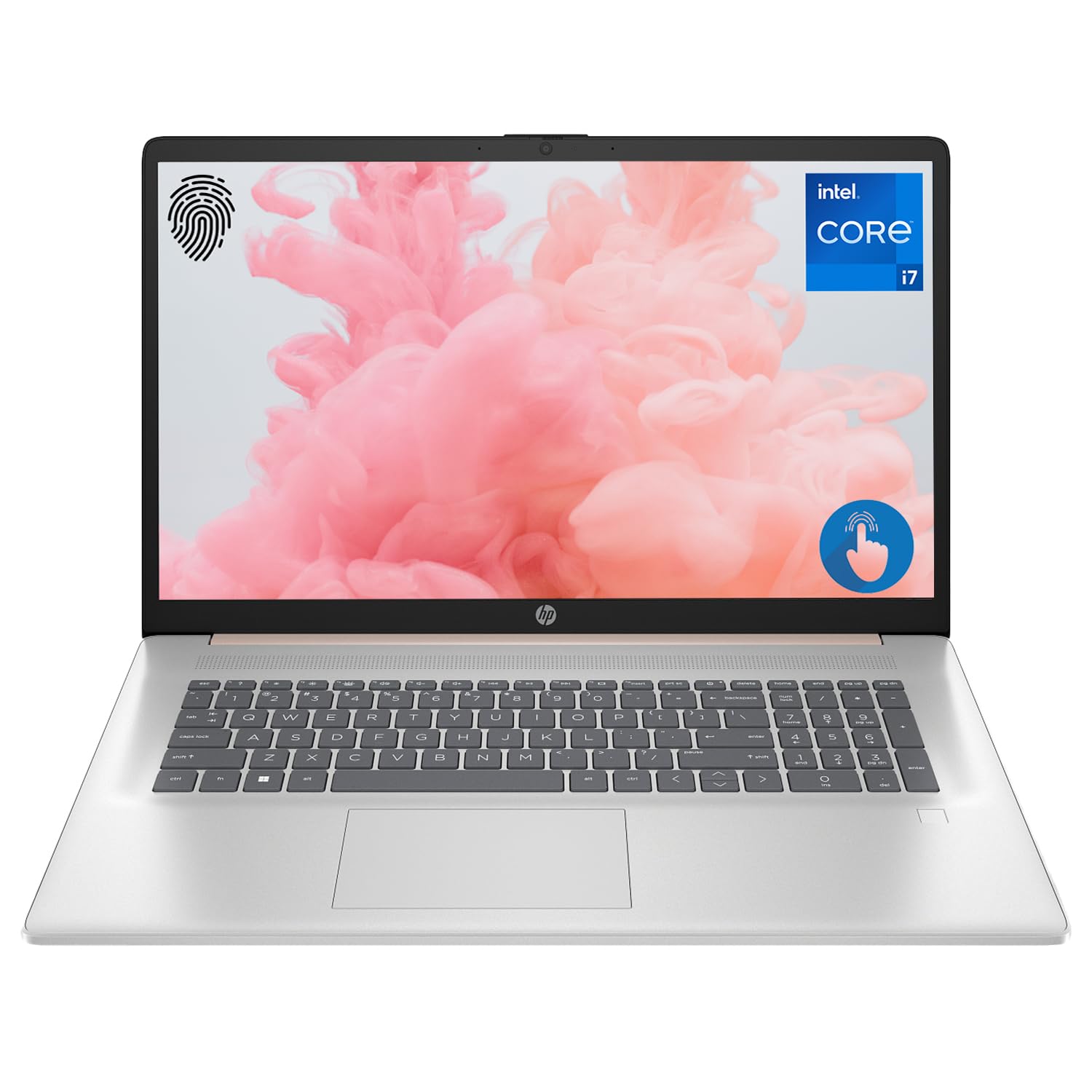
Figure 1: HP Essential 17t Laptop
The HP Essential 17t Laptop is designed for productivity and everyday use, featuring a 17.3-inch HD+ touchscreen, an Intel Core i7-1355U processor, 64GB of RAM, and a 2TB SSD. It comes pre-installed with Windows 11 Home.
Kòmanse
1. Ki sa ki nan bwat la
- HP Essential Touchscreen Laptop
- AC pouvwa adaptè
- Gid pou kòmanse rapidman (si li enkli)
2. Premye Limen ak Konfigirasyon
- Connect the AC power adapter to the laptop and a power outlet.
- Louvri kouvèti laptop la epi peze bouton pouvwa a, ki anjeneral sitiye sou klavye a.
- Follow the on-screen instructions to complete the Windows 11 Home setup. This includes selecting your region, connecting to a Wi-Fi network, creating a user account, and accepting the license agreement.

Figure 2: Windows 11 Home Interface
Materyèl souview
Pò ak konektè
Familiarize yourself with the various ports on your laptop for connecting external devices.

Figi 3: Pò ak Konektè Laptop
- SuperSpeed USB Type-A (5Gbps signaling rate): Pou konekte aparèy USB tankou sourit, klavye, oswa disk ekstèn.
- HDMI 1.4b: Pou konekte ak ekran ekstèn oswa pwojektè.
- SuperSpeed USB Type-C (5Gbps signaling rate): A versatile port for data transfer and connecting compatible devices.
- Headphone/Microphone Combo Jack (3.5mm): For connecting headphones, external speakers, or a headset with a microphone.
Klavye ak Touchpad
The laptop features a full-size backlit keyboard for comfortable typing in various lighting conditions and a responsive touchpad for navigation.
Ekspozisyon
Your HP Essential 17t Laptop is equipped with a 17.3-inch HD+ (1600 x 900) touchscreen display, offering intuitive interaction with Windows 11.

Figure 4: 17.3" HD+ Touchscreen Display
Itilizasyon Laptop ou a
Jesyon pouvwa
- Limen/Etenyen: Press the power button to turn the laptop on. To shut down, click the Start button, then Power > Shut down.
- Mòd dòmi: Close the lid or click the Start button, then Power > Sleep to put the laptop into a low-power state.
- Swen batri: The laptop supports battery fast charge, reaching approximately 50% charge in 45 minutes. For optimal battery health, avoid consistently draining the battery to 0% or keeping it at 100% for extended periods.
Sèvi ak Touchscreen la
Interact with your laptop directly on the screen using touch gestures. Common gestures include tapping to select, pinching to zoom, and swiping to scroll.
Sèvi ak Lektè anprent
The integrated fingerprint reader allows for secure and quick login. Set up your fingerprints through Windows Hello in the Windows Settings app (Accounts > Sign-in options).
Konekte ak Wi-Fi
To connect to a wireless network, click the Wi-Fi icon in the taskbar, select your desired network, and enter the password if prompted. The laptop supports Wi-Fi 6 for fast and reliable wireless connectivity.
Karakteristik pwodiktivite
This laptop integrates Copilot + AI capabilities to enhance productivity. These features can assist with scheduling, drafting emails, summarizing documents, and more, streamlining your workflow.

Figure 5: Copilot + AI for Enhanced Productivity
Antretyen ak Swen
Netwaye òdinatè pòtab ou a
- Sèvi ak yon ti moso twal mou, ki san pèl dampRense avèk dlo oswa yon pwodui netwayaj ekran pou netwaye ekran an.
- Pou klavye a ak chasi a, sèvi ak yon twal mou epi sèk. Evite pwodui chimik ki agresif oswa materyèl abrazif.
- Asire w ke laptop la etenn epi debranche anvan ou netwaye li.
Mizajou lojisyèl
Tcheke epi enstale mizajou Windows regilyèman pou asire sistèm ou an gen dènye patch sekirite ak amelyorasyon pèfòmans yo. Ale nan Anviwònman > Mizajou Windows.
Depanaj
Si w rankontre pwoblèm ak laptop ou a, eseye etap debaz sa yo pou depanaj:
- Pa gen pouvwa: Asire w adaptè AC a byen konekte ak laptop la ak yon priz kouran ki fonksyone. Eseye yon lòt priz.
- Pwoblèm ekspozisyon: Si ekran an vid, eseye konekte yon monitè ekstèn pou wè si pwoblèm nan soti nan ekran laptop la.
- Koneksyon Wi-Fi: Restart your router and modem. Ensure Wi-Fi is enabled on your laptop.
- Pèfòmans Ralanti: Close unnecessary applications. Check for available Windows updates.
Pou pwoblèm ki pi konplèks, al gade sipò HP a. websit la oubyen kontakte sèvis kliyan HP la.
Espesifikasyon
Below are the key technical specifications for the HP Essential 17t Laptop TPN-I139:

Figure 6: Intel Core i7-1355U Processor
| Karakteristik | Spesifikasyon |
|---|---|
| Non modèl | TPN-I139 |
| Processeur | 13th Gen Intel Core i7-1355U (10 Cores, 12 Threads, up to 5.0 GHz) |
| RAM | 64 GB DDR4 SDRAM (3200 MHz) |
| Depo | SSD 2 TB PCIe NVMe M.2 |
| Ekspozisyon | 17.3" HD+ (1600 x 900) Touchscreen, BrightView, 250 nits |
| Grafik | Intel Iris Xe Graphics |
| Sistèm operasyon | Windows 11 Kay |
| Koneksyon san fil | Wi-Fi 6 (802.11ax) |
| Pò | 1x SuperSpeed USB Type-C (5Gbps), 2x SuperSpeed USB Type-A (5Gbps), 1x HDMI 1.4b, 1x Headphone/Microphone Combo |
| Karakteristik espesyal | Klavye retroeklere, lektè anprent |
| Dimansyon (LxWxH) | 15.78 x 10.15 x 0.78 pous |
| Pwa | 5.25 liv |

Figure 7: Intel Iris Xe Graphics
Garanti ak sipò
Your HP Essential 17t Laptop comes with a standard manufacturer's warranty. For detailed warranty terms and conditions, please refer to the documentation included with your product or visit the official HP support website. For technical assistance, driver downloads, or service requests, please contact HP customer support directly.
Pwodwi souview Videyo
Gade videyo sa a pou yon vizyon anplisview of the HP Essential 17t Laptop's features and capabilities.
Video 1: HP Essential 17 Touchscreen 13th Gen i7 Laptop Overview by PCOnline US. This video highlights key features and design aspects of the laptop.