Entwodiksyon
This manual provides detailed instructions for the installation, operation, and maintenance of your TAXNELE TUYA WiFi Smart Circuit Breaker KWh Power Meter. This device allows for remote control, energy monitoring, and smart automation of electrical circuits via the Smart Life or Tuya App, and integrates with voice assistants like Google Home and Amazon Alexa.
Enfòmasyon sou Sekirite
AVÈTISMAN: Electrical installation should only be performed by qualified personnel. Incorrect installation can lead to electric shock, fire, or other hazards. Always disconnect power at the main circuit breaker before installation or maintenance.
- Ensure the power supply is completely off before wiring.
- Verify voltage and current ratings match your electrical system.
- Pa sèvi ak aparèy la si li sanble domaje.
- Kenbe aparèy la lwen dlo ak imidite ki wo.
- Aparèy sa a fèt pou itilize andedan kay la sèlman.
Pwodwi souview ak Karakteristik
The TAXNELE TUYA WiFi Smart Circuit Breaker is a versatile device designed to enhance your home's electrical management. It combines the functionality of a circuit breaker with smart monitoring and control capabilities.

Image: The smart circuit breaker device shown alongside a smartphone displaying the Tuya Smart Life app interface, highlighting its WiFi connectivity and compatibility with Google Assistant and Amazon Alexa.
Karakteristik kle:
- Kontwòl Remote: Manage your electrical devices from anywhere using the Smart Life/Tuya App.
- Fonksyon revèy: Schedule on/off times, countdowns, and cycle timers for automated control.
- Kontwòl vwa: Compatible with Google Home and Amazon Alexa for hands-free operation.
- Siveyans enèji: Integrated Voltmeter, Ammeter, and KWh Power Meter to track real-time and historical energy consumption.
- Mòn sou ray DIN: Standardized installation for electrical panels.
Kontni pake
Tanpri tcheke pake a pou atik sa yo:
- 1 x TAXNELE TUYA WiFi Smart Circuit Breaker (16A model)
- 1 x Manyèl Itilizatè (dokiman sa a)
Espesifikasyon

Image: A visual representation of the product specifications, including model, voltage, current, Wi-Fi standard, and functions.
| Paramèt | Valè |
|---|---|
| Modèl | TXCB-TWM |
| Rated Voltage | AC 90-300V, 50/60Hz |
| Rated aktyèl | 16A (Other variants: 10A, 25A, 32A, 40A, 50A, 63A) |
| Kalite Koneksyon | 1P+N |
| Lavi mekanik | > 100,000 fwa |
| Tanperati Fonksyònman | -25 ℃ pou 70 ℃ |
| Kalite san fil | Wi-Fi 2.4 GHz |
| Kalite kontwòl | Remote, Manual |
| Mounting Rail | DIN35 |
| Dimansyon (L x W x H) | Apeprè. 82 x 68 x 18 mm (3.23 x 2.68 x 0.71 pous) |
| Materyèl | Metal |
| Pouvwa | 4800 Watts (for 16A at 300V max) |
| Sètifikasyon | CE |

Image: Detailed dimensions of the smart circuit breaker, showing its height (82mm), width (18mm), and depth (50mm).
Enstalasyon
1. Enstalasyon Fizik
Anvan ou kòmanse: Ensure the main power supply to your electrical panel is turned OFF. Use appropriate safety gear.
- Montaj: Install the smart circuit breaker onto a standard DIN35 rail within your electrical distribution box.
- Fil elektrik:
- Connect the incoming Live (L) wire to the terminal marked 'L' on the tèt nan aparèy la.
- Connect the incoming Neutral (N) wire to the terminal marked 'N' on the tèt nan aparèy la.
- Connect the outgoing Live (L) wire to the terminal marked 'L' on the anba of the device, leading to your load.
- Connect the outgoing Neutral (N) wire to the terminal marked 'N' on the anba of the device, leading to your load.
- Asire w ke tout koneksyon an sekirite epi byen sere.
Note: Some users have reported that the input/output terminals might be reversed compared to traditional breakers. Always verify the markings on the device.
- Pouvwa sou: Once wiring is complete and verified, restore power to the main circuit breaker. The device's indicator light should turn on.
2. Enstalasyon Aplikasyon an ak Koneksyon Aparèy yo
The device works with the Smart Life or Tuya Smart app.
- Telechaje App: Download the "Smart Life" or "Tuya Smart" app from your smartphone's app store (Google Play Store for Android, Apple App Store for iOS).
- Enskri/Konekte: Louvri aplikasyon an epi kreye yon nouvo kont oubyen konekte si ou deja genyen youn.
- Ajoute Aparèy:
- Tape ikòn "+" ki nan kwen anwo dwat aplikasyon an pou ajoute yon nouvo aparèy.
- Select "Electrical Engineering" or "Circuit Breaker (Wi-Fi)" from the device list.
- Follow the on-screen instructions to put the device into pairing mode. This usually involves pressing and holding the ON/OFF button on the device until the Wi-Fi indicator light blinks rapidly.
- Enter your 2.4 GHz Wi-Fi network name and password. (5 GHz Wi-Fi is not supported).
- Wait for the app to discover and connect to the device. Once connected, you can rename the device for easy identification.

Image: The Smart Life app interface demonstrating remote control capabilities and 24-hour real-time monitoring of electrical parameters.
Enstriksyon Operasyon
1. Manyèl Kontwòl
The device has a physical ON/OFF button. Press it to manually switch the circuit breaker on or off.
2. Kontwòl a distans atravè aplikasyon an
Once paired, you can control the circuit breaker from anywhere using the Smart Life/Tuya App.
- Open the app and select your device.
- Tap the main switch icon to turn the connected circuit ON or OFF.
- You can also access detailed settings and monitoring features.
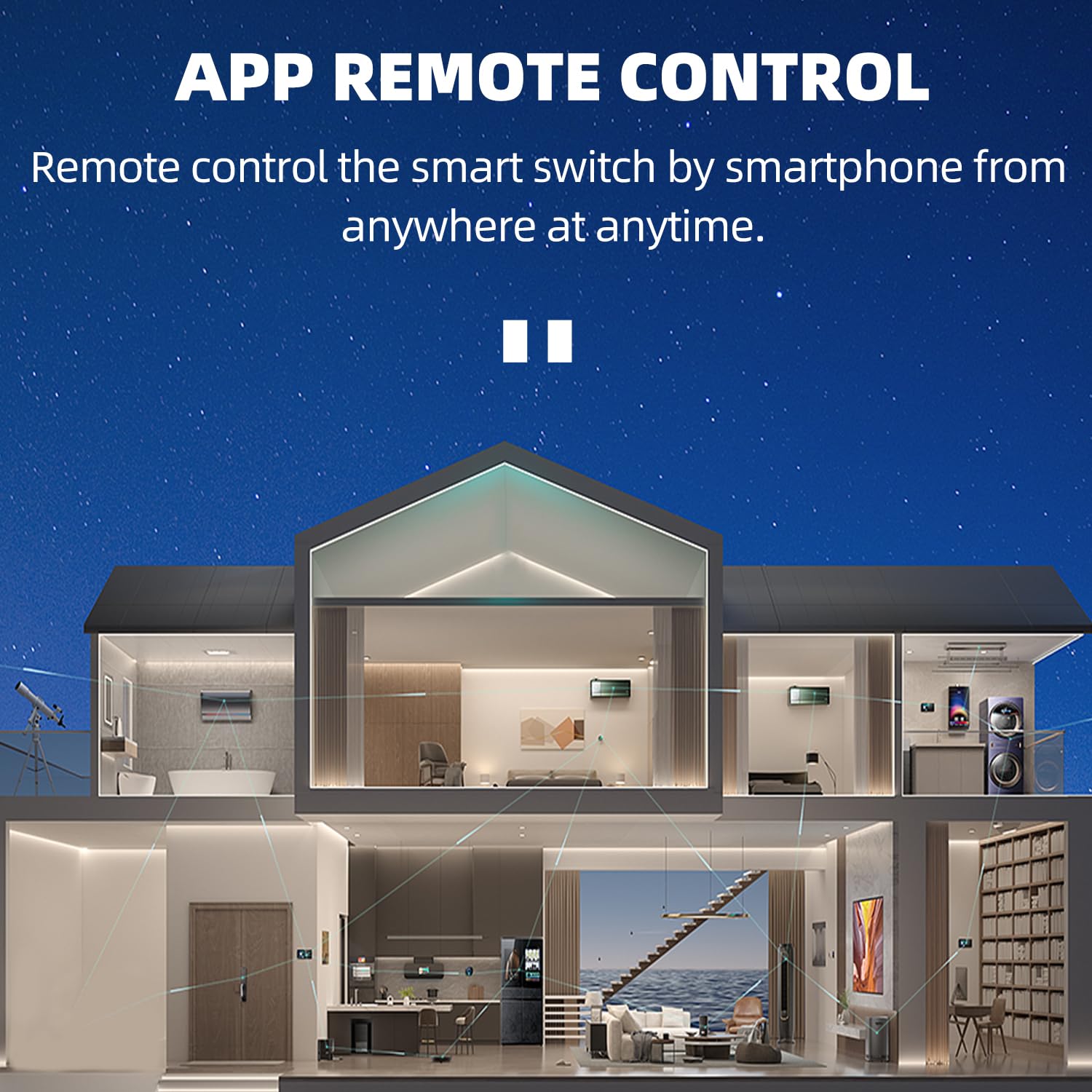
Imaj: Yon koupe view of a house showing various smart devices being controlled remotely by a smartphone, demonstrating the app's remote control functionality.

Image: Two separate images showing a smartphone app controlling a television and a tower fan, illustrating how the Tuya Smart or Smart Life app can turn various electric devices on or off.
3. Fonksyon revèy
The app provides various timing options:
- Orè: Fikse lè espesifik pou aparèy la limen oswa etenn chak jou oswa nan jou yo chwazi.
- Dekont: Mete yon revèy pou aparèy la etenn apre yon dire espesifik.
- Revèy sik: Configure the device to repeatedly turn on and off at set intervals.
4. Kontwòl vwa
Integrate your smart circuit breaker with Google Home or Amazon Alexa for voice commands.
- Kont lyezon: In the Google Home or Alexa app, link your Smart Life/Tuya account.
- Dekouvri Aparèy: Mande asistan vwa ou a pou l dekouvri nouvo aparèy.
- Kòmandman vwa: Sèvi ak kòmandman tankou:
- "Alexa, limen [Non Aparèy]."
- "Hey Google, etenn [Non Aparèy]."

Image: A smart speaker device with speech bubbles showing example voice commands for Google Assistant and Amazon Alexa to control the smart circuit breaker.
5. Siveyans enèji
The app provides real-time and historical data on your electricity usage.
- Done an tan reyèl: View aktyèl voltage (V), current (A), and power (W) directly in the app.
- Done Istorik: Access daily, monthly, and yearly energy consumption (KWh) reports.

Image: A smartphone screen showing detailed electricity statistics, including daily, monthly, and yearly energy consumption, along with real-time voltaglekti e, kouran, ak pouvwa.
Antretyen
- Netwayaj: Siye aparèy la avèk yon twal sèk epi mou. Pa sèvi ak pwodui chimik ki agresif oswa pwodui netwayaj abrazif.
- Mizajou mikrolojisyèl: Periodically check the Smart Life/Tuya App for available firmware updates to ensure optimal performance and security.
- Tcheke Koneksyon: Ensure Wi-Fi connectivity is stable for uninterrupted remote control and monitoring.
Depanaj
| Pwoblèm | Kòz posib | Solisyon |
|---|---|---|
| Aparèy pa alimante. | Pa gen kouran; fil elektrik ki pa kòrèk. | Check main circuit breaker. Verify wiring connections (L/N input/output). |
| Pa ka konekte ak Wi-Fi. | Incorrect Wi-Fi password; 5GHz network; device too far from router; device not in pairing mode. | Ensure 2.4GHz Wi-Fi. Re-enter password. Move device closer to router. Reset device to pairing mode (long press ON/OFF button). |
| Remote kontwòl pa travay. | No internet connection on phone or device; app not linked. | Check phone's internet. Verify device Wi-Fi connection. Ensure Smart Life/Tuya account is linked. |
| Inaccurate energy readings. | Incorrect wiring; device malfunction. | Double-check wiring. If issue persists, contact support. |
| Kontwòl vwa a pa reponn. | Voice assistant not linked; device name not recognized. | Ensure Smart Life/Tuya account is linked in Google Home/Alexa app. Try renaming the device to something simpler. |
Garanti ak sipò
For warranty information or technical support, please refer to the seller's policy or contact TAXNELE customer service through the platform where the product was purchased. Keep your purchase receipt as proof of purchase.


