Entwodiksyon
This manual provides detailed instructions for the Taiahiro 201 Gaming Keyboard. This 87-key mechanical keyboard is designed for an enhanced typing and gaming experience, featuring non-conflicting keys for simultaneous presses without lag. Its compact and ergonomic design ensures comfortable use across various devices.
Kontni pake
- Taiahiro 201 Mechanical Keyboard
- USB-C pou USB-A kab
- Manyèl itilizatè
Pwodwi souview
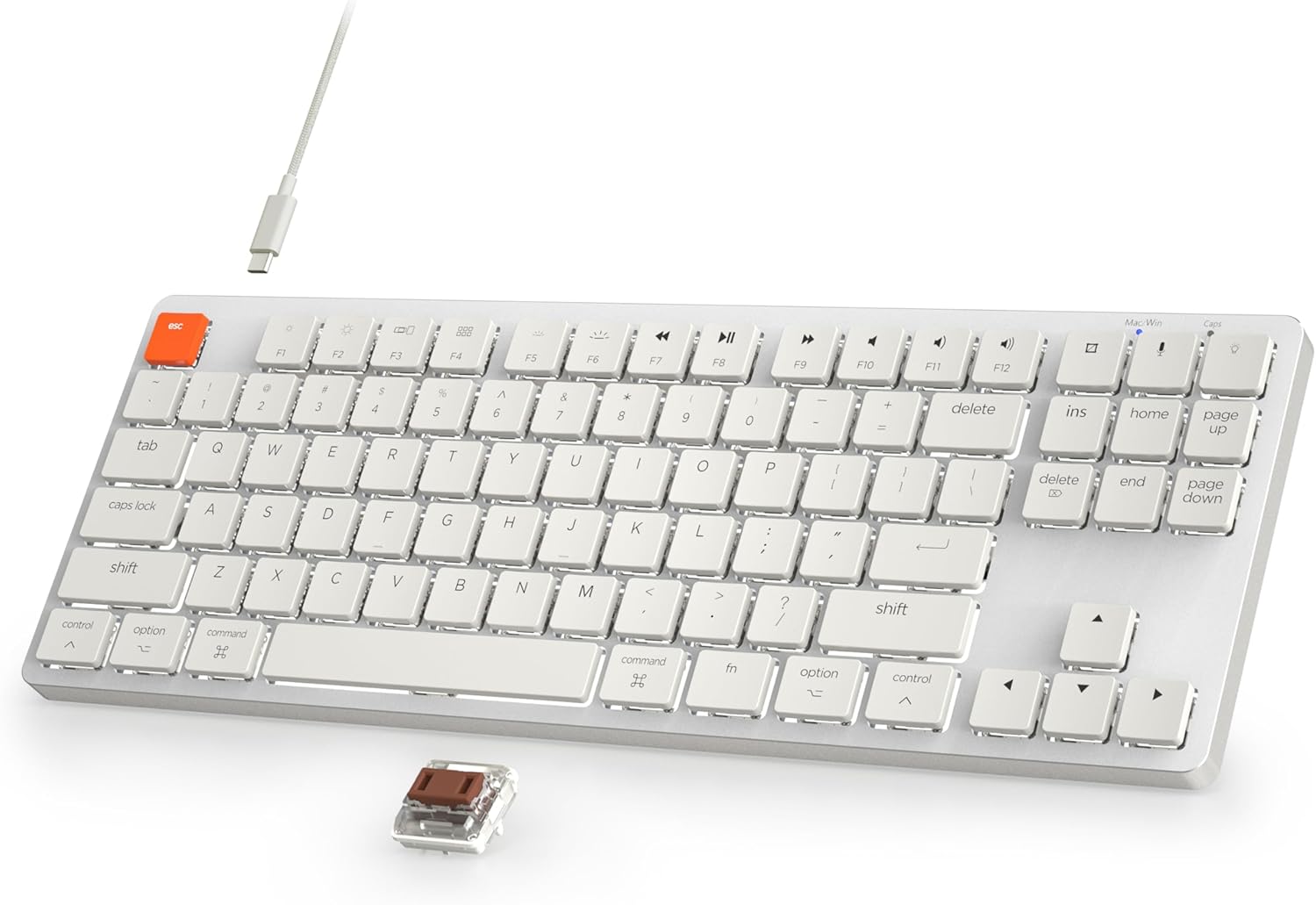
Figure 1: Taiahiro 201 Mechanical Keyboard. This image shows the full keyboard with its white keys and silver frame, connected via a white USB-C cable.
The Taiahiro 201 keyboard features an 87-key layout, providing a compact form factor without sacrificing essential functionality. It includes dedicated function keys and multimedia controls.
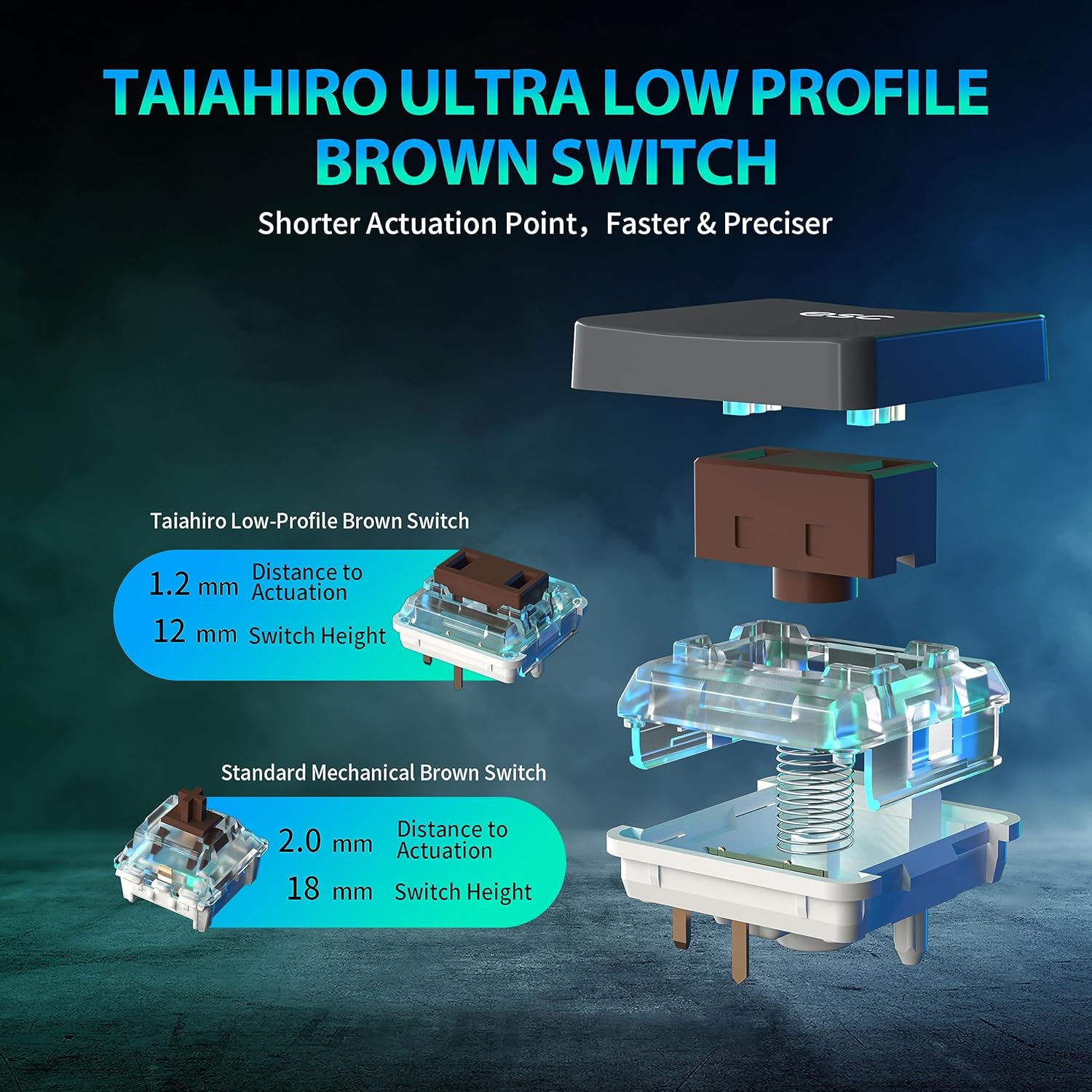
Figure 2: Taiahiro Low-Profile Brown Switch. This diagram illustrates the internal components and dimensions of the low-profile brown switch compared to a standard mechanical brown switch, highlighting its shorter actuation point and overall height.
The keyboard utilizes Taiahiro Low-Profile Brown Switches, designed for a shorter actuation point, resulting in faster and more precise keystrokes. The switch height is 12mm with a 1.2mm actuation distance.
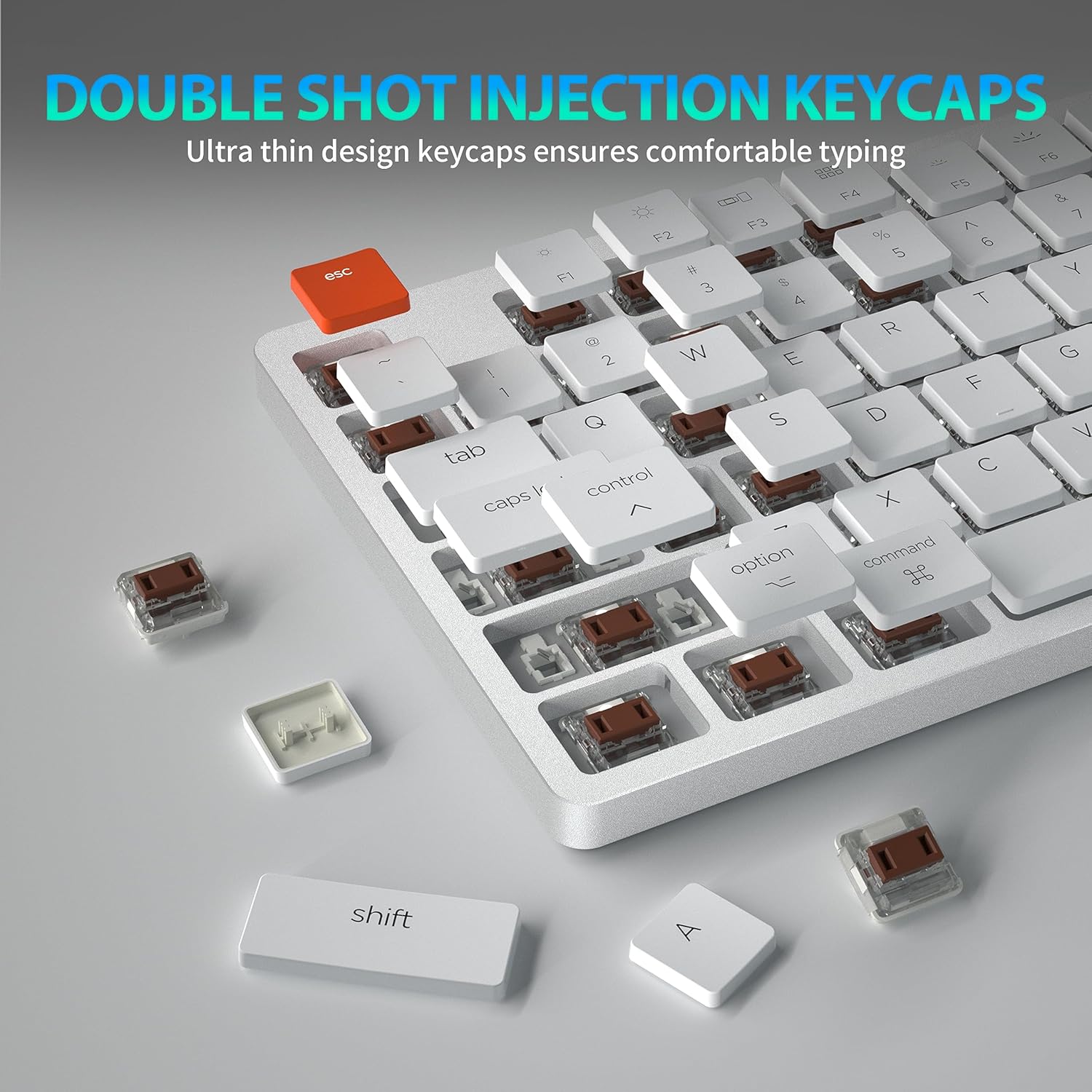
Figure 3: Double Shot Injection Keycaps. A close-up view of the keyboard showing several keycaps removed, revealing the double-shot injection molding process which ensures durability and clear legends.
Keycaps are manufactured using double shot injection, ensuring durability and preventing legends from fading over time. The ultra-thin design contributes to a comfortable typing experience.
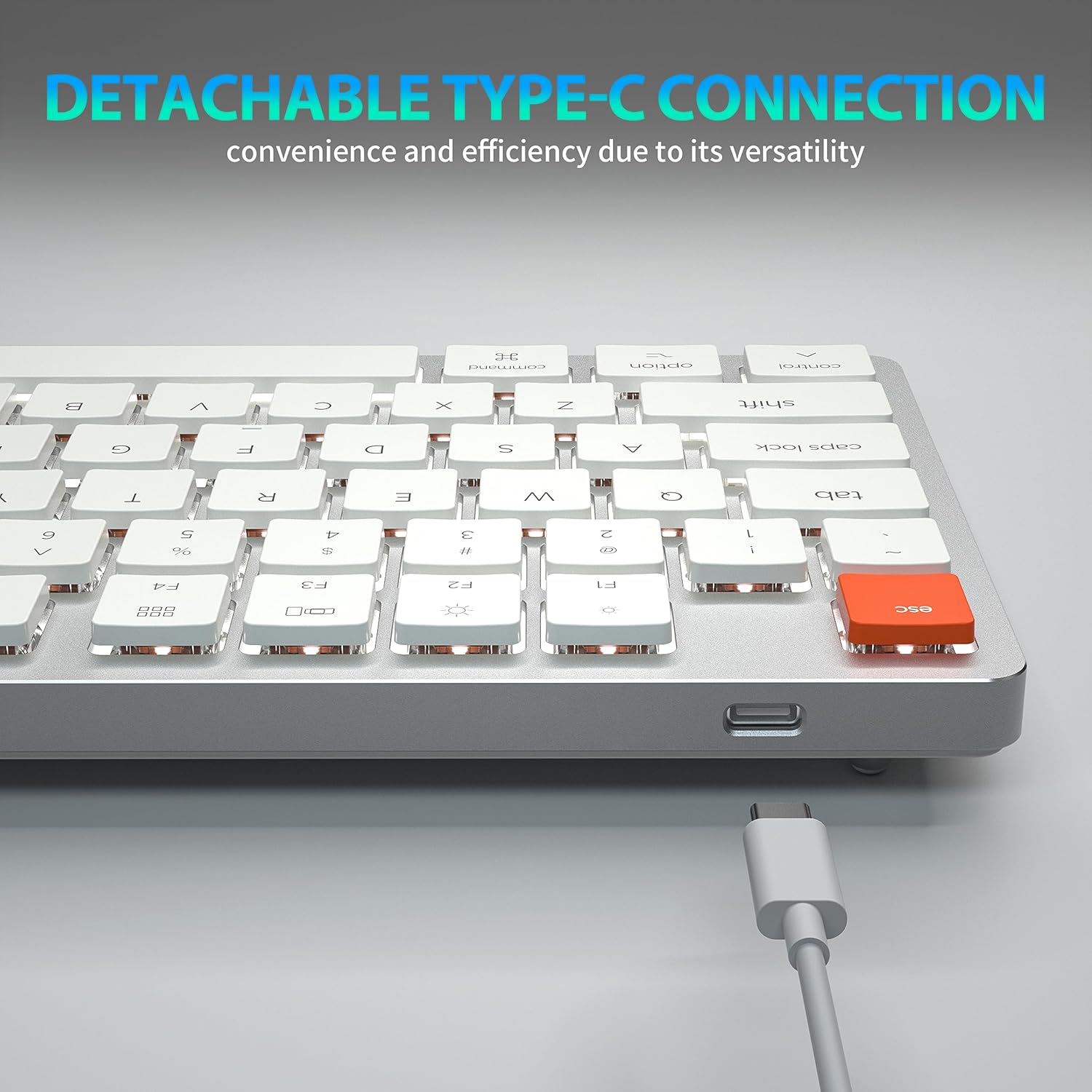
Figure 4: Detachable Type-C Connection. This image highlights the USB-C port on the keyboard and the detachable cable, emphasizing its versatility and ease of transport.
The keyboard features a detachable USB Type-C connection, offering convenience and efficiency due to its versatile and widely compatible interface.
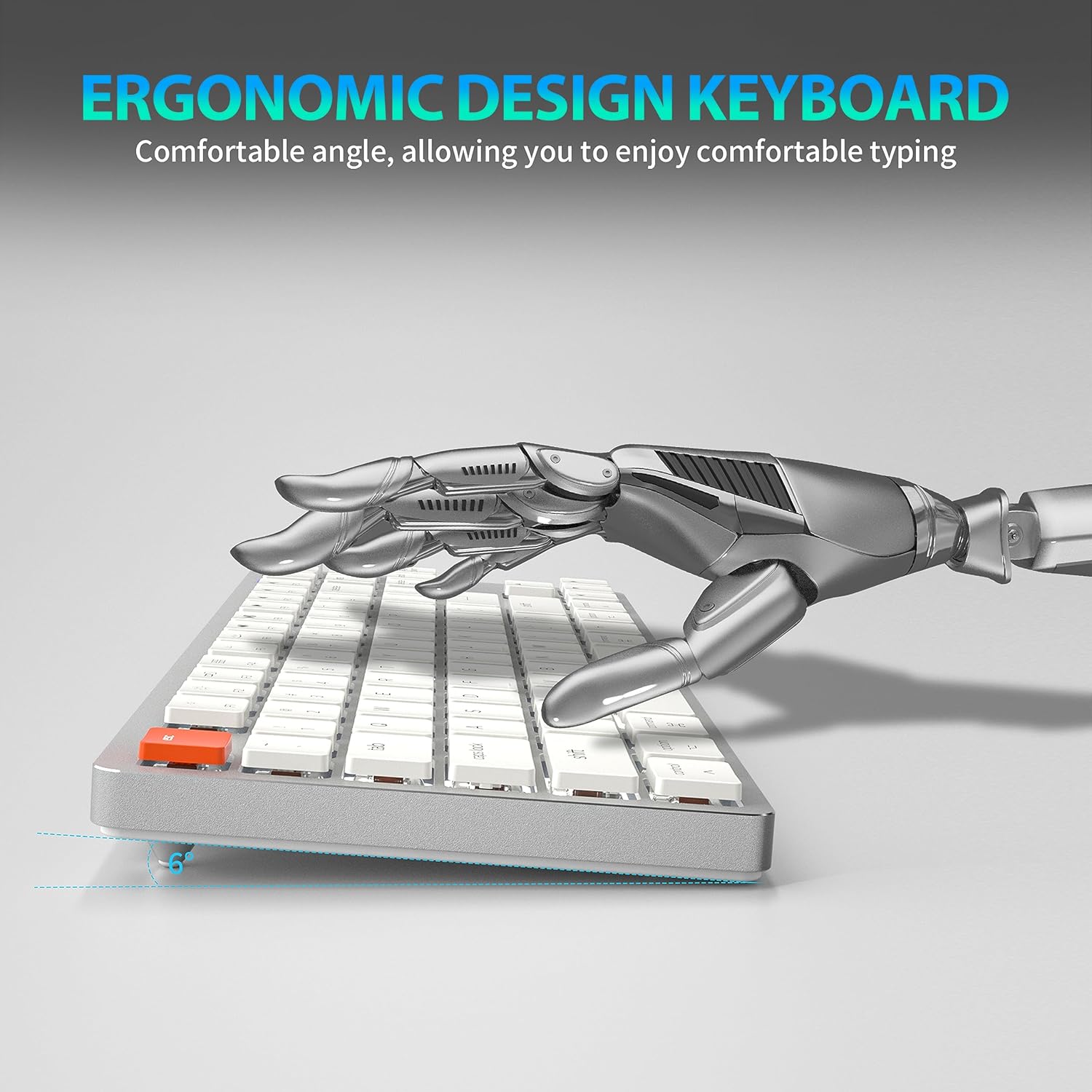
Figure 5: Ergonomic Design. A side view of the keyboard illustrating its comfortable typing angle, designed to reduce strain during extended use.
The ergonomic design provides a comfortable angle for typing, reducing wrist strain during prolonged use.
Enstalasyon
Koneksyon Filaire (USB-C)
- Connect the USB-C end of the provided cable to the keyboard's USB-C port.
- Connect the USB-A end of the cable to an available USB port on your computer or device.
- Klavye a pral rekonèt otomatikman epi li pral pare pou itilize.
Wireless Connection (Bluetooth 5.1)
The keyboard supports stable Bluetooth 5.1 connectivity, allowing effortless switching between up to 3 devices.
- Asire w klavye a chaje oubyen konekte via USB-C.
- Turn on the keyboard's power switch (usually located on the back or side).
- Pou antre nan mòd appariement, peze epi kenbe Fn + Q, Fn + W, oswa Fn + E for 3-5 seconds. The indicator light for the selected channel (Q, W, or E) will flash rapidly, indicating it's ready for pairing.
- Sou aparèy ou an (PC, laptop, tablèt, telefòn), aktive Bluetooth epi chèche nouvo aparèy.
- Select "Taiahiro 201 Keyboard" (or similar name) from the list of available devices.
- Once connected, the indicator light will stop flashing and remain solid for a few seconds, then turn off.
- Pou chanje ant aparèy ki asosye yo, jis peze Fn + Q, Fn + W, oswa Fn + E.
Enstriksyon Operasyon
Kontwòl ekleraj
The Taiahiro 201 keyboard features adjustable backlighting. Use the following key combinations to control the backlight:
- Fn + \ |: Cycle through backlight modes.
- Fn + ↑: Ogmante klète limyè dèyè a.
- Fn + ↓: Diminye klète limyè dèyè a.
- Fn + ←: Decrease backlight speed (for dynamic modes).
- Fn + →: Increase backlight speed (for dynamic modes).
Multimedia Keys and Function Keys
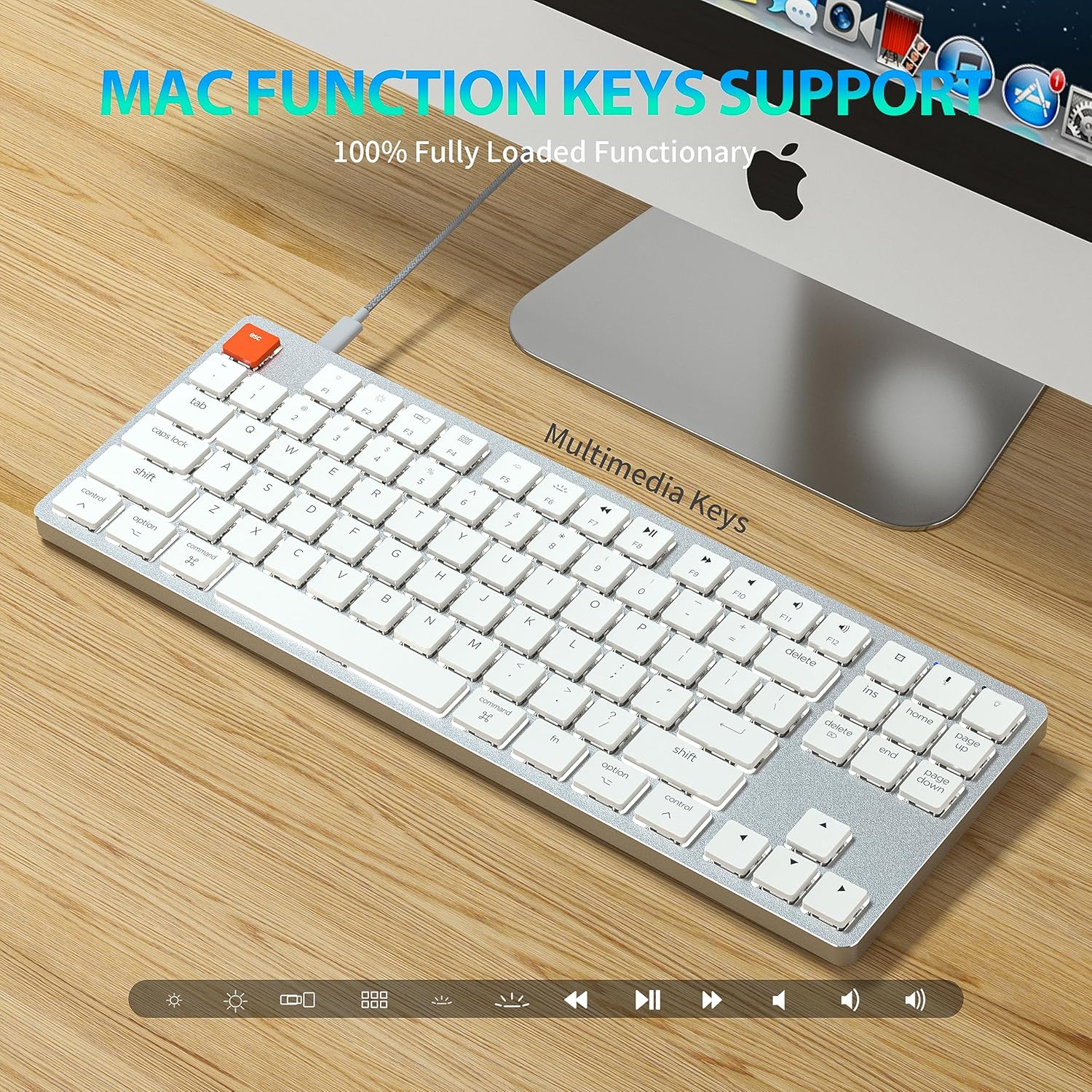
Figure 6: Mac Function Keys Support. This image shows the keyboard in a Mac setup, highlighting the multimedia and function keys (F1-F12) and their compatibility with macOS.
The keyboard supports full functionality for both Windows and Mac operating systems. Use the Fn key in combination with the F-keys for multimedia and system functions:
- Fn + F1: Decrease screen brightness
- Fn + F2: Increase screen brightness
- Fn + F3: Mission Control (Mac) / Task View (Windows)
- Fn + F4: Launchpad (Mac) / Search (Windows)
- Fn + F5: Backlight mode cycle
- Fn + F6: Backlight color cycle
- Fn + F7: Track Previous
- Fn + F8: jwe/poz
- Fn + F9: Next Track
- Fn + F10: bèbè
- Fn + F11: Volim desann
- Fn + F12: Volim leve
- fn + A: Switch to Mac layout (Command/Option keys)
- Fn + S: Switch to Windows layout (Ctrl/Alt keys)
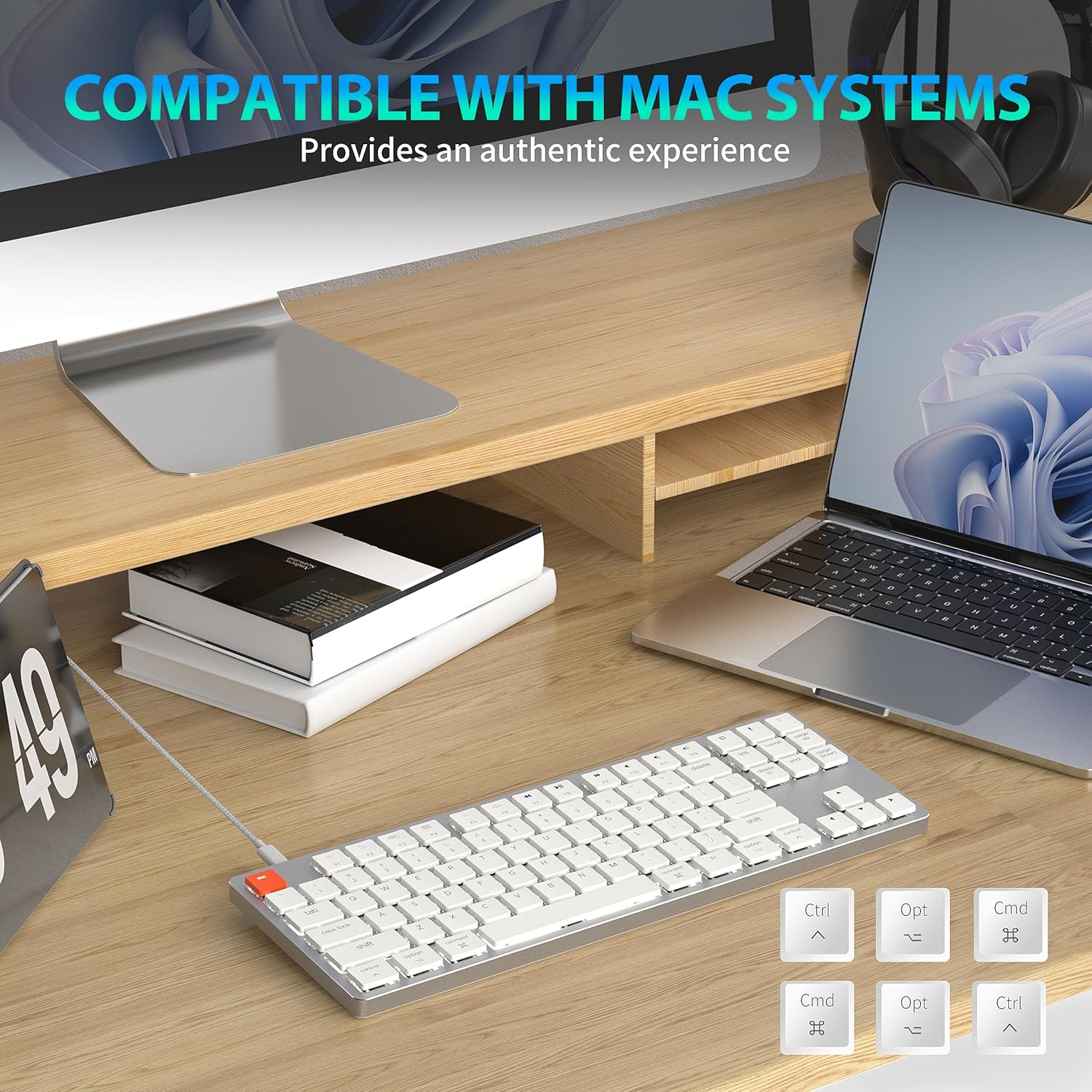
Figure 7: Compatibility with Mac Systems. This image shows the keyboard connected to a Mac setup, with an inset displaying alternative keycaps for Command, Option, and Control, indicating full compatibility and an authentic experience for Mac users.
The keyboard is fully compatible with Mac systems, providing an authentic experience with dedicated Mac function keys and layout options.
Antretyen
- Netwayaj: Use a soft, dry cloth to wipe the keyboard surface. For deeper cleaning, gently remove keycaps and use compressed air to clear debris.
- Depo: Sere klavye a nan yon kote ki fre epi sèk, lwen limyè solèy dirèk ak tanperati ekstrèm.
- Ekspozisyon likid: Avoid exposing the keyboard to liquids. In case of spills, immediately disconnect the keyboard and allow it to dry completely before re-connecting.
Depanaj
Klavye pa reponn
- Branche Mode: Asire w kab USB-C a byen konekte ak klavye a ak òdinatè a. Eseye yon lòt pò USB oswa kab.
- Mòd san fil:
- Check if the keyboard is powered on.
- Asire w klavye a chaje.
- Verifye si Bluetooth la aktive sou aparèy ou an.
- Re-pair the keyboard with your device (see Wireless Connection section).
- Ensure you are on the correct Bluetooth channel (Fn+Q/W/E).
Backlight Not Working/Dim
- Ogmante klète a lè l sèvi avèk Fn + ↑.
- Chanje mòd ekleraj yo lè l sèvi avèk Fn + \ |.
- Ensure the keyboard is not in a low-power state. Charge the keyboard if using wireless mode.
Bluetooth Disconnection Issues
- Asire w klavye a nan zòn efikas aparèy ou an.
- Minimize entèferans ki soti nan lòt aparèy san fil yo.
- Rekonekte klavye a.
- Update Bluetooth drivers on your device if applicable.
Espesifikasyon
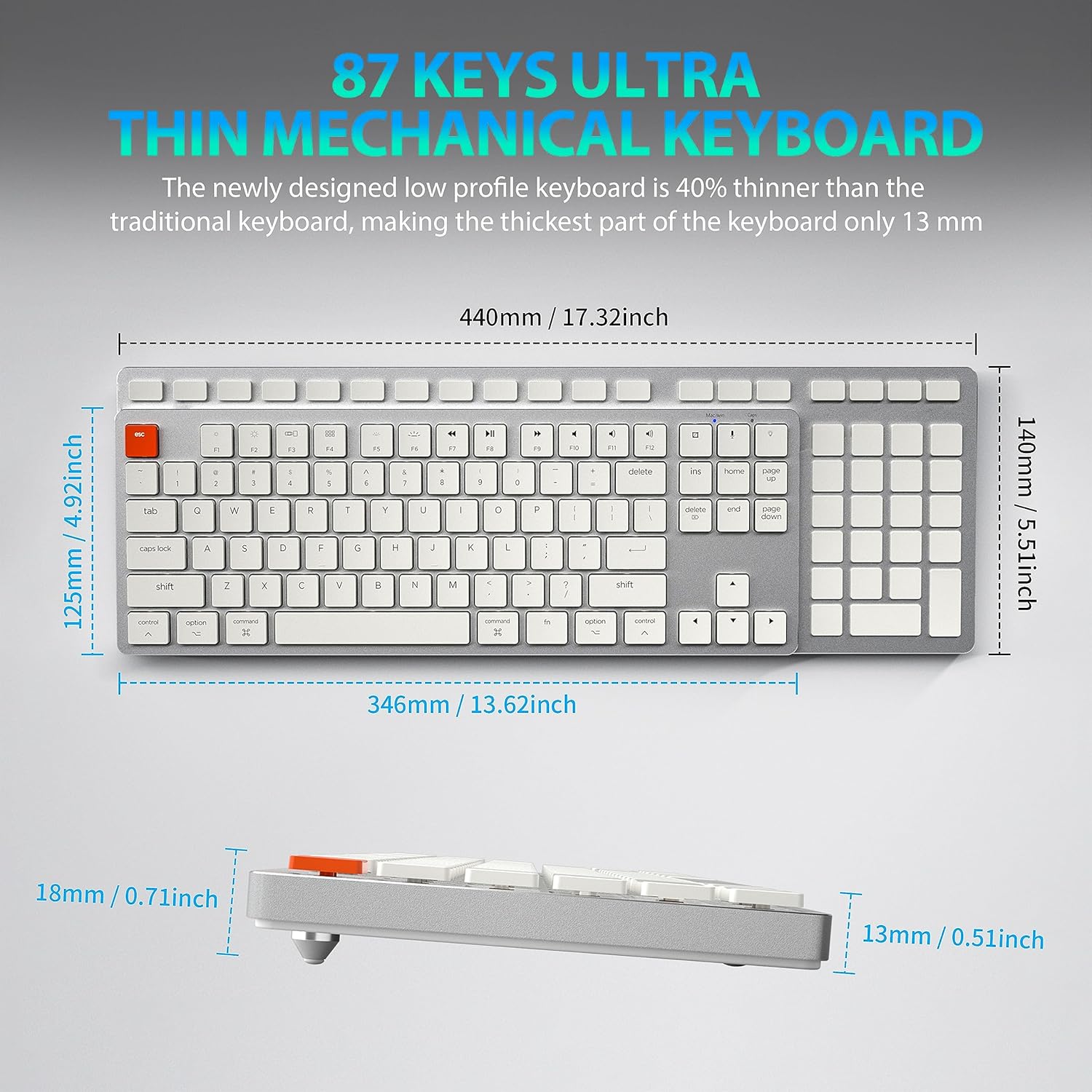
Figure 8: Keyboard Dimensions. This diagram provides precise measurements of the keyboard's length, width, and thickness, illustrating its ultra-thin profile.
| Mak | Taiahiro |
| Non modèl | 201 |
| Koneksyon Teknoloji | Bluetooth, USB-C (Wired) |
| Deskripsyon klavye | Mekanik |
| Kantite kle | 87 |
| Karakteristik espesyal | Ergonomic, N-Key Rollover, Backlit |
| Aparèy konpatib | PC, Laptop, Pad, Phone (Mac/Windows compatible) |
| Pwa atik | 2.18 liv |
| Dimansyon pake | 16.93 x 6.69 x 1.54 pous |
| Manifakti | Taiahiro Tech |
Garanti ak sipò
For warranty information and technical support, please refer to the contact details provided with your product packaging or visit the official Taiahiro websit. Kenbe resi acha ou pou reklamasyon garanti.


