1. Entwodiksyon
Thank you for choosing the Mesqool CR1024 Projection Alarm Clock. This device combines a digital alarm clock with a time projector, displaying time on your wall or ceiling. It also features temperature and humidity monitoring, dual alarms, a night light, and USB charging ports. This manual will guide you through the setup, operation, and maintenance of your new alarm clock.
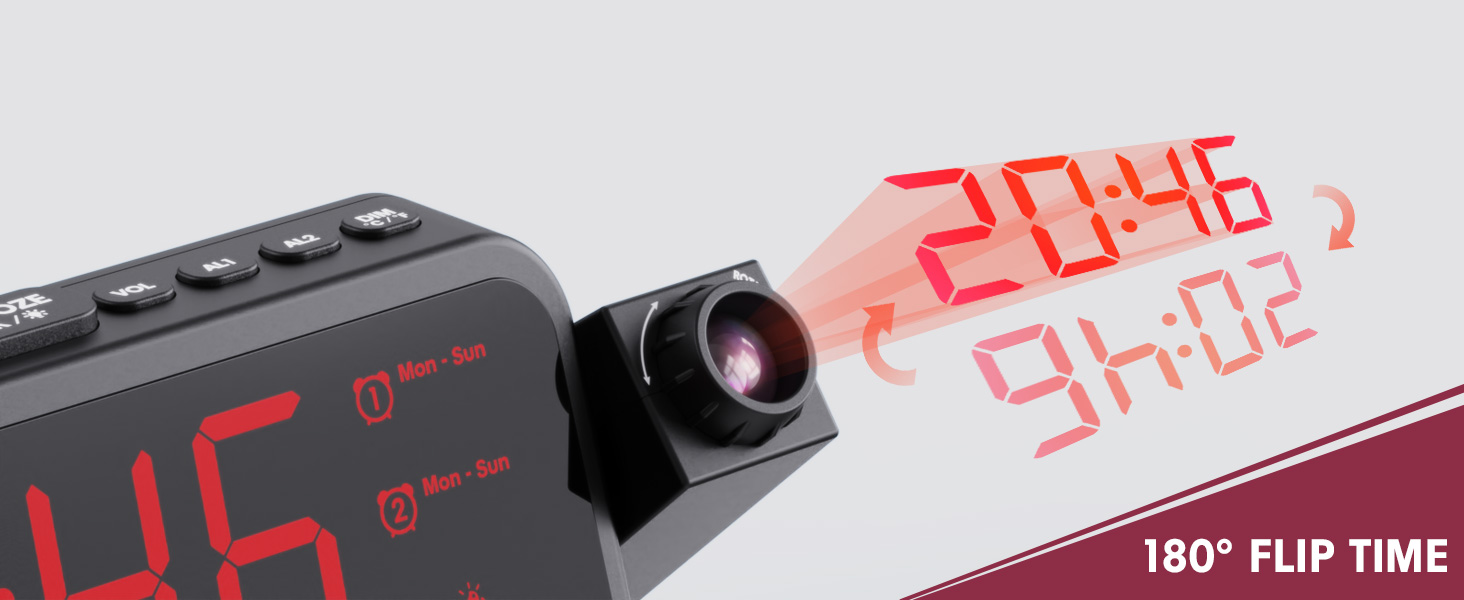
Image 1.1: Mesqool CR1024 Projection Alarm Clock with a smartphone connected for charging.
Karakteristik kle:
- 180° Swivel Projection with Adjustable Focus
- Large LED Display with Time, Date, Day, Temperature, and Humidity
- Dual Alarms with Weekday/Weekend/7-Day/One-time Modes
- 9-Minute Snooze Function
- Integrated Soft LED Night Light with Adjustable Brightness
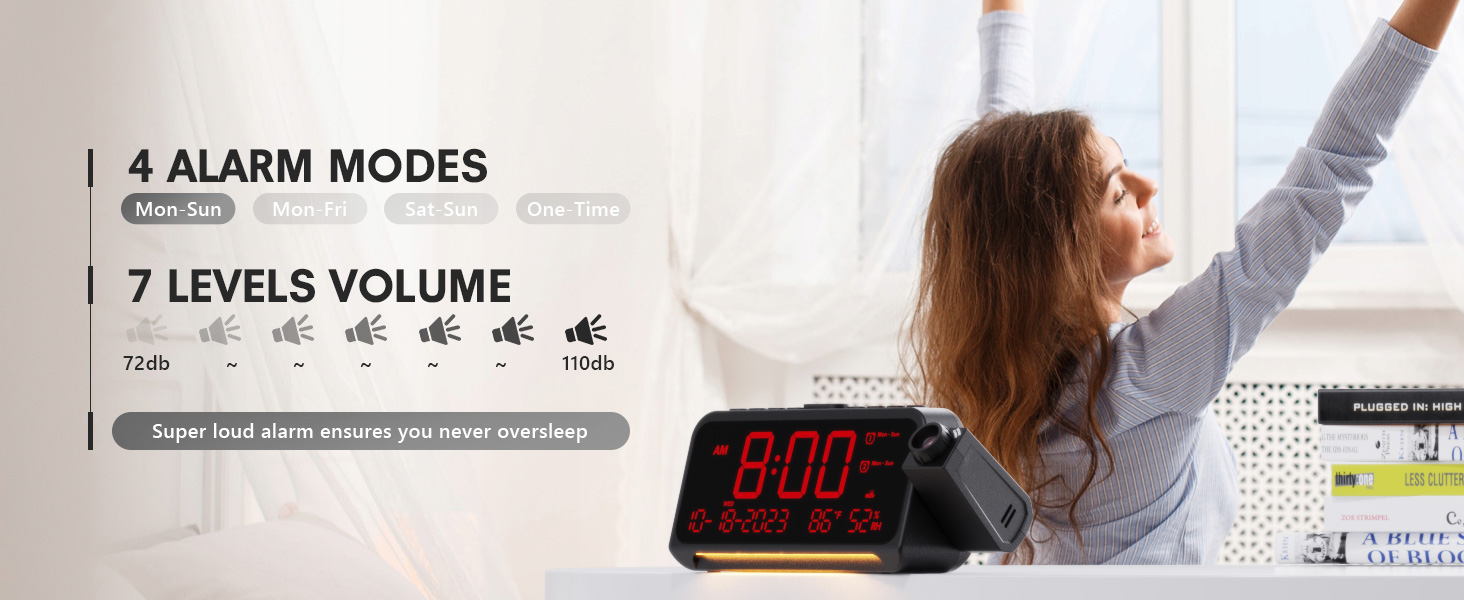
- 7-Level Adjustable Alarm Volume
- 5-nivo Display Dimmer
- Memory Function (requires 2x AAA batteries, not included)
- Dual USB Charging Ports (Type-C and USB-A)
2. Enstalasyon
2.1 Koneksyon pouvwa
- Konekte adaptè kouran ki vini ak revèy la nan pò DC IN ki sou dèyè revèy la.
- Plug the power adapter into a standard electrical outlet. The clock display will illuminate.
- Pou pouvwa backup pandan outages, insert two AAA batteries (not included) into the battery compartment. This will preserve time and alarm settings.
2.2 Premye Konfigirasyon Dat ak Lè
- Peze epi kenbe la TAN SET bouton pou antre nan mòd fikse tan.
- Sèvi ak la + or - bouton yo pou ajiste lè a. Peze TAN SET pou konfime.
- Repeat the process to set the minute, year, month, and day.
- Peze TAN SET ankò pou sòti nan mòd konfigirasyon an.
2.3 12/24 Hour Format and DST
- Pou chanje ant fòma 12 èdtan ak 24 èdtan, peze bouton an 12/24H bouton.
- To activate or deactivate Daylight Saving Time (DST), press the DST button. An indicator will appear on the display when DST is active.

Image 2.1: The clock displaying time in both 12-hour and 24-hour formats.
3. Operasyon Enstriksyon
3.1 Mete Alam yo
Revèy la sipòte de alam endepandan (AL1 ak AL2).
- Peze epi kenbe la AL1 or AL2 bouton pou antre nan mòd anviwònman alam.
- Sèvi ak la + or - buttons to adjust the alarm hour. Press the respective alarm button (AL1 or AL2) pou konfime.
- Repeat to set the alarm minute.
- After setting the minute, use + or - to select the alarm mode: Mon-Sun, Mon-Fri, Sat-Sun, or One-time.
- Press the alarm button again to confirm and exit.
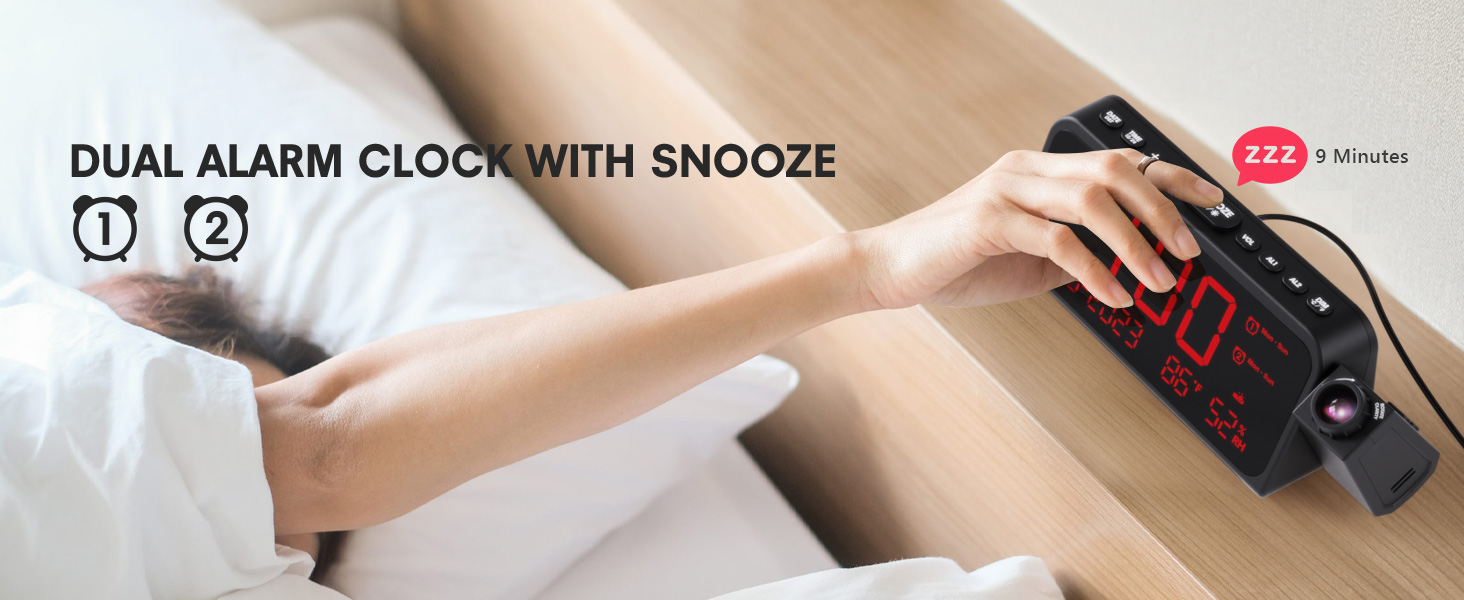
Image 3.1: The clock displaying dual alarm settings and snooze functionality.
3.2 Repete Fonksyon
Lè yon alam sonnen, peze gwo bouton an SNOOZE/OK/* bouton an pou aktive fonksyon repetisyon an. Alam lan ap pran yon poz pou 9 minit epi apre sa li sonnen ankò.
3.3 Ajisteman Volim Alam
Peze a VOL button to cycle through 7 levels of alarm volume. Adjust to your preferred loudness.

Image 3.2: Visual representation of the 4 alarm modes and 7 adjustable volume levels.
3.4 Projection Settings
- Pwojeksyon ON/OFF: Peze a PWOJEKSYON bouton pou aktive oubyen etenn pwojeksyon an.
- Pwojeksyon klète: Plizyè fwa peze la PWOJEKSYON button to cycle through 5 brightness levels (Dim, Low, Medium, High, Full).
- Projection Orientation: The projector arm can swivel 180 degrees. Rotate the arm to direct the time display to your desired surface (wall or ceiling).
- Ajisteman konsantre: Use the focus ring on the projector lens to sharpen the projected image.
Imaj 3.3: Detaye view of the projection features, including distance, time flip, rotation, focus, and brightness levels.
3.5 Gradatè ekspozisyon
Peze a DIMMER button to adjust the brightness of the main LED display. There are 5 levels of brightness to choose from, allowing you to customize it for comfort, especially at night.
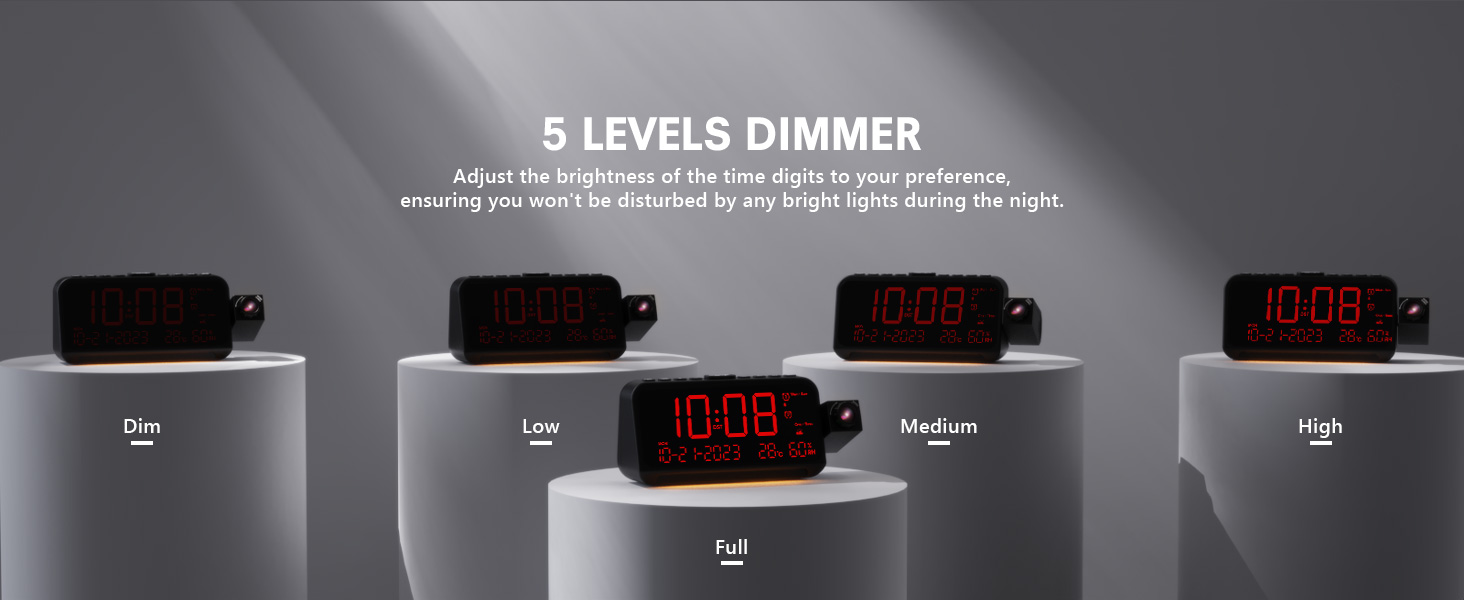
Image 3.4: The clock demonstrating its 5-level adjustable display dimmer.
3.6 limyè lannwit
The clock features a soft LED night light located at the bottom. Press the LIMYÈ button to cycle through Off, Medium, and Full brightness settings for the night light.
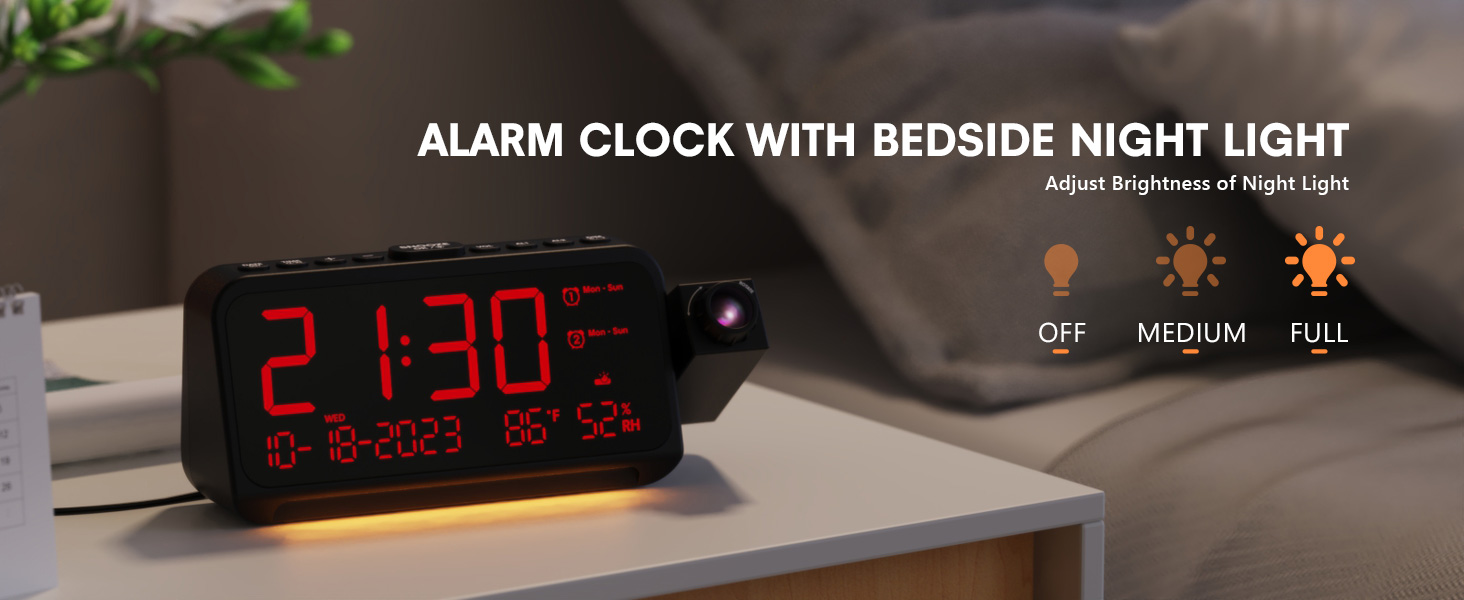
Image 3.5: The clock with its integrated night light, showing different brightness options.
3.7 USB chaje pò
The clock is equipped with a Type-C and a standard USB-A charging port on the back. You can use these ports to charge your mobile devices while the clock is powered.

Image 3.6: The back of the clock showing the Type-C and USB-A charging ports in use.
4. Antretyen
To ensure the longevity and optimal performance of your Mesqool CR1024 Projection Alarm Clock, follow these maintenance guidelines:
- Netwayaj: Wipe the clock's surface with a soft, dry cloth. Avoid using abrasive cleaners, solvents, or chemical sprays, as these can damage the finish or electronic components.
- Anviwònman: Place the clock in a dry environment, away from direct sunlight, extreme temperatures, and high humidity.
- Vantilasyon: Asire ouvèti vantilasyon yo pa bloke pou anpeche surchof.
- Ranplasman batri: If using AAA batteries for backup, replace them annually or when the low battery indicator appears to ensure settings are retained during power outages.
NAN. Depanaj
If you encounter issues with your Mesqool CR1024 Projection Alarm Clock, please refer to the following common problems and solutions:
| Pwoblèm | Kòz posib | Solisyon |
|---|---|---|
| Pwojeksyon an flou oswa li pa klè. | Incorrect focus or projection distance. | Adjust the focus ring on the projector lens. Ensure the clock is within the optimal projection distance (4.92-9.84 ft). |
| Alam lan pa sonnen oswa li twò ba. | Alarm not activated or volume set too low. | Ensure the alarm is enabled (AL1/AL2 indicator on display). Press the VOL button to increase the alarm volume. |
| Ekran an twò klere oswa twò fèb. | Display dimmer setting is not optimal. | Peze a DIMMER button to cycle through the 5 brightness levels. |
| Reyajiste tan/paramèt yo apre kouran an koupetage. | No backup batteries or batteries are depleted. | Install two fresh AAA batteries (not included) in the battery compartment for memory backup. |
| Cannot change time format from 24-hour to 12-hour. | Incorrect button press or temporary glitch. | Peze a 12/24H button. If the issue persists, try unplugging the clock for a few minutes and then reconnecting power. |
6. Espesifikasyon
| Karakteristik | Detay |
|---|---|
| Mak | Mesqool |
| Nimewo Modèl | CR1024 |
| Kalite ekspozisyon | Dijital dirije |
| Sous pouvwa | Fil elektrik |
| Sovgad batri | 2x pil AAA (pa enkli) |
| Dimansyon pwodwi | 7.87"W x 3.4"H (7.87x2.36x3.43 inch) |
| Pwa atik | 12 ons (0.34 kilogram) |
| Materyèl | Akrilonitrile butadien stirèn (ABS) |
| Karakteristik espesyal | Projection, Dual Alarms, Snooze, Night Light, Temperature, Humidity, Calendar, DST, USB Charging |

Image 6.1: Dimensions of the Mesqool CR1024 Projection Alarm Clock.
7. Garanti ak sipò
7.1 Enfòmasyon sou Garanti
This Mesqool CR1024 Projection Alarm Clock comes with a 24-mwa garanti from the date of purchase. Mesqool also provides lifetime support for this product. Please retain your proof of purchase for warranty claims.
7.2 Sipò pou Kliyan
For any questions, technical assistance, or warranty inquiries, please contact Mesqool customer support through the retailer where you purchased the product or refer to the official Mesqool websit pou enfòmasyon kontak.


