1. Entwodiksyon
This manual provides essential information for the proper installation, operation, and maintenance of your LC-Power FHD 32 inch 165Hz Curved Gaming Monitor (Model: LC-M32-FHD-165-C-A). Please read this manual thoroughly before using the product to ensure optimal performance and safety.

Figi 1.1: Devan view of the LC-Power 32-inch curved gaming monitor.
2. Enfòmasyon sou Sekirite
Obsève prekosyon sekirite sa yo pou evite domaje monitè a epi asire sekirite itilizatè a:
- Pa ekspoze monitè a anba lapli, imidite, oswa tanperati ekstrèm.
- Asire w ke gen bon vantilasyon toutotou monitè a. Pa bloke ouvèti vantilasyon yo.
- Sèvi sèlman ak adaptè kouran ki vini ak monitè a.
- Evite mete objè lou sou fil elektrik la.
- Dekonekte kab kouran an nan priz kouran an pandan tanpèt zèklè oswa lè ou pa itilize li pou yon bon bout tan.
- Do not attempt to repair the monitor yourself. Refer all servicing to qualified personnel.
3. Pake kontni
Verifye ke tout atik yo prezan nan pakè a:
- LC-Power 32 inch Curved Gaming Monitor
- Sipò Monitè (Baz ak Kou)
- Adaptè kouran ak kab kouran
- HDMI kab
- Manyèl itilizatè
- Vis pou Asanblaj Sipò a
4. Enstalasyon
4.1 Asanble kanpe la
- Retire monitè a nan anbalaj li avèk prekosyon, epi kenbe l pwoteje sou yon sifas ki mou.
- Attach the stand neck to the monitor panel using the provided screws.
- Connect the stand base to the stand neck and secure it with the remaining screws.
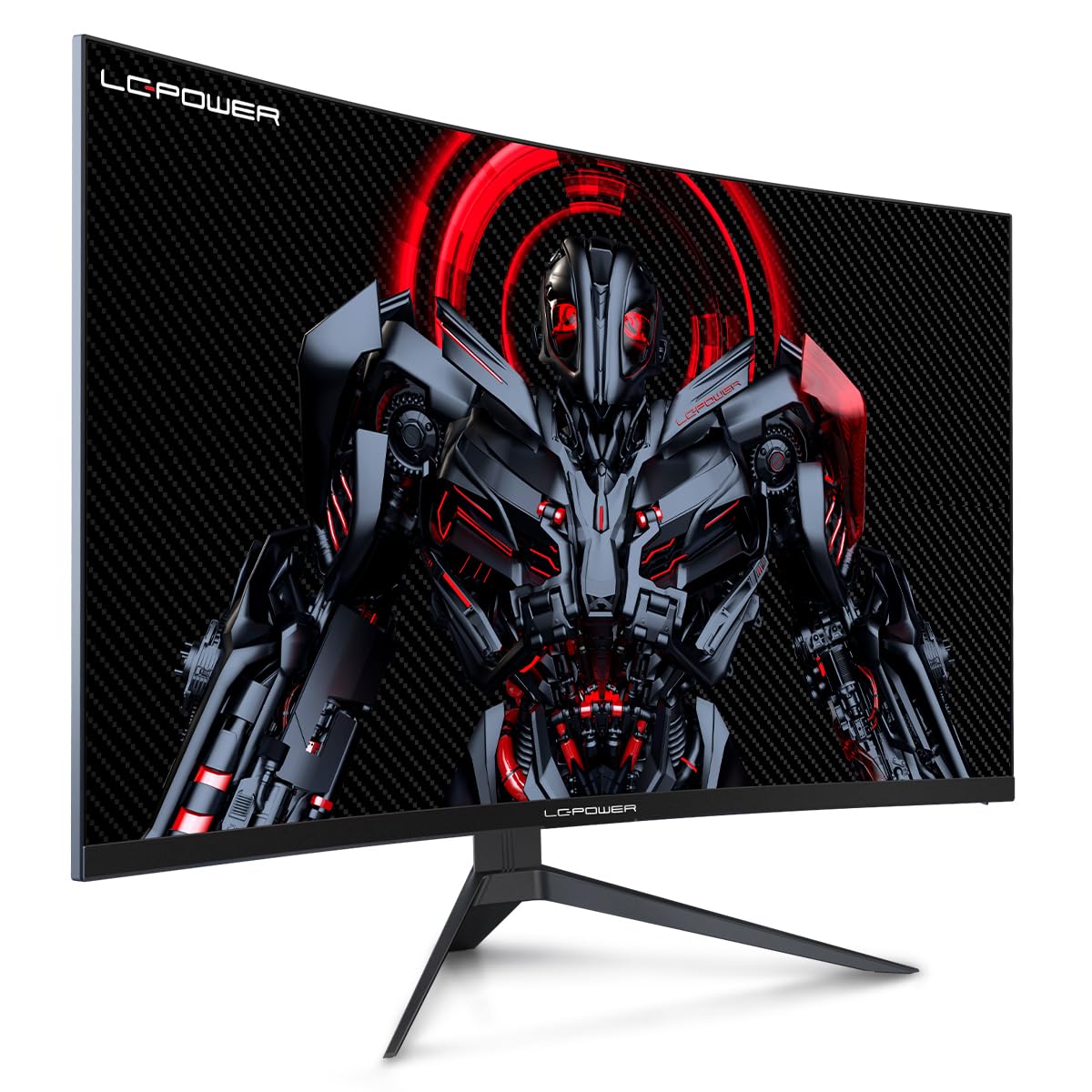
Figure 4.1: LC-Power monitor with stand assembled.
4.2 Konekte kab
Connect the necessary cables to the monitor's rear ports:
- Pouvwa: Connect the power adapter to the monitor's DC input and then to a power outlet.
- Videyo Antre: Konekte yon kab HDMI oswa DisplayPort ki soti nan kat grafik òdinatè w la nan pò ki koresponn lan sou monitè a.

Figi 4.2: Dèyè view nan monitè a ak pò antre yo.
4.3 Montaj VESA (Opsyonèl)
The monitor supports VESA 100x100mm mounting. To use a VESA mount, remove the stand and attach the monitor to a compatible VESA bracket using appropriate screws (not included).
5. Operasyon Enstriksyon
5.1 Power On/Off
Press the power button, typically located on the back or bottom of the monitor, to turn the monitor on or off. The power indicator light will illuminate when the monitor is on.
5.2 Meni OSD (On-Screen Display).
The OSD menu allows you to adjust various monitor settings. Use the control buttons (joystick or individual buttons) on the monitor to navigate the menu.
Anviwònman OSD komen yo:
- Anviwònman Foto: Ajiste klète, kontras, netteté, ak tanperati koulè.
- Chwazi Antre: Chanje ant antre HDMI ak DisplayPort manyèlman.
- Odyo: Adjust volume if external speakers are connected via the monitor's audio output.
- Anviwònman jwèt: Access features like Overdrive, GamePlus (crosshair overlays), FPS/RTS modes, and Adaptive Sync.
- Montre Anviwònman: Adjust aspect ratio, resolution, and refresh rate. Ensure your graphics card is configured to output 1920x1080 resolution at 165Hz for optimal performance.
- Low Blue Light & Flicker-Free: These features are designed to reduce eye strain during prolonged use. They can be enabled or disabled in the OSD menu.
6. Antretyen
6.1 Netwaye monitè a
- Toujou deploge monitè a anvan w netwaye.
- Sèvi ak yon ti moso twal mou, ki san pèl dampLave avèk dlo oswa yon pwodui netwayaj ekran dou ki pa abrazif.
- Pa flite pwodui netwayaj la dirèkteman sou ekran an.
- Avoid using benzene, thinner, or ammonia-based cleaners.
6.2 Depo
If storing the monitor for an extended period, disconnect all cables, pack it in its original packaging, and store it in a cool, dry place away from direct sunlight.
NAN. Depanaj
Gade tablo ki anba la a pou pwoblèm komen ak solisyon yo:
| Pwoblèm | Kòz posib | Solisyon |
|---|---|---|
| Pa gen imaj sou ekran an | Power cable disconnected; Video cable disconnected; Incorrect input selected | Check power and video cable connections; Select correct input via OSD menu |
| Image flickering | Faulty video cable; Graphics card driver issue; Refresh rate mismatch | Replace video cable; Update graphics drivers; Set refresh rate to 165Hz in OS display settings |
| Koulè parèt kòrèk | Color settings in OSD; Graphics card settings | Adjust color settings in OSD; Calibrate colors via graphics card control panel |
| Monitè a pa limen | Power cable not connected; Power adapter faulty | Ensure power cable is securely connected; Test power outlet; Contact support if adapter is suspected faulty |
8. Espesifikasyon
Detailed technical specifications for the LC-Power LC-M32-FHD-165-C-A monitor:
| Karakteristik | Spesifikasyon |
|---|---|
| Mak | LC-pouvwa |
| Modèl | LC-M32-FHD-165-CA |
| Gwosè ekran | 32 pous |
| Rezolisyon ekran | 1920 x 1080 (FHD 1080p) |
| Rafrechisman pousantaj | 165 Hz |
| Tan repons | 1 milisgond |
| Koubti | 1500R |
| Aspè rapò | 16:9 |
| Teknoloji ekspozisyon | LCD |
| Viewing Ang | 178 Degre |
| Entèfas Materyèl | HDMI, DisplayPort |
| Karakteristik espesyal | Curved, Flicker-Free, Low Blue Light, GamePlus, Overdrive, FPS/RTS |
| VESA konpatibilite | 100x100mm |
| Dimansyon pwodwi | 14.3 x 53.8 x 40.6 cm (L x W x H) |
| Pwa atik | 8.24 kg |
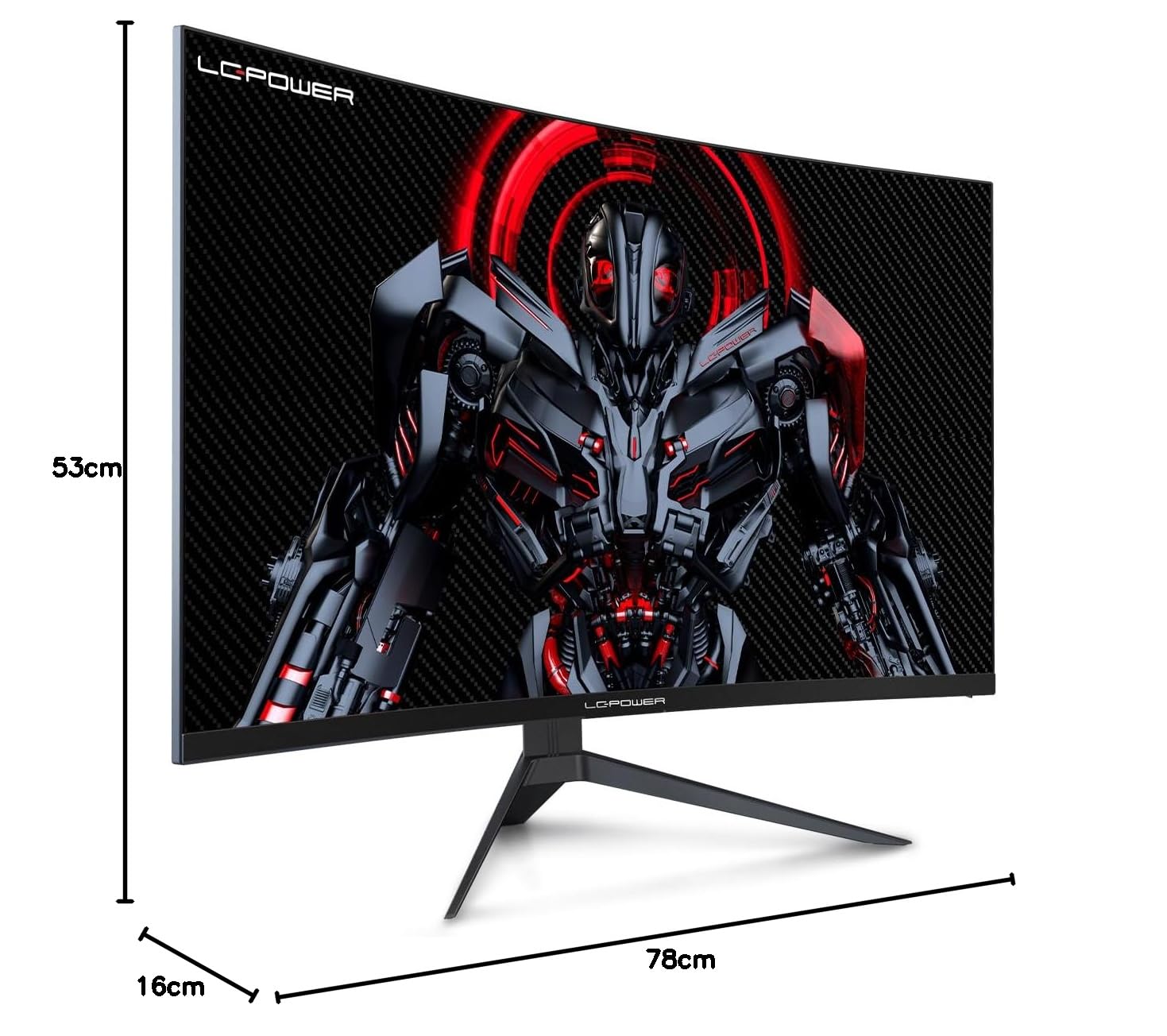
Figure 8.1: Monitor dimensions for planning installation space.
9. Garanti ak sipò
LC-Power provides a three-year warranty for this product. Additionally, a twelve-month replacement service is available. For technical assistance or inquiries regarding damage, defects, or missing parts, please contact LC-Power customer support. Telephone technical support is also available.


